
Disclosure: VPNFin is reader-supported. If you buy a VPN through links on this page, we may earn a commission at no extra cost to you. This never affects our ratings — here’s our full disclosure.
Google shows the wrong country with a VPN for a simple reason: it looks up your IP address in a location database and serves local results for wherever that address points, the Arizona Republic explains. Connect to a server in Germany and Google turns German. Since 2017 it does this whatever Google domain you type, PhoneArena reported. The fix is a single setting, Results region, which tells Google which country’s results you want.
Some people have the opposite problem: the VPN is on, but Google still shows their home country. That comes from your Google account, device location or browser data. This page covers both.
Google Shows the Wrong Country With a VPN: The Quick Fix
| Step | What to do |
|---|---|
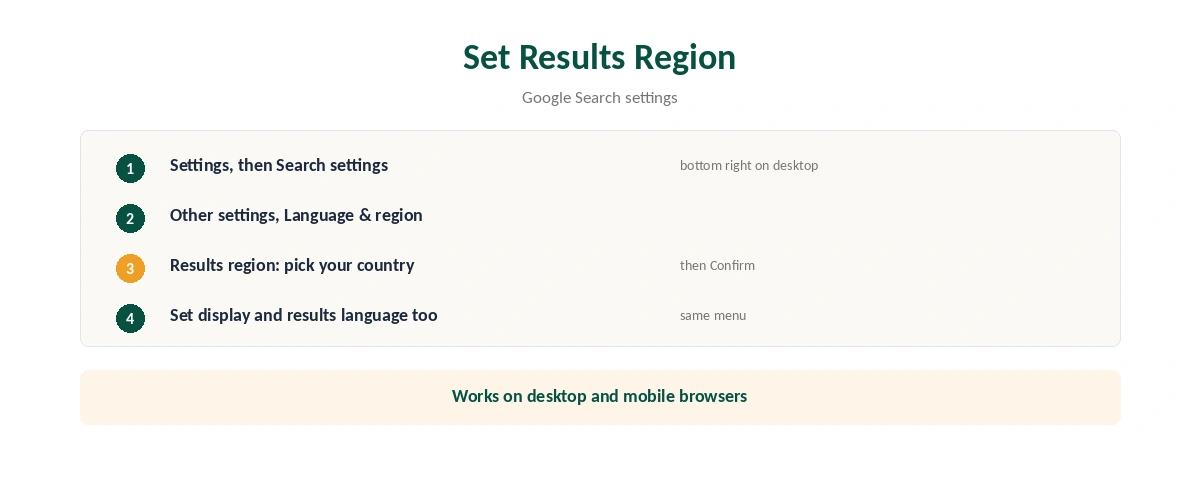
| 1 | Open Google Search and select Settings (bottom right on desktop) |
| 2 | Choose Search settings, then Other settings |
| 3 | Open Language and region |
| 4 | Select Results region and pick your country |
| 5 | Confirm, then search again |
This fixes the wrong country Google shows with a VPN on desktop and mobile browsers, Tom’s Guide notes. You can set the display language and results language in the same menu, which fixes Google switching language along with the VPN.
Why Google Follows Your VPN
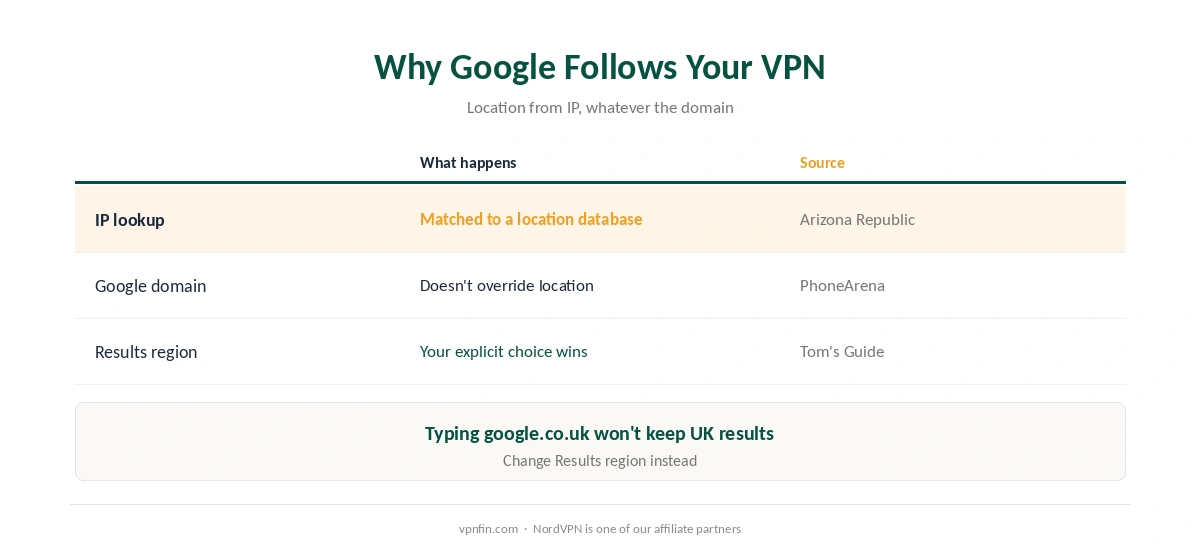
Google estimates your location from several sources, including your IP address, and matches the address against its database to decide which local results to show, the Arizona Republic explains. A VPN replaces your IP with the server’s, so the estimate moves with it.
Your choice of Google domain doesn’t override that. A VPN changes what sites can see, starting with the address. Typing google.co.uk from a VPN server in France still gives French-leaning results unless you change Results region. Our VPN location guide explains the other location signals.
Other Ways to Keep Local Results
| Option | How | Trade-off |
|---|---|---|
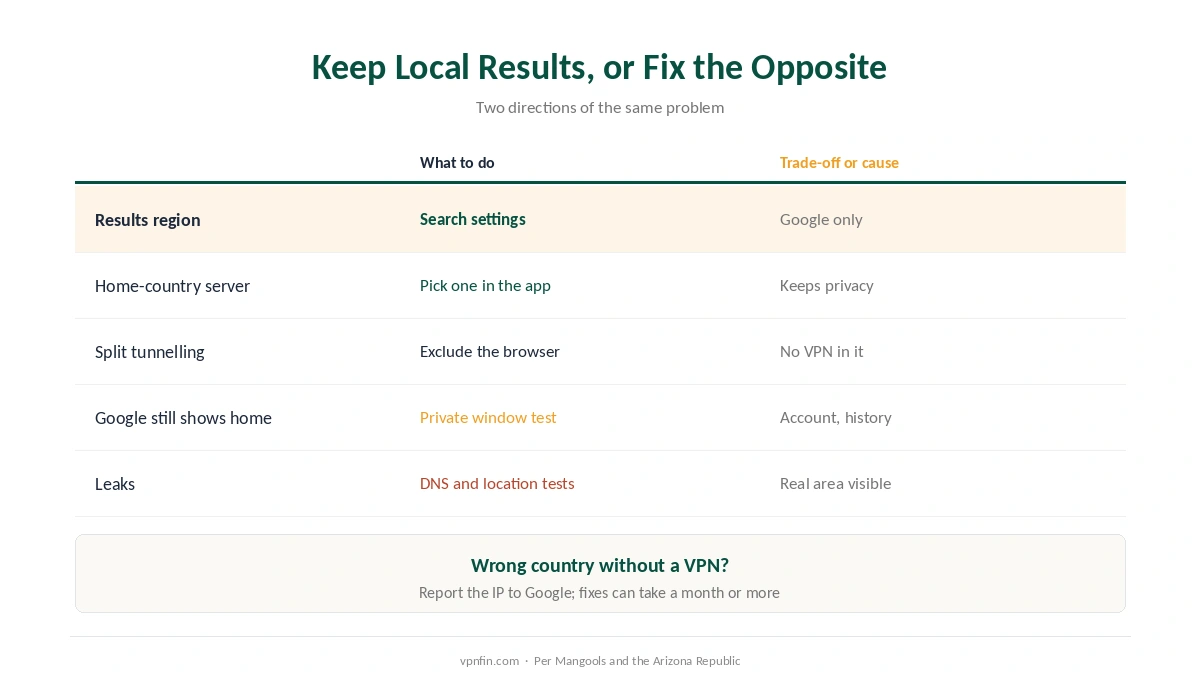
| Results region | Search settings, Language and region | Google results only |
| Server in your own country | Pick a home-country server | Keeps privacy, keeps local results |
| Split tunnelling | Exclude the browser from the VPN | That browser loses VPN protection |
| Pause the VPN | Disconnect for local searches | No protection while off |
A home-country server is often the cleanest answer when Google shows the wrong country with a VPN. You keep the VPN’s encryption and Google keeps your country; split tunnelling is the alternative if you need a foreign server for something else. The same trick helps Opera users, as our Opera guide describes its search bypass.
The Opposite Problem: Google Still Shows Home
Your Google account can override the IP. Account personalisation can outweigh location parameters, Mangools notes; sign out or use a private window to test. Location history, device location and the device’s time zone and language also feed Google’s estimate, a DEV Community write-up explains.
Check for leaks too. If your DNS requests or browser location permission bypass the VPN, Google can see your real area, as our DNS leak guide explains. Our VPN check guide runs the tests.
Wrong Country Without a VPN?
Google may simply have your address wrong. You can report an incorrect IP location to Google, but a fix can take a month or more, the Arizona Republic notes. Google’s form for this is linked in How We Research. Our guide to why sites block VPNs explains how shared addresses cause similar confusion, and travellers abroad will see the same effect, as our travel guide notes.
How We Research
The Results region steps come from Tom’s Guide; IP-based location and the reporting delay from the Arizona Republic; domain-independent results from PhoneArena; account personalisation from Mangools; other signals from a DEV Community write-up. Google’s own form for reporting a wrong IP location is at support.google.com/websearch/contact/ip. We read all sources on 28 September 2026. NordVPN is one of our affiliate partners. Our full approach lives on the About Us page.
Google Wrong Country With a VPN FAQ
Google estimates your location from your IP address, and a VPN gives you the server’s address. Set Results region in Google’s search settings to fix it.
Settings, Search settings, Other settings, Language and region, then Results region. Pick your country and confirm.
It follows the server’s country. Set the display and results languages in the same Language and region menu.
Your Google account, location history or a DNS or browser leak can override the VPN’s address. Test in a private window.
Yes: connect to a server in your own country, or exclude your browser with split tunnelling.
The Verdict
When Google shows the wrong country with a VPN, set Results region. It takes a minute and survives server changes.
If Google stubbornly shows home instead, look at your account, location settings and possible leaks.