
Disclosure: VPNFin is reader-supported. If you buy a VPN through links on this page, we may earn a commission at no extra cost to you. This never affects our ratings — here’s our full disclosure.
To cancel Proton VPN bought on Proton’s website, downgrade the account to the free plan in your dashboard. That stops renewal, but unused time becomes account credit, not money. For a refund, Proton’s terms allow a full refund within 30 days of the original purchase, once per user, requested separately through the support form, as our refund guide explains. If you bought through Apple’s App Store, you cancel and request refunds through Apple.
This guide covers each route and the timing that matters.
How to Cancel Proton VPN on the Website
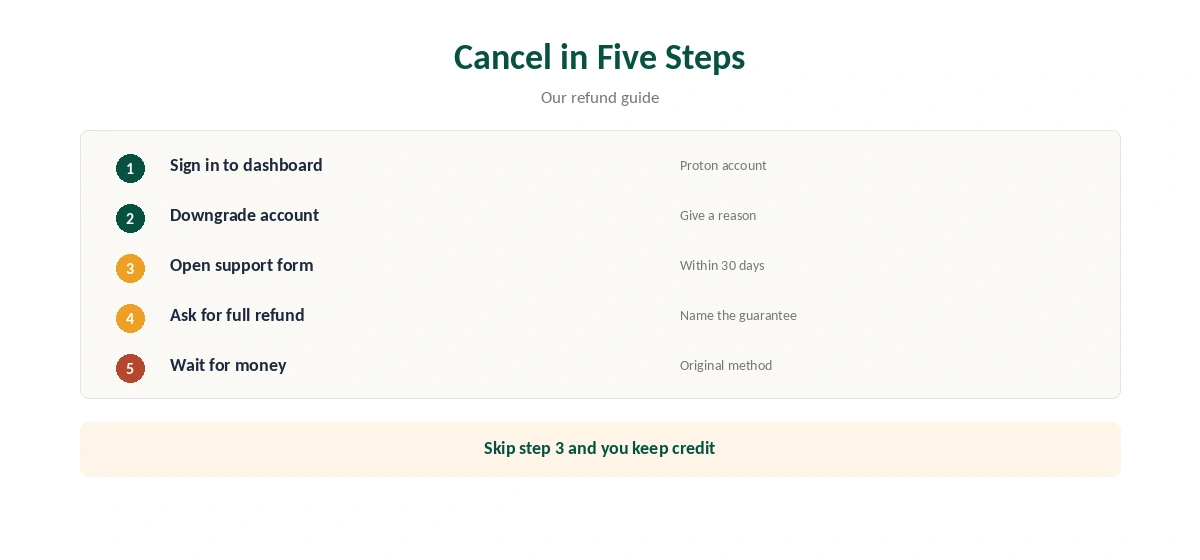
Sign in to your Proton account dashboard, choose to downgrade the account and give a reason. The account moves to Proton Free, so you keep the free VPN with no data cap on one device. Renewal stops.
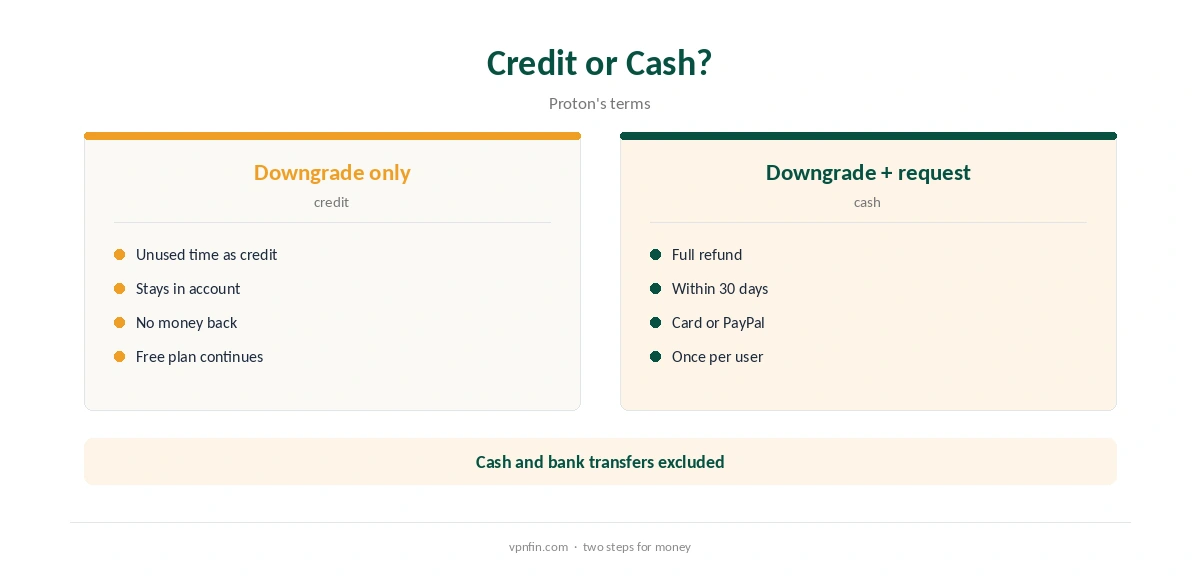
Credit or Money
Downgrading alone turns unused paid time into account credit, Proton’s terms say. To get money back within the 30-day window, open Proton’s support form and ask for a full refund under the guarantee. Both steps must fall inside 30 days. Our Proton VPN refund guide covers the details.
App Store and Google Play
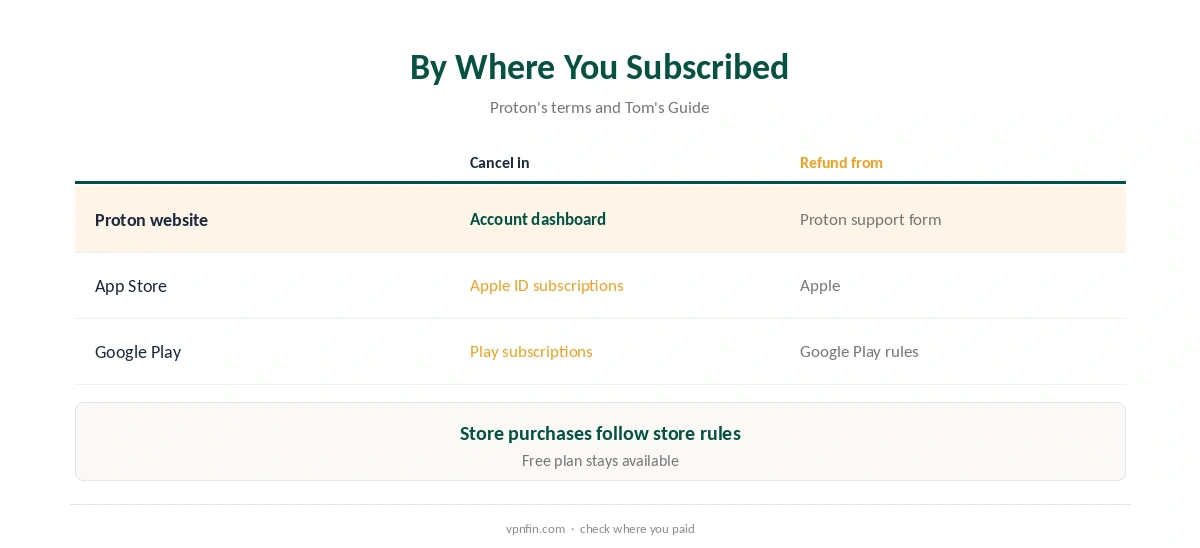
If you subscribed in the App Store, cancel in your Apple ID subscriptions and request any refund from Apple, Tom’s Guide notes. You manage Google Play subscriptions in Google Play’s subscriptions menu. Store purchases follow the store’s refund rules.
What Cannot Be Refunded
Proton’s terms exclude cash and bank transfer payments, and allow one refund per user. After 30 days, refunds are generally at Proton’s discretion.
How to Cancel Proton VPN Before Renewal
Proton plans renew at about $83.88 a year, Gizmodo’s review notes. Downgrade before the renewal date if you do not want to pay again; after renewal, the 30-day full refund applies only to the original purchase, per Proton’s terms.
Proton Unlimited and Bundles
If you pay for Proton Unlimited or another bundle, downgrading affects Mail, Drive and Pass too. Check which services you still need before cancelling, or switch to a plan with fewer services.
Payment Method Matters
Refunds go back to the original payment method, our refund guide notes, and Proton does not refund cash or bank transfer payments. Card and PayPal payers have the simplest path.
How Long Refunds Take
Proton allows up to 30 days to process a refund, though Gizmodo found it usually faster, our refund guide records. Keep the support ticket number until the money arrives.
Comparing Providers
NordVPN and Surfshark also offer 30-day refunds, as our NordVPN cancellation guide explains. Unlike those two, which share an owner in Nord Security, Proton has a permanent free plan to fall back on.
Is It Better to Pause Than Cancel?
If you only need a break, staying on a paid plan until renewal keeps every feature. Downgrade near the renewal date instead, so you use the time you paid for.
Business Accounts
Proton’s business plans are managed by an organisation’s administrator. Ask the admin to remove your seat rather than downgrading a personal account.
After Cancelling
Your Proton account stays open on the free plan, with Proton Mail and other free services if you use them. Delete the account only if you want to remove everything.
Quick Check
After downgrading, open the dashboard again and confirm the plan shows Free and no renewal date. Keep the confirmation email.
How to Cancel Proton VPN on Mobile
If you subscribed on Proton’s website, use the web dashboard even on a phone, signing in through a mobile browser. If you subscribed in the app through Apple or Google, cancel in the store instead, since Proton cannot stop a store subscription.
Common Mistakes
Deleting the app does not cancel a subscription. Downgrading without a refund request leaves credit, not cash. Waiting past 30 days loses the full refund. Our refund guide calls the credit step the procedural trap; the other two are simple to avoid once you know them.
Quick Rule
Website purchase: downgrade, then request the refund within 30 days. Store purchase: cancel and request it in the store. Keep the free plan if you still want a VPN.
Support
Paid users can reach Proton by live chat, its release notes say, but refunds go through the support form, our refund guide notes. Use the form for the refund request.
Keep Records
Save the downgrade confirmation and the support ticket until the refund arrives.
Turning Off the App
Cancelling does not remove the app. If you also want to stop using it, turn off the kill switch first, as our guide to turning off Proton VPN explains.
Staying on the Free Plan
After downgrading, Proton Free keeps working with no data cap, one device and servers in 10 countries assigned automatically. Our Proton VPN free guide covers its limits.
How We Research
This page draws on Proton’s terms as summarised in our refund guide, Tom’s Guide on store purchases and our Proton tables. We cross-checked these sources against each other, and where they conflict or something can’t be verified, we say so in the text rather than guessing. We checked time-sensitive figures, including prices in US dollars, on 8 October 2026. The main source we relied on is Proton’s terms. Our full approach lives on the About Us page.
How to Cancel Proton VPN FAQ
Downgrade to the free plan in your account dashboard.
No; unused time becomes credit unless you request a refund.
30 days from the original purchase, once per user.
Cancel and request refunds through Apple.
Yes, on the free plan.
The Verdict
To cancel Proton VPN, downgrade in the dashboard, then request a refund through the support form within 30 days if you want money back. Store subscriptions go through the store.