
Disclosure: VPNFin is reader-supported. If you buy a VPN through links on this page, we may earn a commission at no extra cost to you. This never affects our ratings — here’s our full disclosure.
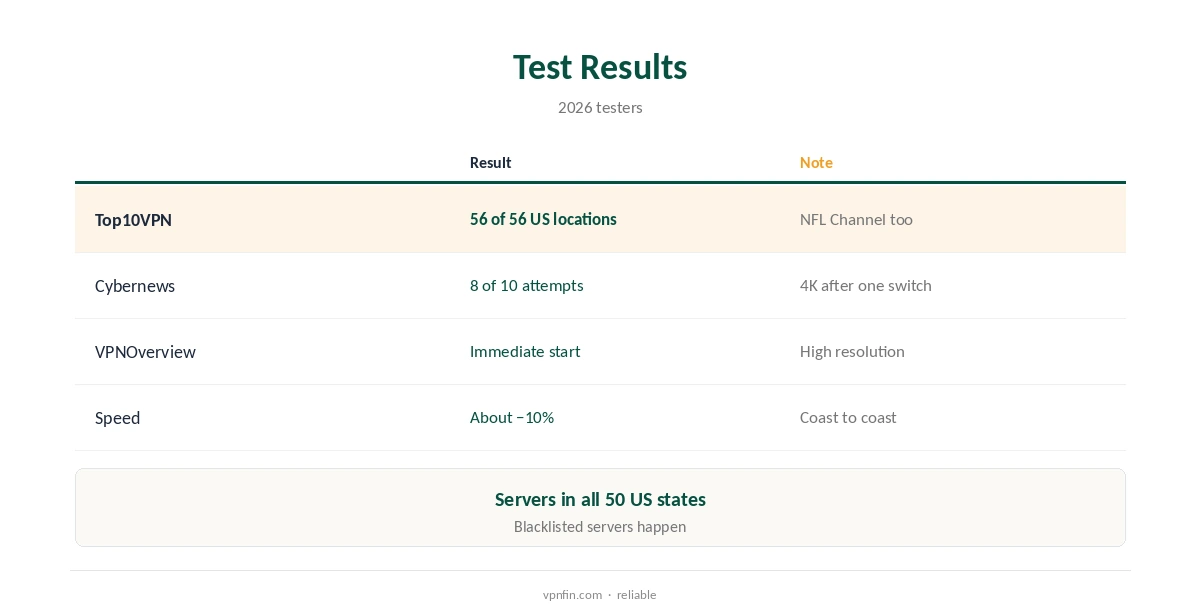
ExpressVPN Peacock results are strong but not perfect. Top10VPN found every one of the 56 US locations it tried unblocked Peacock, including the NFL Channel, while Cybernews succeeded in 8 of 10 attempts and needed to switch servers once. VPNOverview had streams start immediately at high resolution. ExpressVPN has servers in all 50 US states, Cybernews notes, which helps with regional blackouts.
This guide covers the results, live sport, setup, devices and fixes.
What Testers Found
Top10VPN spent hours switching between 56 US server locations and found every one worked with Peacock; coast-to-coast connections cost about 10% speed. Cybernews’s 80% rate came with 4K playback once connected.
VPNOverview’s Peacock streams launched straight away on US servers. Our Peacock VPN guide compares providers.
Live Sport on Peacock
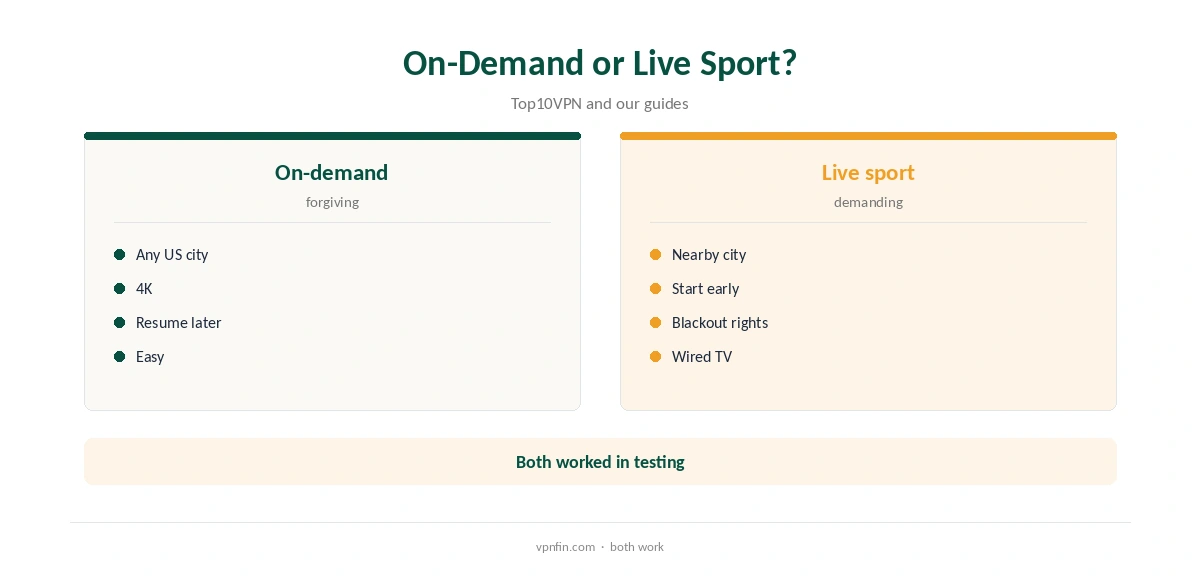
Peacock carries live sport, and Top10VPN streamed the NFL Channel through ExpressVPN. Live events are less forgiving of buffering, so connect to a nearby US city and start a few minutes early to clear any region check.
Regional blackouts follow broadcast rights; servers in every state help you stay in your own region when travelling.
ExpressVPN Peacock Setup
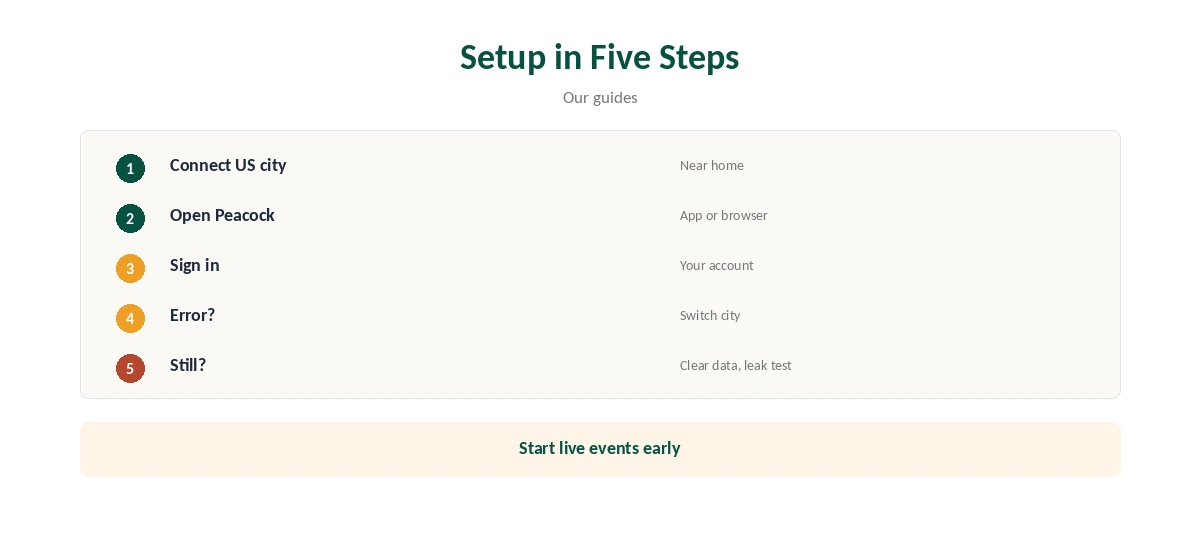
Connect ExpressVPN to a US city, open Peacock in the app or a browser and sign in. If you see an error, switch to another US city and reload, as Cybernews had to once.
Choose a city close to your home region for local content and the lowest latency on live channels.
TVs, Streaming Sticks and Speed
ExpressVPN’s apps run on Fire TV, Android TV and Apple TV, so Peacock there can go through the VPN directly with no router needed. For TVs without apps, a router running ExpressVPN covers them.
Our ExpressVPN Fire Stick guide covers one common setup.
Fixing Errors: Browser or App
If Peacock reports that it is not available in your region, clear its app data or browser cookies, switch city and reopen it. Occasional server blacklisting is the usual cause, a 2025 review notes, and switching fixes it.
Run a DNS and WebRTC leak test if errors persist, since a leak shows your real country.
Top10VPN measured only about a 10% drop connecting across the country, and Cybernews streamed in 4K. Lightway, ExpressVPN’s default, suits long viewing sessions.
A wired connection for the TV keeps 4K steady through long sessions.
Which US City to Pick
Because ExpressVPN has servers in every state, you can pick a city in your home region when travelling, which keeps local content and sports rights closest to what you get at home. Otherwise choose the nearest US city for speed.
Top10VPN found every location it tried worked, so speed and your home region should decide.
Phones, Tablets and Privacy
Peacock’s mobile app keeps its own data, so clear it or reinstall the app if it remembers your real region. Check that the app does not have permission to use your location.
ExpressVPN’s mobile apps use Lightway by default, which handles switching between Wi-Fi and mobile data without dropping the stream.
ExpressVPN lists 27 independent audits by May 2026, including three KPMG no-logs reports, and runs its servers from memory. On hotel or airport Wi-Fi, the tunnel also keeps your viewing private.
Kape owns ExpressVPN, along with CyberGhost and PIA.
Terms, Price and Refund
Peacock licenses content for the US, and its terms may restrict viewing elsewhere; a VPN does not change your subscription. ExpressVPN’s Basic plan renews at $99.95 a year for 10 devices, our tables record, and new users get 30 days to ask for a refund.
ExpressVPN lists 27 independent audits by May 2026.
A private browser window starts without cached location data, which makes it a quick way to test whether a server works with Peacock. Apps hold on to their data until you clear it.
If the browser works and the app does not, clear the app’s data or reinstall it.
At Home in the US, and Checking the Catalogue
Inside the US you do not need a VPN to watch Peacock. The VPN still hides what you stream from your internet provider and protects you on public Wi-Fi.
Pick a nearby city at home so the VPN does not change your local content or regional sports.
Open a title or live channel you know is in your region and press play. A smooth start means the setup is right; an availability notice means it is time to switch city.
Note the city that works for future sessions, especially before a big game.
A Router for the Whole Home
If several people watch Peacock on different TVs, a router running ExpressVPN covers them all with one setup, and its router app can group devices by location. TVs without VPN apps then need no settings of their own.
Our ExpressVPN router guide covers the router app.
How We Research
This page draws on Top10VPN’s and Cybernews’ Peacock VPN tests, VPNOverview’s ExpressVPN review and our ExpressVPN tables. We cross-checked these sources against each other, and where they conflict or something can’t be verified, we say so in the text rather than guessing. We checked time-sensitive figures, including prices in US dollars, on 8 October 2026. The main source we relied on is Top10VPN’s Peacock VPN tests. Our full approach lives on the About Us page.
ExpressVPN Peacock FAQ
Yes; Top10VPN found all 56 US locations worked.
Cybernews succeeded in 8 of 10 attempts.
Top10VPN streamed the NFL Channel.
Yes, Cybernews and VPNOverview note.
Switch US city and clear the app’s data.
The Verdict
ExpressVPN Peacock access is among the most reliable we have seen in tests. Pick a US city near your home region and switch if one errors.