
Disclosure: VPNFin is reader-supported. If you buy a VPN through links on this page, we may earn a commission at no extra cost to you. This never affects our ratings — here’s our full disclosure.
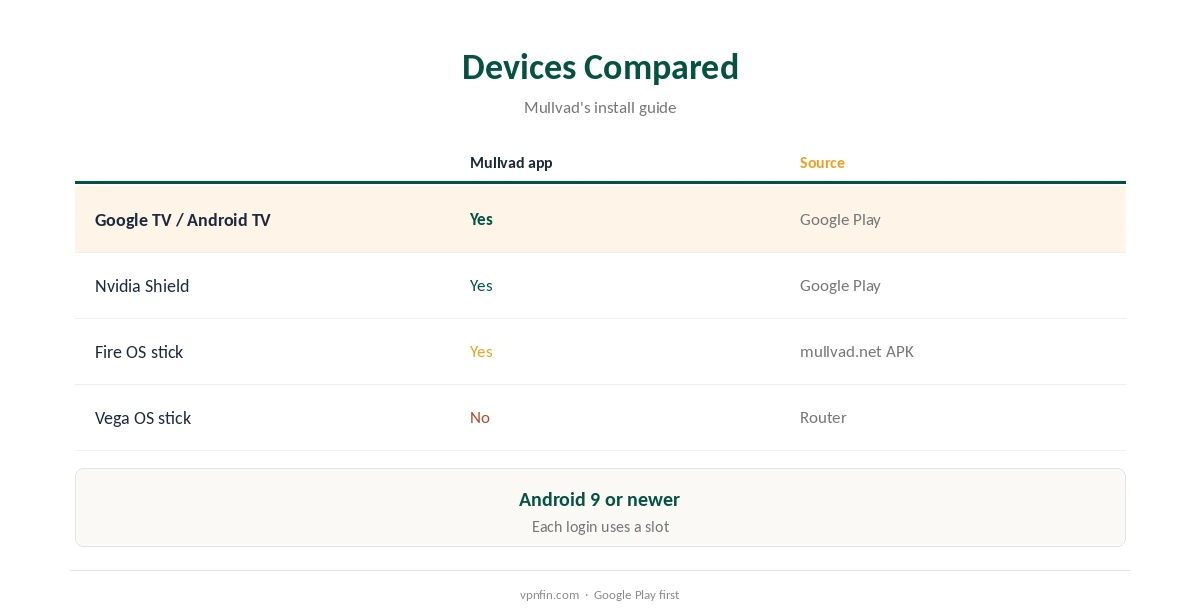
Mullvad Google TV support is official. Mullvad’s install guide lists Android TV alongside phones and tablets, with Android 9 or newer, and its Google Play listing shows a TV version. That covers Google TV sets from Sony and TCL, the Nvidia Shield, the Chromecast with Google TV and the Google TV Streamer. The Android app’s WireGuard, split tunnelling, lockdown and obfuscation should carry over to the TV; check the settings on your model.
This guide covers installation, settings, streaming, Fire TV differences and device slots.
Mullvad Google TV Install
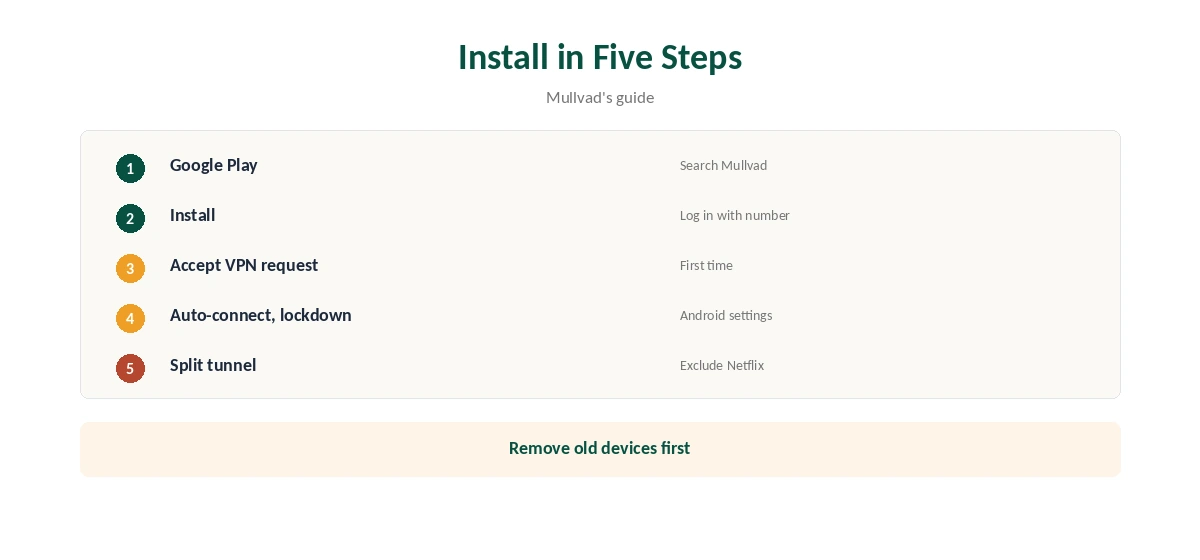
Open Google Play on the TV, search for Mullvad VPN, install it and log in with your 16-digit account number. Accept Android’s VPN request on first connection, then choose a location.
You can also install the .apk from Mullvad’s website or through F-Droid, its install guide notes, if Google Play is missing on your box. Our Android TV VPN guide compares providers on the platform.
Mullvad Google TV Settings
Turn on auto-connect and lockdown mode, which Android may route to its own VPN settings, so the TV stays protected after a restart. If you use the app’s DNS content blockers, turn off Private DNS in Android, Mullvad’s Android guide advises.
On networks that block VPNs, the app’s QUIC and LWO obfuscation can help, our tables record.
Split Tunnelling and Streaming
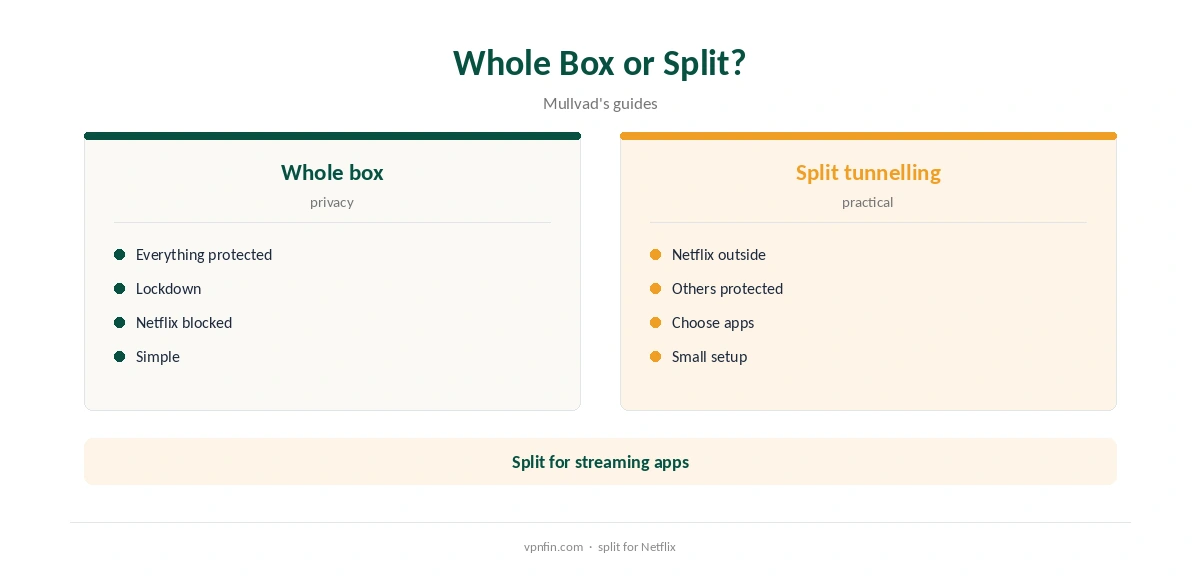
Mullvad’s Android app includes split tunnelling, so you can keep a streaming app such as Netflix outside the tunnel while other apps stay protected. Testers found Netflix blocked Mullvad, so this is the practical way to keep watching.
Our Mullvad Netflix guide explains the test results.
Top10VPN found Netflix detected Mullvad on every server it tried, and Comparitech found no foreign libraries working. Mullvad markets privacy, not streaming, and runs no streaming servers.
For other catalogues, a streaming-focused provider fits better; for privacy on the TV, Mullvad works well.
Fire TV Is Different
Fire TV sticks run Amazon’s Fire OS, not Google TV, so the steps differ. Mullvad is not in Amazon’s Appstore, but its Android app installs on Fire OS sticks with Android 9 or newer from mullvad.net. Vega OS sticks cannot take it.
Our Mullvad Fire Stick guide covers that route.
DNS on the TV
Mullvad’s in-app DNS and content blockers work on the TV as on a phone. They are separate from the public DNS service Mullvad is closing on 2 November 2026. If you set Mullvad’s public DNS in Android’s Private DNS, switch it before then.
Mullvad recommends Quad9 as the replacement for its public resolver, and funds it.
Troubleshooting
If the app will not connect, update it, restart the TV and try another location. Android TV may leak some connectivity checks outside the tunnel even with lockdown on, Mullvad’s Android guide notes. That is a system behaviour rather than an app fault.
If typing the account number with the remote is slow, the Google TV remote in the Google TV app on a phone can type it instead.
Device Slots and Price
Each TV that logs in uses one of Mullvad’s five device slots. Remove old devices in your account before adding a new one, or the login will ask you to.
A router running a Mullvad WireGuard file covers several TVs with one slot. Our Mullvad router guide explains it.
Mullvad costs a flat €5 a month for five devices, with an account number instead of an email, and has more than 10 audits in our table. You cannot buy Mullvad time through Google Play, its help page notes.
Our Mullvad cost guide covers payment methods.
Which Box to Use
Any Google TV or Android TV device on Android 9 or newer runs Mullvad’s app. The Google TV Streamer and Chromecast with Google TV suit simple streaming, and the Nvidia Shield suits Kodi and Plex. A wired connection helps 4K playback through the tunnel.
If your TV already runs Google TV, you may not need a box at all, since the app installs on the TV itself.
Turning It Off
Disconnect in the Mullvad app, or turn off auto-connect and lockdown in Android’s VPN settings if you no longer want them at start-up. The TV then uses your normal connection. Log the TV out in your Mullvad account to free its slot.
Uninstall from the TV’s app settings if you stop using Mullvad there; your account and other devices are unaffected.
Privacy on the TV
Mullvad asks for no email and accepts cash. It has more than 10 audits in our table, more than NordVPN’s six or Proton’s five. On a TV, the VPN mainly hides viewing traffic from your internet provider and others on shared networks.
DAITA, which disguises traffic patterns, adds overhead that streaming may notice; leave it off unless you need it.
How We Research
This page draws on Mullvad’s Android install guide, its Android settings guide, its Google Play listing, Top10VPN’s and Comparitech’s Netflix tests and our Mullvad tables. We cross-checked these sources against each other, and where they conflict or something can’t be verified, we say so in the text rather than guessing. We checked time-sensitive figures, including prices in US dollars, on 8 October 2026. The main source we relied on is Mullvad’s Android install guide. Our full approach lives on the About Us page.
Mullvad Google TV FAQ
Yes; its Android app supports Android TV with Android 9 or newer.
Yes; the listing shows a TV version.
Testers found it blocked; exclude Netflix with split tunnelling.
On Fire OS with Android 9 or newer, from mullvad.net; not on Vega OS.
Up to five devices per account.
The Verdict
Mullvad Google TV support is official and simple through Google Play. Use split tunnelling for streaming apps, and a router to save device slots.