
Disclosure: VPNFin is reader-supported. If you buy a VPN through links on this page, we may earn a commission at no extra cost to you. This never affects our ratings — here’s our full disclosure.
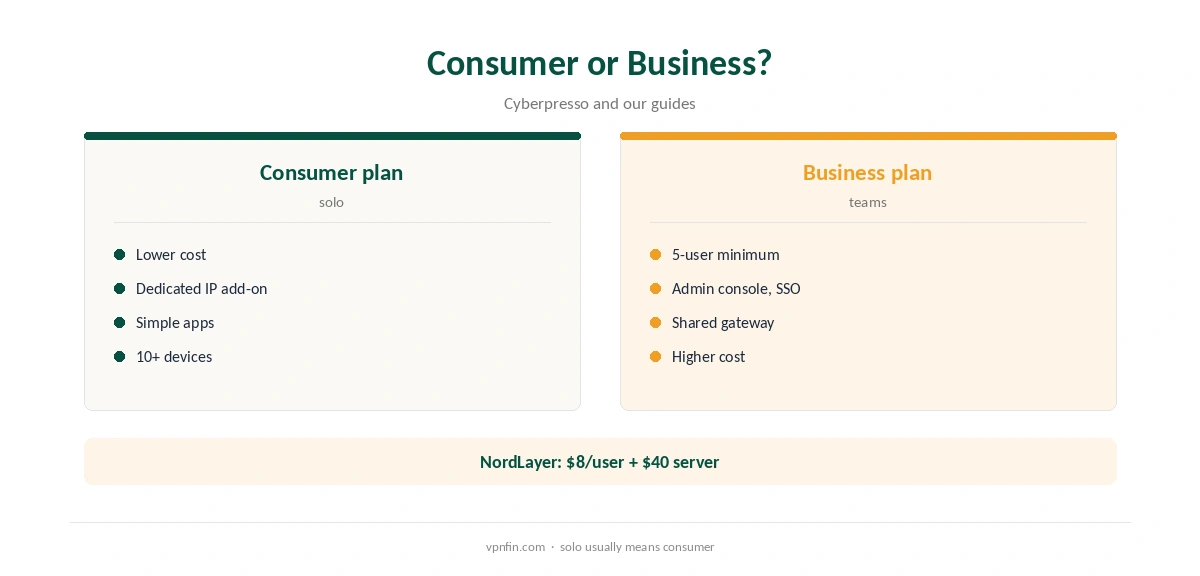
A VPN for freelancers solves three everyday problems. It encrypts work on café and co-working Wi-Fi. A dedicated IP lets clients allowlist you for their systems. Split tunnelling keeps video calls fast while client work stays protected. Most solo freelancers do not need a business VPN: NordLayer, for example, requires at least five users, Cyberpresso notes, so a consumer plan with a dedicated IP add-on usually fits better.
This guide matches freelancer needs to features and shows how to set up.
Public Wi-Fi
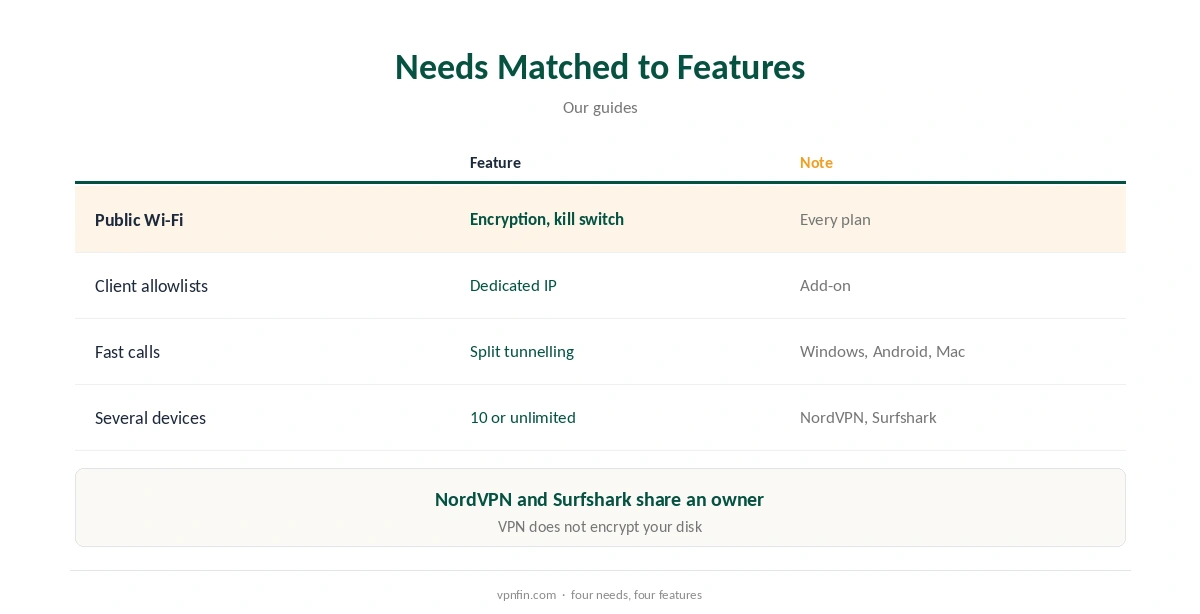
Co-working spaces, cafés and hotels share networks with strangers. A VPN encrypts traffic before it leaves your laptop, so other users cannot read client files or logins. Our public Wi-Fi guide explains the risks.
A Fixed IP for Client Systems
Some clients allow access to their servers or admin panels only from known addresses. A dedicated IP gives you one address that no other customer shares, so they can allowlist it. Our dedicated IP guide explains when it is worth paying for.
Split Tunnelling
Route client work through the tunnel and let video calls or large uploads use your normal line. Proton’s Windows app now runs split tunnelling with the kill switch on, its release notes say. Our split tunnelling guide explains the modes.
Consumer or Business Plan
Business VPNs add admin consoles, SSO and shared gateways for teams. NordLayer starts at $8 per user with a five-user minimum and a $40 monthly dedicated server, Cyberpresso reports. A solo freelancer rarely needs that. Our business VPN guide covers the line between them.
VPN for Freelancers Setup
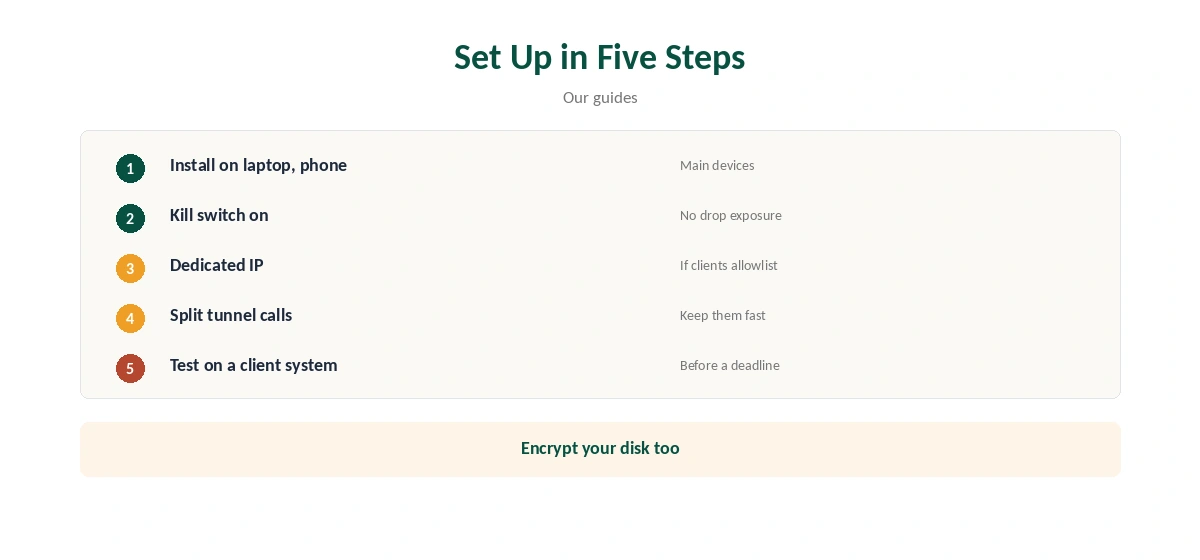
Install the app on your laptop and phone, turn on the kill switch, add a dedicated IP if clients allowlist addresses, and set split tunnelling for call apps. Test the setup on a client system before a deadline.
Devices
A laptop, phone and tablet fit any major plan. NordVPN allows 10 devices and Surfshark has no cap, our device table records; the two share an owner, Nord Security.
Is a VPN for Freelancers Tax-Deductible?
That depends on your country’s rules for business expenses. Keep the invoice and ask an accountant; this guide does not cover tax.
Working From Abroad
Freelancers working from other countries may need a home address for banking or client systems. A dedicated IP in your home country keeps that address stable. Check local law first, as our VPN fines guide explains.
Kill Switch
Turn on the kill switch so a dropped connection never sends client traffic over open Wi-Fi. Test it by switching Wi-Fi off and on.
Leak Tests
Run our DNS leak guide after setup and after app updates. A leak undoes the encryption you pay for.
Choosing a Provider
Look for audited no-logs claims, a dedicated IP option, split tunnelling on your main system and enough devices. NordVPN has six audits in our table and sells a dedicated IP; Proton offers split tunnelling with the kill switch on Windows.
A VPN for Freelancers on Video Calls
Calls through a distant server add delay. Pick a nearby server, or exclude the call app with split tunnelling, and test before an important client meeting.
Client Requirements
Some clients require their own VPN for access to internal tools. Use theirs for that work and yours elsewhere; running two at once may conflict, so connect one at a time.
Quick Rule
Café Wi-Fi: VPN on, kill switch on. Client allowlist: dedicated IP. Calls: split tunnel. Team of five or more: consider a business plan.
Several Clients
Different clients may allowlist different addresses. One dedicated IP usually covers them all; give each client the same address rather than switching servers.
Routers at Home
A router running the VPN covers a home office’s printer, desktop and phone as one device. Our router setup guide explains the set-up.
Testing Before Paying
NordVPN, Surfshark and Proton offer 30-day refunds, our refund tables record. Test the dedicated IP on a client system and a video call within that window.
Public Wi-Fi Habits
Connect the VPN before opening email or client tools on shared Wi-Fi, and avoid saving client passwords on shared machines.
Who Needs More Than a VPN
Freelancers handling regulated data, such as health or finance records, may face client security requirements beyond a VPN. Ask the client what they require in writing.
Keeping It Updated
Update the VPN app and operating system before client work, and recheck split tunnelling and the kill switch afterwards, since updates can reset them.
Support
Note how to reach the provider’s support before a deadline, and keep a second server ready in case one fails during client work.
Client Confidentiality
A VPN protects data in transit, not files on your laptop. Encrypt your disk, use a password manager and keep client files out of personal cloud folders.
How We Research
This page draws on Cyberpresso’s 2026 NordLayer review, Proton’s Windows release notes and our device, dedicated IP and business VPN guides. We cross-checked these sources against each other, and where they conflict or something can’t be verified, we say so in the text rather than guessing. We checked time-sensitive figures, including prices in US dollars, on 8 October 2026. The main source we relied on is Cyberpresso’s NordLayer review. Our full approach lives on the About Us page.
VPN for Freelancers FAQ
On public Wi-Fi and for client systems that allowlist IPs, yes.
Rarely; NordLayer needs five users, so a consumer plan usually fits.
A fixed address clients can allowlist for their systems.
Split tunnelling can keep call apps off the tunnel.
No; encrypt the disk and use a password manager.
The Verdict
A VPN for freelancers should cover public Wi-Fi, offer a dedicated IP for client allowlists and support split tunnelling. A consumer plan with those features suits most solo workers.