
Disclosure: VPNFin is reader-supported. If you buy a VPN through links on this page, we may earn a commission at no extra cost to you. This never affects our ratings — here’s our full disclosure.
A tunnel can hide what you did. It cannot hide that a tunnel exists.
And on a device your employer manages, it hides nothing at all. Management software sees the screen, the applications and the keystrokes. Encryption between the device and the network is beside the point.
⚠️ So the real question is not technical. Using a VPN against a written policy is the risk, rather than the traffic inside it.
Three Situations People Confuse
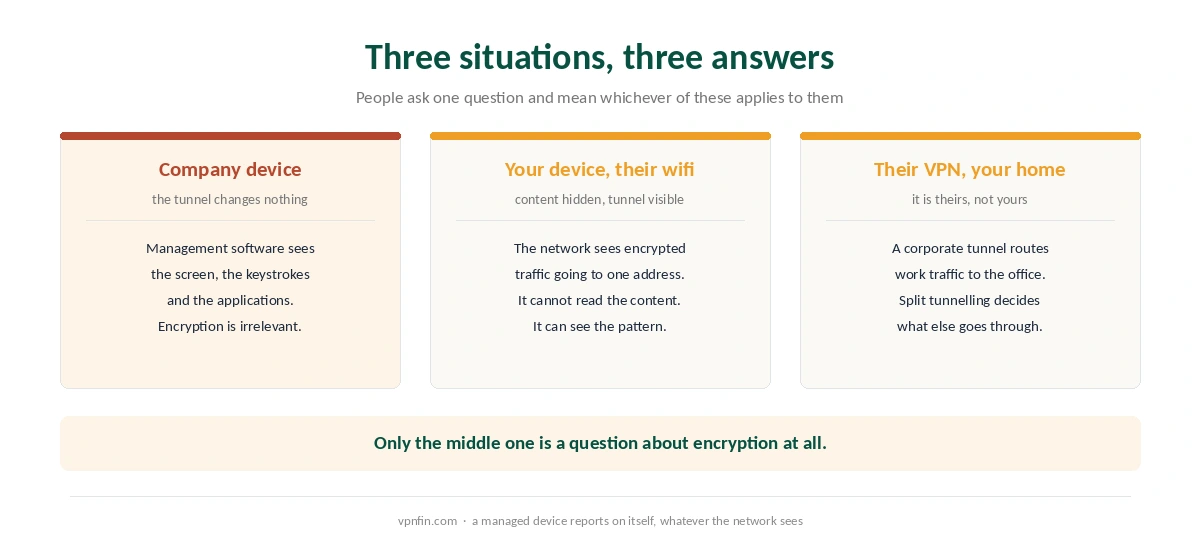
A company device. Whoever manages it can see what happens on it. A VPN changes what the network sees, not what the device reports.
Your own device on company wifi. The network sees encrypted traffic heading to one address. It cannot read the contents. It can see that the traffic exists and where it goes.
The company’s own VPN, from home. That tunnel belongs to your employer, and whether your personal traffic travels through it depends on how split tunnelling is configured.
⚠️ Only the middle case is a question about encryption. The rest come down to who owns the equipment.
How a Network Notices a Tunnel
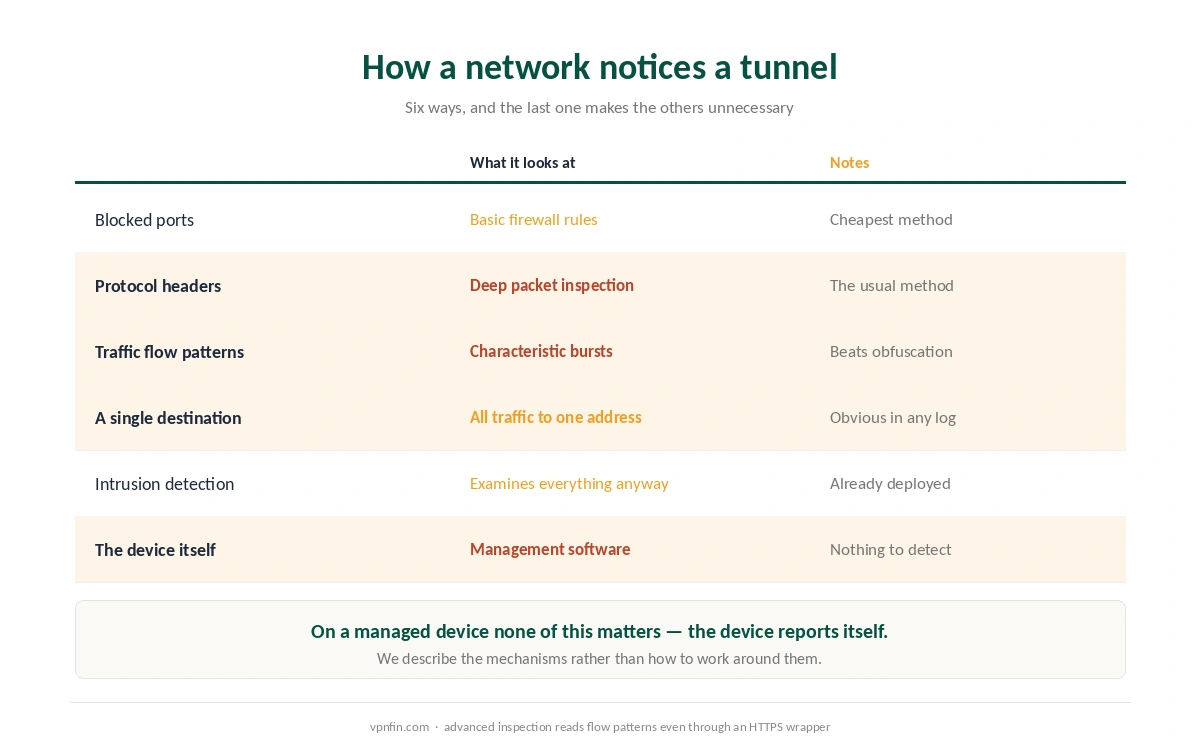
The simplest method blocks ports. A firewall rule refuses the default ports some protocols use, so the connection fails rather than getting detected — which looks to you like the VPN simply not working.
The usual method reads protocol headers. Deep packet inspection identifies the signatures that tunnelling protocols use to manage traffic, without reading the payload — which is exactly what obfuscation exists to counter.
Advanced systems read traffic patterns. Characteristic bursts and flow shapes remain visible even when a tunnel is wrapped to look like ordinary web traffic.
⚠️ And intrusion detection examines everything anyway. Corporate networks usually run it to spot attackers, which means all traffic passes through inspection regardless of anyone’s intentions.
What We Will Not Publish
Not the workarounds. Published guides describe changing ports and wrapping traffic to defeat inspection, and several of them sell the tool that does it.
⚠️ The reason is the consequence. Browsing blocked sites at work and being found doing it can affect your employment, which is a heavier outcome than a streaming service refusing a connection.
This is the same line we drew elsewhere. We explain how detection works and stop — as with the legality pages, where the mechanism is useful and the evasion is not.
And the policy usually answers the question. Most employers publish an acceptable use document, and reading it takes less time than configuring anything — unlike choosing a provider, which is a separate decision entirely.
Where a VPN Genuinely Helps at Work
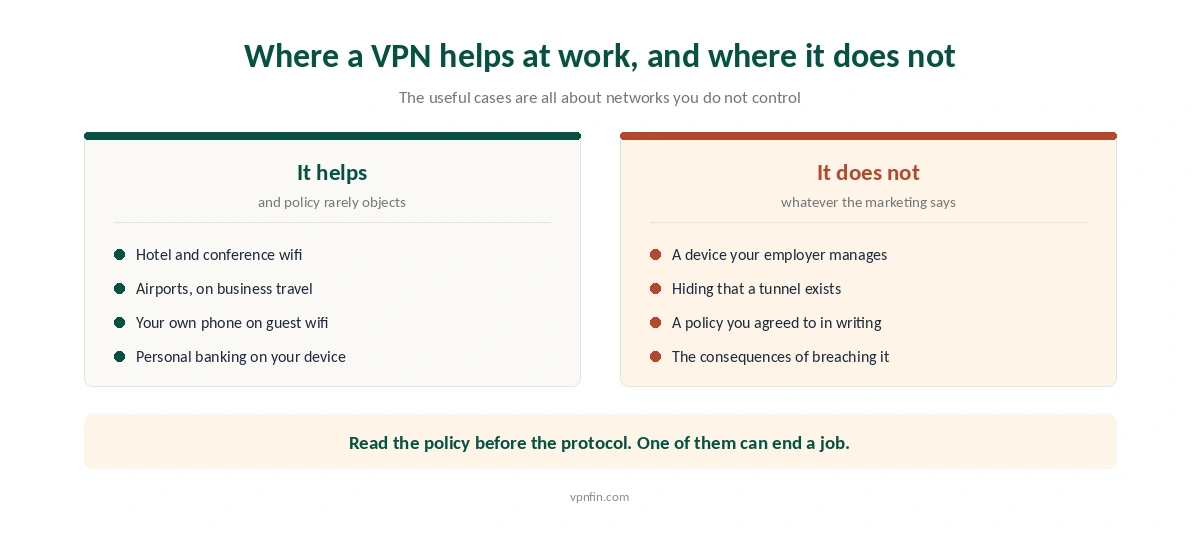
Networks you do not control. Hotel wifi, conference halls and airports on business travel — the one case where the benefit is not disputed, and the reason most people buy one for a trip.
Your own phone on a guest network. Personal banking or medical appointments on a device your employer does not manage, over a network it does.
Keeping personal traffic off a corporate tunnel. If your work VPN routes everything, your own browsing travels through your employer’s infrastructure.
⚠️ And a kill switch matters more here than usual. A dropped tunnel on a network that logs would expose exactly the traffic you were separating — and testing has found many clients failing that.
What Your Employer Can See, Precisely
On a managed device: effectively everything. Applications, screen contents, files and typing, through software installed for that purpose.
On your own device on their network: that a tunnel exists, and its destination. Not the sites inside it, not the contents, not the accounts.
On their VPN from your home: whatever the configuration routes. Work traffic certainly, and personal traffic too when split tunnelling stays off.
⚠️ DNS is the leak people forget. A misconfigured client sends lookups outside the tunnel, and those name every site you reached — which is the commonest failure we cover.
If your VPN won’t connect at work at all, the network is probably blocking it on purpose, as our school and work Wi-Fi guide explains.
How We Research
For the detection mechanisms — port blocking, deep packet inspection of protocol headers, and flow-pattern analysis that survives an HTTPS wrapper — this guide draws on TechRadar and Tom’s Guide, both of which describe them in the course of recommending workarounds we have not reproduced. For the position on managed devices it draws on our own page about what a VPN hides. The employment consequence of breaching an acceptable use policy is noted in the same published guides. We do not run our own tests, and we cannot tell you what any particular employer has deployed. Our method lives on the About Us page.
Employer and VPN FAQ
On a device your employer manages, yes, because management software reports what happens on the device regardless of encryption. On your own device using company wifi, the network sees encrypted traffic to one address and cannot read the contents.
Usually yes. Deep packet inspection identifies the signatures tunnelling protocols use, and advanced systems recognise characteristic traffic patterns even when a tunnel is disguised. A single destination receiving all your traffic is also visible in any log.
That depends on your employer’s acceptable use policy rather than on the law. Using one is lawful in most countries. Breaching a written policy is an employment matter, and published accounts note it can have serious consequences.
It depends on the configuration. If split tunnelling is switched off, all traffic from the device travels through the corporate tunnel, including anything personal. If it is on, only the traffic the policy specifies goes that way.
On networks nobody at your company controls — hotel wifi, conference venues and airports on business travel. Also on your own phone over a guest network, for personal matters on a device your employer does not manage.
The Verdict
On a company device the answer is yes, and the tunnel is irrelevant. The device reports on itself, and no amount of encryption between it and the network changes that.
On your own device the answer is narrower. The network cannot read your traffic and can see that you are tunnelling it somewhere.
So read the policy rather than the protocol. The technical question has a clear answer, and the employment question is the one with consequences.