
Disclosure: VPNFin is reader-supported. If you buy a VPN through links on this page, we may earn a commission at no extra cost to you. This never affects our ratings — here’s our full disclosure.
Mullvad for PC means the Windows app Mullvad builds itself, downloaded from mullvad.net and signed in with a 16-digit account number rather than an email. It runs WireGuard only since January 2026 and adds DAITA, multihop, quantum-resistant tunnels, split tunnelling, obfuscation for blocked networks and a lockdown mode that blocks traffic whenever the VPN is off. It costs a flat €5 a month for five devices.
This guide covers setup, the settings worth changing, split tunnelling, blocked networks, troubleshooting and how it compares.
Installing Mullvad for PC
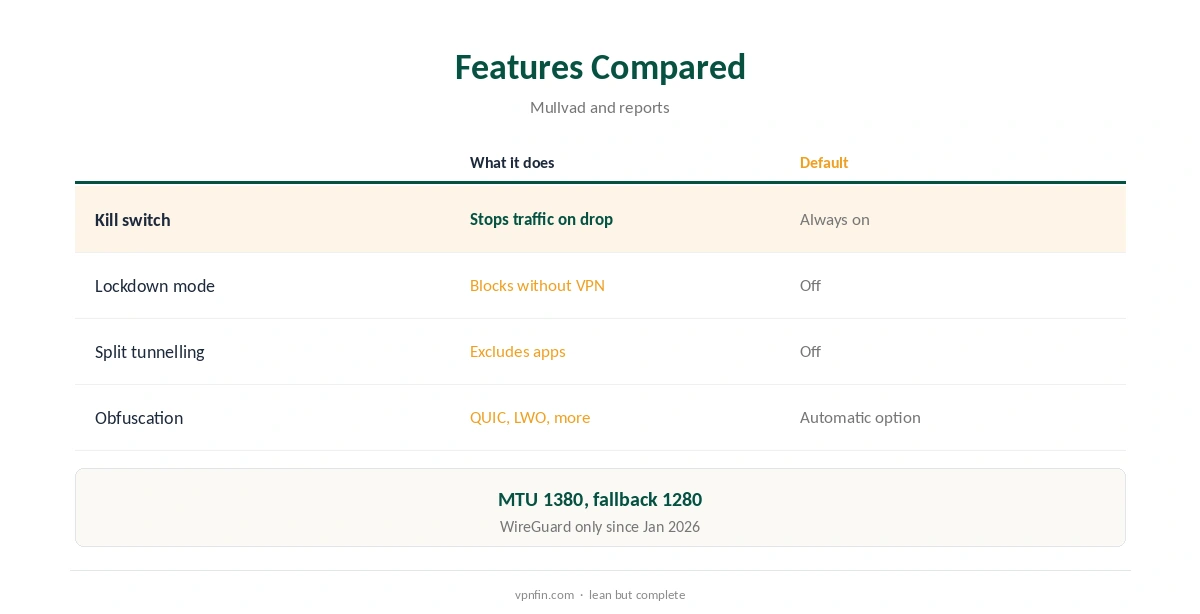
Download the Windows installer from mullvad.net and run it; Mullvad added a VPN Loader in 2025 that streamlines and secures installation on Windows and macOS, alternativeto reported. Then generate an account number on the site, or create one in the app on first launch.
Write the account number down, since it is your only login; Mullvad cannot recover it for you without an email on file. Pay by card or PayPal if you want the 14-day refund. Mullvad’s terms exclude cash and cryptocurrency from refunds, so those suit people already sure they will stay.
Kill Switch and Lockdown Mode
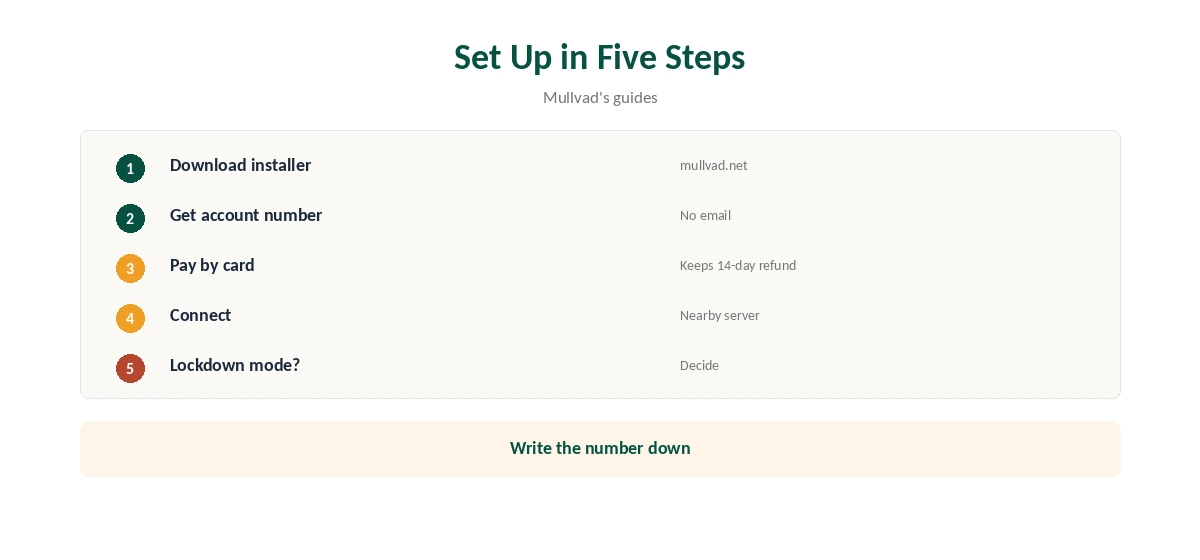
Mullvad’s kill switch is always on: if the tunnel drops while connected, traffic stops. Lockdown mode goes further and blocks all traffic whenever the VPN is not connected, including after you disconnect manually, Mullvad’s app guide describes.
Turn lockdown mode on if you never want the PC online without the VPN, and off if you sometimes need a direct connection, for example to sign in to hotel Wi-Fi. Our kill switch guide explains the difference.
Split Tunnelling on Windows
Mullvad’s Windows app lets you exclude chosen applications from the tunnel, so a banking app or game can use your normal connection while everything else stays protected. Excluded apps lose Mullvad’s protection entirely, including the kill switch, so their traffic shows your real address.
Exclude as little as possible, and never a torrent client or a browser you rely on for private browsing. Our split tunnelling guide explains when it makes sense.
DAITA, Multihop and Quantum Resistance
DAITA adds noise and padding against AI-guided traffic analysis, multihop routes through an entry and an exit server, and quantum-resistant tunnels add a post-quantum key exchange. All three run over WireGuard.
Each adds some overhead, so turn them on only where you need them most. On a desktop with mains power, battery cost matters less than on a laptop. Our Mullvad WireGuard guide explains each feature.
Blocked Networks
Mullvad’s desktop app offers QUIC obfuscation since September 2025 and LWO since November 2025, alternativeto reported, plus Shadowsocks and UDP-over-TCP. Set obfuscation to automatic, or choose a specific method when a network blocks plain WireGuard.
Hotel, office and school networks are the usual reason to need it. Our obfuscation guide explains how these methods differ.
Paying and Signing Up Privately
Mullvad issues a 16-digit account number instead of asking for an email, and accepts cash by post, Bitcoin and Monero as well as cards, its terms list. Police who visited its office with a warrant left with nothing, because there were no user records.
The price is a flat €5 a month, with no discounts or renewal jump. Our Mullvad cost guide covers payment methods.
The Command Line
Mullvad’s desktop app installs a command-line tool alongside the interface, so mullvad connect, mullvad disconnect and mullvad status work in Windows Terminal too, as on Linux.
That suits scripts, such as connecting before a scheduled backup, and checking status without opening the window. Our Mullvad Linux guide lists the common commands.
Troubleshooting on Windows
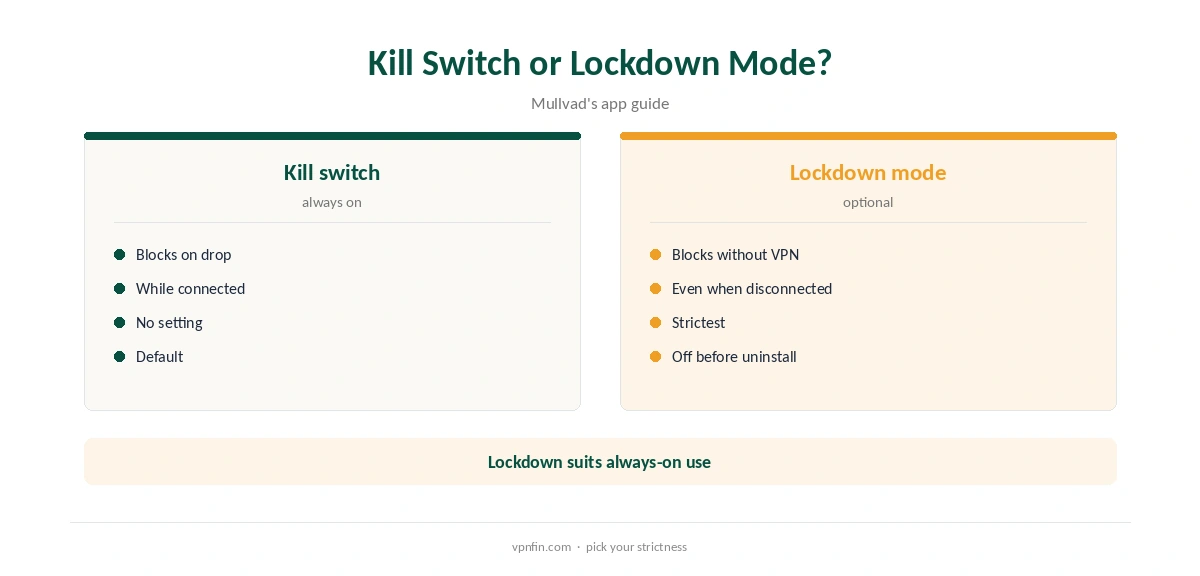
If Mullvad will not connect, try another server, then obfuscation, then a lower MTU: the app uses 1380 by default, and Mullvad’s guide suggests 1280 if connections fail. Quit other VPN apps first, since they can conflict over the network adapter and firewall.
Check the system clock too, since a wrong time can break secure connections. Our Windows VPN troubleshooting guide covers adapter problems.
Uninstalling Cleanly
Turn lockdown mode off in the app first, then disconnect and quit. Remove Mullvad from Windows Settings, under the installed apps list, and restart before checking your connection again in a browser.
If the internet still fails, the firewall rules may linger until the restart. Our guide to turning off a VPN on Windows covers that case.
Mullvad for PC Compared
Mullvad’s Windows app is simpler than most, with fewer server labels and no streaming focus; but it has more than 10 audits in our table and police who visited its office left with nothing. It allows five devices, against unlimited at Surfshark or Windscribe; Surfshark shares an owner with NordVPN, Nord Security.
Our Mullvad vs NordVPN page weighs those trade-offs, and our Mullvad Mac guide covers the other desktop.
How We Research
This page draws on Mullvad’s app guide and terms, alternativeto’s 2025 reports on the VPN Loader, QUIC and LWO, and our Mullvad tables. We cross-checked these sources against each other, and where they conflict or something can’t be verified, we say so in the text rather than guessing. We checked time-sensitive figures, including prices in US dollars, on 8 October 2026. The main source we relied on is Mullvad’s app guide. Our full approach lives on the About Us page.
Mullvad for PC FAQ
Download the installer from mullvad.net and sign in with an account number.
Always on, plus an optional lockdown mode.
Yes, with split tunnelling.
Try another server, obfuscation or an MTU of 1280.
Lockdown mode may still be on; turn it off first.
The Verdict
Mullvad for PC is a lean, private Windows app: lockdown mode, split tunnelling and WireGuard extras, with no email needed. Turn off lockdown mode before uninstalling.