
Disclosure: VPNFin is reader-supported. If you buy a VPN through links on this page, we may earn a commission at no extra cost to you. This never affects our ratings — here’s our full disclosure.
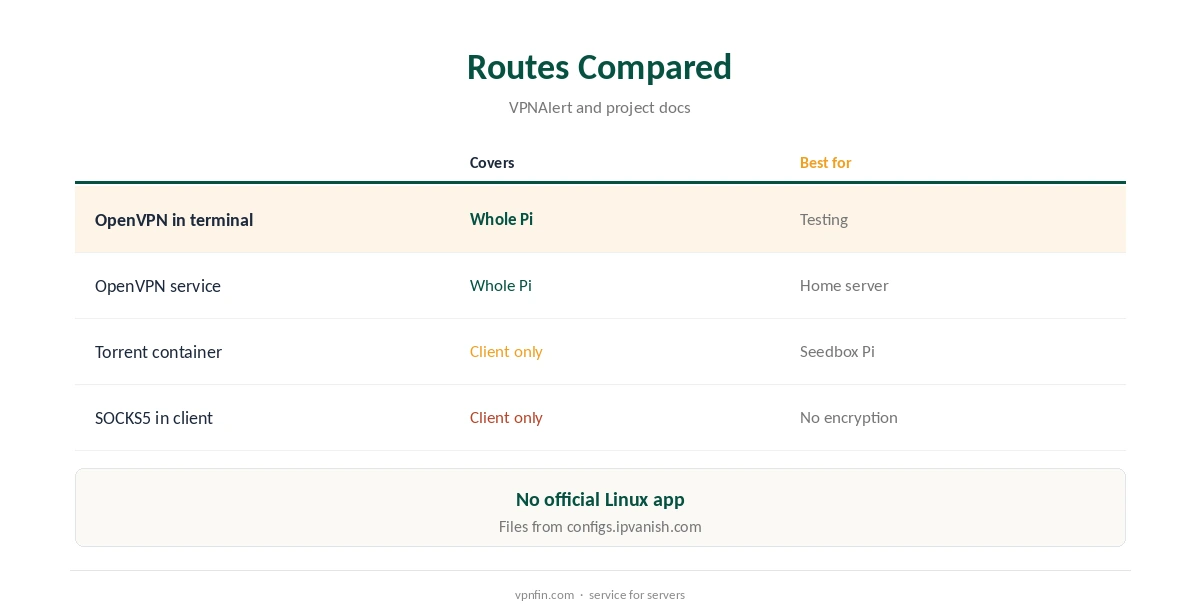
IPVanish on Raspberry Pi runs through OpenVPN, since IPVanish has no official Linux app. Raspberry Pi OS is based on Debian, so the openvpn package and IPVanish’s configuration files from configs.ipvanish.com are all you need, as VPNAlert’s Linux guide describes. Popular torrent containers such as docker-transmission-openvpn also support IPVanish as a provider. IPVanish’s unlimited devices mean the Pi costs nothing extra.
This guide covers installation, running OpenVPN as a service, leak protection, containers, the SOCKS5 proxy and limits.
Why OpenVPN on the Pi
Security.org and VPNAlert note that IPVanish needs manual setup on Linux rather than an app. OpenVPN is the protocol its Linux files use. OpenVPN is packaged for Raspberry Pi OS in both its 32-bit and 64-bit versions, so any Pi that runs the OS can use it.
Our IPVanish Linux guide covers the same files on desktop distributions.
IPVanish on Raspberry Pi Setup
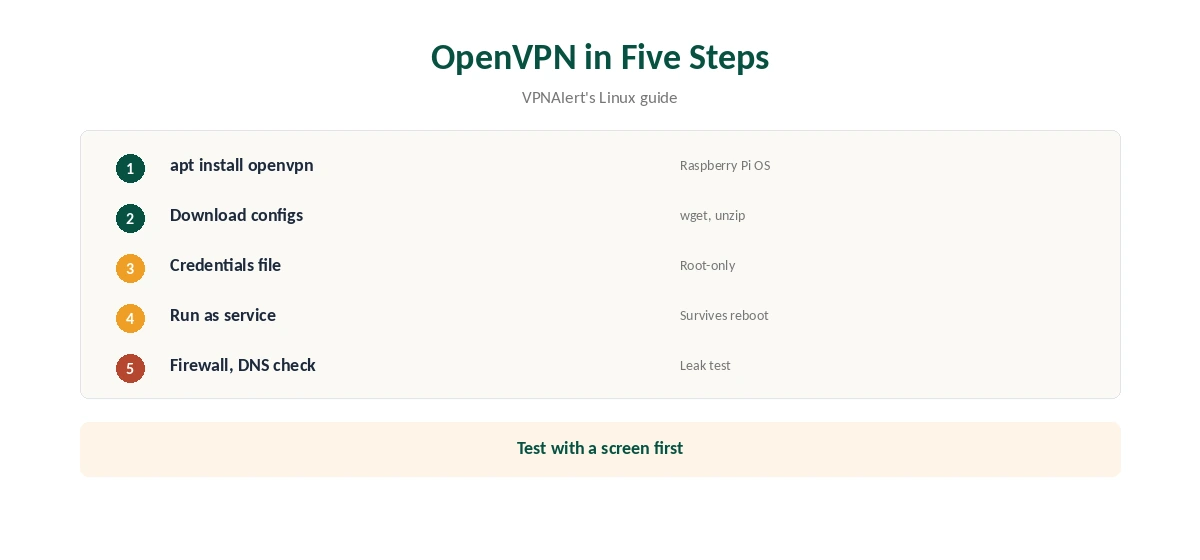
Install OpenVPN with sudo apt install openvpn, then download IPVanish’s configuration archive with wget or curl from configs.ipvanish.com and unzip it, VPNAlert’s guide shows. Each file covers one server location, so keep the archive and pick the nearest city for speed.
Start a connection with sudo openvpn followed by the chosen file, and sign in with your IPVanish username and password. Check your public address afterwards, for example with curl from the terminal, to confirm the tunnel.
Running It as a Service
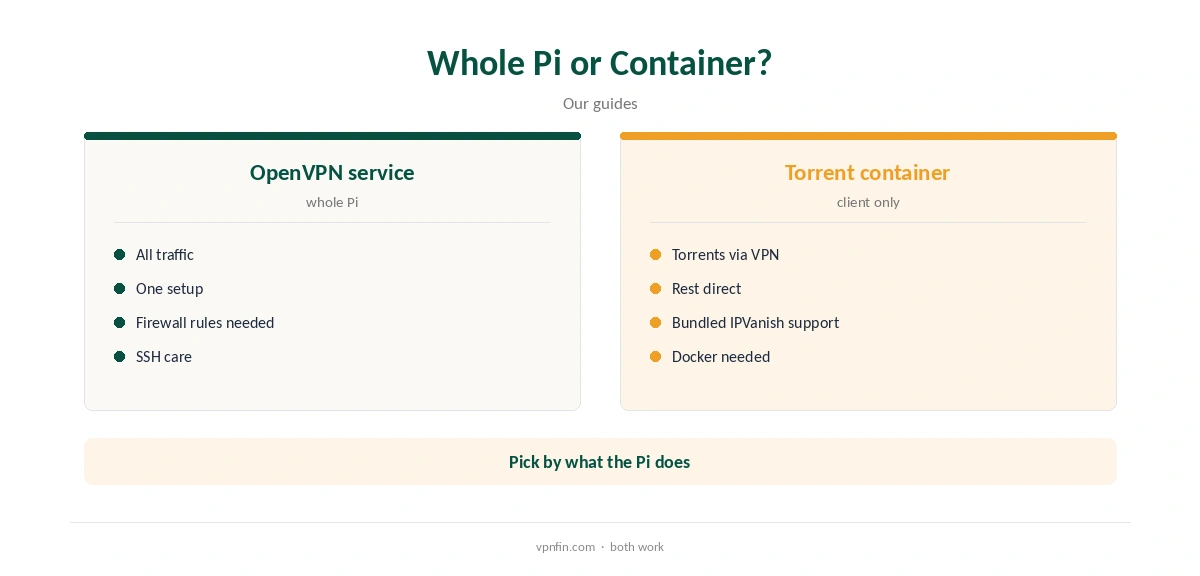
To reconnect after reboots, save your credentials in a file readable only by root, point the configuration at it, and run OpenVPN as a system service. That suits a Pi left running as a home server.
Re-download the configuration archive now and then, since server lists change and an old file may point to a retired server. A cron job can fetch the archive on a schedule.
Leak Protection
A plain OpenVPN setup has no app-level kill switch, so traffic can leave outside the tunnel if it drops. Add firewall rules that allow outgoing traffic only through the VPN interface, and check DNS after connecting. Tools such as ufw make the rules easier to write.
Test with a screen attached first, since a strict firewall can lock you out of a Pi reached over SSH. Our DNS leak guide explains the test.
Torrent Containers
docker-transmission-openvpn, a widely used container, lists IPVanish as a provider: it downloads IPVanish’s configuration bundle itself and picks a server, its project discussions show. Only the torrent client then uses the VPN.
That keeps the rest of the Pi direct, including SSH and any local services you reach from home. Our Raspberry Pi VPN server guide covers what a Pi can and cannot replace.
SOCKS5 Instead
IPVanish’s SOCKS5 proxy, on more than 25 servers in 14 countries, VPNAlert reports, works in a torrent client on the Pi without a tunnel. It does not encrypt traffic, and VPN.ac advises disabling DHT, PEX and IPv6 to prevent leaks. Bind the client to the proxy so it never falls back to a direct connection.
Our SOCKS5 VPN guide explains the set-up.
Price and Privacy
IPVanish costs $57.22 for the first 24 months and renews at $89.99 a year, VPNOverview lists, with no device limit. It has two audits in our table, by Leviathan and Schellman, owns its servers and is based in the US.
Yearly website plans carry a 30-day refund; monthly plans carry none. Our IPVanish price guide compares the plans.
Checking It Works
After connecting, check the Pi’s public address from the terminal and run a DNS leak check from a browser on the Pi or a service that reports the resolver in use. Repeat after a reboot to confirm the service started.
If the tunnel will not come up, try another configuration file, since some servers may be busy or retired.
Limits
Without an app, there is no split tunnelling, kill switch toggle or easy location switching. A Pi’s processor also limits OpenVPN throughput, and newer models such as the Pi 4 and Pi 5 handle encryption faster.
If you want an official Pi app, ExpressVPN supports 64-bit Raspberry Pi OS, Bookworm or newer, with its own command-line client. Our ExpressVPN Raspberry Pi guide covers it.
Which Pi to Use
Any Pi that runs Raspberry Pi OS can use OpenVPN, but a Pi 4 or Pi 5 handles encryption faster and suits a server that moves real traffic. A Pi Zero 2 W suits light tasks.
Use a wired connection where possible, since Wi-Fi on smaller Pis adds its own speed limits.
Using the Pi as a Gateway
Turning the Pi into a VPN gateway for other devices takes manual routing and firewall work that IPVanish does not document. For whole-home coverage, a router running IPVanish is simpler.
Our IPVanish router guide covers GL.iNet’s built-in support and OpenVPN firmware.
How We Research
This page draws on VPNAlert’s IPVanish Linux guide, Security.org’s Linux VPN ranking, the docker-transmission-openvpn project, VPN.ac on SOCKS5 and our IPVanish tables. We cross-checked these sources against each other, and where they conflict or something can’t be verified, we say so in the text rather than guessing. We checked time-sensitive figures, including prices in US dollars, on 8 October 2026. The main source we relied on is VPNAlert’s IPVanish Linux guide. Our full approach lives on the About Us page.
IPVanish on Raspberry Pi FAQ
No; use OpenVPN with IPVanish’s configuration files.
sudo apt install openvpn, then download and unzip IPVanish’s configs.
Yes, as a system service with a credentials file.
Not built in; add firewall rules.
Yes; docker-transmission-openvpn supports IPVanish.
The Verdict
IPVanish on Raspberry Pi works well through OpenVPN or a torrent container. Add firewall rules for leak protection, and keep the files current.