
Disclosure: VPNFin is reader-supported. If you buy a VPN through links on this page, we may earn a commission at no extra cost to you. This never affects our ratings — here’s our full disclosure.
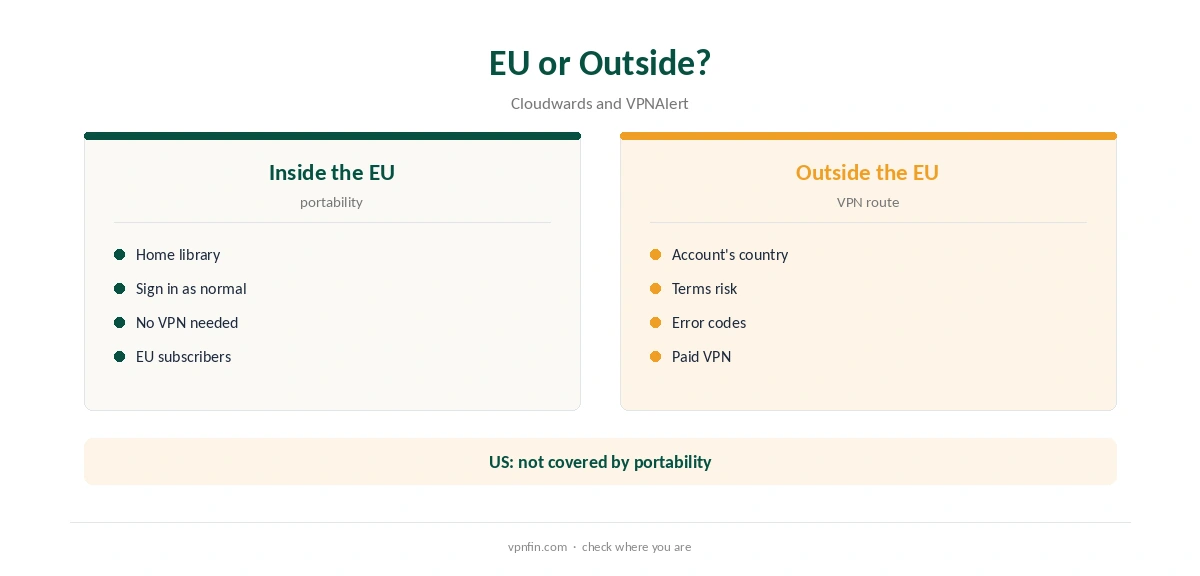
A VPN for DAZN runs into strict rules: DAZN’s terms let you use the service only in the country where you created your account, VPNAlert quotes. Inside the EU, subscribers can watch their home library while travelling to other EU countries, Cloudwards notes, so you do not need a VPN there. Outside the EU, DAZN detects VPNs and shows specific error codes, which Comparitech lists, such as 10-000-0 when it spots a VPN at sign-in.
This guide covers the rules, the error codes, travel and the providers we cover.
DAZN’s Account Rules
VPNAlert quotes DAZN’s terms: you may use the service only in the country where you created your account. A VPN that changes your country may breach those terms, and DAZN can block or restrict access.
Travelling Inside the EU
EU portability rules let subscribers watch their home library in other EU countries, Cloudwards notes, though not in the US. For an EU trip, sign in as normal; you do not need a VPN for DAZN.
DAZN Error Codes
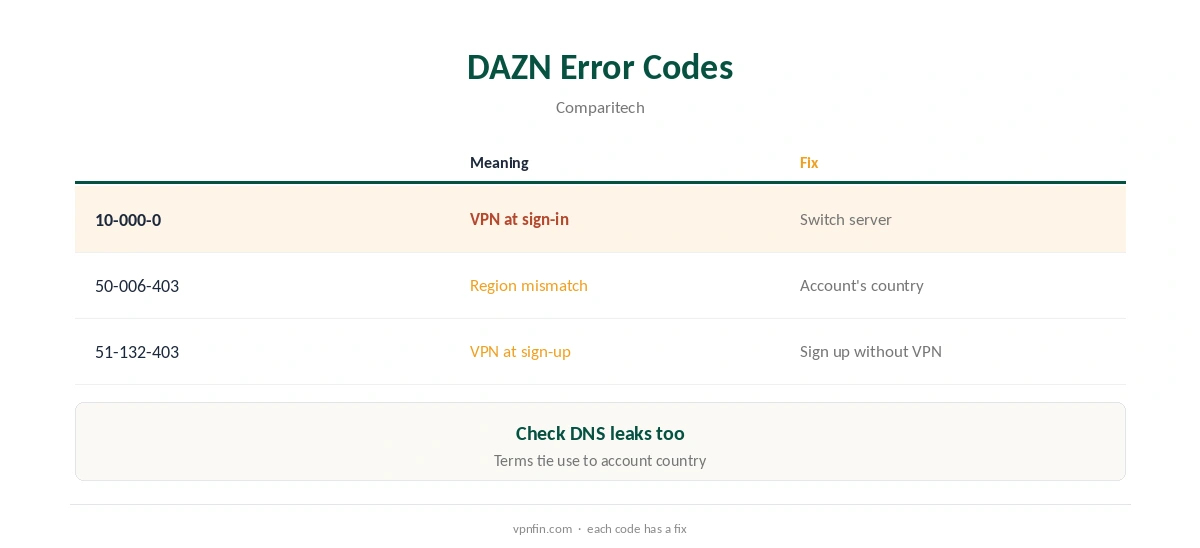
Comparitech lists 50-006-403 when the account region does not match, 10-000-0 when DAZN detects a VPN at sign-in, and 51-132-403 when it detects one at sign-up. Each points to a different fix.
VPN DAZN Setup for Travellers
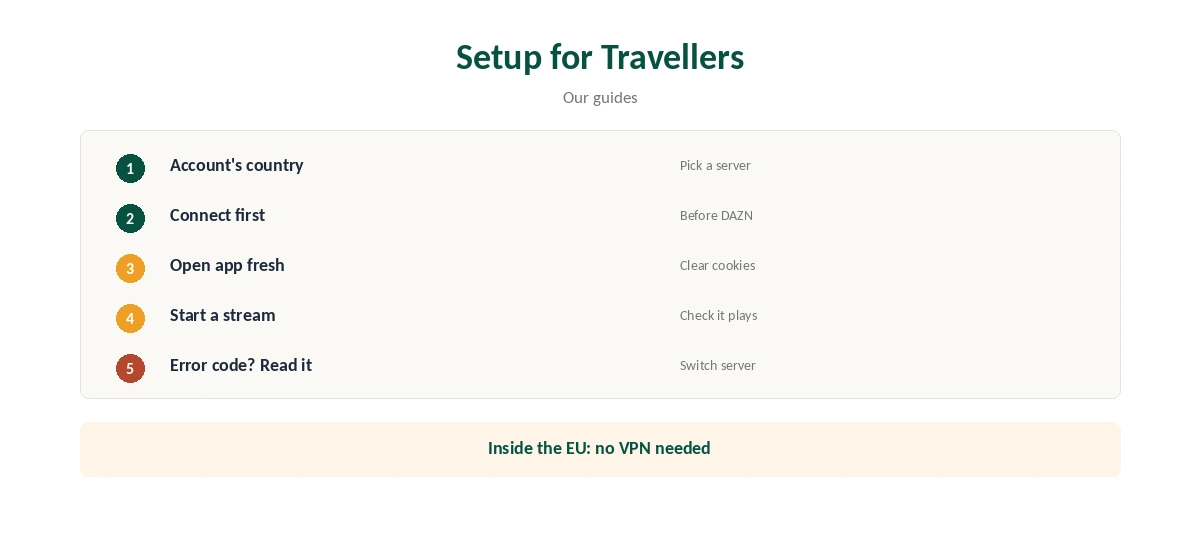
Outside the EU, connect to a server in your account’s country before opening DAZN, then open the app fresh. If you see 10-000-0, switch server in the same country and check for DNS leaks with our DNS leak guide.
Signing Up Abroad
Comparitech’s code 51-132-403 appears when DAZN spots a tunnel at sign-up. Create the account at home, without a tunnel, then travel with it.
Watching on TVs
On Android TV, Fire TV and Apple TV, install the provider’s TV app and connect first. Samsung and LG sets need a router, as our smart TV guide explains.
Speed for Live Sport
Live sport is sensitive to buffering. Pick a nearby server in your account’s country and test before kick-off, ideally on a wired connection.
Testing Within a Refund
NordVPN and Surfshark offer 30-day refunds, our refund tables record. Test on your own devices before a big fixture.
Legal Position
Using a tunnelling service is legal in many countries, though not all, and DAZN’s terms tie use to your account’s country. Our legality guide covers the law; the terms are a separate matter.
Several Devices
Households watching sport on a TV and phones can share one plan: NordVPN allows 10 devices and Surfshark sets no cap, our device table records.
Quick Check
Before kick-off, confirm the server’s country on our VPN test page, then open the app.
Plans and Prices
Your plan and price follow the account’s country under DAZN’s terms, so connecting elsewhere does not change them. Check which competitions your home plan carries before you travel.
Kill Switch
Turn on the kill switch, so a dropped tunnel mid-match does not reveal your real location and trigger a block on reconnect.
Who This Suits
Subscribers travelling outside the EU suit this route most. EU travellers can rely on portability, and residents need nothing extra at home.
Quick Rule
Inside the EU: sign in as normal. Outside the EU: connect to your account’s country, open the app fresh, read any error code.
Support
If DAZN blocks every server, ask the provider’s support which servers suit streaming in your account’s country, and keep the error code to hand.
Privacy on Public Wi-Fi
Hotel and stadium Wi-Fi are shared networks. Encrypting the connection protects logins as well as streams; our public Wi-Fi guide explains the risks.
Families
DAZN’s own device rules apply to a shared account, separately from the VPN plan’s device limit. Check both before a trip.
Big Fixtures
For a final or a title fight, connect and start the stream well before the event, so there is time to switch server if the app blocks you. Keep a second server in the same country ready.
Privacy
NordVPN has six audits and Surfshark two in our table, both under audited no-logs policies.
Keeping It Updated
Update the streaming app and your tunnelling app before travelling. After an update, sign in again and test a stream well before the event.
Several Countries
If your trip crosses several countries, keep the same server country, your account’s, throughout. Switching between countries can trigger the region-mismatch code. Our guide to ExpressVPN for DAZN covers one of two VPNs that opened every region in testing.
Which Providers to Try
Our NordVPN DAZN guide covers one provider’s results in detail. Large providers with many servers per country give you more to try when DAZN blocks one. NordVPN and Surfshark share an owner, Nord Security.
Free VPNs
Streaming services usually block free servers, and Proton’s free plan has no streaming support. Our sports streaming VPN guide covers live sport more widely.
How We Research
This page draws on VPNAlert’s quote of DAZN’s terms, Cloudwards on EU portability, Comparitech’s DAZN error codes and our NordVPN DAZN guide. We cross-checked these sources against each other, and where they conflict or something can’t be verified, we say so in the text rather than guessing. We checked time-sensitive figures, including prices in US dollars, on 8 October 2026. The main source we relied on is Comparitech’s DAZN VPN guide. Our full approach lives on the About Us page.
VPN DAZN FAQ
Its terms limit use to your account’s country, VPNAlert quotes.
Yes, under EU portability rules, per Cloudwards.
DAZN detected a VPN at sign-in, per Comparitech.
Your account region does not match, per Comparitech.
Rarely; streaming services usually block free servers.
The Verdict
You rarely need a VPN for DAZN in the EU, thanks to portability. Elsewhere, connect to your account’s country, open the app fresh and read the error code if blocked.