
Disclosure: VPNFin is reader-supported. If you buy a VPN through links on this page, we may earn a commission at no extra cost to you. This never affects our ratings — here’s our full disclosure.
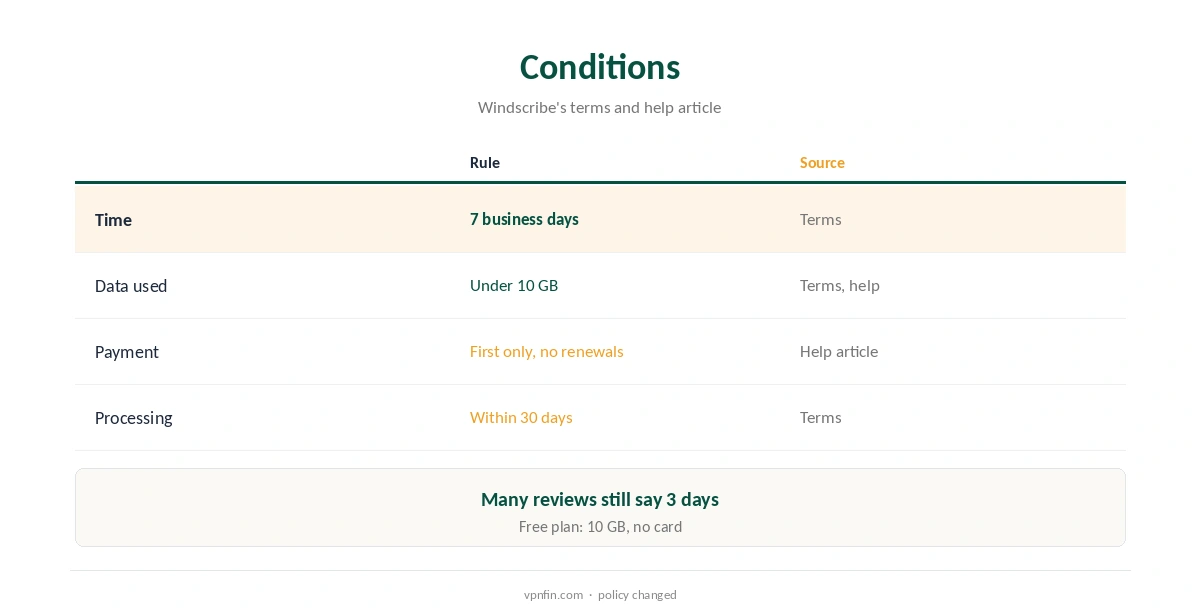
The Windscribe money back guarantee is narrower than most, but not as short as many reviews say. Windscribe’s terms allow a refund of the first payment if you ask within seven business days of the subscription starting and have used less than 10 GB. Renewals are not refundable, Windscribe’s help article adds, and support asks to troubleshoot first. Windscribe processes approved refunds within 30 days. Many reviews, and some of our own earlier pages, still describe an older three-day rule.
This guide covers the conditions, how to ask, timing, app store purchases and why the free plan is the better test.
The Windscribe Money Back Conditions
Two limits apply together: time and data. You must ask within seven business days of the subscription starting, Windscribe’s terms say, and your usage must be under 10 GB on the paid plan; the help article phrases the time limit as seven days from purchase.
Windscribe refunds only the payment that started the subscription, not renewals. Our VPN refund guide compares refund rules across providers.
Three Days or Seven?
Older versions of Windscribe’s help article said three days, and reviews from BleepingComputer, Cloudwards and Wizcase repeat that figure. The current terms and help article both give seven, the help article dated November 2025.
The 10 GB limit has stayed the same. If a review quotes three days, it reflects the older policy, and our own earlier pages that cite it will be corrected.
How to Ask for a Refund
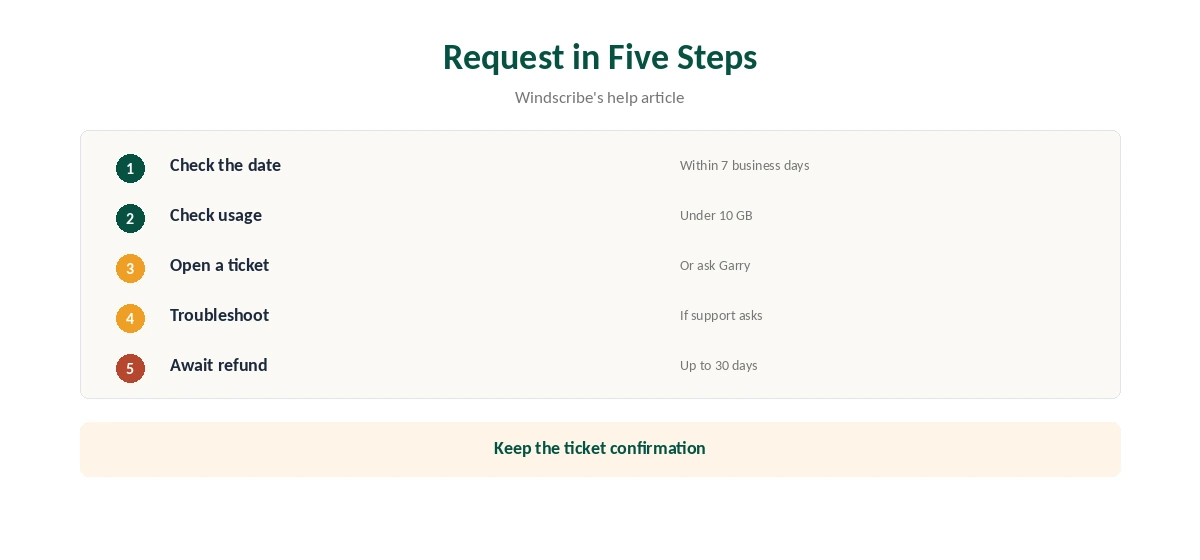
Submit a support ticket on Windscribe’s website, or talk to Garry, its support bot, and ask it to open a ticket, the help article explains. Give your account name and the date you paid.
Expect support to try fixing the problem first; Windscribe says that is often an easy fix. If you still want the money back, say so clearly in the ticket.
How Long It Takes
Windscribe’s terms say it processes approved refunds within 30 days. Reviewers’ experiences vary: one Wizcase tester had the money the same day, while others describe slower replies.
Keep the ticket confirmation until the money arrives, and check the card or account you paid with. Refunds usually return to the original payment method.
App Store Purchases and Cancelling
Refunds for purchases through Apple’s App Store go through Apple, not Windscribe; the App Store lists Pro at $69.99 a year. Wizcase notes the money-back guarantee applies when you buy directly from Windscribe.
If you plan to pay with cryptocurrency, ask support first how it would return a refund.
Test Free Before Relying on the Windscribe Money Back Window
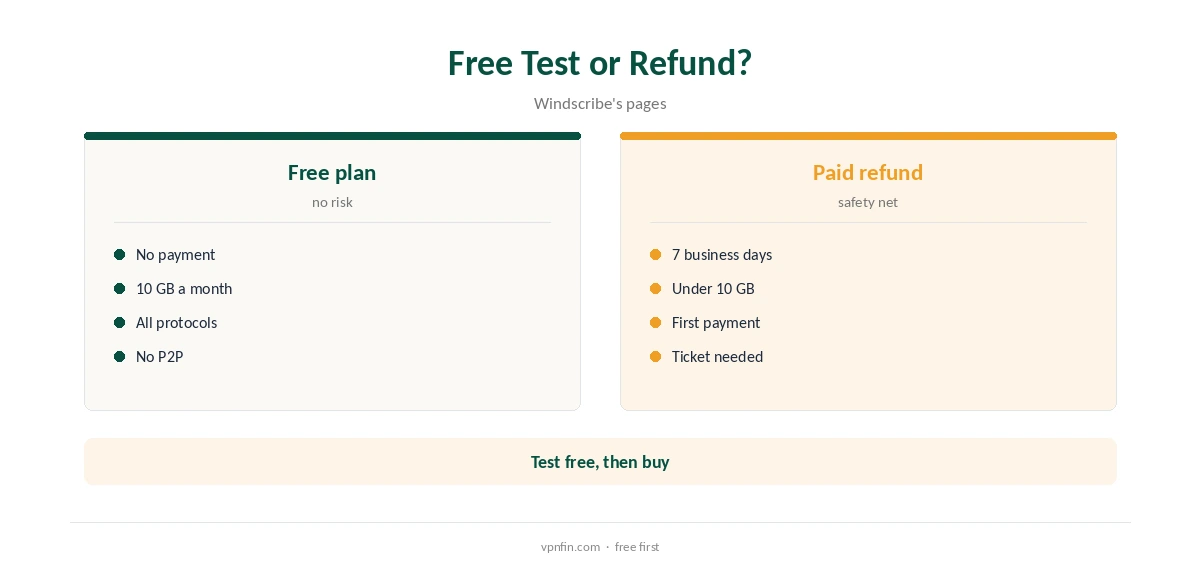
The free plan is the safer test: 10 GB a month after confirming an email, servers in 10 countries, every protocol and no device limit. Try your apps and networks there, then buy Pro knowing it works.
Free servers do not carry P2P, and some streaming tests need Pro locations. Our Windscribe Free guide covers the limits.
If you are outside the refund window, cancel auto-renew in your account so the next payment does not go through. Pro access usually continues until the end of the paid period.
Cancel App Store subscriptions in your Apple subscription settings, not on Windscribe’s site.
How It Compares
Seven business days with a 10 GB cap is still shorter than the 30 days NordVPN, Surfshark and Proton offer (NordVPN and Surfshark share an owner, Nord Security), and CyberGhost’s 45 on longer plans, our refund table records. Windscribe’s free plan offsets much of that.
Pro’s yearly price does not rise at renewal, which matters more over time than the refund window. Our Windscribe price guide covers the plans.
What Counts Toward the 10 GB
All traffic on the paid plan counts, so streaming, downloads and backups eat into the 10 GB limit quickly. An evening of high-definition video can use several gigabytes on its own.
If you are unsure about Pro, test lightly in the first days rather than streaming heavily, so you stay eligible. The free plan is better for heavy testing.
Before You Ask
Windscribe asks to troubleshoot first, so try another location, protocol or Stealth mode before requesting a refund. Many problems on restrictive networks clear that way, and support may suggest settings you had not tried.
Our Windscribe troubleshooting guide lists fixes in order.
A Worked Example
Suppose you buy Pro on a Monday and use 4 GB testing it. Under the terms, you can still ask for a refund until seven business days have passed, around the following Wednesday, as long as usage stays under 10 GB.
If you stream heavily on day two and pass the 10 GB mark, you lose eligibility even though the time has not run out.
How We Research
This page draws on Windscribe’s terms of use and refund help article, BleepingComputer’s, Cloudwards’ and Wizcase’s Windscribe guides and our refund tables, which we corrected to the current policy. We cross-checked these sources against each other, and where they conflict or something can’t be verified, we say so in the text rather than guessing. We checked time-sensitive figures, including prices in US dollars, on 8 October 2026. The main source we relied on is Windscribe’s terms of use. Our full approach lives on the About Us page.
Windscribe Money Back FAQ
Seven business days from the subscription start, under 10 GB used.
Seven under the current terms; three was the older rule.
No; only the first payment.
Through a support ticket or the Garry support bot.
Up to 30 days once approved, the terms say.
The Verdict
The Windscribe money back guarantee gives seven business days under 10 GB, first payment only. Test on the free plan first, and ask early if Pro disappoints.