
Disclosure: VPNFin is reader-supported. If you buy a VPN through links on this page, we may earn a commission at no extra cost to you. This never affects our ratings — here’s our full disclosure.
How do you change your VPN location? In almost every VPN app, you pick a different country or city from the server list or map and connect; the app swaps your IP address for one in that place. The harder question is why a website still shows your old location afterwards. A VPN changes your IP address, not your GPS, VPNCentral notes, and sites also read cookies, account settings, browser location permissions and your device’s time zone.
This page covers the switch itself, then each reason a site might still see the old location, and the fix for each.
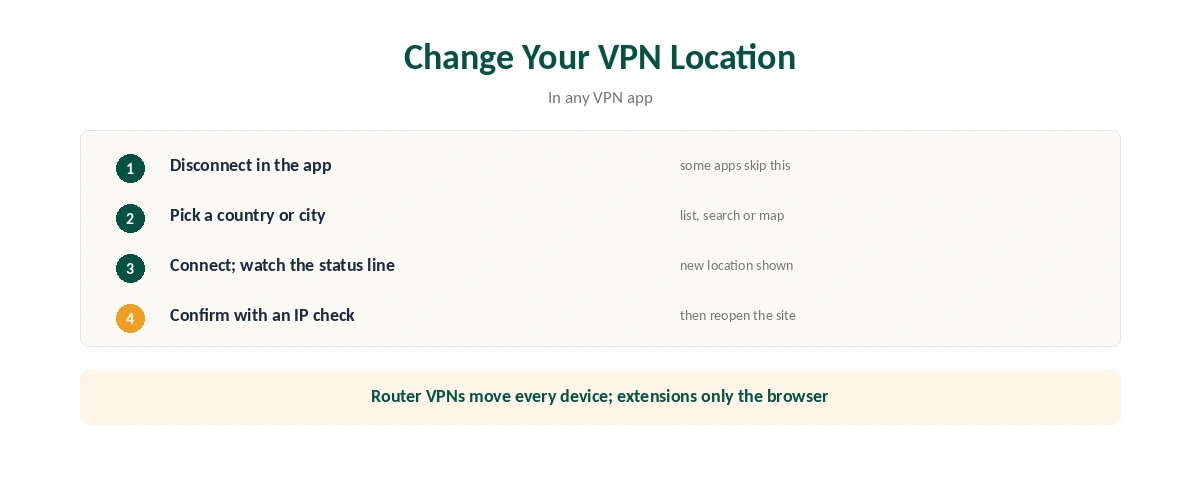
How to Change Your VPN Location
| Step | What to do | Note |
|---|---|---|
| 1 | Open the VPN app and disconnect | Some apps switch without this |
| 2 | Pick a country, or a city within it | From the list, search or map |
| 3 | Connect and wait for the new location to show | Check the app’s status line |
| 4 | Confirm with an IP check | The address should match the new country |
| 5 | Close and reopen the site you care about | Clears stale sessions |
On a router, you change VPN location in the router’s settings, and every connected device moves together, as our router guide explains. Browser extensions change only the browser’s location, as our Chrome guide notes.
Why Sites Still See Your Old Location
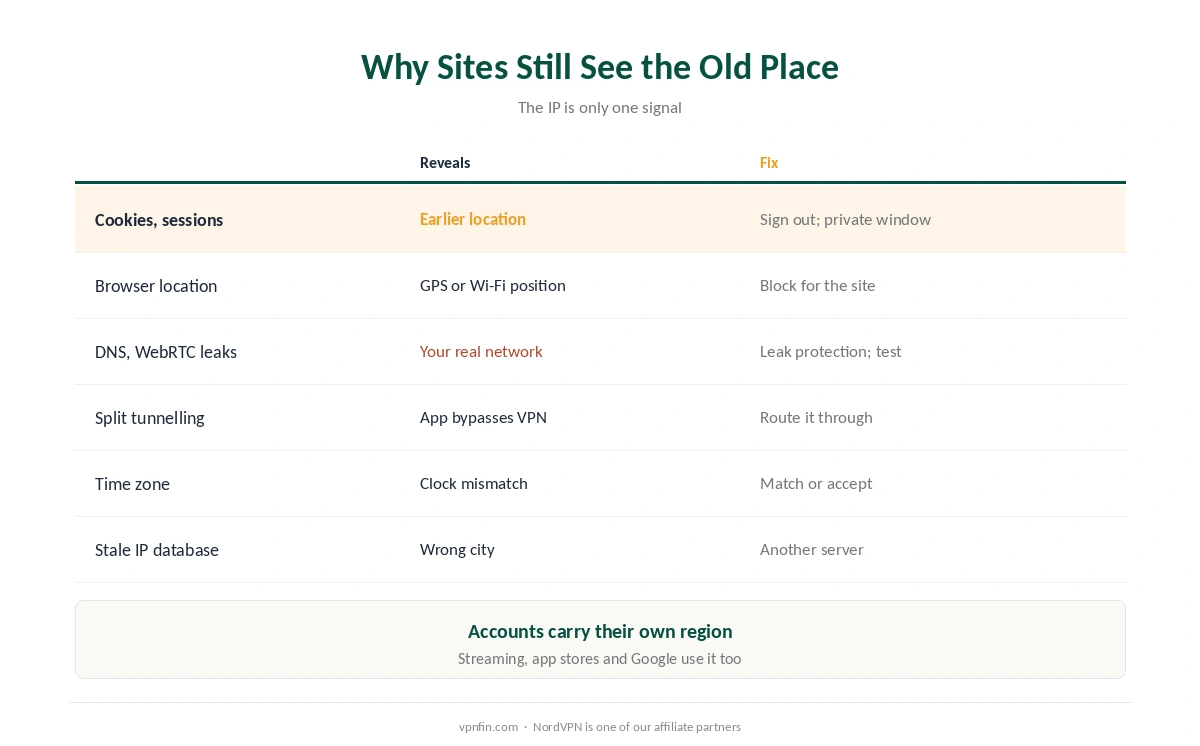
| Signal | What it reveals | Fix |
|---|---|---|
| Cookies and account sessions | Location remembered from earlier visits | Sign out; clear site data or use a private window |
| Browser location permission | GPS or Wi-Fi-based position | Block location for that site |
| DNS or WebRTC leaks | Your real network | Turn on leak protection; test |
| Split tunnelling | An app bypasses the VPN | Route that app through the VPN |
| Time zone | Device clock doesn’t match the IP | Match the time zone or accept the mismatch |
| Stale IP database | Wrong city for the new IP | Try another server |
Browsers can ask for your exact position. Most use the W3C Geolocation API, which can reveal your real location even with a VPN on, VPNAlert explains; deny or remove the permission for the site.
Accounts carry their own region. Streaming services, app stores and Google tie content to your account’s country and history, not just your IP, the hosting provider is*hosting notes. Our Netflix guide covers streaming regions.
On Phones: Apps With Location Access
Apps can read location directly. If an app has location permission, it can use GPS and nearby Wi-Fi regardless of your VPN, is*hosting notes. Change VPN location all you like; a maps or weather app will still find you.
Check split tunnelling too. An app excluded from the VPN keeps using your real connection, VPNCentral warns, as our split tunnelling guide explains. Our guide to what a VPN hides sets out the limits.
When Only the City Is Wrong
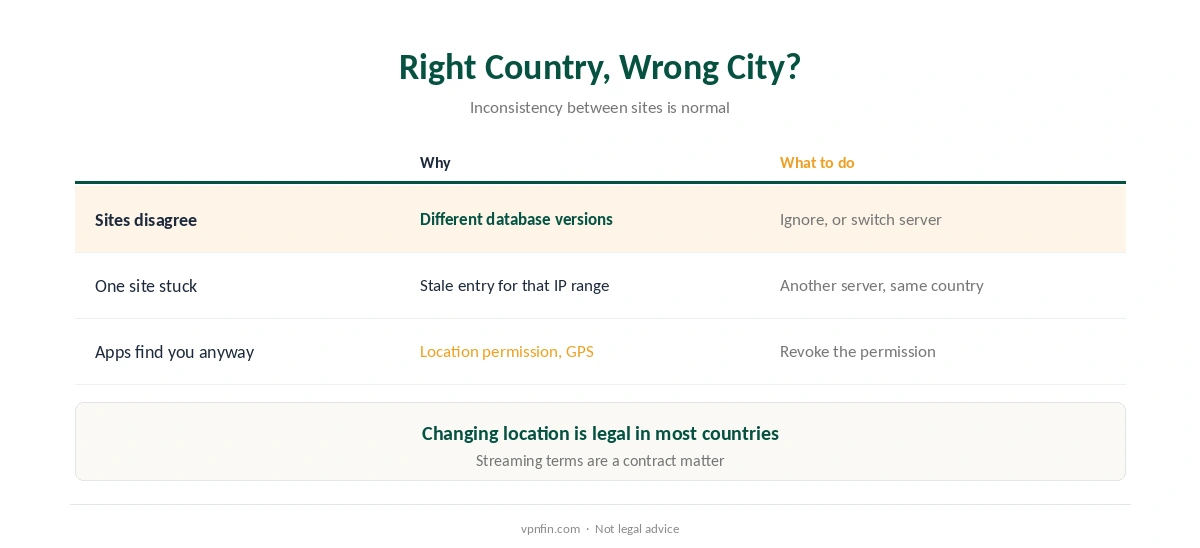
Different sites use different location databases. Sites may run different versions of the same IP database, so one can show the right country and another an out-of-date city, WhatIsMyLocation explains. That inconsistency doesn’t mean the VPN has failed.
Try another server in the same country if one site keeps placing you wrongly; travellers will find more in our travel guide. Our VPN check guide shows how to read an IP test.
Is It Legal to Change Your VPN Location?
In most countries, yes; the tool is legal, as our country-by-country guide explains. Using it to reach content outside your region can breach a service’s terms, which is a contract matter, not a crime, in most places.
Some uses change the picture. Pretending to be elsewhere to get cheaper prices or evade restrictions carries risks of its own, as our cheaper flights guide discusses.
Google still showing the old country? Our Google region guide covers the search settings to change.
How We Research
Location signals and fixes come from VPNCentral, VPNAlert and is*hosting, a hosting provider; the IP database explanation from WhatIsMyLocation; the time zone mismatch from GeoSpoof. We read all sources on 28 September 2026. NordVPN is one of our affiliate partners. Our full approach lives on the About Us page.
Change VPN Location FAQ
Open the VPN app, choose a different country or city from the server list or map, and connect. Then confirm with an IP check.
It may be reading cookies, your account’s region, the browser’s location permission, a DNS or WebRTC leak, or your device’s time zone.
Location databases differ between sites and can be out of date for an IP range. Try another server in the same country.
No. A VPN changes your IP address. Apps and browsers with location permission can still read your GPS or Wi-Fi position.
In most countries, yes. Using it to reach region-locked content can breach a service’s terms, a contract matter in most places.
The Verdict
To change VPN location, pick a new server and connect; that takes seconds.
If a site still sees the old place, work through cookies, browser permissions, leaks and your account’s region. The IP is only one of the signals.