
Disclosure: VPNFin is reader-supported. If you buy a VPN through links on this page, we may earn a commission at no extra cost to you. This never affects our ratings — here’s our full disclosure.
TorGuard iOS support comes through a dedicated iPhone and iPad app with WireGuard, OpenVPN and IPSec, TorGuard’s June 2026 support page says, plus an alternative route through the official OpenVPN Connect app. One gap matters: ProPrivacy notes TorGuard’s kill switch exists on Windows and macOS but not in its mobile apps. TorGuard has no independent audit, according to our audit table.
This guide covers both routes, the setup, the fixes for drops and the trade-offs.
TorGuard iOS Setup With the App
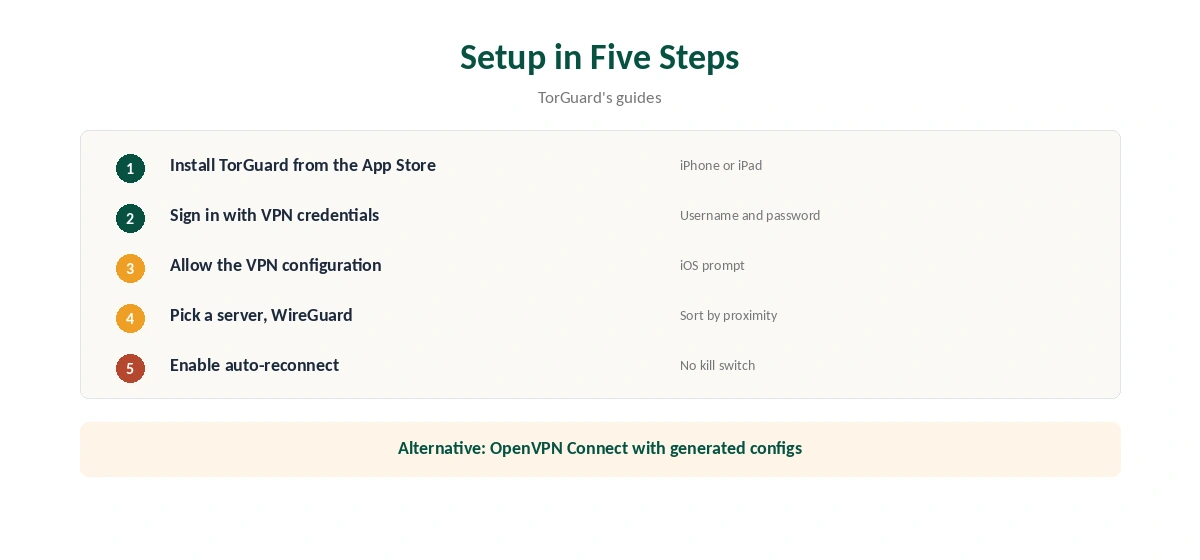
Install TorGuard from the App Store, sign in with your TorGuard VPN username and password, and allow the VPN configuration when iOS asks. Pick a server, sorted by proximity if you like, and connect. TorGuard’s troubleshooting guide suggests WireGuard as the default on home and open Wi-Fi.
Confirm the new address with our VPN test page.
The OpenVPN Connect Route
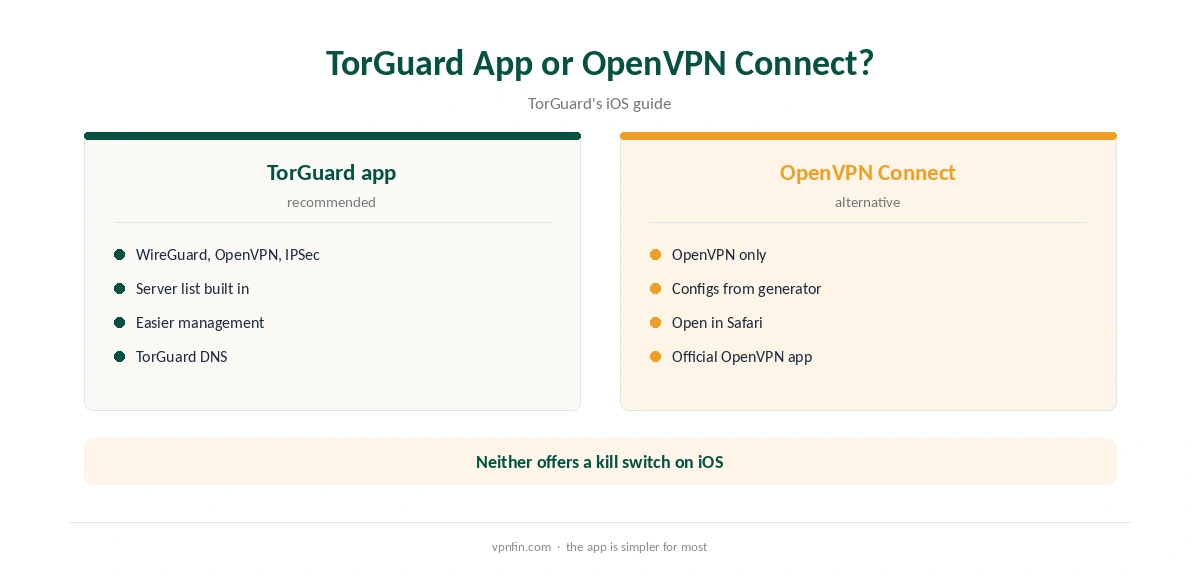
TorGuard’s guide explains a second route: install OpenVPN Connect from the App Store, open TorGuard’s config generator in Safari, choose the iOS device option, enter your VPN credentials and download the configuration. Open it in OpenVPN Connect and connect. TorGuard stresses using Safari, since other browsers may not handle the file correctly.
TorGuard recommends its own app for WireGuard and easier management; use OpenVPN Connect if you prefer it or need its specific settings.
The Kill Switch Gap
ProPrivacy notes TorGuard offers a kill switch on Windows and macOS but not in its mobile clients. On an iPhone, a drop can briefly expose your traffic. TorGuard’s guide suggests enabling auto-reconnect, which shortens the gap. Our kill switch guide explains the risk.
Fixes for Dropped Connections
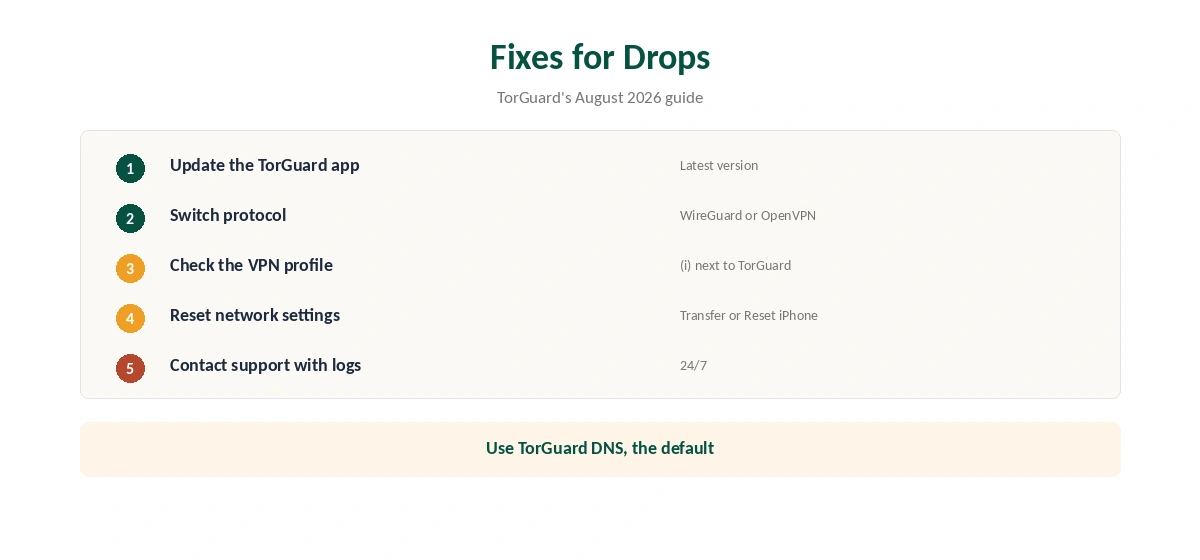
TorGuard’s August 2026 troubleshooting guide lists iOS fixes: update the app, reset network settings under Settings, General, Transfer or Reset iPhone, and check the VPN profile by tapping the information icon next to TorGuard in VPN settings. Use TorGuard’s DNS, the default, and switch protocol if one keeps dropping.
Public Wi-Fi on iPhone
Phones join more public networks than any other device. Connect TorGuard before you sign in to anything on café or hotel Wi-Fi, and keep auto-reconnect on, since there is no kill switch to catch a drop. Our public Wi-Fi guide explains the risks.
Leak Checks
After connecting, run our DNS leak guide once. TorGuard’s guide recommends its own DNS, the default, which keeps lookups inside the tunnel.
Turning It Off
Disconnect in the TorGuard app or switch the VPN off in iOS settings. To remove the profile entirely, our guide to turning off a VPN on iPhone covers the steps.
TorGuard iOS on iPad
TorGuard’s guide covers iPhone and iPad together, so the same app and the same steps apply on a tablet. Its feature page allows up to eight devices on one account, enough for a phone, a tablet and computers.
Battery and Widgets
TorGuard’s iOS guide notes iOS manages VPN connections efficiently and that a widget allows quick connection from Today View. WireGuard is the lighter protocol in the comparisons we read, which helps battery life.
A Quick Rule
Use the TorGuard app with WireGuard and auto-reconnect. Switch to OpenVPN Connect only if you need its specific settings. If a kill switch matters on your phone, choose a provider that offers one on iOS.
Travel Tips
Install and sign in to TorGuard before you leave, and test both the TorGuard app and OpenVPN Connect at home. Some networks block one protocol but not another, so having both routes ready gives you a fallback when you arrive.
Quick Check
After setup, confirm the new address and run a DNS check before relying on the connection.
Several Devices
One TorGuard account covers up to eight devices, so install it on the iPhone and iPad with the same credentials.
Per-App VPN
TorGuard’s guide notes per-app VPN on iOS is available only through mobile device management, which suits businesses rather than individuals. Everyone else routes the whole iPhone through the VPN.
Stealth and Restricted Networks
The Stealth material we found describes TorGuard’s desktop clients; check whether your iOS app version offers it. On an iPhone in a restrictive country, test what connects before you travel. GreatFirewallGuide ranked TorGuard second for China in 2026. Our China VPN guide covers the wider picture.
TorGuard’s Record
Our audit table records no independent audit for TorGuard. It is run by VPNetworks LLC in Florida, inside the Five Eyes, and settled a copyright lawsuit in 2022 by blocking BitTorrent on its US servers. Our VPN audit tracker puts that in context.
Related Guides
Our iPhone VPN guide compares providers, and our TorGuard Windows guide covers the desktop client.
For rivals with an iOS kill switch, see our NordVPN iPhone guide and Surfshark iPhone guide; the two share an owner, Nord Security.
Our NordVPN vs TorGuard page compares the services in full.
How We Research
This page draws on TorGuard’s OpenVPN Connect and troubleshooting guides, ProPrivacy’s TorGuard review, GreatFirewallGuide and our TorGuard review and audit table. We cross-checked these sources against each other, and where they conflict or something can’t be verified, we say so in the text rather than guessing. We checked time-sensitive figures, including prices in US dollars, on 6 October 2026. No affiliate link for this provider; prices on its own site. The main source we relied on is TorGuard’s iOS OpenVPN guide. Our full approach lives on the About Us page.
TorGuard iOS FAQ
Yes, with WireGuard, OpenVPN and IPSec, per TorGuard’s support pages.
Yes, using configuration files from TorGuard’s generator, opened in Safari.
ProPrivacy notes it does not on mobile; enable auto-reconnect instead.
Update, reset network settings, check the VPN profile and switch protocol.
Our audit table records no independent audit.
The Verdict
TorGuard iOS support works through its own app or OpenVPN Connect. The missing mobile kill switch and audit are the main reasons to compare alternatives for iPhone use.