
Disclosure: VPNFin is reader-supported. If you buy a VPN through links on this page, we may earn a commission at no extra cost to you. This never affects our ratings — here’s our full disclosure.
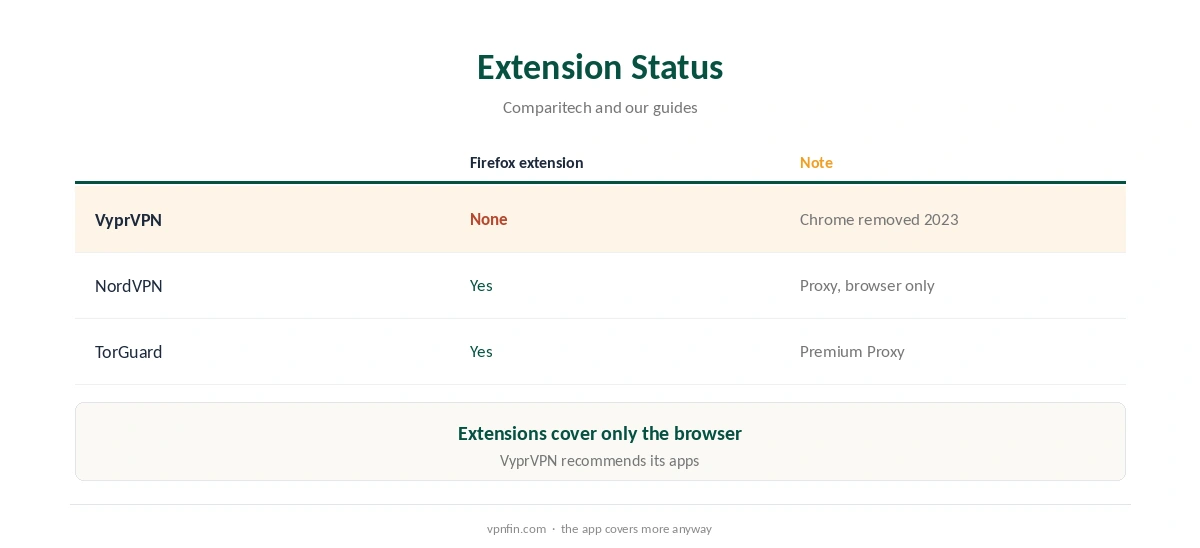
VyprVPN Firefox support has no extension behind it. Comparitech reports VyprVPN has no extensions for Firefox, Edge, Brave or Safari, and removed its Chrome extension in 2023 with no plans to bring it back. VyprVPN recommends its full apps instead. Those cover Firefox along with every other program, with WireGuard, Chameleon and a kill switch on desktop.
This guide covers how to protect Firefox with the app, the browser settings to check and alternatives with extensions.
Why There Is No Extension
VyprVPN once offered a Chrome extension but removed it in 2023, Comparitech notes, and never offered one for Firefox. Impulsec confirms the Chrome extension is gone from the Web Store. The desktop app is the only VyprVPN route for browser traffic.
VyprVPN Firefox Protection With the App
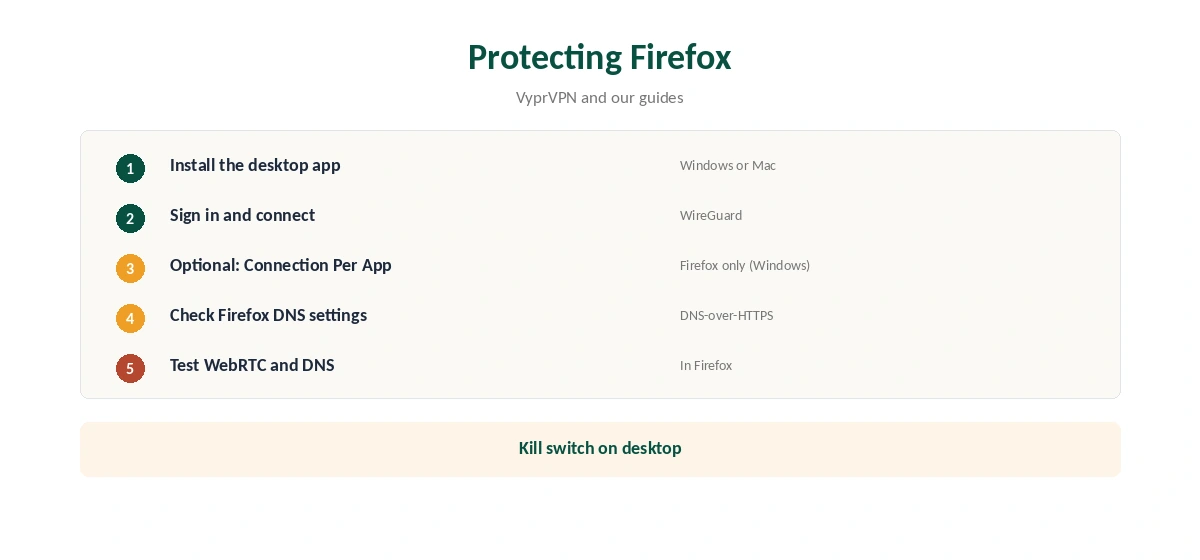
Install VyprVPN on Windows or Mac, sign in and connect. Firefox traffic then goes through the tunnel like everything else. On Windows, Connection Per App, VyprVPN’s split tunnelling, can route only Firefox through the VPN if you prefer. Our VyprVPN Windows guide covers the settings.
Firefox Settings to Check
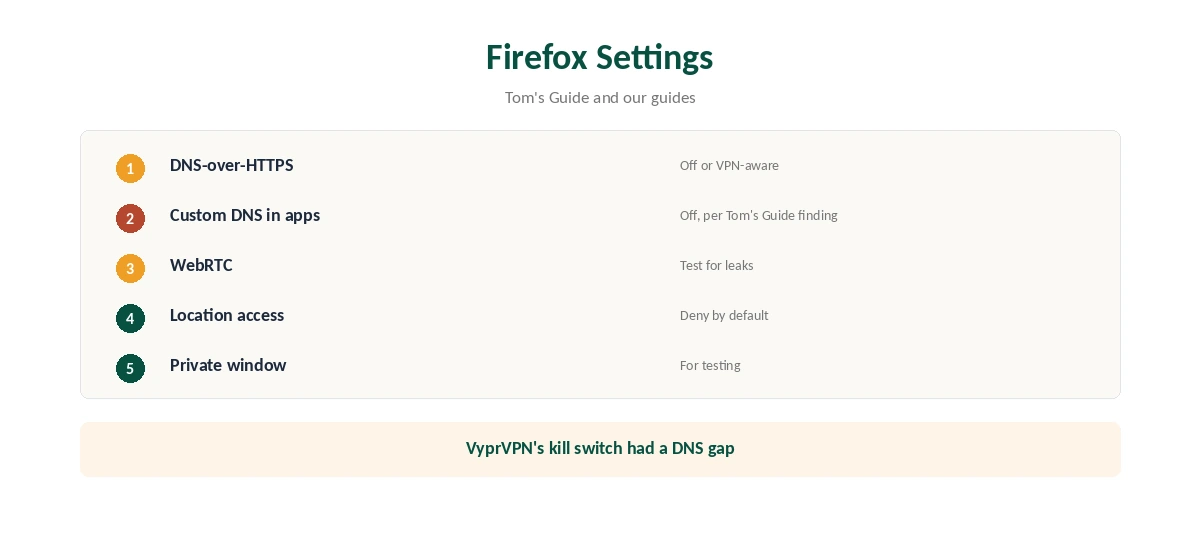
Firefox has its own DNS-over-HTTPS setting, which can send DNS requests to a resolver outside the VPN. With VyprVPN on, check Firefox’s network settings and decide whether you want that. Tom’s Guide found VyprVPN’s kill switch let apps with their own DNS settings send requests, so turning Firefox’s custom DNS off keeps requests inside the tunnel.
WebRTC can also reveal your real address in browsers. Test with our WebRTC leak guide.
Providers With Firefox Extensions
If you want a browser-only option, some providers publish Firefox extensions. Our NordVPN Firefox guide covers one; NordVPN shares an owner, Nord Security, with Surfshark. Remember an extension covers only the browser. Our VPN vs proxy guide explains why.
Private Browsing and Containers
Private windows and container tabs keep cookies apart, but they do not change your IP address. Only the VPN tunnel does that. Use both together if you want separate sessions and a hidden address.
Split Tunnelling on Windows
On Windows, Connection Per App can send only chosen programs through the tunnel. That suits people who want their browser protected while a game or work app uses the normal connection. Our split tunnelling guide explains the trade-offs.
On a Mac
The Mac app protects every program once connected. Split tunnelling there is not documented in the sources we read, so expect the whole Mac to use the tunnel. Our Mac VPN guide compares providers.
A Quick Rule
Want browser privacy from this provider? Run the desktop app. Want a browser-only tool? Choose a provider that publishes one. Either way, check DNS-over-HTTPS and WebRTC once after connecting.
Chameleon for Blocked Networks
On school, hotel or work networks that block VPNs, the desktop app’s Chameleon protocol disguises traffic, which a browser extension could not do anyway. Our VyprVPN WireGuard guide explains when to switch from WireGuard to Chameleon.
Other Browsers
The same answer applies to Edge, Brave and Safari: no extension, Comparitech notes, so the desktop app protects them. Chrome’s extension was removed in 2023.
Keeping It Updated
Update the browser and the desktop app separately. After a browser update, recheck the DNS-over-HTTPS setting, since updates can change defaults.
Is the App Enough for Browser Privacy?
For most people, yes: the desktop app encrypts all browser traffic, which an extension could never fully match. The cost is that every program shares the tunnel unless you use split tunnelling on Windows. Our public Wi-Fi guide explains when full-device protection matters most.
Testing After Setup
Open our test page in the browser, then in another app that loads web content. Both should show the VPN address, which confirms the tunnel covers more than the browser.
Location Settings in the Browser
Browsers can share your device location with sites through permission prompts, which a VPN cannot hide. Deny location access by default in the browser’s privacy settings, and allow it only for sites that need it, such as maps.
Turning It Off
Disconnect in the desktop app to return the browser to your normal connection. If you used split tunnelling, remove the browser from the list so it does not stay outside the tunnel next time. Restart the browser to clear any cached location data.
Extensions From Other Providers
Do not run another provider’s browser extension alongside the desktop app. Two layers slow browsing and confuse location checks.
Checking the Connection
With VyprVPN connected, open our VPN test page in Firefox, then run our DNS leak guide. If DNS shows a third-party resolver, check Firefox’s DNS-over-HTTPS setting.
VyprVPN’s Record
Our audit table records one VyprVPN audit, by Leviathan Security in 2018, before Certida LLC of Texas bought the service in 2023. It operates from the US. Its 30-day guarantee covers your first purchase, as our VyprVPN plans guide explains.
How We Research
This page draws on Comparitech’s VyprVPN review, Impulsec’s VyprVPN extension page, Tom’s Guide’s VyprVPN review and our VyprVPN tables. We cross-checked these sources against each other, and where they conflict or something can’t be verified, we say so in the text rather than guessing. We checked time-sensitive figures, including prices in US dollars, on 7 October 2026. The main source we relied on is Comparitech’s VyprVPN review. Our full approach lives on the About Us page.
VyprVPN Firefox FAQ
No. Comparitech says VyprVPN has no Firefox extension.
Run the desktop app; it covers Firefox and every other program.
On Windows, Connection Per App can do that.
Yes; its DNS-over-HTTPS can bypass the VPN’s DNS.
It did, but removed it in 2023, per Comparitech.
The Verdict
VyprVPN Firefox protection comes from the desktop app, not an extension. Check Firefox’s DNS setting and test for WebRTC leaks after connecting.