
Disclosure: VPNFin is reader-supported. If you buy a VPN through links on this page, we may earn a commission at no extra cost to you. This never affects our ratings — here’s our full disclosure.
ExpressVPN for Warzone helps with some things and not others. It protects your connection on shared networks and, ExpressVPN says, against DDoS attempts. It usually adds ping rather than removing it. The popular use, connecting abroad for easier lobbies, sits in a grey area. Activision has not said whether it bans for VPN use, some players report bans, and one German review says newer anti-cheat may recognise VPNs.
This guide covers what a VPN does for Warzone, the risks, setup on PC and consoles, and settings that keep latency down.
What ExpressVPN Does for Warzone
A VPN hides your home IP address from other players and from the game’s servers. ExpressVPN presents that as protection against DDoS attempts on its PlayStation page. It also encrypts your traffic on shared Wi-Fi, such as student housing, where other users or the network owner could otherwise watch it.
It does not fix a weak connection: every VPN adds a hop. Our gaming VPN guide explains why ping usually rises.
The Lobby Question
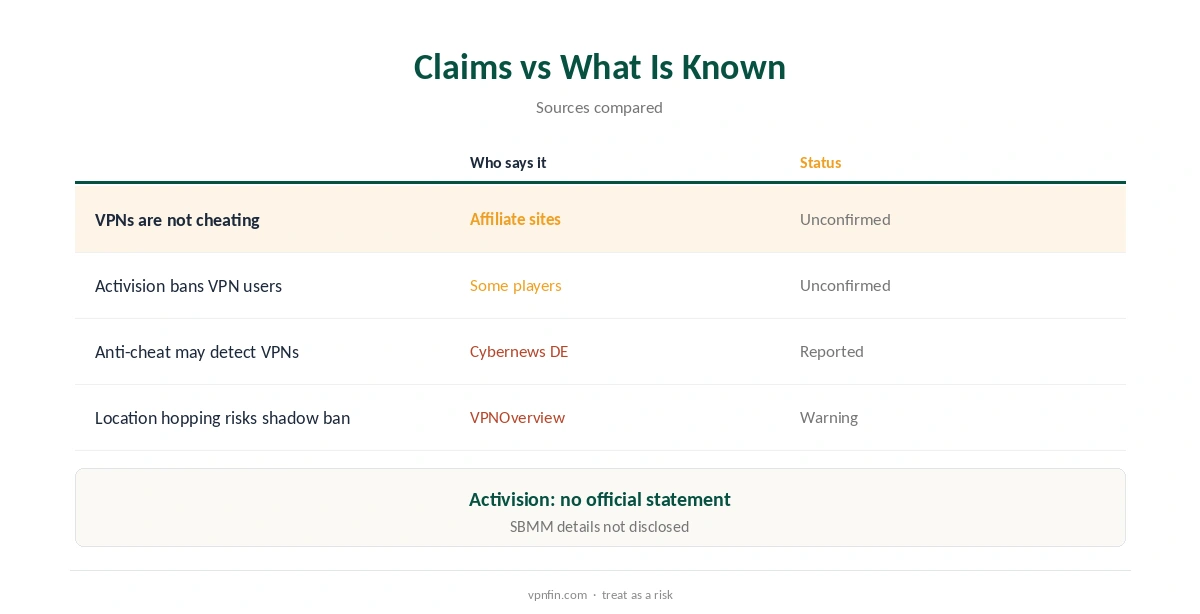
Affiliate sites such as Cybernews and VPNOverview say a VPN is not cheating and that Activision’s terms do not ban it. Activision has made no official statement either way, Stealth Optional notes, and some players report bans, with vague answers on appeal.
VPNOverview itself warns that switching locations often can lead to a shadow ban. Cybernews’ German edition reported that anti-cheat from Season 4 may detect VPNs. Activision does not disclose how its skill-based matchmaking works.
Our View on Risk
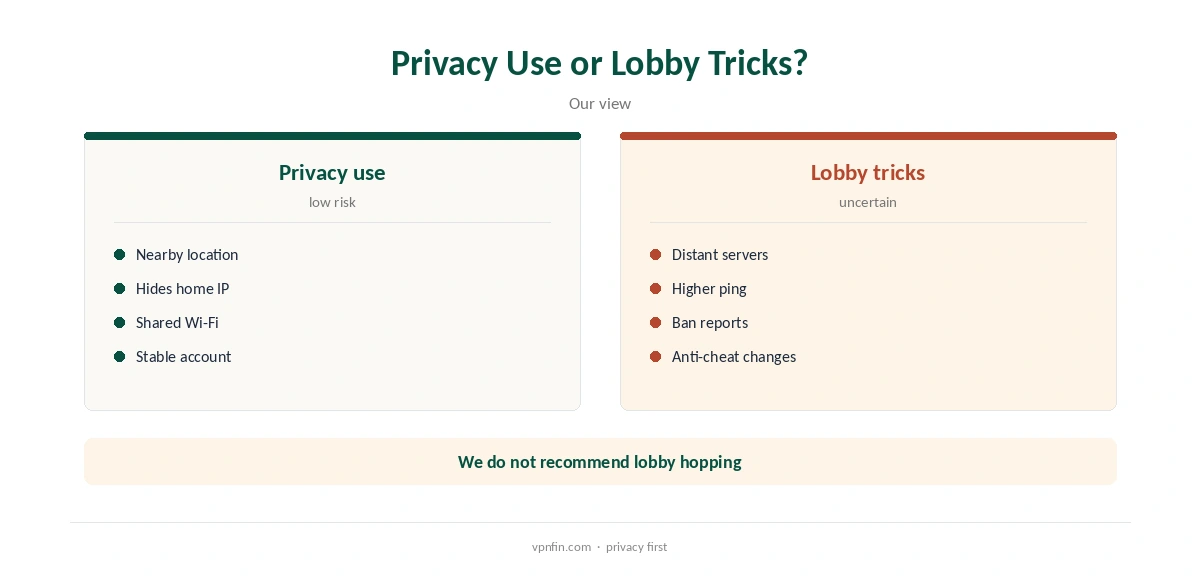
The sources that call it safe also earn commissions from VPN sales. We therefore treat the ban question as unresolved. Using ExpressVPN for privacy at a nearby location is low risk. Hopping countries to chase easier lobbies carries a real chance of account action.
Never pair a VPN with cheats or tools that alter the game; that is what Activision’s anti-cheat targets, and a VPN will not hide it. Our Call of Duty VPN guide covers the series as a whole.
ExpressVPN for Warzone on PC
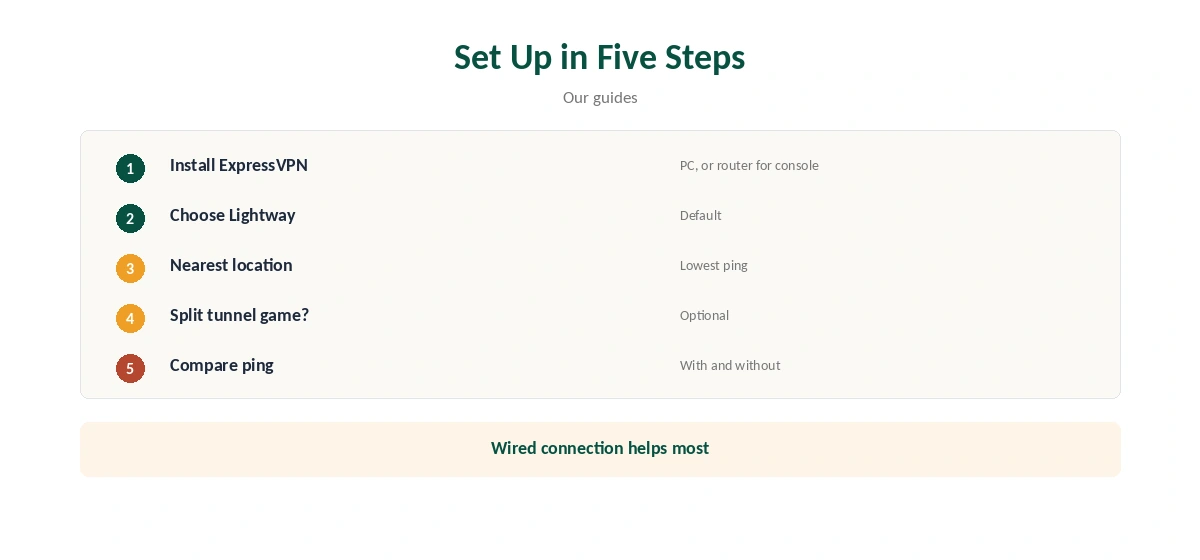
Install the Windows app, choose Lightway as the protocol, and pick the location nearest to you or to the game’s servers. Network Lock keeps traffic from leaking if the tunnel drops mid-match. Split tunnelling can keep the game outside the tunnel while the browser and chat stay inside. That suits players who want privacy elsewhere but the lowest ping in game.
TechRadar measured ExpressVPN up to 898 Mbps in its tests, so bandwidth is rarely the limit; latency is.
On PlayStation and Xbox
Consoles cannot run ExpressVPN, so use its Fortify router or share a connection from a Windows PC, its PlayStation page explains. MediaStreamer, its smart DNS, does not encrypt and offers no DDoS protection. For Warzone, it adds nothing useful, since it changes only how addresses are looked up.
A router with ExpressVPN covers the console with full encryption and lets you switch it off for ranked play. Our ExpressVPN PS5 guide walks through each route.
Which Location to Pick
For privacy, choose the ExpressVPN location nearest to you; that keeps the added latency smallest. Lobby guides point players to distant countries instead, and even VPNOverview admits distant servers can raise ping and hurt gameplay.
Staying on one nearby location also avoids the frequent switching that VPNOverview links to shadow bans, and keeps your ping steady.
Keeping Latency Down
Choose the closest location, use a wired connection, and keep Lightway, ExpressVPN’s default protocol, switched on. With an ExpressVPN router, put the console in its own device group so it can stay direct for ranked play while other devices use the VPN.
Test with and without the VPN in the same match type and at the same time of day. If ping rises noticeably, keep the game outside the tunnel. The in-game network display shows latency to the match server.
Shared and Public Networks
The clearest case for a VPN in Warzone is a network you do not control or trust. On student housing, hotel or café Wi-Fi, ExpressVPN encrypts your game and voice traffic. Others on the network cannot then see or tamper with it.
At home on your own router, that benefit is smaller, and the ping cost matters more. Many players keep the VPN for travel and play direct at home, switching it on only on networks they do not trust.
Price and Privacy
ExpressVPN’s Basic plan covers 10 devices and renews at $99.95 a year, our tables record, with a 30-day refund for new users. It lists 27 independent audits by May 2026, three of them KPMG no-logs reports, so the privacy claim is well checked.
Kape owns ExpressVPN, along with CyberGhost and PIA. Our NordVPN for Warzone guide compares another provider’s approach.
How We Research
This page draws on ExpressVPN’s PlayStation page, Cybernews’ and VPNOverview’s Warzone guides, Stealth Optional on VPN bans, privateproxyguide, TechRadar’s Warzone VPN guide and our gaming tables. We cross-checked these sources against each other, and where they conflict or something can’t be verified, we say so in the text rather than guessing. We checked time-sensitive figures, including prices in US dollars, on 8 October 2026. The main source we relied on is ExpressVPN’s gaming page. Our full approach lives on the About Us page.
ExpressVPN for Warzone FAQ
Usually not; a VPN adds a hop.
Activision has not said; some players report bans, so treat it as a risk.
It hides your home IP, which ExpressVPN says helps.
Through Fortify or a shared Windows connection.
Lightway, ExpressVPN’s default.
The Verdict
ExpressVPN for Warzone is useful for privacy and DDoS protection at a nearby location. Chasing easier lobbies abroad is an unresolved account risk we do not recommend.