
Disclosure: VPNFin is reader-supported. If you buy a VPN through links on this page, we may earn a commission at no extra cost to you. This never affects our ratings — here’s our full disclosure.
NordVPN for Warzone has two uses. The safe one is protection: hiding your IP from DDoS attacks while keeping ping low. The other, hunting easier lobbies by connecting to distant servers, is widely advertised, but Cybernews reports that Activision’s anti-cheat can detect VPN use since Season 4. This guide separates the two. Our page on CyberGhost for Warzone covers its gaming servers, the limits of SBMM and the anti-cheat risk.
What NordVPN for Warzone Does Well
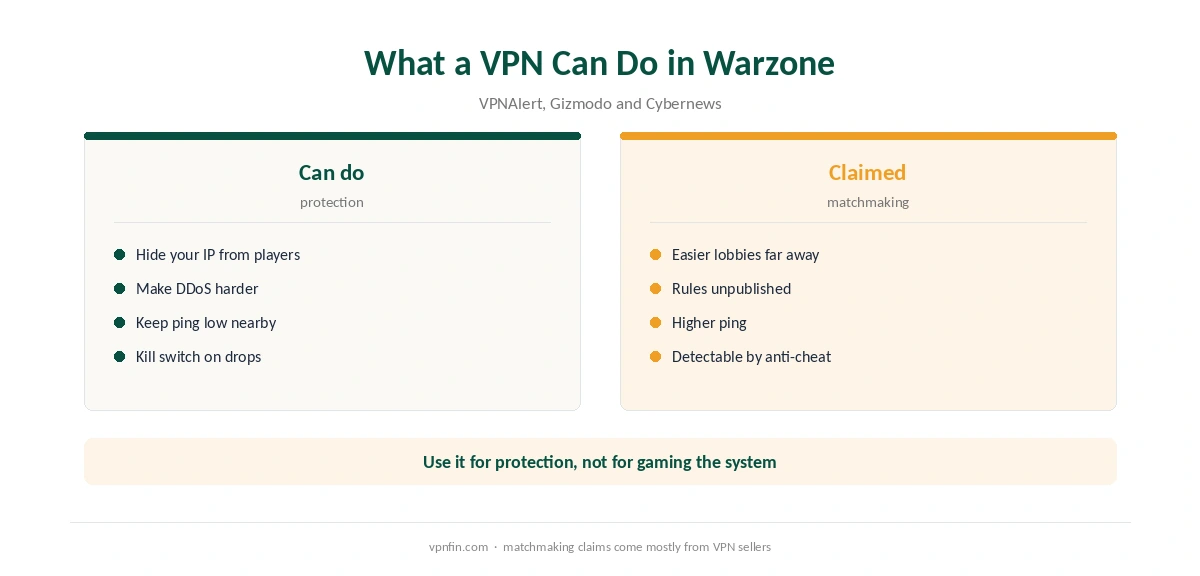
A VPN hides your home IP address from other players, which makes DDoS attacks against you harder. NordVPN adds two kill switches, as VPNAlert notes, so a drop does not expose your IP mid-match. In VPNAlert’s test, ping with NordVPN stayed at 11 ms on a nearby server.
Our NordVPN gaming guide covers ping and Meshnet, and our kill switch guide shows how to turn protection on.
The Lobby Question
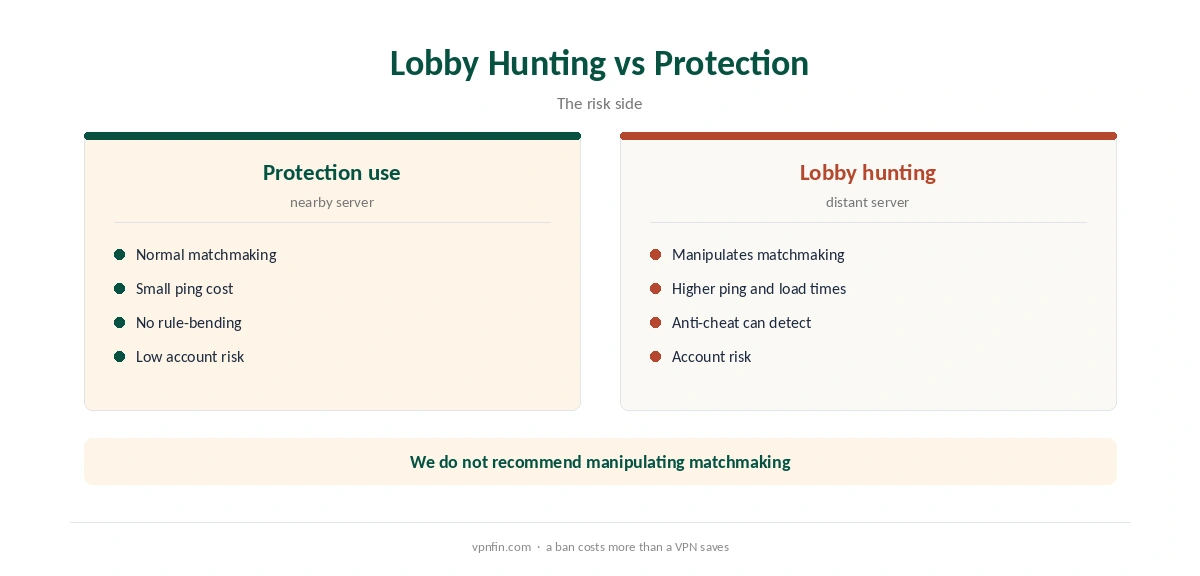
Many sites promote VPNs for reaching easier lobbies by connecting to regions with fewer skilled players. Activision does not publish how its skill-based matchmaking works, Cybernews notes, and VPNAlert says there is no way to eliminate it. Gizmodo’s test through Tokyo brought longer load times and higher ping.
The risk is the account, not the VPN. Cybernews says Activision’s anti-cheat can detect VPN use, and even a VPN seller’s guide admits the method is not risk-free. We do not recommend deliberately manipulating matchmaking.
Setting Up NordVPN for Warzone
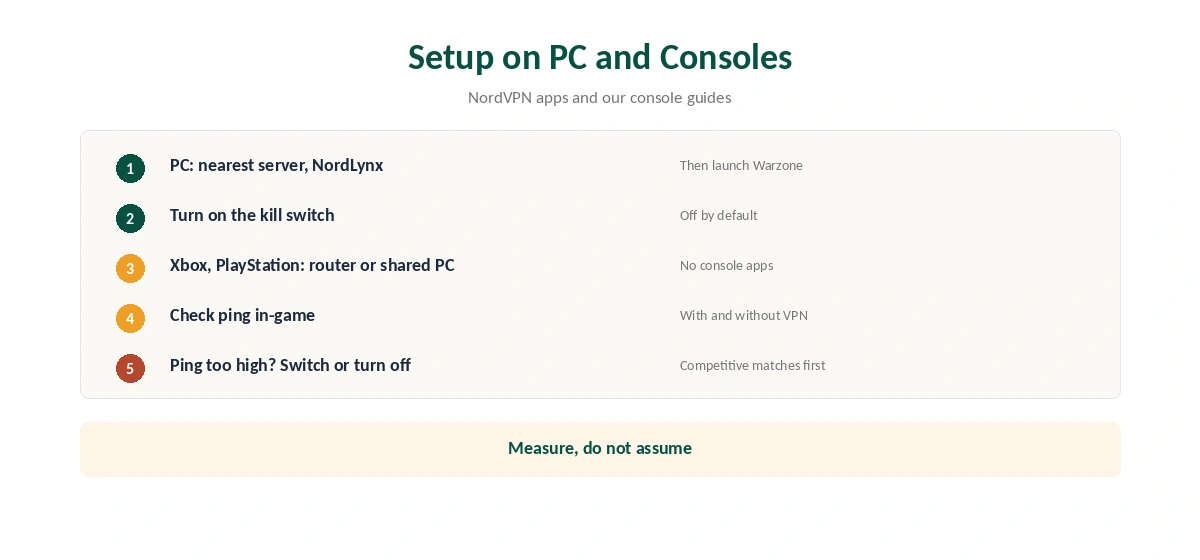
On PC, connect to the nearest NordVPN server with NordLynx, then launch the game. On Xbox and PlayStation, which cannot run VPN apps, use a VPN router or a shared PC connection, as our NordVPN Xbox guide and PS5 guide explain.
Measure ping in-game with and without the VPN. If it rises noticeably, switch servers or turn the VPN off for competitive matches.
Related Guides
Our gaming VPN guide compares providers. If matches drop, our disconnection guide helps. For speed, see our NordVPN speed guide.
To test before committing, our refund guide explains the 30-day window. NordVPN belongs to Nord Security, which also owns Surfshark. Our NordVPN review covers its audits.
More on NordVPN for Warzone
NordVPN for Warzone works best when the tunnel itself is clean. Our DNS leak guide and IPv6 leak guide show the checks to run before a session.
Router users covering a console should read our NordVPN router guide. For NordVPN for Warzone on a Steam Deck, our Steam Deck guide explains the manual setup. Test both modes before ranked play.
Warzone on PlayStation and Xbox
Consoles cannot run the NordVPN app. To protect a PlayStation or Xbox, use a VPN router or a PC sharing its connection. Our NordVPN PS5 guide covers the PlayStation routes.
Smart DNS does nothing for Warzone, since it only changes DNS lookups and leaves game traffic and your IP unchanged. For DDoS protection, the full VPN route is required.
Split Tunnelling on PC
On Windows, split tunnelling lets the game skip the VPN while your browser and chat stay protected. That keeps ping low in matches and privacy elsewhere. NordVPN’s support notes that the Internet Kill Switch overrides split tunnelling, so a drop still blocks the game.
If that matters, the App Kill Switch is the gentler option. Our NordVPN split tunnelling guide covers both.
Testing Ping Properly
Measure ping in the game’s own network display, not in a separate speed test. Play a few matches without the VPN, then with NordVPN on the nearest server. VPNAlert measured 11 ms with NordVPN on a nearby server, but your route will differ.
If ping rises by more than a few milliseconds, the server is too far or too busy. Try another city before giving up on the VPN.
Anti-Cheat and Account Safety
Cybernews reports that Activision’s anti-cheat can detect VPN use since Season 4. Using NordVPN for protection on a nearby server is a different matter from hunting lobbies abroad. We do not recommend manipulating matchmaking, since the account risk falls on you. Our NordVPN for Fortnite page goes into changing region in-game and using the VPN for protection.
Choosing a Server
Pick the NordVPN server closest to you, not the one closest to a particular lobby region. Distance adds delay that the game cannot hide. If the nearest server is busy at peak times, try the next-nearest city in the same country. Save the best one as a favourite, so you can connect in one tap before playing. Check it again after major game updates, since routes can change. Our guide to ExpressVPN for Warzone covers what it changes for Warzone.
For streamers, keep the same favourite server for every session. Consistent routing makes ping predictable, and viewers notice stutter more than they notice a few milliseconds of extra delay. Our Call of Duty VPN guide compares other providers for the series.
How We Research
This page draws on Warzone VPN guides from Cybernews, VPNAlert, Gizmodo and two VPN sellers, whose claims we treat with caution. We cross-checked these sources against each other, and where they conflict or something can’t be verified, we say so in the text rather than guessing. We read every source on 5 October 2026. The main source we relied on is VPNAlert’s Warzone VPN guide. Our full approach lives on the About Us page.
NordVPN for Warzone FAQ
For DDoS protection and stable ping on a nearby server, yes. VPNAlert measured 11 ms with NordVPN.
Sites claim so, but Activision does not publish its matchmaking rules and its anti-cheat can detect VPNs, according to Cybernews.
We found no clear Activision statement either way. Manipulating matchmaking carries account risk.
Rarely. A nearby server keeps the added ping small; a distant one raises it.
Through a VPN router or a shared PC connection, since consoles cannot run VPN apps.
The Verdict
Use NordVPN for Warzone to protect your IP and keep ping steady on a nearby server. Treat lobby-hunting claims with caution: the anti-cheat risk falls on your account.