
Disclosure: VPNFin is reader-supported. If you buy a VPN through links on this page, we may earn a commission at no extra cost to you. This never affects our ratings — here’s our full disclosure.
Can you get a Surfshark refund? Yes: a full refund within 30 days of your first purchase, requested through live chat, Surfshark’s support page says. The guarantee has three exclusions that most guides skip: add-ons such as an anonymous Dedicated IP or Alternative ID are non-refundable, purchases through resellers other than Paddle, Google Play or Cleverbridge don’t qualify, and neither do prepaid or gift cards, per Surfshark’s terms.
This page covers the conditions, the steps, and the difference between cancelling and getting your money back.
Surfshark Refund: The Short Answer
30 days from your first purchase, full refund. Ask live chat; support handles the request.
Only once. The guarantee applies to your first subscription purchase; if you have been refunded before, you are not eligible again.
Cancelling is not refunding. Turning off auto-renewal stops future payments; the refund is a separate request, as VPNDeals notes. Our Surfshark review covers the service.
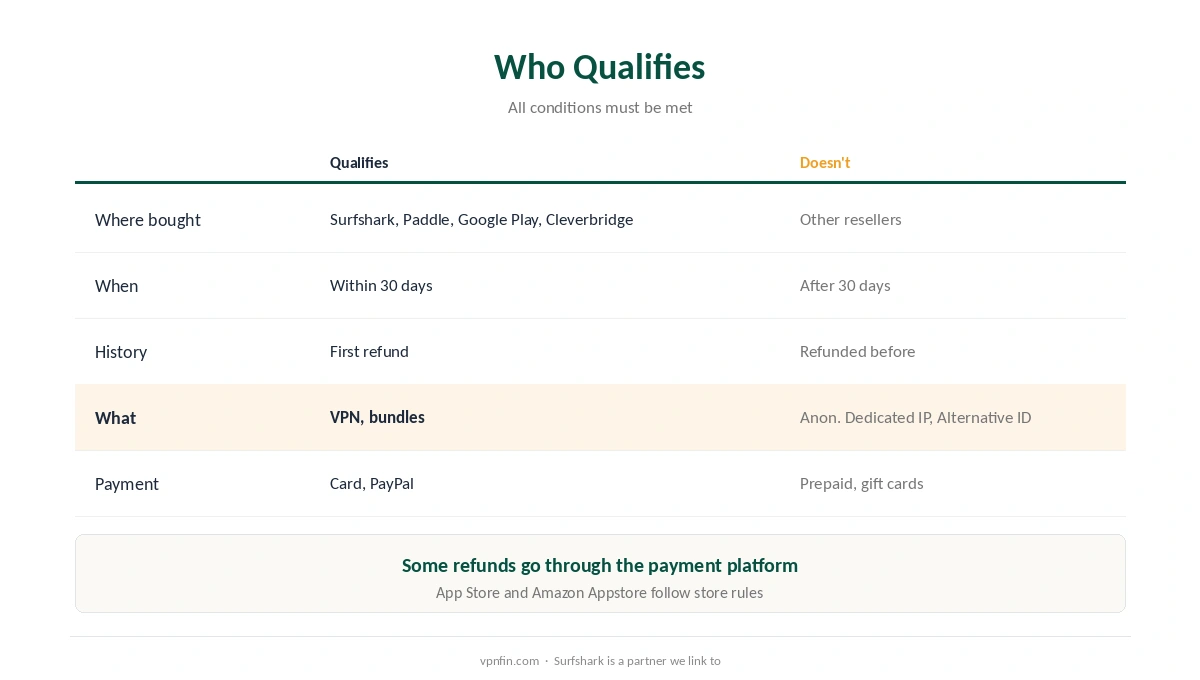
Who Qualifies for a Surfshark Refund
| Condition | Qualifies | Doesn’t qualify |
|---|---|---|
| Where you bought | Surfshark, Paddle, Google Play, Cleverbridge | Other resellers |
| When you ask | Within 30 days of first purchase | After 30 days |
| Refund history | First refund | Already refunded before |
| What you bought | VPN and bundles | Anonymous Dedicated IP, Alternative ID |
| How you paid | Card, PayPal and similar | Prepaid or gift cards |
The add-on exclusion is the one to watch in any Surfshark refund. If you bought an anonymous Dedicated IP or used Alternative ID, including its Alternative Number feature, those parts are not refundable, Surfshark’s terms say.
Some refunds go through the payment platform. Surfshark notes that in some cases the platform used for the purchase handles the refund directly. App Store and Amazon Appstore purchases follow those stores’ rules, VPNDeals adds.
How to Get Your Money Back
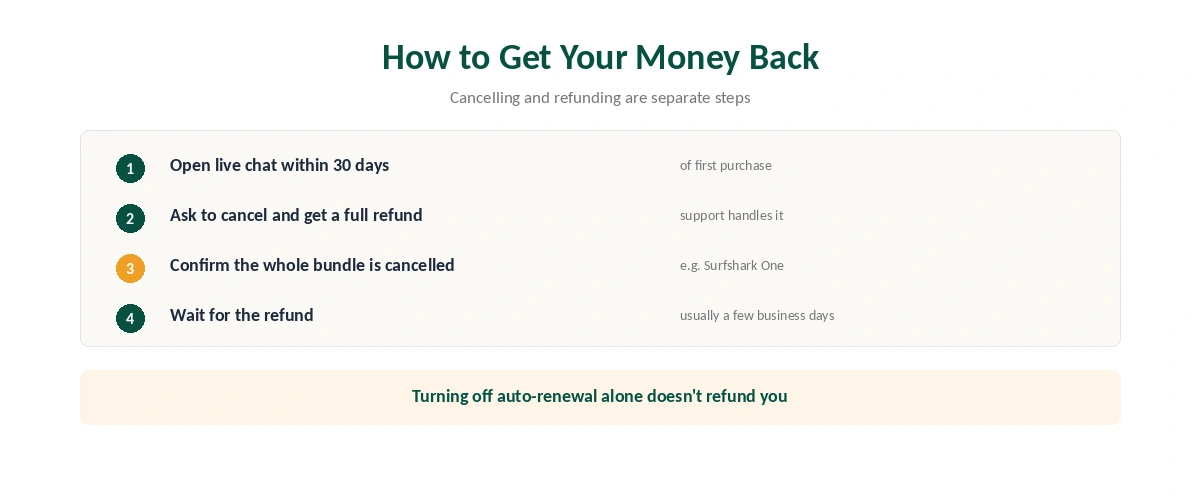
| Step | What to do | Note |
|---|---|---|
| 1 | Open Surfshark’s live chat | Within 30 days of first purchase |
| 2 | Ask to cancel and request a full refund | Support guides the rest |
| 3 | Confirm the whole subscription is cancelled | Check bundles such as Surfshark One |
| 4 | Wait for the refund | Usually a few business days |
Check bundles before the Surfshark refund goes through. If you have Surfshark One or another bundle, confirm the whole bundle is cancelled so no add-on keeps renewing, VPNDeals advises.
After a free trial, the clock still runs. Surfshark’s 7-day trial is followed by the 30-day guarantee, as our Surfshark free trial guide explains.
Stopping Renewal Without a Refund
To stop future payments, turn off auto-renewal in your Surfshark account’s Subscription settings, or ask support to cancel it. You keep access until the paid period ends, Surfshark says.
Renewals cost more. Surfshark’s renewal prices are higher than first-term deals, as our Surfshark price guide and our renewal price guide show, so turn off auto-renewal early if you are unsure.
For other providers, our VPN refund guide compares the rules.
How Surfshark’s Refund Compares
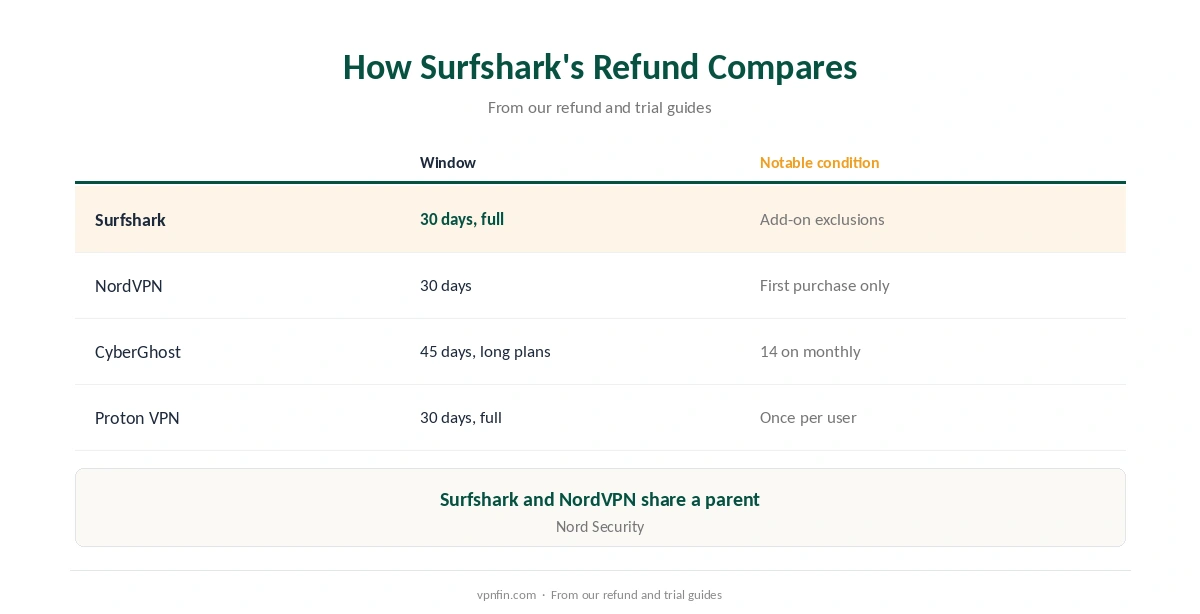
NordVPN, which shares Surfshark’s parent company, Nord Security, also gives 30 days on first purchases only, as our NordVPN refund guide explains.
CyberGhost gives 45 days on long plans, as our CyberGhost guide notes. Proton VPN‘s terms also promise a full refund within 30 days. Surfshark’s add-on exclusions are its most unusual condition.
How We Research
The refund conditions, exclusions and process come from Surfshark’s support article on its refund policy and its Terms of Service, read on 27 September 2026. Bundle and store advice comes from VPNDeals; the trial link from Surfshark’s free-trial support article. Surfshark is a partner we link to. Our full approach lives on the About Us page.
Surfshark Refund FAQ
Yes: a full refund within 30 days of your first purchase, if you bought directly or through Paddle, Google Play or Cleverbridge.
Contact Surfshark’s live chat within 30 days and ask to cancel and receive a full refund.
Anonymous Dedicated IP, Alternative ID purchases, prepaid or gift card payments, and purchases through other resellers.
No. Turning off auto-renewal stops future payments; the refund is a separate request to support.
No. The guarantee covers only the first subscription purchase.
The Verdict
A Surfshark refund is easy within 30 days: ask live chat, confirm the whole subscription is cancelled, and wait a few days.
Watch the exclusions: add-ons, gift cards and other resellers. Turn off auto-renewal early if you are unsure.