
Disclosure: VPNFin is reader-supported. If you buy a VPN through links on this page, we may earn a commission at no extra cost to you. This never affects our ratings — here’s our full disclosure.
Turbo VPN refund questions usually start with a trial. The App Store offers a 3-day premium trial that turns into a paid subscription unless you cancel, its listing says, and many users notice only when the charge arrives.
This guide explains how the trials work, where to claim a refund and how to avoid the charge. Our Turbo VPN review covers the service itself.
Turbo VPN Refund: The Short Answer
Cancel any trial at least 24 hours before it ends to avoid being charged. If you were charged, claim through the store you paid with, Apple or Google, rather than Turbo VPN.
How the Trials Work
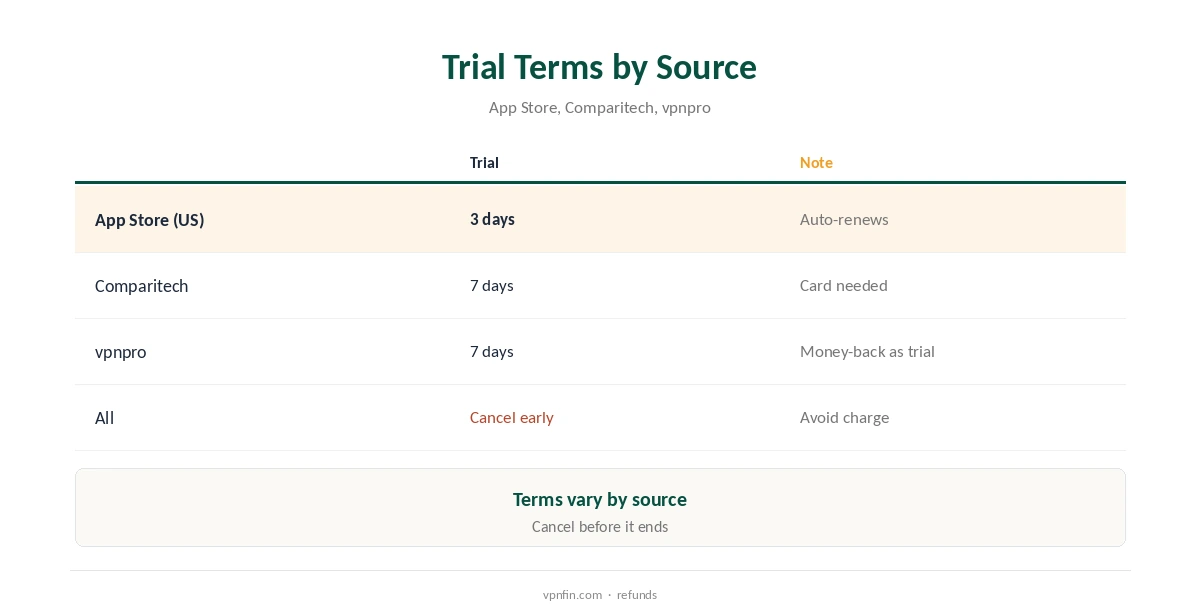
The US App Store listing offers a 3-day premium trial, limited to one per user, which renews automatically. Comparitech found a 7-day premium trial that required a card.
vpnpro describes Turbo’s offer as a 7-day money-back guarantee presented as a free trial. In every version, the key is to cancel before the trial ends.
Where to Claim
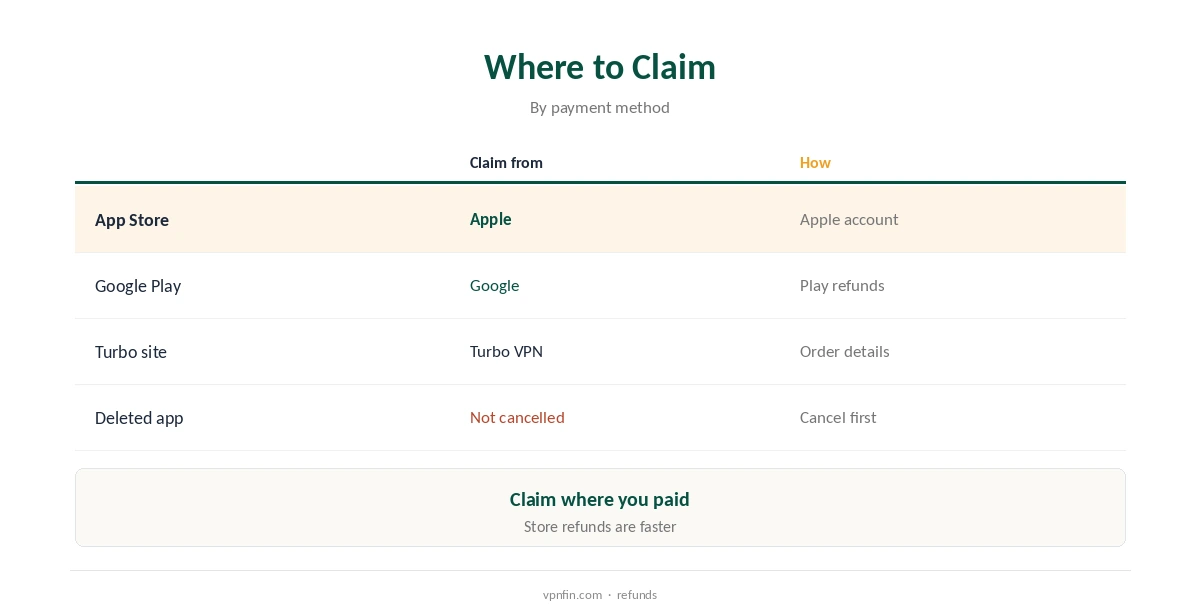
For App Store purchases, request the refund from Apple through your Apple account. Google Play purchases go through Google’s refund process.
If you bought a plan on Turbo VPN’s own site, contact Turbo VPN directly with your order details.
How to Cancel
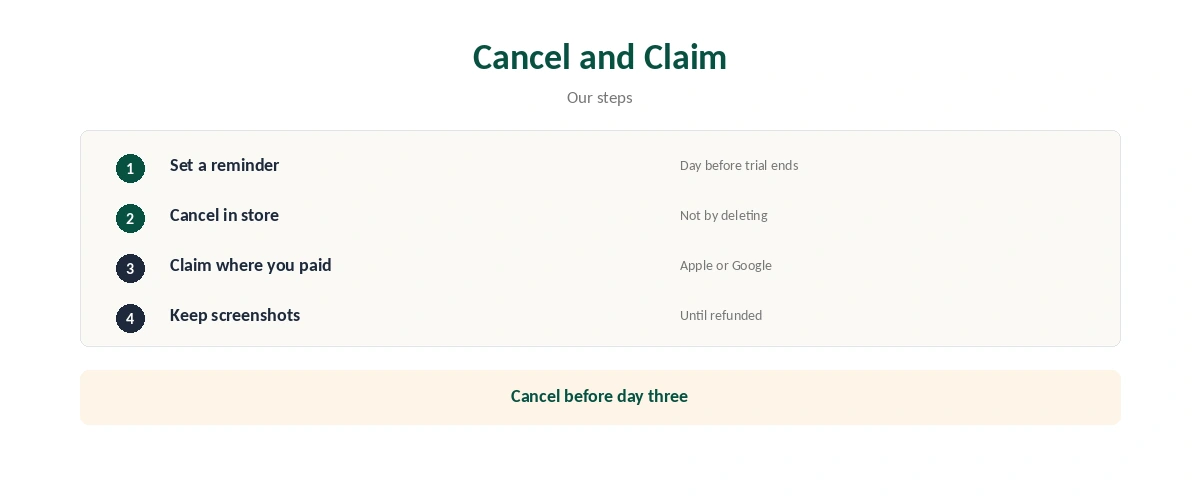
On iPhone, open your Apple ID subscriptions in Settings and cancel Turbo VPN. On Android, open Google Play, then Subscriptions, and cancel there. Deleting the app does not cancel the subscription.
Expect Limited Help
ProPrivacy tried the feedback email in Turbo VPN’s privacy policy and received no reply. Store refund processes are usually faster than contacting the developer.
Prices to Watch
Month VIP costs $11.99 in the US App Store, and the weekly plan $9.99, AppPricingLab tracks. A trial that converts to the weekly plan can cost more than expected over a month. Our Turbo VPN price guide lists every plan.
How It Compares
Audited rivals offer clearer guarantees: Nord Security’s NordVPN and Surfshark, and Proton VPN, refund within 30 days, our refund table records. Proton VPN also has a free plan, so you can test without paying at all.
Keeping Records
Screenshot the subscription screen when you cancel, showing the end date. Keep any receipts from Apple or Google until the refund arrives.
Refund Timing
App store refunds are usually quickest when you request them soon after the charge. Waiting weeks makes approval less likely.
What to Write in a Refund Request
Keep it short: say you cancelled or meant to cancel the trial, give the date and ask for a refund. Mention if you did not use the premium features.
Family Sharing and Shared Devices
If a child or another family member started a trial on a shared device, cancel it from the account that pays. On iPhone, family purchases can appear under the organiser’s Apple ID.
Checking for Leftover Subscriptions
After cancelling, check your store subscriptions again a day later to confirm the status. Look for other Innovative Connecting apps too, since the company runs several free VPNs.
Avoiding the Problem Next Time
Choose VPNs with a free plan rather than an auto-renewing trial when you just want to test. Proton VPN’s free plan, for example, never converts to a paid subscription.
Why Trials Catch People Out
Trials feel free, so people forget them. However, the renewal happens automatically, and the first charge often arrives while the app sits unused.
For example, a 3-day trial started on a Friday renews on Monday. Therefore, cancel on Saturday if you only wanted a weekend test.
If Apple or Google Declines
Sometimes a store declines a refund request. In that case, reply with more detail, such as the date you meant to cancel. Also, check whether the subscription is now cancelled, so the charge does not repeat.
Site Purchases
If you bought a long plan on Turbo VPN’s website, the store refund routes do not apply. Instead, contact the company with your order number, and keep the email.
Also, check your bank statement for the merchant name, since it may differ from the app’s name.
Questions to Ask Before a Trial
Before starting any trial, check three things: when it ends, what it renews into and how to cancel. For example, a trial may renew into the weekly plan, which costs more over a month.
Therefore, read the subscription screen carefully before confirming. A minute of checking can save a month of unwanted charges.
A Quick Rule
Set a phone reminder for one day before any trial ends, the moment you start it.
For more on Turbo VPN, see PureVPN vs Turbo VPN, Surfshark vs Turbo VPN and Turbo VPN alternatives.
How We Research
We took trial terms from the App Store listing, Comparitech and vpnpro, prices from AppPricingLab, and support notes from ProPrivacy, read on 21 October 2026. Rival terms come from our refund table. The main source is Comparitech’s TurboVPN review. We do not run our own tests. Our full approach lives on the About Us page.
Turbo VPN Refund FAQ
Claim through Apple or Google if you paid in an app store; contact Turbo VPN for site purchases.
Yes. The App Store trial renews automatically unless cancelled in time.
No. Cancel in your store subscription settings.
Three days in the US App Store; Comparitech found seven days with a card.
The Verdict
Turbo VPN refund issues mostly start with auto-renewing trials. Cancel at least a day before the trial ends, claim through the store you paid with, and keep screenshots.