
Disclosure: VPNFin is reader-supported. If you buy a VPN through links on this page, we may earn a commission at no extra cost to you. This never affects our ratings — here’s our full disclosure.
VPN not working on hotel Wi-Fi? Often the VPN isn’t broken; it is stopping you from reaching the hotel’s login page. Hotels use a captive portal, the page where you enter a room number or accept terms, and a VPN’s kill switch blocks all non-VPN traffic, which is exactly what stops that page from appearing, NordVPN’s support page explains. NordVPN calls finishing the portal login before connecting the single most common fix on public Wi-Fi.
This page walks through that fix first, then the rarer cases: blocked protocols, blocked servers, and devices that never show the portal at all.
VPN Not Working on Hotel Wi-Fi: The Quick Fix
| Step | What to do | Why |
|---|---|---|
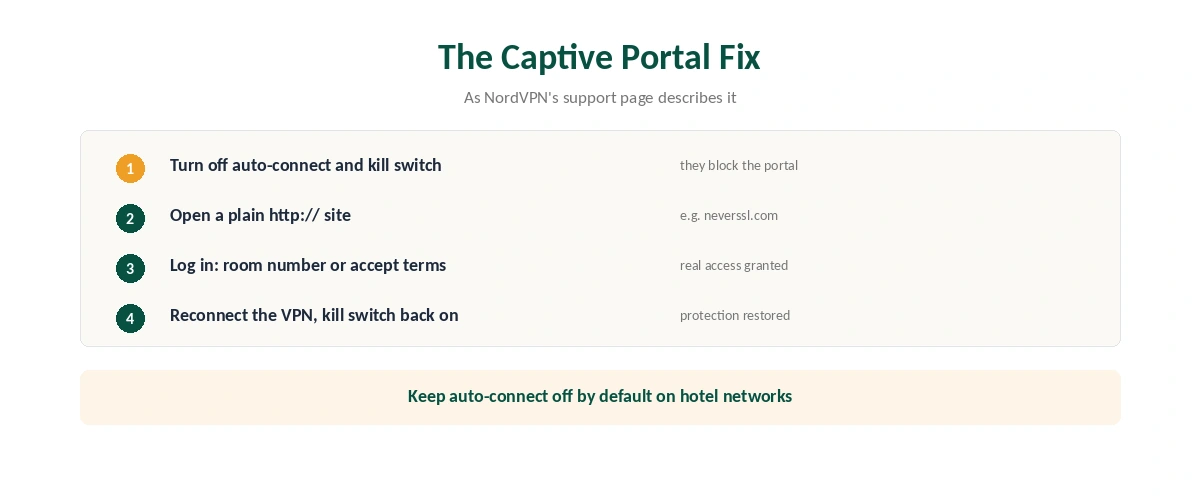
| 1 | Turn off the VPN’s auto-connect and kill switch | They block the portal page |
| 2 | Open a plain http:// site, such as neverssl.com | Forces the portal to appear |
| 3 | Log in: room number, surname or accept terms | Grants real internet access |
| 4 | Check a normal site loads without the VPN | Confirms you’re through |
| 5 | Connect the VPN, then turn the kill switch back on | Protection restored |
Use http, not https, when a VPN is not working on hotel Wi-Fi. Secure sites won’t trigger the redirect, so type an unencrypted address such as example.com or neverssl.com, NordVPN and Erropedia advise.
On hotel networks, keep auto-connect off by default. NordVPN recommends leaving auto-connect and the kill switch off on hotel and airport networks and turning them on only after the VPN connects. Our kill switch guide explains what the setting does.
If the Login Page Never Appears
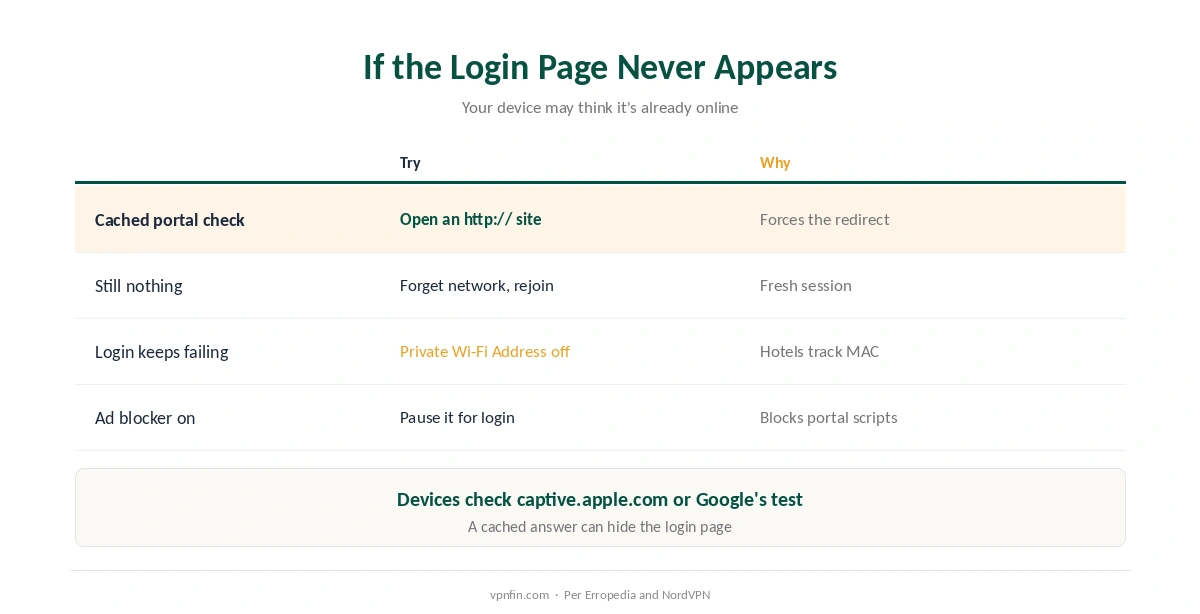
Your device may think it is already online, which leaves the VPN not working on hotel Wi-Fi. Phones and laptops check for portals by contacting addresses such as captive.apple.com or Google’s connectivity check, and a cached answer can hide the login page, Erropedia explains. Windows uses Microsoft’s connection test site in the same way.
Forget the network and rejoin it. NordVPN suggests this if the http trick doesn’t work; the portal should then appear.
Turn off Private Wi-Fi Address or random MAC. Hotels often tie your login to your device’s hardware address, and a randomised one can break the session, Erropedia notes. Turn the setting back on when you leave. Our iPhone VPN guide covers the iOS settings.
VPN Not Working on Hotel Wi-Fi After Login?
| Symptom | Likely cause | Fix |
|---|---|---|
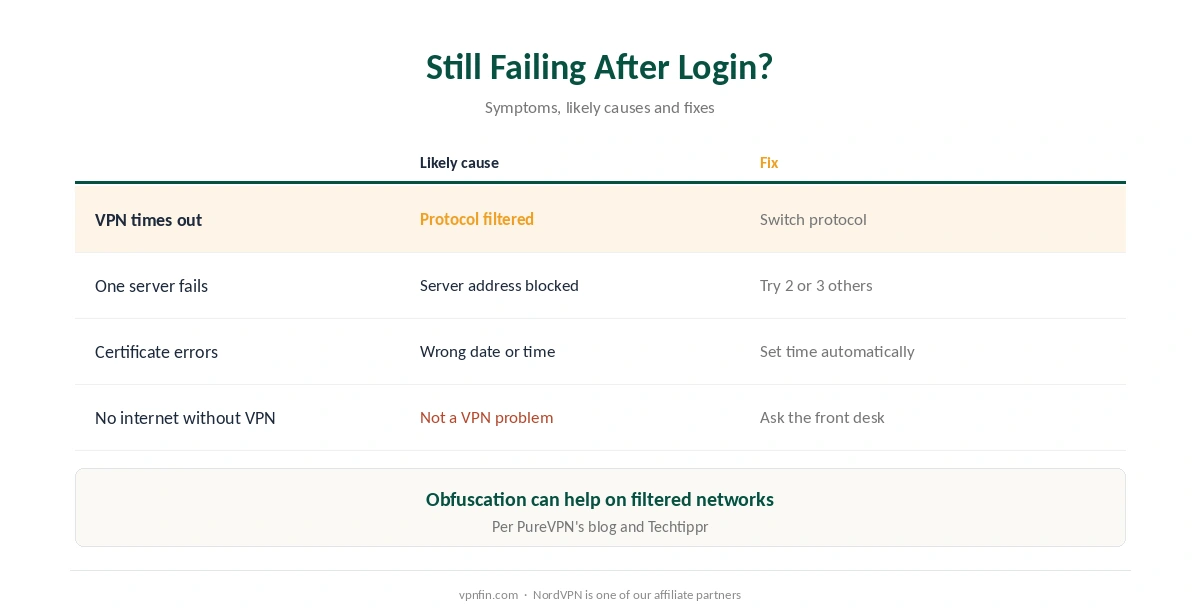
| Portal done, VPN times out | Hotel filters some protocols or ports | Switch protocol in the app |
| Connects, then drops | Filtering or unstable Wi-Fi | Try another server or protocol |
| One server fails, others work | That server’s address is blocked | Try 2 or 3 other servers |
| Secure sites show certificate errors | Wrong date or time on the device | Set time automatically |
| No internet even without VPN | Not a VPN problem | Ask the front desk |
Protocol and obfuscation settings help. Hotels may filter certain VPN protocols, and switching protocol or enabling obfuscation can get the connection through, PureVPN’s blog notes. Our obfuscation guide explains how it works.
Try a few servers. A hotel filter may block some VPN server addresses, so test 2 or 3 in the same country before giving up, Techtippr advises. Our guide to VPNs that keep disconnecting covers drop-outs, and our speed guide explains slow hotel connections.
Why Use a VPN on Hotel Wi-Fi at All?
Hotel networks are shared. Everyone on the network is a stranger, and a VPN hides your traffic from them, which is why our travel guide recommends a VPN once you are past the portal.
Connected but nothing loads? Our guide to VPNs connected with no internet covers DNS and routing causes beyond hotels. Our VPN check guide confirms the tunnel is up.
How We Research
The captive portal fix, kill switch explanation and settings advice come from NordVPN’s support article on captive portals; portal detection, MAC address advice and neverssl.com from Erropedia; protocol and obfuscation tips from PureVPN’s blog, which sells a VPN; server blocking from Techtippr; the date and time check from vpn.how; Windows’ connection test from Microsoft’s forum. We read all sources on 27 September 2026. NordVPN is one of our affiliate partners. Our full approach lives on the About Us page.
VPN Not Working on Hotel Wi-Fi FAQ
Usually because the VPN blocks the hotel’s login page. Turn off auto-connect and the kill switch, log in to the portal, then reconnect.
Open a plain http site such as neverssl.com. If that fails, forget the network and rejoin it.
Some filter certain protocols or server addresses. Switching protocol, enabling obfuscation or trying other servers can help, PureVPN’s blog and Techtippr suggest.
If the login keeps failing, yes: hotels often tie sessions to your device’s address. Turn it back on when you leave.
Only for the login step. Reconnect the VPN and turn the kill switch back on right after.
The Verdict
A VPN not working on hotel Wi-Fi is most often a captive portal problem, NordVPN says: log in first, then connect.
If it still fails, switch protocol or server, and check the device’s date and time. Keep auto-connect off on hotel networks and turn protection back on once you are through.