
Disclosure: VPNFin is reader-supported. If you buy a VPN through links on this page, we may earn a commission at no extra cost to you. This never affects our ratings — here’s our full disclosure.
VPN not working on iPhone? The fix depends on the symptom. When the VPN won’t install, iOS settings such as Screen Time restrictions or Lockdown Mode are the usual blockers. Stale configuration profiles and iCloud Private Relay commonly stop it connecting. If it keeps dropping, Low Power Mode and Low Data Mode are the first things to check, several troubleshooting guides agree.
This page sorts the fixes by symptom, quickest first, so you can stop as soon as the VPN works.
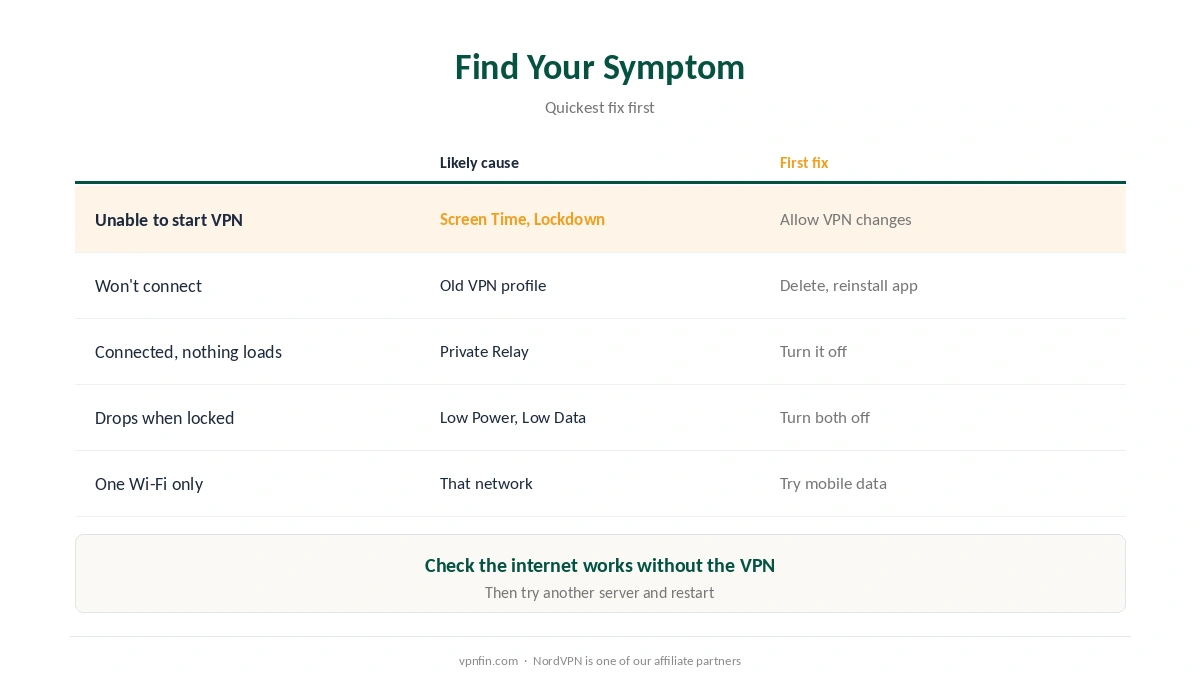
VPN Not Working on iPhone: Find Your Symptom
| Symptom | Most likely cause | First fix |
|---|---|---|
| “Unable to start VPN” or can’t add profile | Screen Time or Lockdown Mode | Allow VPN changes; pause Lockdown Mode |
| Won’t connect at all | Old or broken VPN profile | Delete profiles, reinstall the app |
| Connects, then nothing loads | Private Relay or network state | Turn off Private Relay; reset network |
| Drops when the screen locks | Low Power or Low Data Mode | Turn both off |
| Fails on one Wi-Fi only | That network or its login page | Try mobile data; check the portal |
Start with the basics when a VPN is not working on iPhone. Check the internet works without the VPN, try a different server, and restart the phone. A busy server or a flaky connection causes many failures, and our speed guide explains slow links.
If the VPN Won’t Install or Start
Check Screen Time first if the VPN is not working on iPhone at setup. Go to Settings, Screen Time, Content and Privacy Restrictions, Allow Changes, VPN, and set it to Allow. Restrictions here commonly cause an “Unable to start VPN” error, Tegant notes.
Pause Lockdown Mode. Apple’s maximum-security mode deliberately blocks new configuration profiles. Turn it off in Privacy and Security, set up the VPN, then turn it back on, Windscribe’s guide advises.
Work or school iPhone? Device management may restrict VPNs. Contact IT rather than trying to change it, VPNCentral advises. Our school and work Wi-Fi guide explains why.
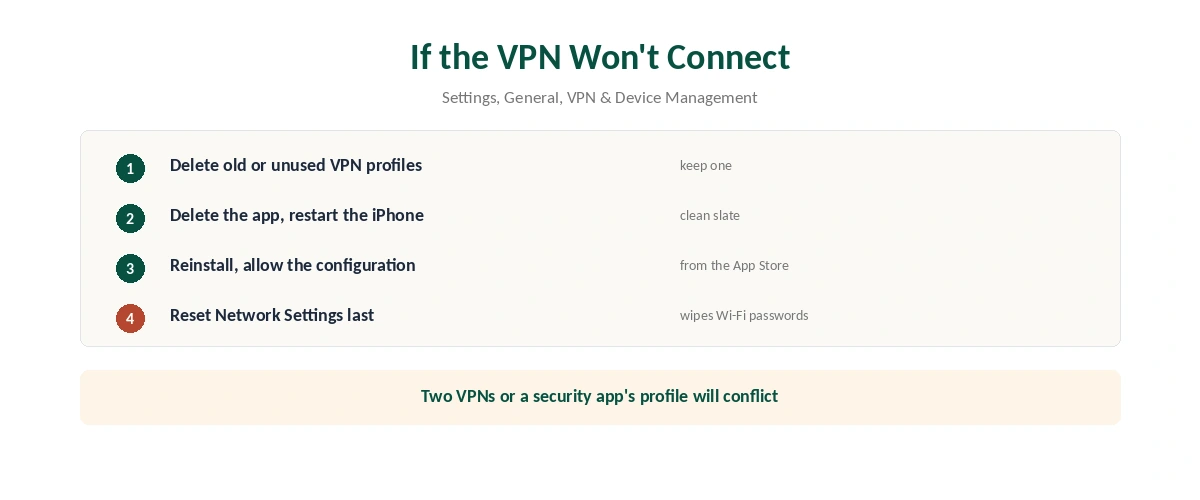
If the VPN Won’t Connect
| Step | Where | What to do |
|---|---|---|
| 1 | Settings, General, VPN & Device Management, VPN | Delete old or unused profiles |
| 2 | Home screen | Delete the VPN app, restart the iPhone |
| 3 | App Store | Reinstall and allow the VPN configuration |
| 4 | The VPN app | Switch protocol if the network blocks one |
| 5 | Settings, General, Transfer or Reset iPhone, Reset | Reset Network Settings as a last step |
Keep only one VPN profile. Two VPNs, or a security app that adds its own profile, conflict with each other, VPNCentral and SafetyDetectives note.
Reset Network Settings wipes saved Wi-Fi passwords, PrivateProxyGuide warns, so keep it for last. Our guide to turning a VPN off on iPhone shows where each setting lives.
If It Connects but Nothing Loads, or Keeps Dropping
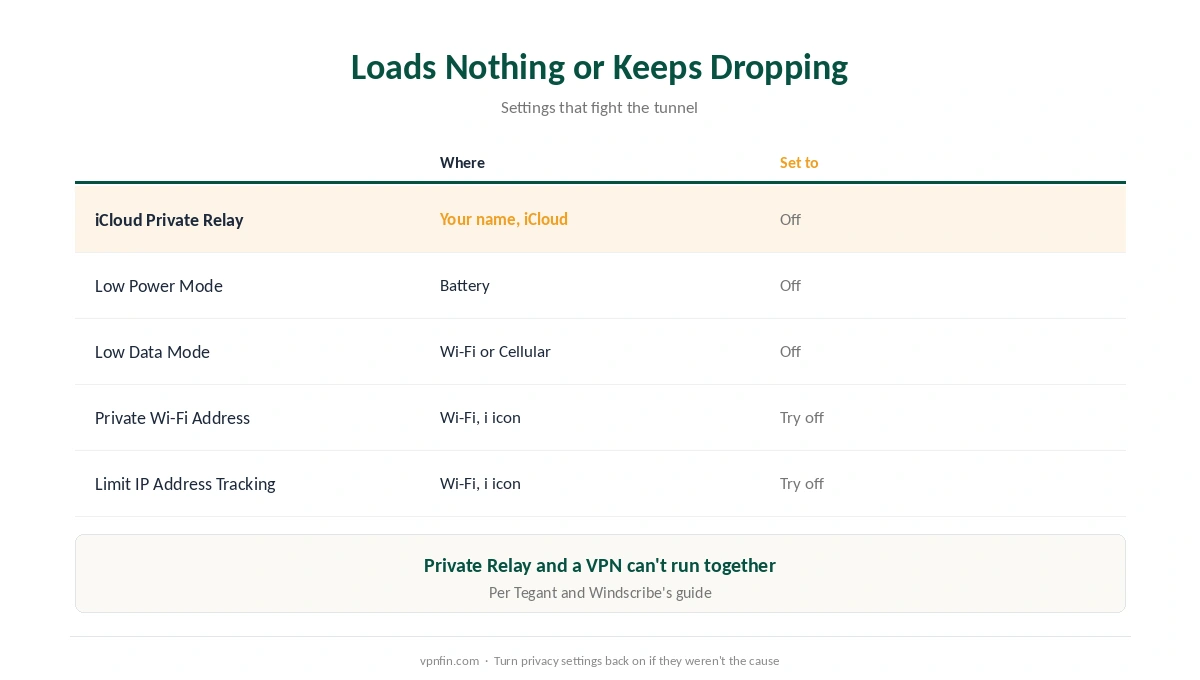
Turn off iCloud Private Relay. It routes traffic through Apple’s servers and can’t run alongside a VPN, Tegant notes. Find it under your name, iCloud, Private Relay.
Check Wi-Fi privacy settings. Tap the i next to your network and try turning off Private Wi-Fi Address and Limit IP Address Tracking, Windscribe suggests.
Turn off Low Power Mode and Low Data Mode. Both limit background activity that keeps the tunnel alive, so the VPN may drop when the screen locks. Our guide to VPNs that keep disconnecting covers other causes.
Provider Guides for iPhone
Brand-specific settings help. NordVPN, Surfshark (both owned by Nord Security) and ExpressVPN each have their own protocol and kill switch options. Our setup guides show where those settings sit, which helps when the fix is a protocol switch. Each guide also covers the iOS permissions that app needs.
Choosing a VPN for iPhone? Our iPhone VPN guide compares the apps, and our VPN check guide confirms a fix worked.
Failing only on hotel or café Wi-Fi? The login page is the usual suspect there, as our hotel Wi-Fi guide explains.
Using Proton VPN? Our Proton VPN on iPhone guide covers the fixes specific to it.
How We Research
The settings paths and fixes come from troubleshooting guides by Windscribe and SafetyDetectives, both VPN-industry sources we flag, and by VPNCentral, Tegant and PrivateProxyGuide. We cross-checked each iOS path across at least two sources. We read all sources on 27 September 2026. NordVPN is one of our affiliate partners. Our full approach lives on the About Us page.
VPN Not Working on iPhone FAQ
Common causes are an old VPN profile, iCloud Private Relay, Low Power or Low Data Mode, and Screen Time restrictions. Match the fix to the symptom.
Often that Screen Time restrictions block VPN changes. Allow them under Content and Privacy Restrictions.
Not at the same time. Turn Private Relay off while the VPN is on.
Low Power Mode or Low Data Mode can limit the background activity the VPN needs. Turn both off.
Yes: saved Wi-Fi passwords and network preferences. Use it as a last step.
The Verdict
A VPN not working on iPhone often comes down to one setting, the guides we reviewed agree: Screen Time, Private Relay, a stale profile, or a power-saving mode.
Work through the symptom table, and keep Reset Network Settings for last.