
Disclosure: VPNFin is reader-supported. If you buy a VPN through links on this page, we may earn a commission at no extra cost to you. This never affects our ratings — here’s our full disclosure.
ExpressVPN on Windows has a feature no other ExpressVPN app has: Lightway Turbo, a faster version of its Lightway protocol that opens several tunnels at once. It also has a trade-off that ExpressVPN states plainly in its setup guide: Lightway Turbo cannot be used with split tunnelling or with Lightway over TCP. You get speed or per-app exclusions, not both.
Gizmodo’s May 2026 review found the same, and ExpressVPN’s support told it engineering was aware, with no date for a fix. This guide covers setup on standard and ARM-based PCs, how to choose between Turbo and split tunnelling, and what breaks.
ExpressVPN on Windows: The Short Answer
Download the Windows app from ExpressVPN’s setup page and sign in with the activation code shown there. ExpressVPN has separate guides for Windows 10 and later and for Windows 11 on ARM64.
For raw speed, keep Lightway Turbo on. ExpressVPN says the biggest gains come on connections of 900 Mbps or more, or when connecting to distant servers.
For split tunnelling, turn Turbo off. The two cannot run together. Our ExpressVPN review covers the service.
Setting Up ExpressVPN on Windows
| Step | What to do | Note |
|---|---|---|
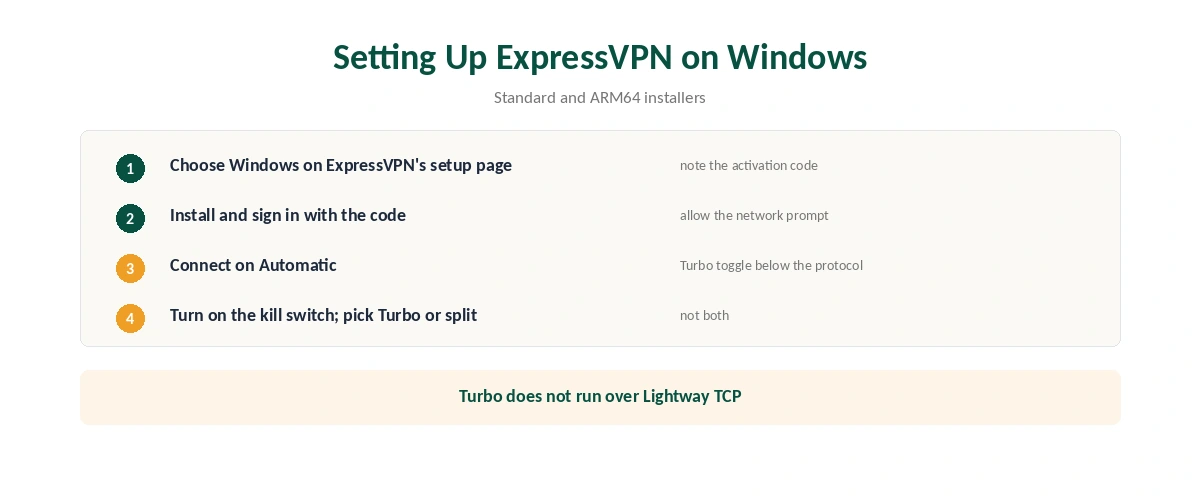
| 1 | Open ExpressVPN’s setup page and choose Windows | Keep the activation code visible |
| 2 | Download the right installer | Standard or ARM64 |
| 3 | Install and sign in with the code | Allow the network prompt |
| 4 | Connect on Automatic | Lightway, with Turbo toggle below |
| 5 | Turn on the Internet Kill Switch | In the app’s settings |
| 6 | Decide: Turbo or split tunnelling | They cannot run together |
In ExpressVPN on Windows, the Turbo toggle sits under the protocol. ExpressVPN’s guide says it appears beneath the Automatic and Lightway UDP options. Turbo does not work over Lightway TCP.
Lightway Turbo or Split Tunnelling
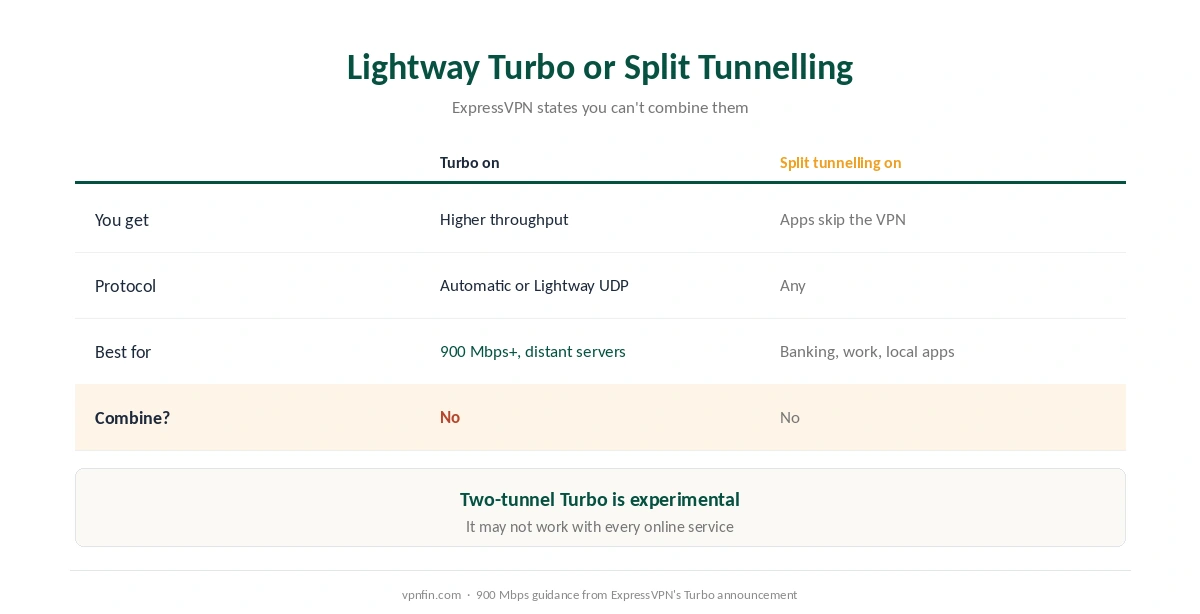
| Lightway Turbo on | Split tunnelling on | |
|---|---|---|
| What you get | Higher throughput, lower latency | Chosen apps skip the VPN |
| Protocol | Automatic or Lightway UDP | Any |
| Best for | 900 Mbps+ lines, distant servers | Banking, work tools, local apps |
| Can combine? | No | No |
Turbo now offers one or two tunnels. ExpressVPN’s release notes say the two-tunnel option is experimental and may not work with some online services, and that if Turbo fails to connect, the app falls back to standard Lightway on its own.
Test the difference yourself. ExpressVPN suggests a speed test with Turbo off, then another with it on. On an ordinary line the gain may be small; Gizmodo found it mattered most in large downloads. Our speed guide explains the variables.
What Breaks, and How to Fix It
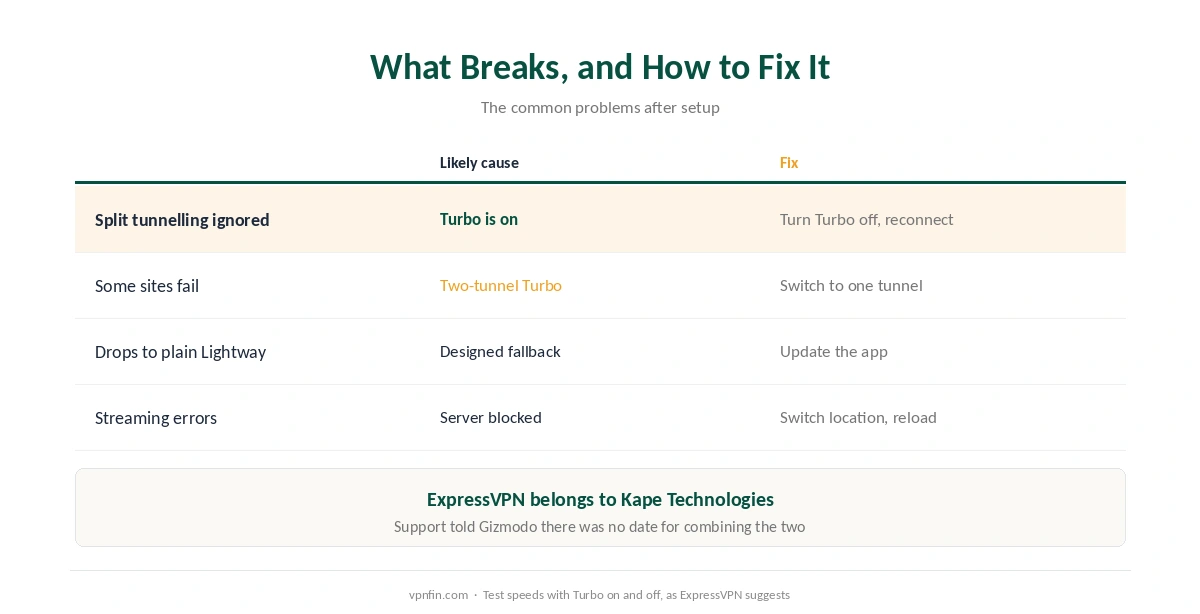
Split tunnelling is greyed out or ignored. Turbo is on. Turn it off under the protocol settings and reconnect. Our split tunnelling guide explains the feature.
Some sites fail with two-tunnel Turbo. ExpressVPN warns the experimental two-tunnel mode may not suit every service; switch to one tunnel.
Turbo keeps dropping to plain Lightway. That is its designed fallback when a Turbo connection fails, per the release notes. Recent updates fixed Turbo failing on some network configurations, so update the app. Our Windows troubleshooting guide covers other failures.
A streaming service misbehaves. Switch location and reload, then check for leaks with our DNS leak guide. Our ExpressVPN and Netflix page covers recent results.
Other Features and Alternatives
Advanced Protection is spreading in ExpressVPN on Windows. ExpressVPN’s release notes say its ad, tracker and harmful-site blocking is rolling out across all protocols, not just Lightway. The kill switch and auto-connect sit alongside it, as our kill switch guide explains.
Comparing Windows apps? Our NordVPN on Windows guide and our Surfshark on Windows guide cover the alternatives, which share a parent, Nord Security. ExpressVPN belongs to Kape Technologies. Our Windows VPN guide compares every provider.
On a Mac, Turbo is not available yet, as our ExpressVPN on Mac guide explains, though the Mac app gained split tunnelling this year. After any change, our guide to checking a VPN shows how to confirm the tunnel, and our guide to turning off a VPN on Windows covers disconnecting. Both run on the same subscription.
How We Research
The setup steps and the Turbo restriction come from ExpressVPN’s Windows and ARM64 support pages, the tunnel options and fallback from its August 2026 Windows release notes, and the 900 Mbps guidance from its Lightway Turbo blog post. Gizmodo’s May 2026 review supplied the support response. We name each source where used; all were read on 26 September 2026. We did not test on Windows ourselves. Our full approach lives on the About Us page.
ExpressVPN on Windows FAQ
A faster version of ExpressVPN’s Lightway protocol that uses several tunnels at once. It is currently available only in the Windows app.
No. ExpressVPN says Turbo cannot be used with split tunnelling or Lightway TCP. Turn Turbo off to use split tunnelling.
ExpressVPN says users on connections of 900 Mbps or more, and those connecting to distant servers.
Yes. ExpressVPN has a separate setup guide and app for Windows 11 on ARM64.
It spreads traffic over two tunnels for more speed. ExpressVPN calls it experimental and warns it may not work with some services.
The Verdict
ExpressVPN on Windows is the fastest version of ExpressVPN, thanks to Lightway Turbo, which no other platform has yet.
Decide what matters more: Turbo’s speed or split tunnelling’s exclusions, because you cannot have both at once.