
Disclosure: VPNFin is reader-supported. If you buy a VPN through links on this page, we may earn a commission at no extra cost to you. This never affects our ratings — here’s our full disclosure.
A rotating IP VPN changes your visible IP address automatically at set intervals while you stay connected. Surfshark’s IP Rotator, the best-known example, switches your address within your chosen location every 5 to 10 minutes without disconnecting, and is available on Android, iOS, macOS and Windows, Surfshark’s support page says. With most other VPNs, you get a new address only by reconnecting or switching server.
Rotation makes it harder for advertisers and data brokers to link your visits, but it has costs: logouts, more CAPTCHAs and fraud checks. This page explains what it does, what it doesn’t, and when a dedicated IP is the better choice.
Rotating IP VPN: How It Works
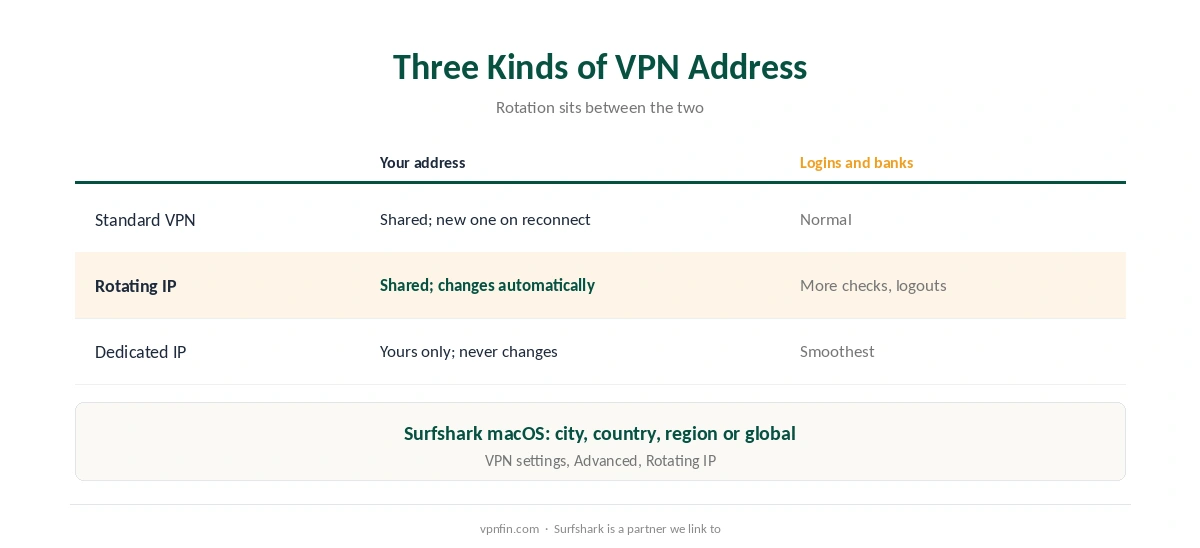
| Standard VPN | Rotating IP | Dedicated IP | |
|---|---|---|---|
| Your address | Shared, fixed per session | Shared, changes every few minutes | Yours alone, fixed |
| Change it | Reconnect or switch server | Automatic | Doesn’t change |
| Tracking by IP | Possible within a session | Harder | Easier |
| Logins and banks | Normal | More checks and logouts | Smoothest |
Surfshark lets you choose the range. On macOS the rotation can stay within a city, a country, a region or go global, its macOS support page explains; the feature sits under VPN settings, Advanced, Rotating IP.
What Rotation Does, and Doesn’t Do
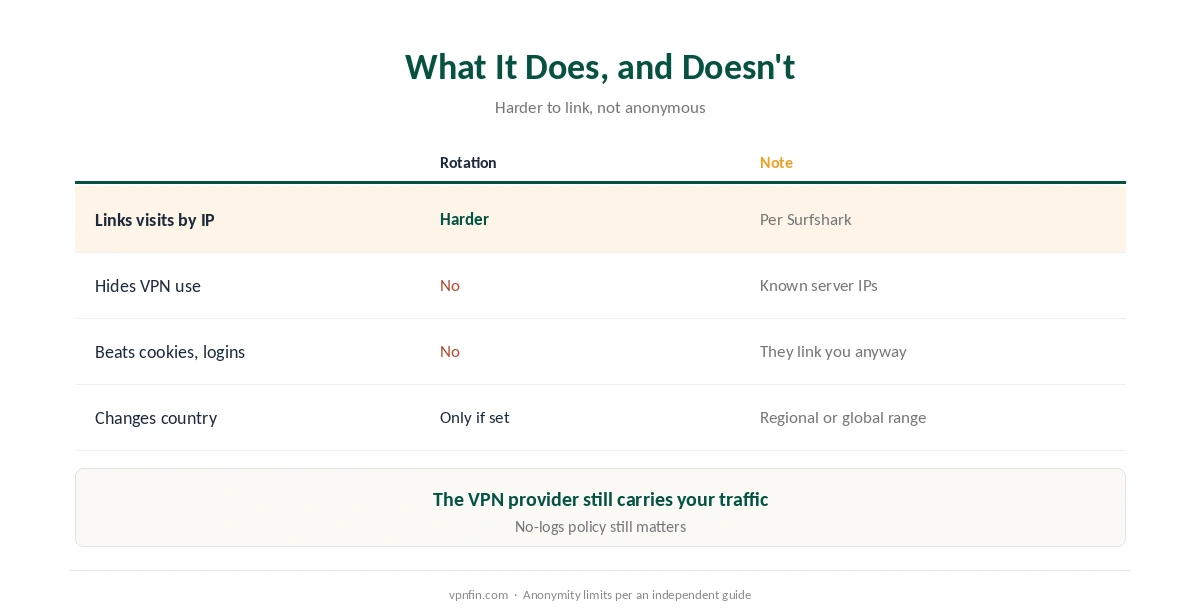
It weakens IP-based profiling. Changing address every few minutes reduces advertisers’ and data brokers’ ability to link your visits, Surfshark’s blog says.
It isn’t anonymity. Each new address is still a known Surfshark server address, so sites can tell you’re using a VPN, and the VPN provider still carries your traffic, an independent guide notes. Cookies and logins also link your visits regardless of IP, as our VPN location guide explains.
It doesn’t change your country unless you set a regional or global range. Our guide to what a VPN hides sets out the limits of any VPN.
The Downsides
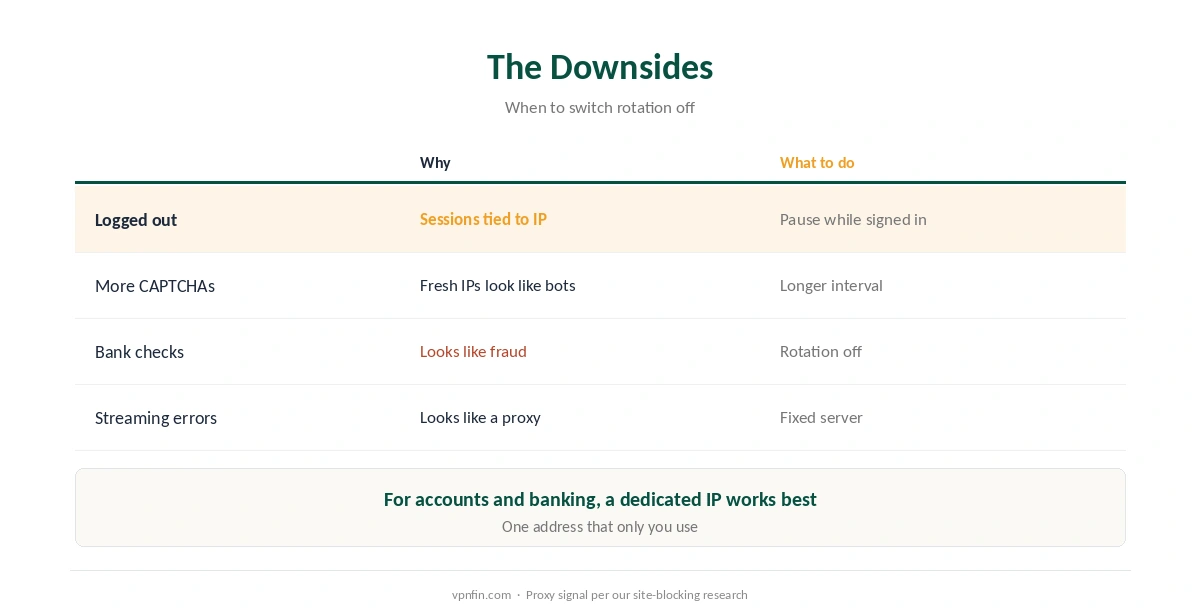
| Problem | Why | What to do |
|---|---|---|
| Logged out of sites | Sessions tied to an address break | Pause rotation while signed in |
| More CAPTCHAs | Fresh addresses look like bots | Use a longer interval |
| Bank or payment checks | Frequent changes look like fraud | Turn rotation off for banking |
| Streaming errors | Frequent changes look like a proxy | Use a fixed server |
Frequent IP changes are a proxy signal. Netflix, for one, treats rapid switching as suspicious, as our guide to why sites block VPNs explains. Banks react similarly, so turn rotation off for them, as our banking guide advises.
Who Should Use a Rotating IP?
Privacy-minded browsing is the main fit for a rotating IP VPN: general reading and research where you aren’t signed in. For logged-in accounts, streaming and banking, a fixed address works better, and a dedicated IP works best. Our privacy VPN guide compares providers for signed-out use, and our Netflix guide covers streaming.
Surfshark and NordVPN share a parent, Nord Security, but NordVPN’s approach differs; our NordVPN vs Surfshark comparison covers both. Our Surfshark review covers the IP Rotator in context.
How We Research
The IP Rotator’s interval, platforms and settings come from Surfshark’s support pages, updated in June and July 2026; the profiling claim from Surfshark’s blog, which we flag as the vendor’s own; the anonymity limits from an independent user guide; the proxy signal from our research on site blocking. Surfshark’s feature list is at support.surfshark.com. We read all sources on 28 September 2026. Surfshark is a partner we link to. Our full approach lives on the About Us page.
Rotating IP VPN FAQ
A VPN that changes your visible IP address automatically every few minutes while you stay connected.
Surfshark’s IP Rotator changes your address every 5 to 10 minutes on Android, iOS, macOS and Windows. With most other VPNs you reconnect for a new address.
No. Sites can still see you’re on a VPN, cookies and logins still link your visits, and the VPN provider still carries your traffic.
Some sites tie sessions to your address. Pause rotation or use a fixed server while signed in.
For logins, banking and fewer CAPTCHAs, yes. For making your browsing harder to link by IP, rotation does more.
The Verdict
A rotating IP VPN makes IP-based tracking harder, not you anonymous.
Use it for signed-out browsing, and switch to a fixed or dedicated address for accounts, banks and streaming.