
Disclosure: VPNFin is reader-supported. If you buy a VPN through links on this page, we may earn a commission at no extra cost to you. This never affects our ratings — here’s our full disclosure.
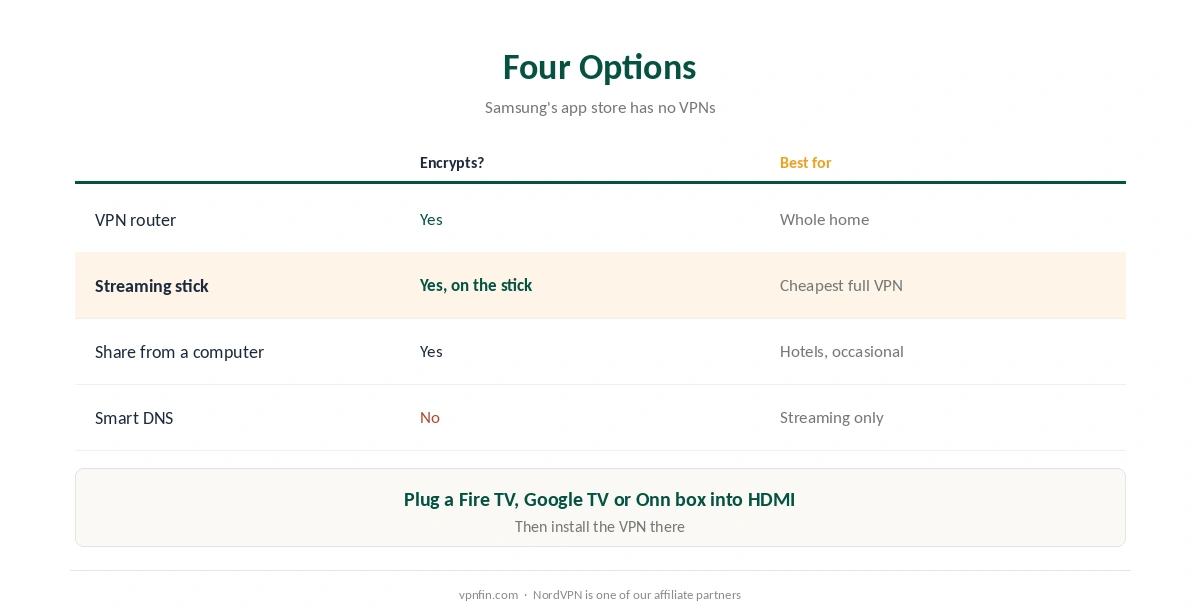
Can you install a VPN on a Samsung TV? No. Samsung TVs run Tizen, which doesn’t support VPN apps, as NordVPN and Cybernews both confirm, so there is nothing to download from Samsung’s app store. You still have four working options: a VPN on your router, a streaming stick that runs VPN apps, sharing a VPN connection from a computer, or a Smart DNS service entered in the TV’s network settings. Only the first three encrypt your traffic.
This page compares the four, shows the Smart DNS steps for a Samsung TV, and explains which to choose.
VPN for Samsung TV: Four Options
| Option | Encrypts traffic? | Best for |
|---|---|---|
| VPN router | Yes | Whole-home protection |
| Streaming stick with a VPN app | Yes (on the stick) | Cheapest full VPN for one TV |
| Share from a computer | Yes | Occasional use, hotels |
| Smart DNS | No | Streaming only, no privacy |
A streaming stick is often the easiest VPN for Samsung TV owners. Plug a Fire TV, Google TV or Onn device into the Samsung’s HDMI port and install the VPN there, as Cybernews suggests. Our Onn 4K guide and our Google TV Streamer guide cover two such boxes.
Smart DNS on a Samsung TV
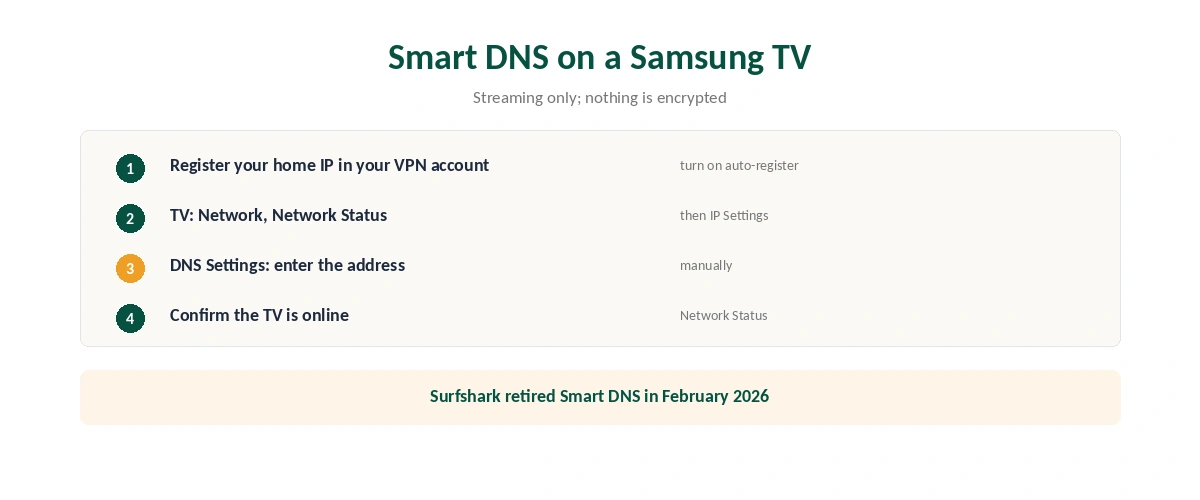
| Step | Where | What to do |
|---|---|---|
| 1 | Your VPN account online | Register your home IP address for Smart DNS |
| 2 | Same page | Turn on automatic IP registration |
| 3 | Samsung TV: Network, Network Status | Open IP Settings, then DNS Settings |
| 4 | DNS Settings | Enter the Smart DNS address manually |
| 5 | Network Status | Confirm the TV is connected to the internet |
Smart DNS doesn’t encrypt anything, ExpressVPN states of its own MediaStreamer service, whose steps these follow. It changes only how the TV looks up streaming addresses. NordVPN also offers Smart DNS for screens without apps, Gizmodo notes; Surfshark, which shares a parent company, Nord Security, with NordVPN, retired its version in February 2026, as our Surfshark smart TV guide explains.
Router, Computer Sharing and Mirroring
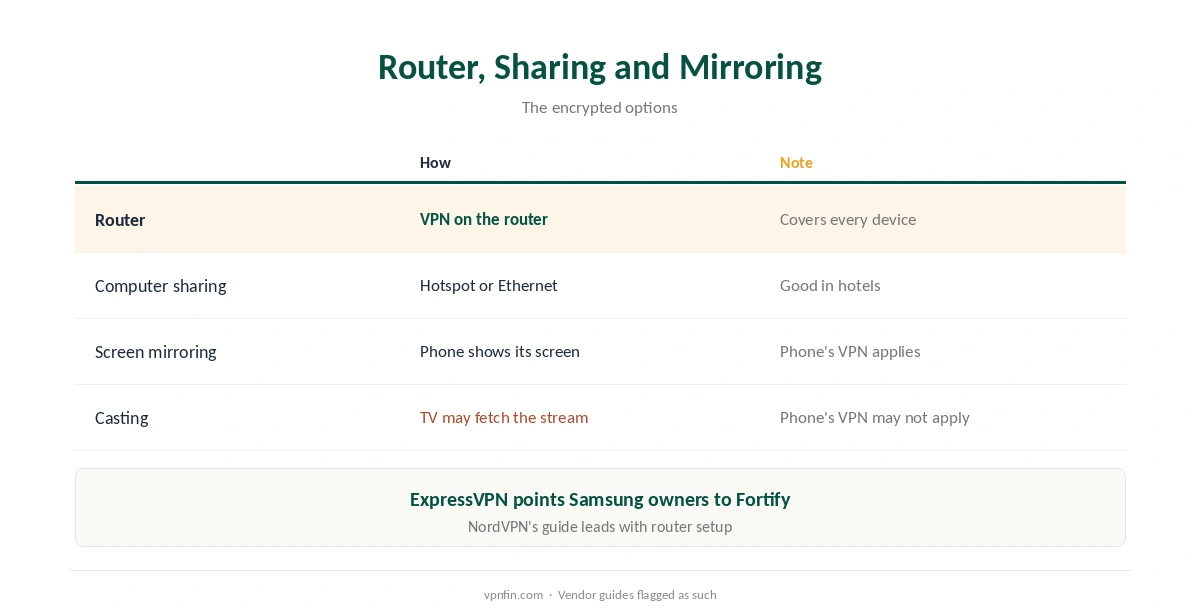
For a VPN for Samsung TV plus every other device, use a router. ExpressVPN points Samsung owners to its Fortify router, and NordVPN’s own guide leads with router setup. Our router vs device guide weighs the trade-offs.
Sharing from a computer works well in hotels: connect a laptop to the VPN, share its connection by hotspot or Ethernet, and join it from the TV. Our travel guide covers hotel networks.
Mirroring differs from casting. Mirroring your phone’s screen sends what the phone plays, so the phone’s VPN applies; casting apps can make the TV fetch the stream itself, bypassing the phone’s VPN.
Which Option for Which Job
For streaming your home services abroad, Smart DNS or a stick both work; streaming services increasingly detect Smart DNS, and their terms apply either way, as our Netflix guide explains.
For privacy on the TV itself, only the router, the stick or computer sharing encrypt traffic. To switch any of them off later, see our TV VPN off guide.
How We Research
Tizen’s lack of VPN support and the four options come from NordVPN’s and Cybernews’ guides; Smart DNS steps and the Fortify router from ExpressVPN’s Samsung page; NordVPN’s Smart DNS from Gizmodo. All three vendors sell VPNs, which we flag. ExpressVPN’s Samsung setup page is here. We read all sources on 28 September 2026. NordVPN is one of our affiliate partners. Our full approach lives on the About Us page.
VPN for Samsung TV FAQ
No. Samsung TVs run Tizen, which doesn’t support VPN apps.
Use a VPN router, a streaming stick with a VPN app, a connection shared from a computer, or Smart DNS for streaming only.
No. It changes DNS lookups for streaming but encrypts nothing.
Network, Network Status, IP Settings, then DNS Settings. Enter the address manually.
Plug a streaming stick that runs VPN apps into the TV’s HDMI port.
The Verdict
Because Tizen has no VPN apps, a VPN for Samsung TV needs a workaround.
A streaming stick is the simplest full VPN, a router the most complete, and Smart DNS the quickest for streaming, without privacy.