
Disclosure: VPNFin is reader-supported. If you buy a VPN through links on this page, we may earn a commission at no extra cost to you. This never affects our ratings — here’s our full disclosure.
If you used Surfshark on a smart TV before February 2026, check one setting before anything else. Surfshark retired its Smart DNS feature on 2 February 2026, and its support page warns that anyone still using it must disable it manually, or the TV will be unable to connect to the internet. Guides long recommended it for Samsung and LG sets, which cannot run VPN apps.
With Smart DNS gone, Surfshark on Smart TV comes down to two things: the app, on TVs that can run it, and a router or computer hotspot for everything else. This guide matches each TV to its method.
Surfshark on Smart TV: The Short Answer
Android TV, Google TV, Fire TV and Apple TV: install the Surfshark app. Surfshark’s own guide lists all four, including Amazon’s newer Vega OS. Our Surfshark on Android TV guide covers Google TV sets.
Samsung, LG and most other brands: no app exists, so use Surfshark on your router or share a VPN connection from a computer. Our Surfshark on a router guide covers the router route.
Old Smart DNS settings on the TV? Reset DNS to automatic, or the TV may stay offline.
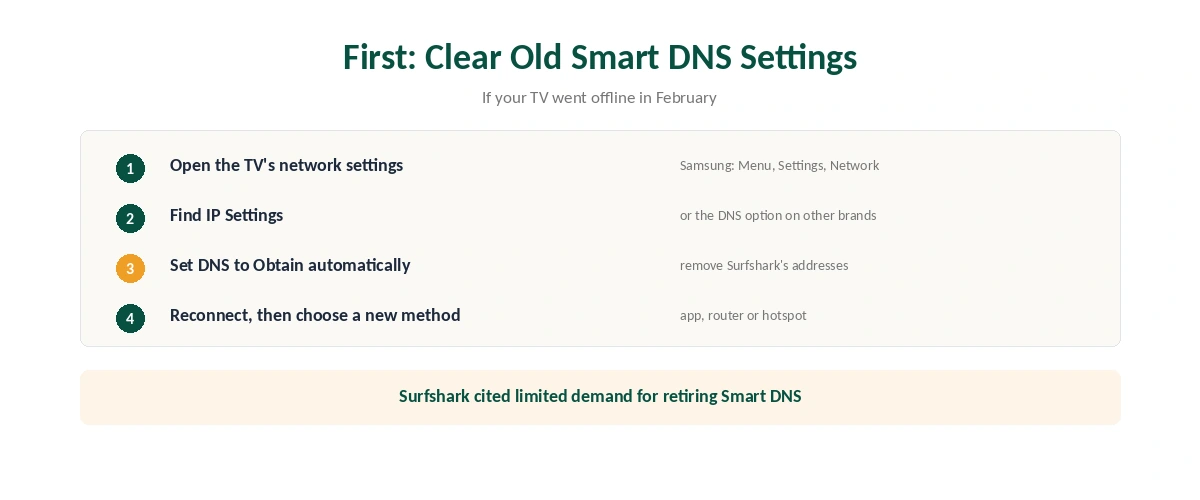
First: Clear Old Smart DNS Settings
Why it matters. Surfshark’s discontinuation notice says a TV still pointed at its Smart DNS addresses will be unable to connect to the internet. If your TV went offline in February, this is the likely cause.
How to fix it on a Samsung TV. VPNAlert gives the path: Menu, Settings, Network, IP Settings, then set DNS Setting back to Obtain automatically. LG and other TVs have a similar option in their network settings.
Why Surfshark dropped it. The company says demand was very limited and it preferred to focus resources on speed, security and VPN features. Our Smart DNS comparison explains what Smart DNS did and did not do.
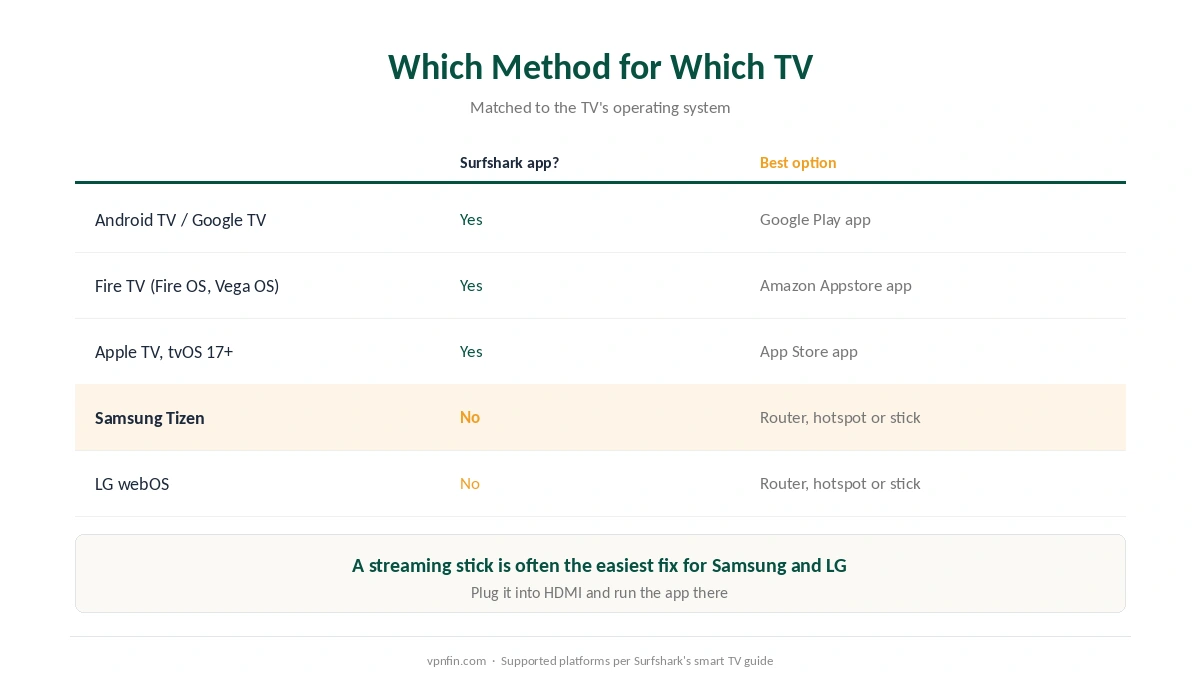
Which Method for Which TV
| TV software | Surfshark app? | Best option |
|---|---|---|
| Android TV / Google TV | Yes | The app from Google Play |
| Fire TV (Fire OS and Vega OS) | Yes | The app from the Amazon Appstore |
| Apple TV (tvOS 17+) | Yes | The app from the App Store |
| Samsung Tizen | No | Router or computer hotspot |
| LG webOS | No | Router or computer hotspot |
A streaming stick is often the easiest fix for a Samsung or LG set: plug in a Fire TV Stick or Chromecast with Google TV and run the app on that. Our Surfshark on Firestick guide and our Surfshark on Apple TV guide cover both routes.
Comparing providers? NordVPN, which shares Surfshark’s parent company Nord Security, still offers Smart DNS, as our NordVPN on Smart TV guide explains. That makes it the option if you want a DNS-only route on a Samsung or LG set.
Sharing Surfshark From a Computer
On Windows, turn on Mobile hotspot, then share the Surfshark network adapter with it; VPNAlert’s LG guide names the adapter as SurfsharkWireGuard. Connect the TV to the hotspot’s Wi-Fi.
It works only while the computer stays on, VPNAlert notes, so it suits occasional viewing. Surfshark’s unlimited devices mean neither the computer nor the TV uses up a slot, as our multi-device guide explains. For anything permanent, a router covers the TV and every other device around the clock, as our router setup guide explains.
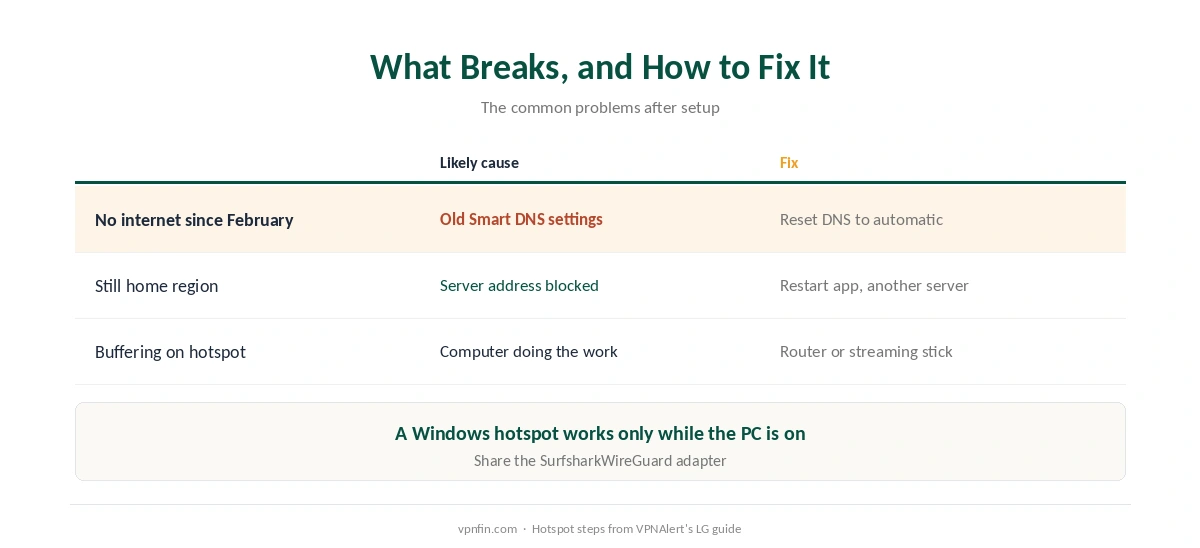
What Breaks, and How to Fix It
The TV has no internet since February. Old Smart DNS addresses. Reset DNS to automatic, then confirm the connection with our guide to checking a VPN once the VPN is back.
The TV still shows your home region over a router. Restart the streaming app and try another server. Our Netflix guide explains server blocks.
Buffering over a hotspot. The computer is doing the work; a router or streaming stick is faster. Our Surfshark review covers speeds more generally. Our speed guide explains why.
How We Research
The Smart DNS retirement and its effect on TVs come from Surfshark’s own discontinuation notice, the supported platforms from Surfshark’s smart TV guide, and the Samsung DNS reset and Windows hotspot steps from VPNAlert’s Samsung and LG guides. We name each source where used; all were read on 26 September 2026. We did not test on a television ourselves. Our full approach lives on the About Us page.
Surfshark on Smart TV FAQ
Surfshark retired Smart DNS on 2 February 2026. A TV still set to its DNS addresses cannot connect. Reset the TV’s DNS setting to automatic.
No. Samsung’s Tizen and LG’s webOS do not support VPN apps. Use Surfshark on your router, share a connection from a computer, or add a streaming stick.
Android TV, Google TV, Fire TV on Fire OS or Vega OS, and Apple TV with tvOS 17 or later.
No. Surfshark discontinued it in February 2026, citing limited demand.
A streaming stick that runs the Surfshark app, plugged into the TV’s HDMI port, avoids any router work.
The Verdict
Surfshark on Smart TV now means the app or the network around the TV. Android TV, Fire TV and Apple TV run the app; Samsung and LG need a router, a hotspot or a streaming stick.
If your TV went offline in February, clear the old Smart DNS settings first.