
Disclosure: VPNFin is reader-supported. If you buy a VPN through links on this page, we may earn a commission at no extra cost to you. This never affects our ratings — here’s our full disclosure.
NordVPN IKEv2 is now a manual option rather than an app setting. NordVPN’s iPhone support lists NordLynx, NordWhisper and OpenVPN as the app’s protocols. IKEv2 appears in NordVPN’s manual setup guides instead, using service credentials and a server hostname from the Nord Account.
Why Use NordVPN IKEv2 at All?
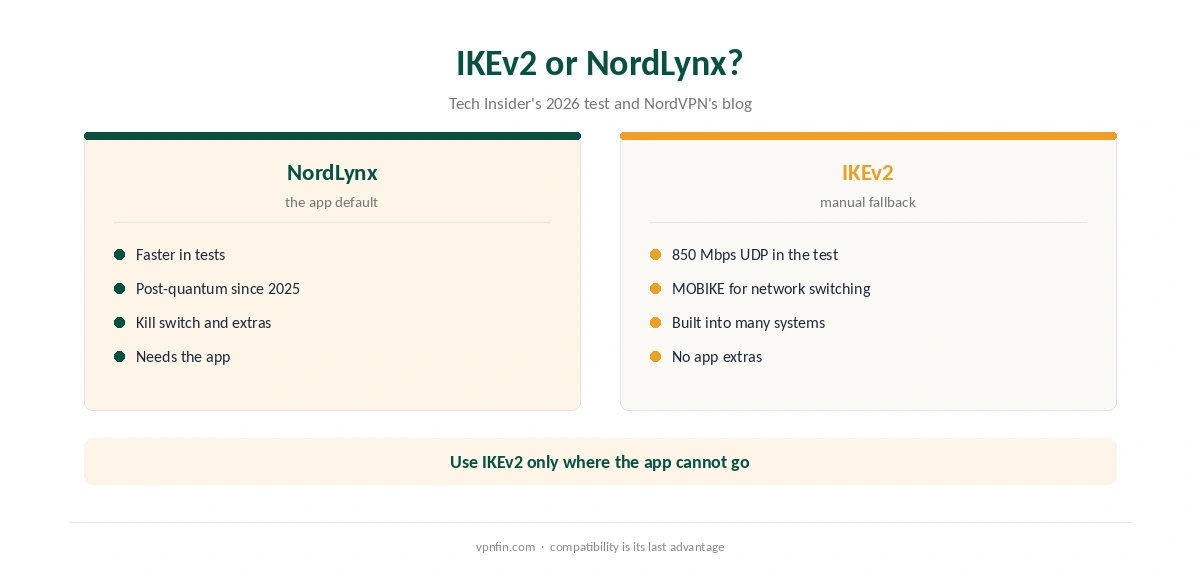
IKEv2 has one strong point: its MOBIKE extension keeps a session alive when a device switches networks, as our IKEv2 vs WireGuard page explains. It is also built into many operating systems, so a manual profile works without installing an app.
That suits managed devices where an employer blocks apps, and systems that cannot run the NordVPN app. For everyday use, NordLynx is faster, as our NordLynx vs WireGuard page shows.
How to Set Up NordVPN IKEv2 Manually
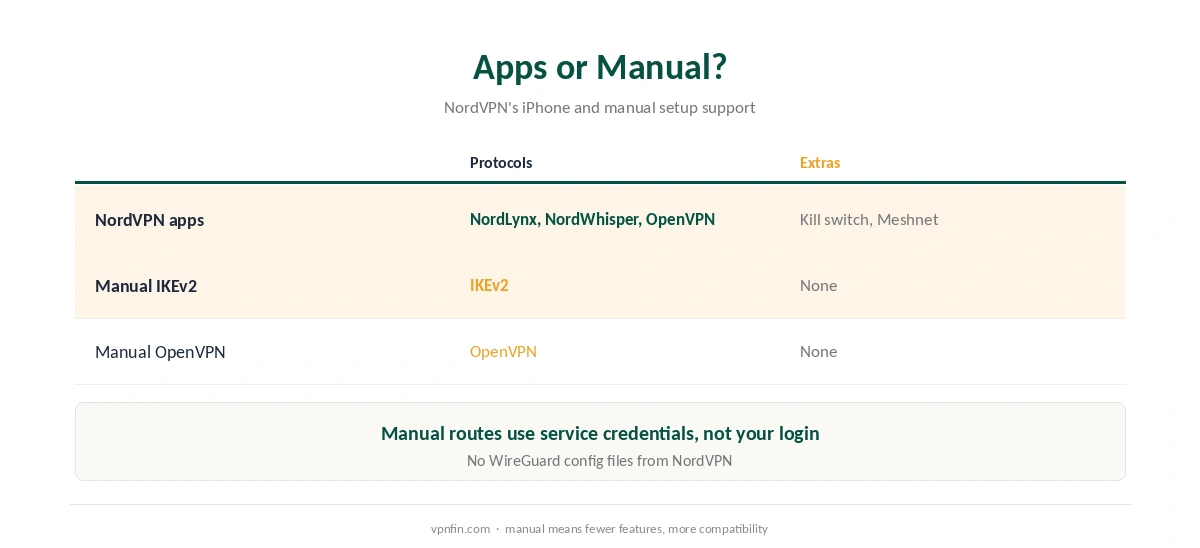
Start in the Nord Account. Open NordVPN, then Set up NordVPN manually, and enter the code sent to your email. Copy the service username and password. Then use the server recommendation option to get a server hostname.
In the device’s VPN settings, add an IKEv2 connection with that hostname, the service credentials and, where required, NordVPN’s root certificate, which its manual guides ask you to install. Our NordVPN OpenVPN guide covers the same account steps for OpenVPN.
What You Lose Without the App
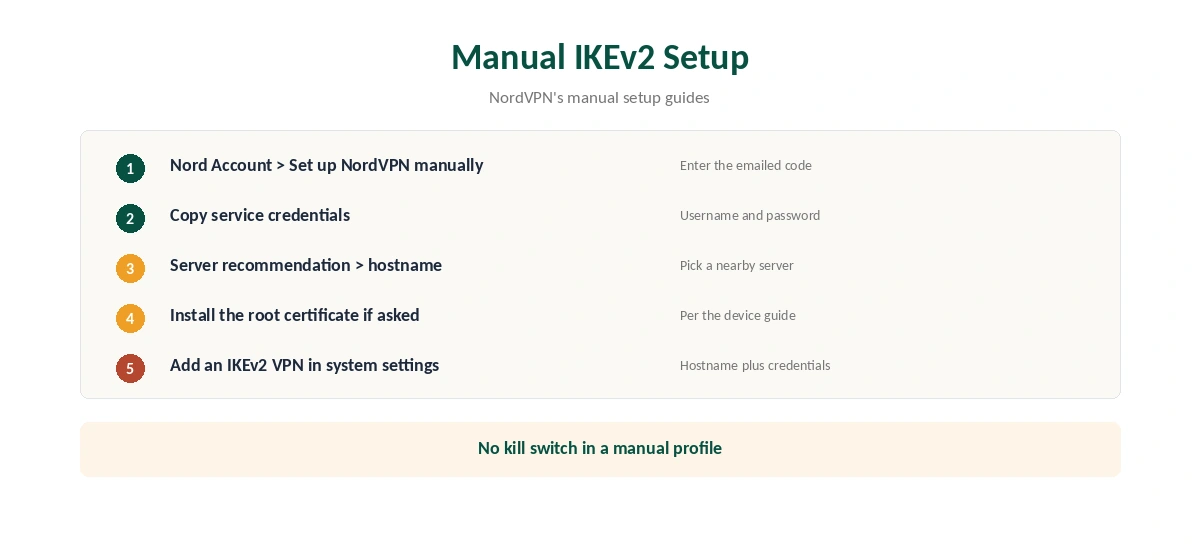
A manual IKEv2 profile has none of the app’s extras: no kill switch, no Threat Protection, no Meshnet and no obfuscated servers. Our kill switch guide explains what that means when the tunnel drops.
On iPhone and Mac, the native app is the better route in our view; see our NordVPN iPhone guide and Mac guide.
Speed and Security
A 2026 gigabit test reported by Tech Insider measured IKEv2 at 850 Mbps over UDP against 980 for WireGuard, with more added latency. IKEv2 through strongSwan already supports post-quantum key exchange, while NordVPN added post-quantum protection to NordLynx in 2025. Our WireGuard vs OpenVPN page covers the third protocol. NordVPN belongs to Nord Security, which also owns Surfshark.
If the manual connection keeps dropping, our disconnection guide applies, and our obfuscation guide explains the option IKEv2 lacks.
Testing NordVPN IKEv2
After the NordVPN IKEv2 profile connects, check your IP and DNS with our VPN test page and DNS leak guide. A manual profile also suits a Chromebook. Run both tests once more after any change to the profile.
ChromeOS has a built-in IKEv2 client, according to Google, so you need no app there. Test the connection after each system update, since profiles can reset.
Router users can compare with our NordVPN router guide. Our refund guide explains how to test NordVPN IKEv2 inside the 30-day window.
IKEv2 on Windows
Windows has a built-in IKEv2 client in its VPN settings. Add a VPN connection, choose IKEv2 as the type, enter the server hostname from the Nord Account, and sign in with your service credentials. Install NordVPN’s root certificate first if the guide asks for it.
This route suits work computers where installing apps is not allowed. On a personal PC, the NordVPN app is simpler and adds the kill switch.
IKEv2 on Chromebooks
ChromeOS includes a built-in IKEv2 client, according to Google. On older Chromebooks without Google Play, a manual IKEv2 profile may be the only full-device option. Our NordVPN Chromebook guide covers the app and extension routes as well.
Troubleshooting Manual IKEv2
Most failures come from credentials or certificates. Check that you used the service credentials from the Nord Account, not your email and password. If the device rejects the server, the root certificate is probably missing or out of date.
If a server stopped working, request a fresh recommendation in the Nord Account. Servers change, and old hostnames can point to retired machines.
IKEv2 for Travel
IKEv2’s MOBIKE extension keeps a session alive when a device switches networks, as our IKEv2 vs WireGuard page explains. That suits phones moving between Wi-Fi and mobile data. For travellers who cannot install apps on a work phone, a manual IKEv2 profile is a reasonable fallback.
In China, RottenWiFi reports that NordVPN’s Linux app is blocked. Linux users heading there should prepare a manual IKEv2 setup in advance, as our NordVPN China guide explains.
Choosing Between IKEv2 and OpenVPN Manually
Both manual routes use the same service credentials. OpenVPN needs a configuration file per server and works on more routers. IKEv2 needs only a hostname and, where required, a certificate, and it suits phones and built-in clients. Our NordVPN OpenVPN guide covers the other route. Pick by device, not by preference: IKEv2 for phones and laptops with built-in clients, OpenVPN for routers. Both routes lack the app’s kill switch, so test carefully.
How We Research
This page draws on NordVPN’s manual setup and iPhone support articles, its NordLynx blog post and Tech Insider’s protocol test. We cross-checked these sources against each other, and where they conflict or something can’t be verified, we say so in the text rather than guessing. We read every source on 5 October 2026. The main source we relied on is NordVPN’s manual setup guide. Our full approach lives on the About Us page.
NordVPN IKEv2 FAQ
For manual setups, yes. The iPhone app lists NordLynx, NordWhisper and OpenVPN instead.
Service credentials, a server hostname from the Nord Account and, where required, NordVPN’s root certificate.
No. In Tech Insider’s 2026 test, WireGuard, which NordLynx is built on, was faster.
No. Manual profiles lack the app’s kill switch and other features.
On devices that cannot run the app, or where policy demands a built-in VPN client.
The Verdict
NordVPN IKEv2 is a fallback for devices without the app. Set it up with service credentials and a recommended server, but use the app with NordLynx wherever you can.