
Disclosure: VPNFin is reader-supported. If you buy a VPN through links on this page, we may earn a commission at no extra cost to you. This never affects our ratings — here’s our full disclosure.
Running NordVPN on a router protects every device on your network, including the consoles, smart TVs and streaming boxes that cannot run a VPN app. The catch is the protocol. NordVPN’s fastest protocol, NordLynx, is not what most routers get: NordVPN’s own support page says popular Asus models use OpenVPN and will not support NordLynx, and its hardware partner FlashRouters says the same of Asus and GL.iNet routers.
So the router you choose decides the speed you get. This guide covers which routers work, how to set NordVPN up on an Asus router, and what goes wrong.
NordVPN on a Router: The Short Answer
Your router must have an OpenVPN client. NordVPN says routers issued by internet providers probably do not, so check the manual or its list of unsupported models first.
Asus routers are the usual choice, with OpenVPN built in. For NordLynx speeds, NordVPN points to the Privacy Hero router from its partner FlashRouters, which has exclusive NordLynx integration.
Expect slower speeds over OpenVPN than in NordVPN’s apps. Our router setup guide explains the general process for any provider.
Which Routers Work With NordVPN
| Router type | Protocol | Effort |
|---|---|---|
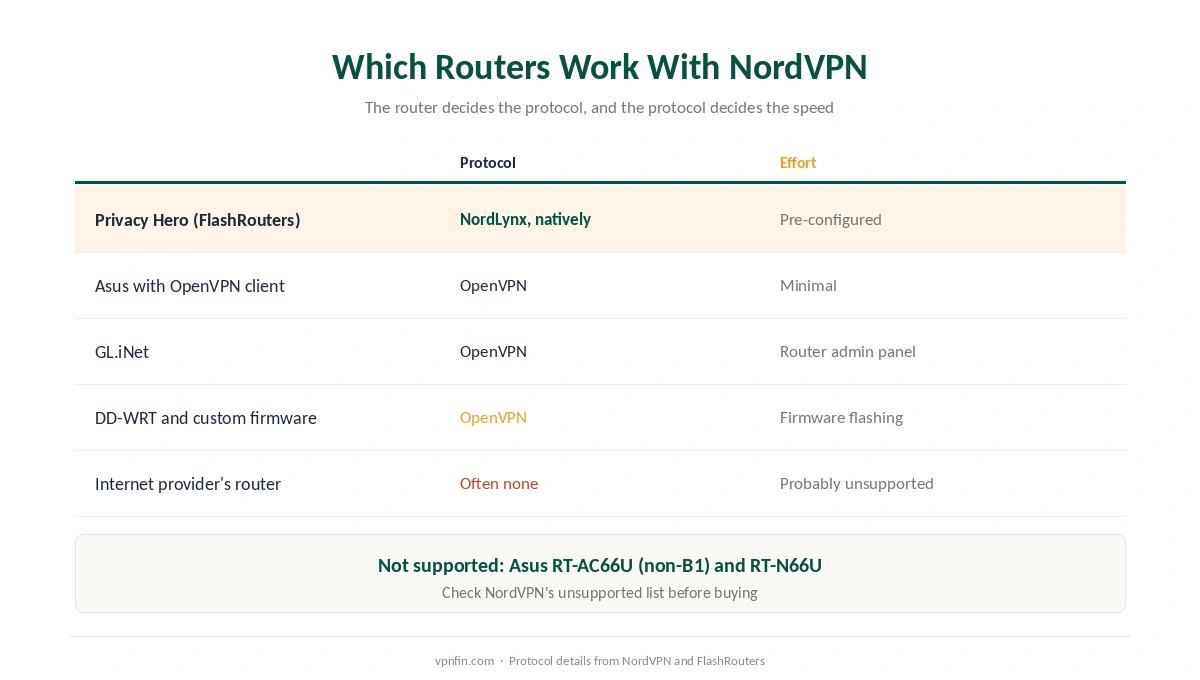
| Privacy Hero (FlashRouters) | NordLynx, natively | Pre-configured |
| Asus with built-in OpenVPN client | OpenVPN | Minimal, per NordVPN |
| GL.iNet | OpenVPN, per FlashRouters | Router admin panel |
| DD-WRT and other custom firmware | OpenVPN | Firmware flashing required |
| Internet provider’s router | Often none, per NordVPN | Probably unsupported |
NordVPN names specific Asus models. Its support page lists the RT-AX86U, RT-AX68U and RT-AX88U as popular examples with a built-in OpenVPN client, and warns that the RT-AC66U (non-B1) and RT-N66U are not supported.
Flashing custom firmware is the harder route. NordVPN calls it tricky, and notes it does not work on every platform. If your router is from your internet provider, a second router behind it is a common workaround.
Setting Up NordVPN on an Asus Router
| Step | What to do | Note |
|---|---|---|
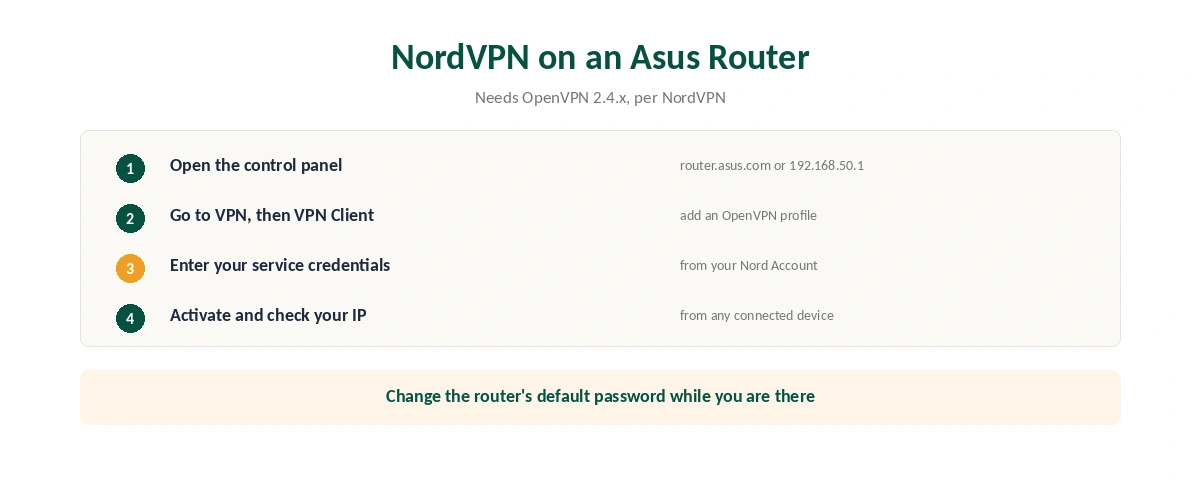
| 1 | Open the router’s control panel | 192.168.1.1, 192.168.50.1 or router.asus.com |
| 2 | Sign in | Default often admin / admin; change it |
| 3 | Go to VPN, then VPN Client | In the left menu |
| 4 | Add an OpenVPN profile | Use a config file from NordVPN |
| 5 | Enter your service credentials | From your Nord Account, not your email |
| 6 | Activate and check your IP | From any connected device |
Your router needs OpenVPN 2.4.x for a smooth experience, NordVPN’s Asus guide says, and it links a separate guide for newer routers on AsusWRT firmware.
Service credentials are separate from your login. Your Nord Account shows a service username and password for manual setups. Change the router’s own default password while you are in the control panel. Afterwards, confirm the new address from any device with our guide to checking a VPN.
What Breaks, and How to Fix It
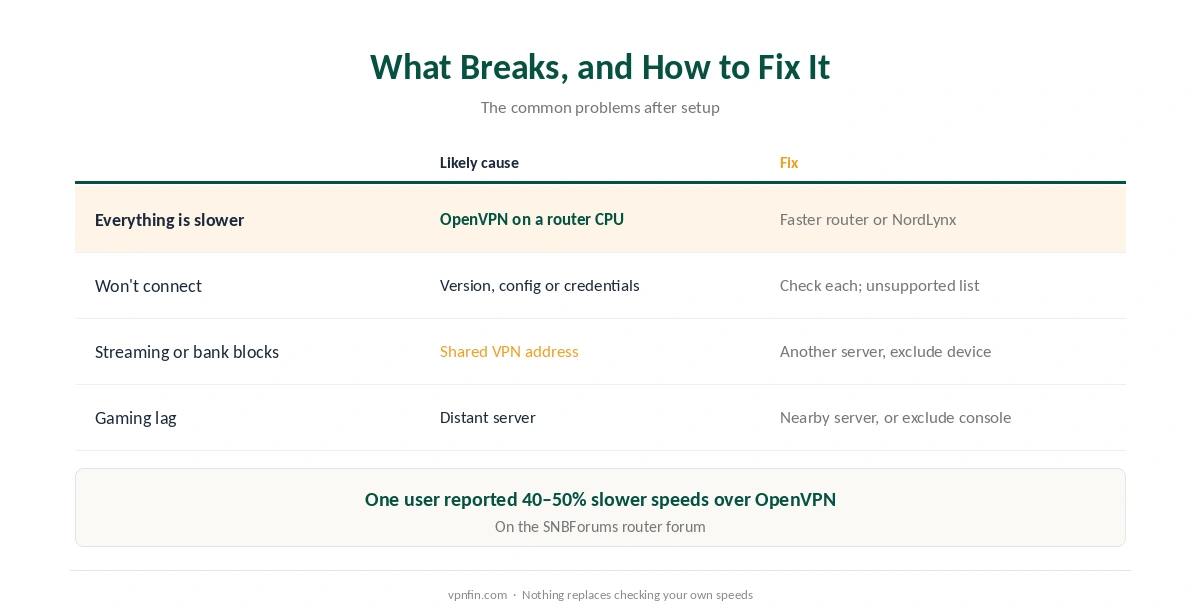
Everything is slower. Router processors handle OpenVPN encryption far more slowly than a phone or laptop running NordLynx. One user on the SNBForums router forum reported losing 40 to 50% of their speed over OpenVPN. A faster router, or the Privacy Hero with NordLynx, is the fix. Our speed guide explains why.
The VPN will not connect. Check the OpenVPN version, the config file and the service credentials, and that your model is not on NordVPN’s unsupported list.
A streaming service or bank blocks you. Every device now shares the VPN address. Choose another server, or exclude a device if your firmware allows it. Our online banking guide covers banks.
Gaming latency rises. Pick a nearby server, as our gaming guide explains, or leave the console off the VPN if your router can route it separately.
Why Use a Router at All
Devices without apps. Consoles, many smart TVs and Apple TV models are the main reason, as our PS5 guide, our Xbox guide and our smart TV guide explain.
Some devices have an app after all. NordVPN has run a tvOS app since 2023, so our Apple TV guide may save you the router work, and our NordVPN on Android TV guide covers Google TV sets.
Whole-home coverage. Every device is protected without installing anything, including guests’ devices on your network. To stop it again, our guide to turning off a router VPN covers each method. Our NordVPN review covers the service itself.
How We Research
Router compatibility and the Asus steps come from NordVPN’s support pages, the NordLynx router detail from NordVPN and its partner FlashRouters, and the speed report from a user on SNBForums, a router forum. We name each source where used; all were read on 26 September 2026. We did not configure a router ourselves. Our full approach lives on the About Us page.
NordVPN on a Router FAQ
For NordLynx speeds, the Privacy Hero from NordVPN’s partner FlashRouters, which supports it natively. For a do-it-yourself setup, an Asus router with a built-in OpenVPN client.
Only on some. NordVPN says popular Asus models do not support NordLynx, and FlashRouters says Asus and GL.iNet routers use OpenVPN. The Privacy Hero supports NordLynx natively.
Probably not. NordVPN says provider-issued routers usually do not support VPN configurations. A second router behind it is the common workaround.
Routers handle OpenVPN encryption slowly. A more powerful router, or one that supports NordLynx, improves speeds.
The service credentials shown in your Nord Account for manual setups, not your email and account password.
The Verdict
NordVPN on a router is the way to protect consoles, TVs and every other device at once, but it usually means OpenVPN and lower speeds.
An Asus router with a built-in OpenVPN client is the simplest do-it-yourself option. If speed matters most, the Privacy Hero with NordLynx is NordVPN’s own answer.