
Disclosure: VPNFin is reader-supported. If you buy a VPN through links on this page, we may earn a commission at no extra cost to you. This never affects our ratings — here’s our full disclosure.
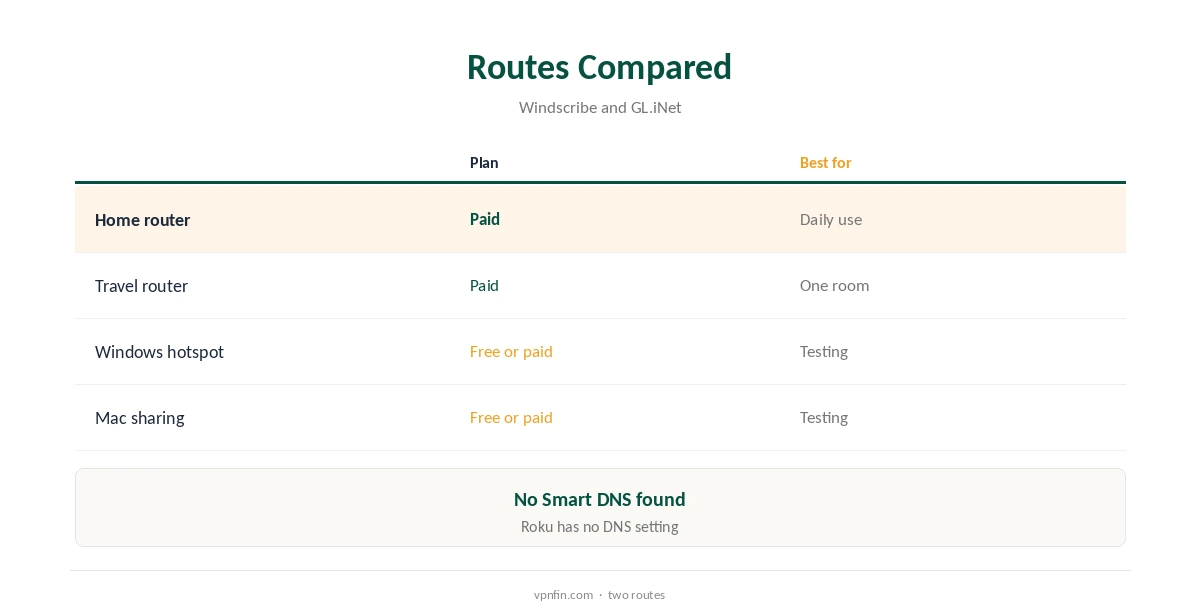
Windscribe on Roku works only indirectly, because Roku devices and Roku TVs run no VPN apps. Two routes give full encryption: a router running Windscribe, using configuration files on a paid plan or GL.iNet’s built-in support, or a hotspot shared from a Windows or Mac computer running Windscribe. The hotspot route also works on the free plan, within its 10 GB a month.
This guide covers both routes, Roku’s own settings, the free plan, what to avoid and how to check it works.
Why Roku Needs a Workaround
Roku’s operating system has no VPN client and no way to install one, so every route sends the Roku’s traffic through another device. Roku devices also lack their own DNS setting, so even Smart DNS from other providers must go on the router.
We found no Windscribe Smart DNS service. Our Roku VPN guide compares providers that offer one.
Windscribe on Roku via a Router
Generate a WireGuard or OpenVPN file on a paid plan and load it into a router’s VPN client, or use a GL.iNet router, which supports Windscribe directly, GL.iNet’s documentation lists. Then connect the Roku to that router.
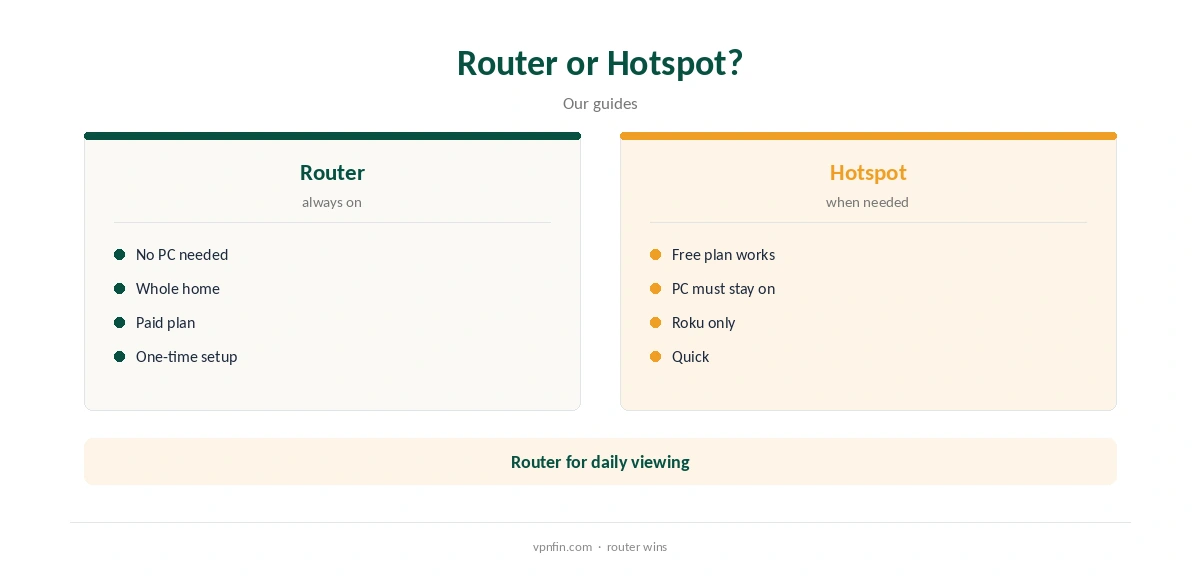
Every device behind the router uses Windscribe, phones and laptops included. A small travel router can serve just the Roku if you want the rest of the home direct. Our Windscribe router guide walks through it.
Sharing From Windows or a Mac
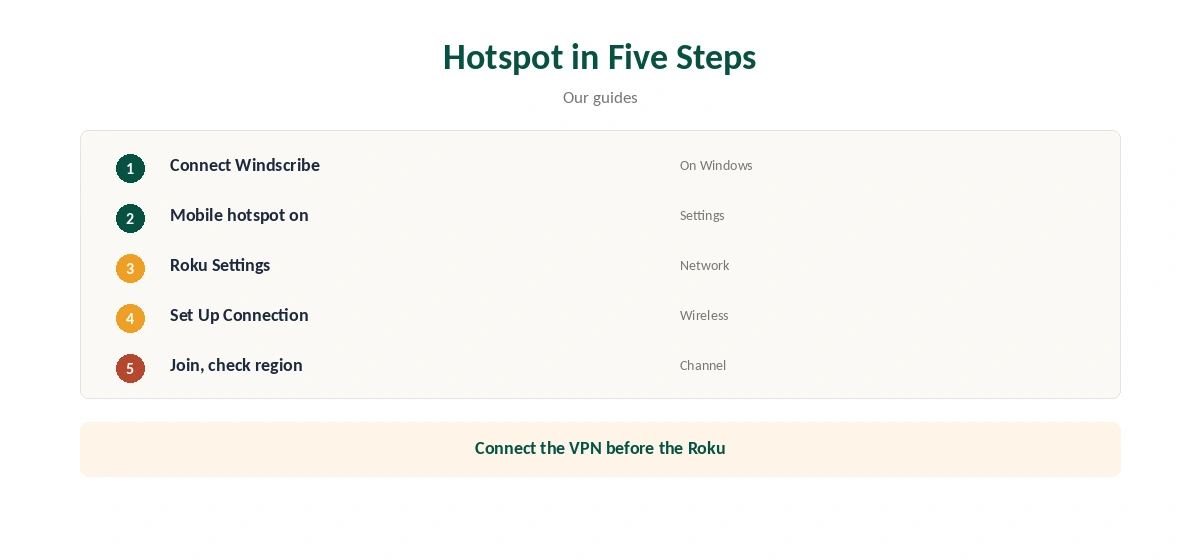
Connect Windscribe on a Windows PC, then turn on Mobile hotspot under Settings, Network and Internet. On a Mac, use Internet Sharing in System Settings. On the Roku, open Settings, Network, Set Up Connection, Wireless, and join the shared network.
The computer must stay on, awake and connected while you watch. Connect Windscribe before starting the hotspot, so the Roku joins an already protected network from the first moment.
The Free Plan on Roku
The hotspot route works on Windscribe’s free plan, with 10 GB a month after confirming an email and servers in 10 countries. High-definition streaming uses that quickly, so treat it as a test of whether your channels work.
Router files need a paid plan: Pro at $9 a month or $69 a year, or Build-a-Plan from $3. Our Windscribe price guide compares them.
Using a Travel Router
A compact GL.iNet travel router running Windscribe can sit between the Roku and your main router, so only devices on it use the VPN. It also travels well for hotel rooms, where a Roku stick may otherwise struggle with sign-in pages.
Sign in to Windscribe through the router’s WireGuard client, then join the Roku to the travel router’s network.
Roku Account Rules
The Roku channel store follows the country of your Roku account, not your VPN location, and channels from another region need a second account and a device reset, our Roku tables record.
A VPN changes what streaming channels see, not the Roku store itself. Channels you already installed keep working wherever the VPN places you, subject to each service’s own rules.
Streaming and Checking It Works
Security.org reported Netflix problems on Windscribe, and streaming services may block VPN addresses. Test your channels on the free plan before paying for Pro.
Restart a channel after the VPN connects so it checks your region again rather than using a cached one. Our Windscribe Netflix guide covers Netflix in detail.
A Roku has no web browser, so check from a phone or laptop on the same router or hotspot that the address shows Windscribe’s location. A channel showing the expected region is another sign.
If the Roku will not connect, restart the hotspot and set up the wireless connection again.
Roku TVs
Roku TVs from brands such as TCL and Hisense run the same Roku system as the sticks, so the same two routes apply. Join the TV to the router or hotspot from its own network settings, under Settings, Network.
A cable from the TV to a router running Windscribe gives the steadiest picture for 4K streams, since TV Wi-Fi is often weaker than a wired port.
Price and Privacy
Pro costs $9 a month or $69 a year with no renewal jump, or Build-a-Plan from $3 for chosen locations, and sets no device limit. Windscribe’s no-logs claim held when an Athens court dismissed charges against its CEO in April 2025.
Our Windscribe refund guide covers the seven-business-day refund rule.
Taking the Roku Off the VPN
To stop using Windscribe on the Roku, connect it back to your normal Wi-Fi in Settings, Network. With a router setup, switch the router’s VPN off or move the Roku to a network outside it.
Our guide to turning off a VPN on a smart TV covers the same steps for other TVs.
How We Research
This page draws on Windscribe’s plans page and P2P article, GL.iNet’s WireGuard client documentation, TheBestVPN’s Roku guide, Security.org and our Windscribe and Roku tables. We cross-checked these sources against each other, and where they conflict or something can’t be verified, we say so in the text rather than guessing. We checked time-sensitive figures, including prices in US dollars, on 8 October 2026. The main source we relied on is GL.iNet’s WireGuard client guide. Our full approach lives on the About Us page.
Windscribe on Roku FAQ
No; Roku runs no VPN apps.
Through a router running Windscribe or a computer hotspot.
Through a hotspot, yes, within 10 GB a month.
We found no such service.
No; the store follows your Roku account’s country.
The Verdict
Windscribe on Roku means a router or a hotspot. Test on the free plan through a hotspot, and use a router on a paid plan for daily viewing.