
Disclosure: VPNFin is reader-supported. If you buy a VPN through links on this page, we may earn a commission at no extra cost to you. This never affects our ratings — here’s our full disclosure.
Does a VPN work with Starlink? Yes, on every plan, including Residential and Roam. The complication is CGNAT: Starlink shares one public IPv4 address among many customers on those plans, so connections you start work normally while connections that try to reach into your home are dropped, LocalXpose explains. That matters if you want to reach a camera, a home server or a game host from outside. Starlink’s router also has no port forwarding page.
This page covers what a VPN does on Starlink, what CGNAT breaks, the ways around it, and speed.
VPN for Starlink: What Works and What Doesn’t
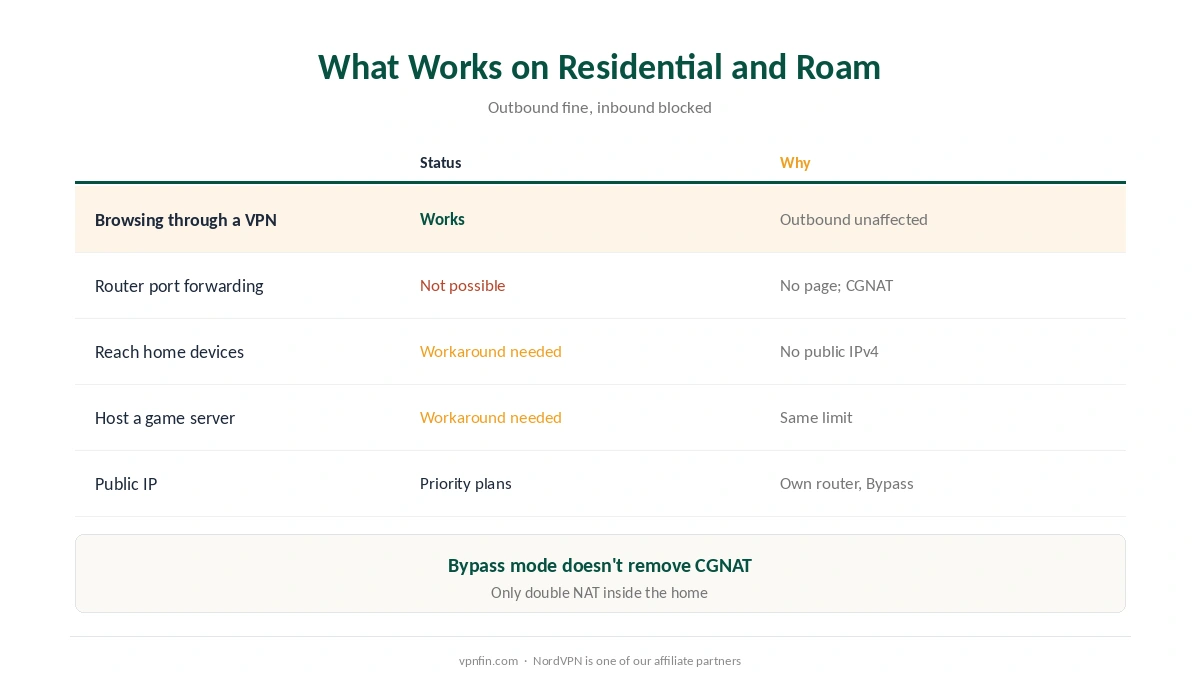
| Task | On Residential or Roam | Why |
|---|---|---|
| Browsing, streaming through a VPN | Works | Outbound connections aren’t affected by CGNAT |
| Port forwarding on the Starlink router | Not possible | No forwarding page; CGNAT drops inbound traffic |
| Reaching home devices from outside | Needs a workaround | No public IPv4 address |
| Hosting a game server | Needs a workaround | Same CGNAT limit |
| A public IP from Starlink | Priority plans only | With a third-party router in Bypass mode |
Bypass mode isn’t a fix for CGNAT. Putting Starlink’s router in Bypass mode and using your own removes double NAT inside the home, but Starlink’s carrier-grade NAT stays, NAT Checker explains. Starlink doesn’t give Residential customers a static IP on request, Starlink Info notes.
Ways Around CGNAT
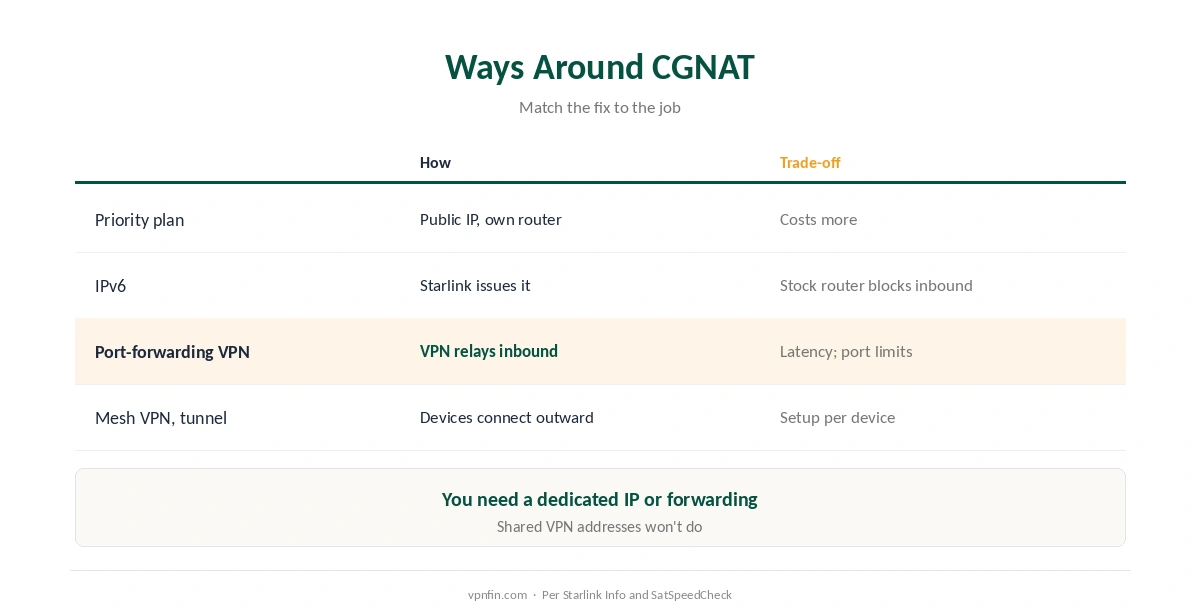
| Option | How it works | Trade-off |
|---|---|---|
| Priority plan | Public IP with your own router in Bypass mode | Costs more |
| IPv6 | Starlink issues IPv6 addresses | Stock router blocks inbound; needs a third-party router |
| VPN with port forwarding | The VPN server receives inbound traffic and relays it | Extra latency; ports limited |
| Mesh VPN or tunnel | Devices connect outward to each other | Setup on each device |
A port-forwarding VPN is often the simplest route. You need one with a dedicated IP or port forwarding, since most VPN addresses are shared, Starlink Info notes. Our port forwarding guide and our dedicated IP guide cover the options.
IPv6 works only with the right gear. Starlink’s Gen 2 and Gen 3 routers block incoming IPv6 traffic with no setting to change it, Starlink Info reports, so you’d need your own router in Bypass mode. Our IPv6 guide explains how VPNs handle IPv6.
Speed and Latency
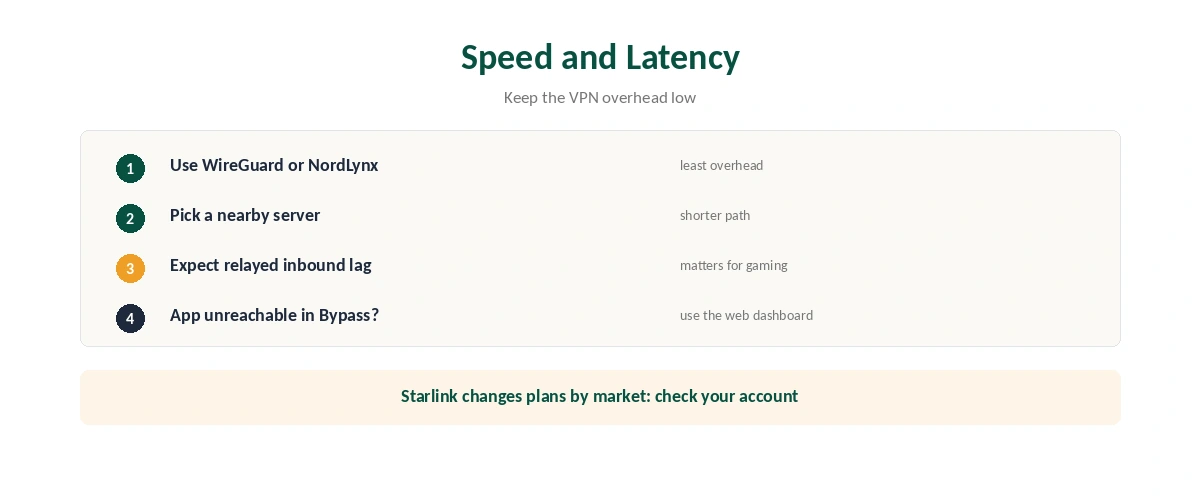
Pick WireGuard or a WireGuard-based protocol for a VPN on Starlink. It adds the least overhead, as our WireGuard vs OpenVPN guide explains. Choose a VPN server close to your Starlink ground station’s region to keep latency down.
Relayed inbound traffic adds latency. Routing through a VPN server and back costs extra delay, DISHYtech notes, which matters most for gaming. Our gaming guide covers it.
The Starlink app may lose contact in Bypass mode. Windscribe notes the app can show the dish as unreachable behind your own router; checking status from Starlink’s web dashboard is an alternative. If the VPN itself won’t connect, our not-connecting guide helps, and our VPN check guide confirms it’s up.
How We Research
CGNAT behaviour, the missing forwarding page and Priority plans come from LocalXpose; Bypass mode from NAT Checker; IPv6 and static IP limits from Starlink Info; plan-wide VPN compatibility and the app quirk from Windscribe; workaround options from SatSpeedCheck; latency from DISHYtech. LocalXpose and Windscribe sell networking products, which we flag. Starlink changes plans by market, so check your own account. Starlink’s official support site is starlink.com/support. We read all sources on 28 September 2026. NordVPN is one of our affiliate partners. Our full approach lives on the About Us page.
VPN for Starlink FAQ
Yes, on every plan. CGNAT affects only connections coming into your home, not the VPN connection you start.
Not on Residential or Roam plans. The router has no forwarding page, and CGNAT drops inbound traffic. Priority plans offer a public IP.
No. It removes double NAT inside your home, but Starlink’s carrier-grade NAT remains.
Use a VPN with port forwarding or a dedicated IP, a mesh VPN or tunnel, IPv6 with your own router, or a Priority plan.
Slightly. Use WireGuard and a nearby server to keep the cost low.
The Verdict
A VPN for Starlink works on every plan for privacy and streaming.
If you need inbound access, CGNAT is the obstacle: a port-forwarding VPN or dedicated IP is the simplest fix, and a Priority plan the official one.