
Disclosure: VPNFin is reader-supported. If you buy a VPN through links on this page, we may earn a commission at no extra cost to you. This never affects our ratings — here’s our full disclosure.
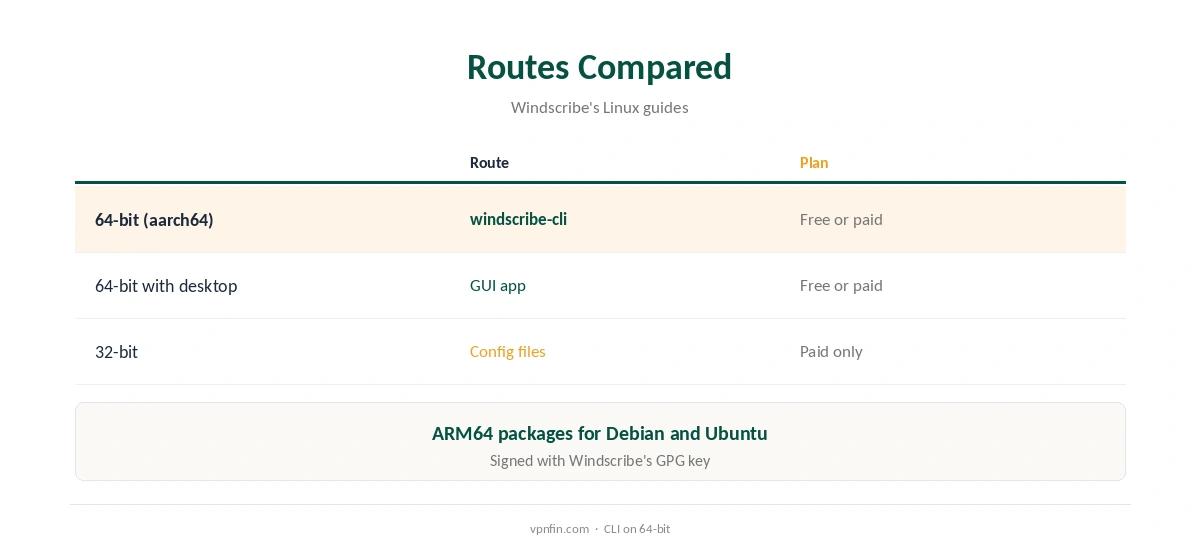
Windscribe Raspberry Pi setups have an official route on 64-bit systems: Windscribe publishes its Linux apps, including a command-line app for headless machines, as ARM64 packages for Debian and Ubuntu, its help centre shows. Raspberry Pi OS 64-bit is based on Debian, so the ARM64 package should install; we found no Pi-specific statement. On 32-bit systems, paid plans can use generated WireGuard or OpenVPN files instead. The app works on the free plan.
This guide covers the command-line app, its commands, the firewall, config files, the free plan and limits.
Which Route Fits Your Pi
On a Pi 3, 4, 5 or Zero 2 W running 64-bit Raspberry Pi OS, use Windscribe’s ARM64 package. Check with uname -m: aarch64 means 64-bit, while armv7l means 32-bit, where Windscribe publishes no ARM package. Reinstalling Raspberry Pi OS 64-bit from Raspberry Pi Imager fixes that on supported models.
Our Raspberry Pi VPN guide compares other providers’ ARM support.
Windscribe Raspberry Pi CLI Install
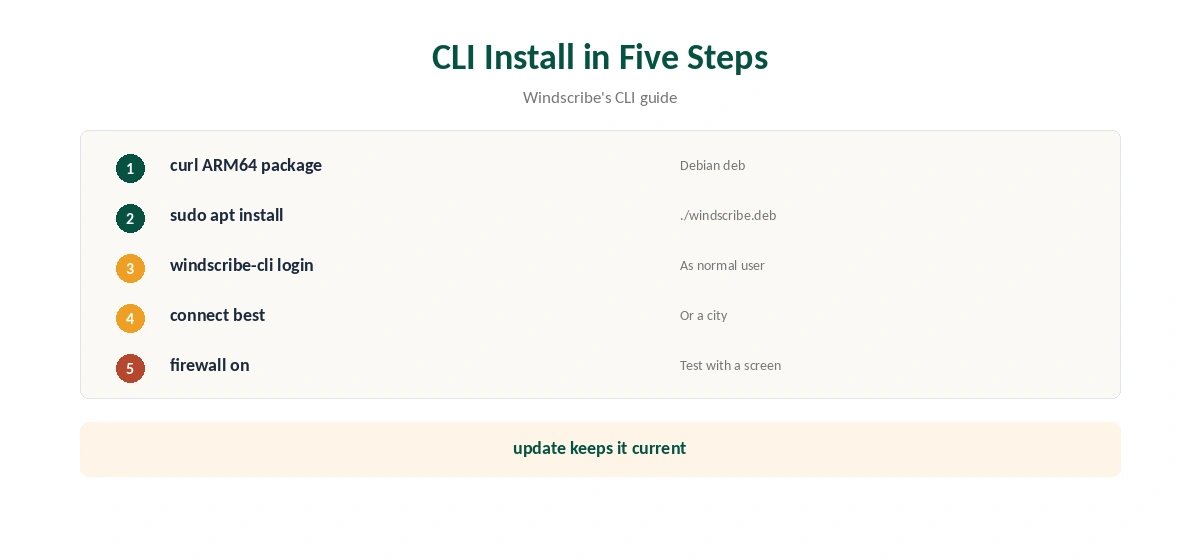
Download the ARM64 command-line package with curl from Windscribe’s install address for Debian ARM64, then install it with sudo apt install, as Windscribe’s CLI guide shows. The same page links builds for Fedora, Arch and openSUSE. The packages are signed with Windscribe’s GPG key, which Windscribe publishes on its site.
Run windscribe-cli commands as a normal user, not with sudo, the guide notes, since the app manages its own privileges. A Pi with a desktop and screen can use the graphical app instead; it needs a desktop environment and will not run headless.
The Commands
windscribe-cli login signs in, windscribe-cli connect best picks a nearby location, and windscribe-cli status shows the connection. You can name a location, such as connect “Toronto”, or choose a protocol, such as connect best wireguard, for the session.
windscribe-cli locations lists servers, disconnect ends the session, and update fetches a new version, Windscribe’s guide lists. logs send shares diagnostics with support.
The Firewall
windscribe-cli firewall on turns on Windscribe’s firewall, its kill switch, which blocks traffic outside the tunnel. Logging out normally disconnects and turns the firewall off; logout on keeps the firewall up.
Test the firewall with a screen attached first, since it can cut off SSH access to a headless Pi if the tunnel fails. Keep local access in mind before enabling it remotely.
Protocols
The command-line app supports WireGuard, OpenVPN over UDP and TCP, Stealth and WStunnel, Windscribe’s guide says. WireGuard is the lightest for a Pi’s processor; Stealth and WStunnel help on networks that block VPNs, at some cost in speed.
Settings live in a configuration file under the user’s .config/Windscribe folder; preferences reload applies changes. Our Windscribe WireGuard guide covers the protocol.
Config Files on 32-Bit Pis
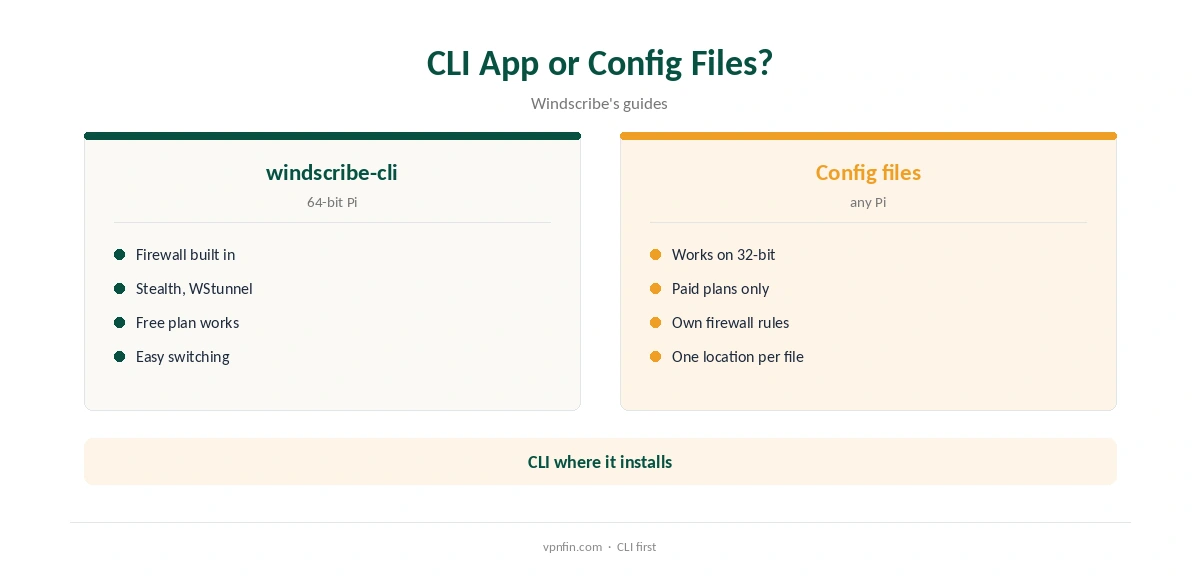
Pro and Build-a-Plan accounts can generate WireGuard or OpenVPN files and run them with the standard WireGuard tools or OpenVPN on any Pi, including older 32-bit models. Free accounts cannot generate files, so a 32-bit Pi on the free plan has no route.
A plain file lacks Windscribe’s firewall, so add your own firewall rules for leak protection. Each file covers one location.
Using the Pi as a Server
A Pi left running as a home server can keep Windscribe connected with the firewall on, so its downloads and sync traffic never leave outside the tunnel. Use windscribe-cli status after a reboot to confirm it reconnected on its own.
Turning the Pi into a VPN gateway for other devices takes routing and firewall work that Windscribe does not document; a router running Windscribe is simpler. Our Raspberry Pi VPN server guide covers what a Pi can do.
Static IPs and Port Forwarding
Windscribe’s Pro plan includes temporary port forwarding that lasts seven days, and a paid static IP can carry a permanent one, Windscribe’s port forwarding page says. That helps a Pi running a torrent client or a small server that others must reach.
windscribe-cli ip rotate changes your exit address on the same location, the CLI guide lists, when you need a fresh one for a service that has flagged the old address.
Free Plan or Pro
The free plan gives 10 GB a month with a confirmed email. Pro costs $9 a month or $69 a year with no renewal jump, or Build-a-Plan from $3. Windscribe’s terms allow a refund of the first payment within seven business days, under 10 GB used.
Torrenting on a Pi needs a paid plan, since Windscribe has switched P2P off on free servers, its help article says. Our Windscribe P2P guide covers the rules.
Removing It
Turn the firewall off and log out first, then remove the package with sudo apt remove windscribe-cli, Windscribe’s guide shows; purge also removes its configuration.
Our ExpressVPN Raspberry Pi guide compares another provider’s Pi support.
How We Research
This page draws on Windscribe’s Linux GUI and command-line help articles, its plans page and terms, and our Windscribe tables. We cross-checked these sources against each other, and where they conflict or something can’t be verified, we say so in the text rather than guessing. We checked time-sensitive figures, including prices in US dollars, on 8 October 2026. The main source we relied on is Windscribe’s Linux CLI guide. Our full approach lives on the About Us page.
Windscribe Raspberry Pi FAQ
Its ARM64 Linux packages should install on 64-bit Pi OS; we found no Pi-specific statement.
There is: windscribe-cli, built for headless machines.
Yes, with the app; config files need a paid plan.
The firewall: windscribe-cli firewall on.
No ARM package; use config files on a paid plan.
The Verdict
A Windscribe Raspberry Pi setup is simple with the ARM64 command-line app on 64-bit Pi OS. Test the firewall with a screen, and use config files on 32-bit systems.