
Disclosure: VPNFin is reader-supported. If you buy a VPN through links on this page, we may earn a commission at no extra cost to you. This never affects our ratings — here’s our full disclosure.
How do you use a VPN on Meta Quest? Since June 2026 the easiest way is a native app: as Meta folded the Quest ecosystem into Meta Horizon, VPN apps became installable directly on the headset, and NordVPN became the third provider to offer one, TechRadar reported. Many guides still say there are no VPN apps in the store; that is now out of date. The older routes still work: sideloading an Android VPN app with SideQuest, a VPN router, or sharing a VPN connection from a computer.
This page compares the four methods, how to use each, and what a VPN does and doesn’t do for VR.
VPN for Meta Quest: Four Ways
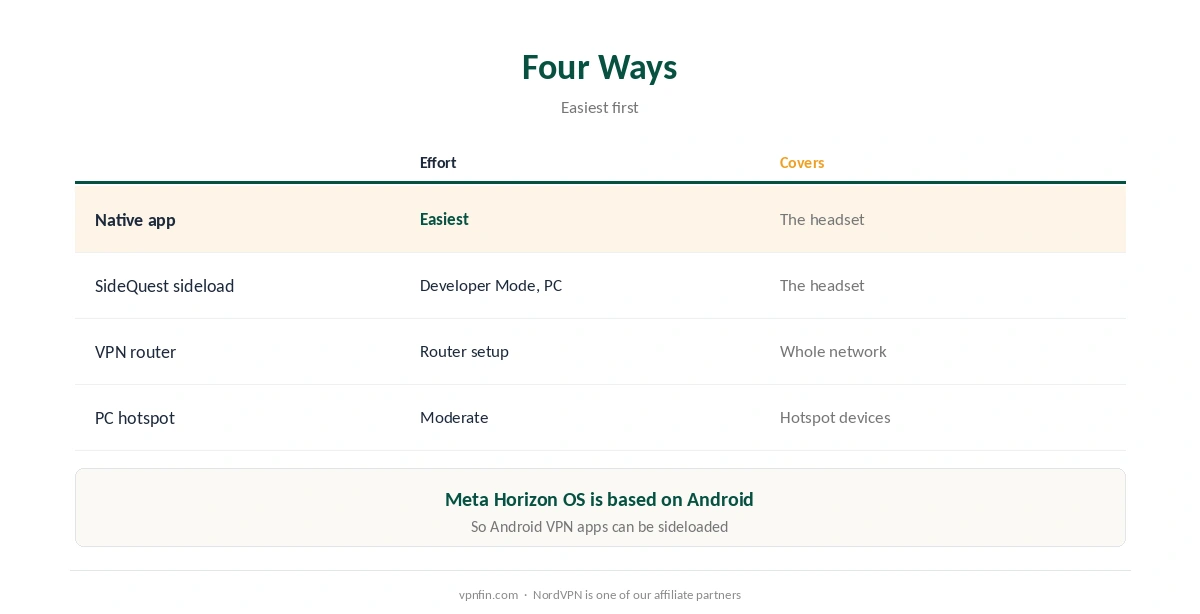
| Method | Effort | Covers |
|---|---|---|
| Native app from Meta Horizon | Easiest | The headset |
| Sideload with SideQuest | Developer Mode and a PC | The headset |
| VPN router | Router setup | Every device on the network |
| Hotspot from a VPN-connected PC | Moderate | Whatever joins the hotspot |
Start with the native app if your provider has one. It encrypts traffic across the whole headset, not just the browser, TechRadar notes. Quest runs Meta Horizon OS, which is based on Android, NordVPN explains, which is why Android VPN apps can also be sideloaded.
Sideloading With SideQuest
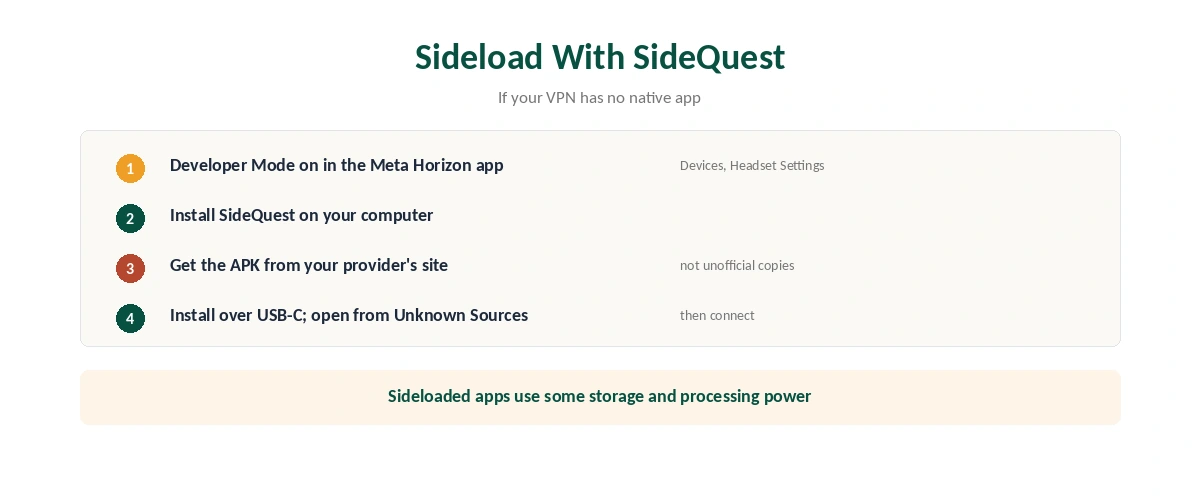
| Step | What to do |
|---|---|
| 1 | In the Meta Horizon phone app: Devices, your headset, Headset Settings, Developer Mode on |
| 2 | Install SideQuest on your computer |
| 3 | Download your VPN’s Android installer (APK) from the provider |
| 4 | Connect the headset by USB-C and install the APK in SideQuest |
| 5 | On the headset: Library, Unknown Sources, open the VPN and connect |
Developer Mode is required, CyberInsider explains, and sideloaded apps sit under Unknown Sources in your library. They also use some of the headset’s storage and processing power, Comparitech notes.
Download the installer from the provider’s own site. Unofficial APK copies are a security risk. Our Android VPN guide covers the app side.
Sharing a VPN From Your Computer
A hotspot is the no-install option. Connect your Windows or Mac computer to the VPN, turn on its mobile hotspot, and join that network from the headset; everything the Quest sends then goes through the VPN, TechRadar notes. It suits hotels, where a router isn’t yours to change, as our public Wi-Fi guide explains.
Check it’s working. Open the Quest browser and visit an IP checker; our VPN check guide explains what to look for. If the headset loses connection, the VPN on the computer may have dropped, which a kill switch handles safely.
What a VPN Does for VR
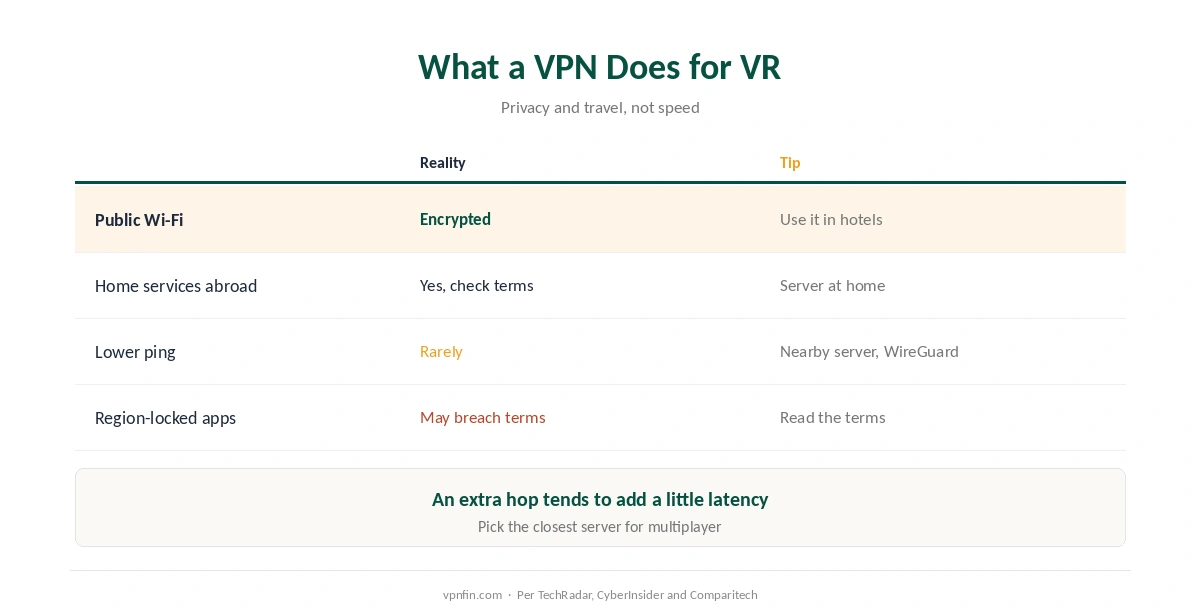
| Claim | Reality |
|---|---|
| Protects on public or hotel Wi-Fi | Yes: traffic is encrypted |
| Keeps home services working abroad | Yes, with a server at home; check terms |
| Reduces lag | Rarely: an extra hop tends to add a little |
| Unlocks region-locked apps | May breach the app’s terms |
Don’t expect lower ping. Routing through a VPN server adds a hop, so latency tends to rise slightly; our gaming guide explains the rare exceptions. For multiplayer VR, pick a nearby server and a WireGuard-based protocol.
A router covers the Quest and more, as our router vs device guide weighs. Taking the headset abroad? Our travel guide covers hotel networks and home services.
How We Research
The native app change comes from TechRadar’s June 2026 report; sideloading steps from CyberInsider; resource use from Comparitech; the Android base from NordVPN’s Quest page. Several guides from PIA, Comparitech and SafetyDetectives, updated earlier this year, still say no VPN apps exist in the store, which the June change overtook. TechRadar’s report is here. We read all sources on 28 September 2026. NordVPN is one of our affiliate partners. Our full approach lives on the About Us page.
VPN for Meta Quest FAQ
Yes. Since June 2026, some VPN apps install natively through Meta Horizon; NordVPN is one. Others can be sideloaded with SideQuest.
No. You need a VPN app, a VPN router, or a hotspot from a VPN-connected computer.
Only for sideloading with SideQuest. Native apps from Meta Horizon don’t need it.
Rarely. It tends to add a little latency. Use a nearby server and a WireGuard-based protocol.
It’s simpler if you want every device covered, and needs no install on the headset.
The Verdict
A VPN for Meta Quest is easier than ever: check Meta Horizon for a native app first.
Sideloading and routers remain options. Use it for privacy and travel, not for lower ping.