
Disclosure: VPNFin is reader-supported. If you buy a VPN through links on this page, we may earn a commission at no extra cost to you. This never affects our ratings — here’s our full disclosure.
TorGuard WireGuard support runs through its whole product. WireGuard is the default protocol in TorGuard’s Windows client, which installs the WinTUN driver for it. TorGuard’s config generator produces WireGuard files for dedicated, residential and standard IPs, and its OpenWrt app connects over WireGuard through TorGuard’s API. One catch: TorGuard notes the official WireGuard client lacks a kill switch and recommends its own app.
This guide covers the app, the generator, routers and the kill switch question.
TorGuard WireGuard in the App
TorGuard’s June 2026 Windows guide lists WireGuard as the default protocol, alongside OpenVPN and OpenConnect. The app can also import custom WireGuard configs. Remember to turn the kill switch on, since it starts switched off. Our TorGuard Windows guide covers the defaults worth changing.
The Config Generator
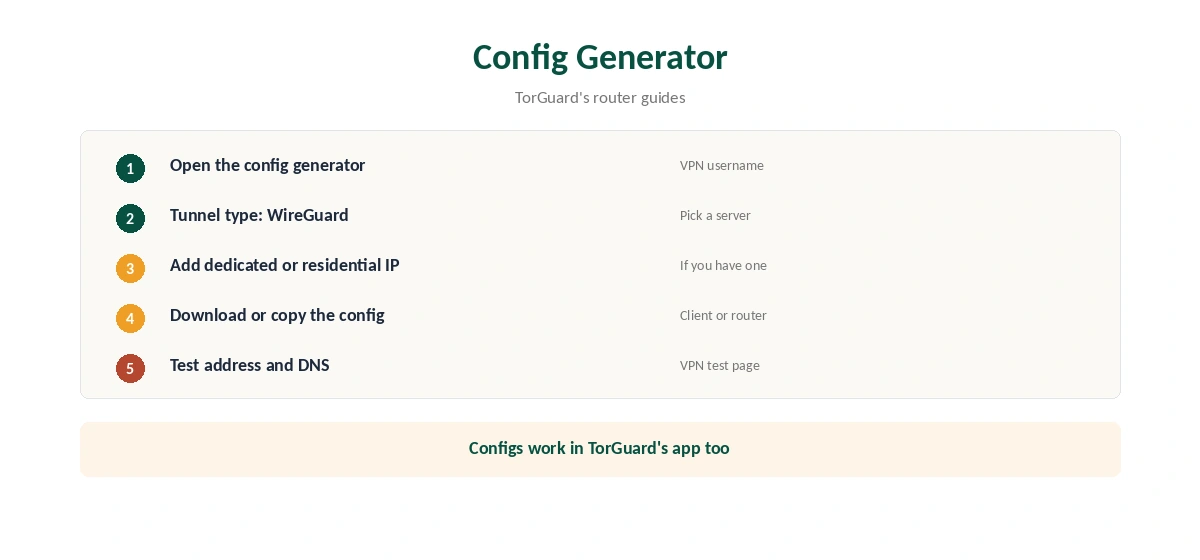
TorGuard’s config generator creates WireGuard files from your VPN username, its router guides show. Choose WireGuard as the tunnel type, pick a server and download the config. Configs can carry a dedicated IP, a residential IP or TorGuard’s Private VPN Cloud, which suits banking and remote access.
The Official WireGuard App
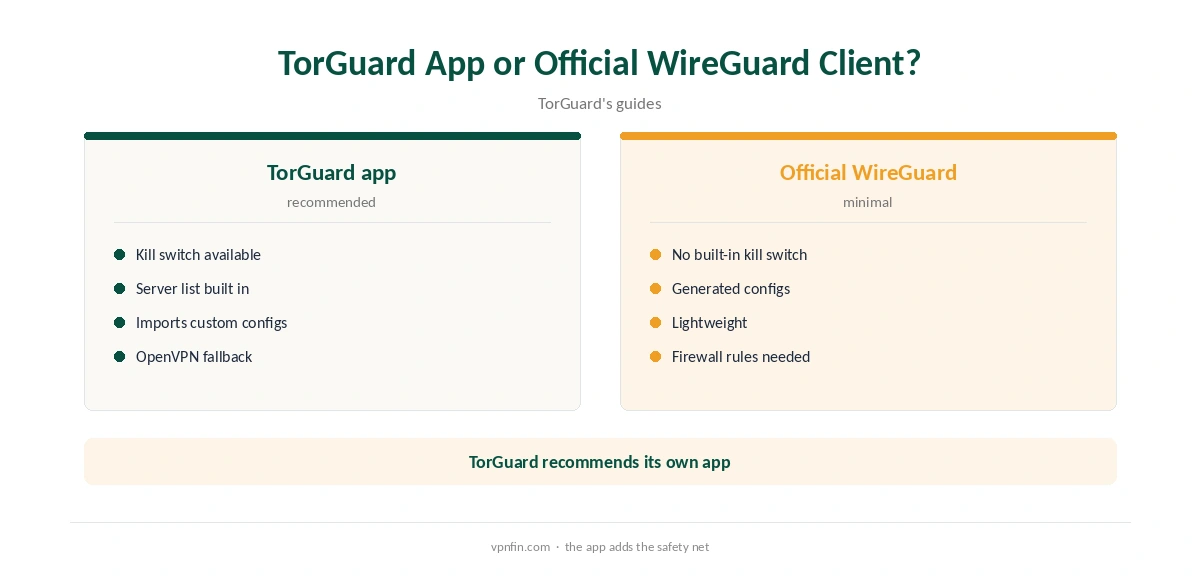
TorGuard’s guide to the official WireGuard client for Windows notes it has no built-in kill switch. TorGuard recommends its own app instead, unless you build firewall rules yourself. Our kill switch guide explains the risk.
Routers
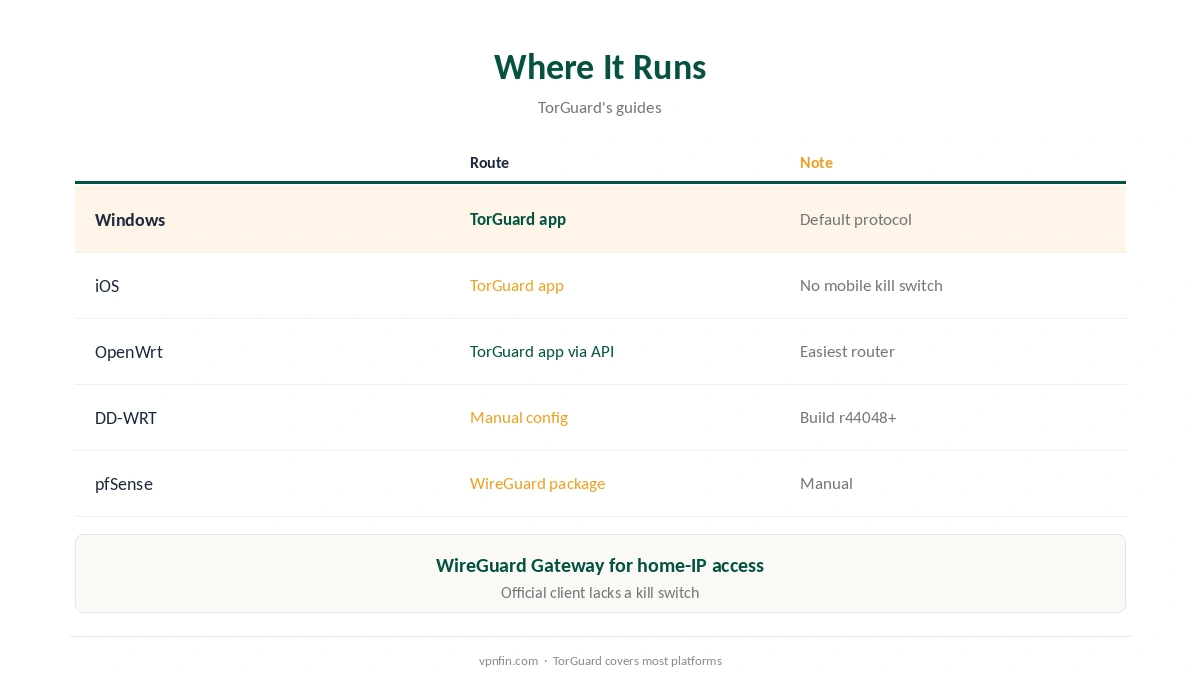
TorGuard’s OpenWrt app uses WireGuard through its API, with no config file to import, and a Custom version accepts pasted configs. Its DD-WRT guide needs a build with WireGuard support, r44048 or newer, and its pfSense guide installs the WireGuard package. Our TorGuard router guide covers each route.
WireGuard Gateway
TorGuard’s WireGuard Gateway turns an OpenWrt router into a home endpoint, so a phone abroad can appear at your home address. That reverses the usual VPN direction and suits banking or streaming home services while travelling.
Checking the Connection
After connecting, confirm the new address with our VPN test page, then run our DNS leak guide. Manual setups need the most care here, since DNS settings may not come from the provider’s app.
Dedicated and Residential IPs
A dedicated IP gives you the same address every time, which helps with banking and work logins that flag shared VPN addresses. A residential IP looks like a home connection. Both come through the generator as a normal config. Our dedicated IP guide explains when one is worth paying for.
Speed Tips
TorGuard’s guides stress the router’s processor: on pfSense the protocol uses a single core, so higher clock speeds help. On desktops, pick a nearby server and keep the WinTUN driver updated with the app. Our WireGuard vs OpenVPN guide explains why WireGuard is the default.
When to Use OpenVPN or OpenConnect Instead
Some networks block UDP traffic, which WireGuard needs. Switch to OpenVPN over TCP or to OpenConnect in that case, or use TorGuard’s Stealth modes on networks that inspect traffic. Our obfuscation guide explains disguised traffic. Our page on TorGuard OpenVPN covers the apps, the config generator and Stealth modes.
Troubleshooting
TorGuard’s guides suggest checking that the WireGuard module is loaded on routers, restarting the service, and using TorGuard’s DNS to avoid leaks. On Windows, reinstall the app if the WinTUN driver fails after an update. Contact support with your router model and firmware build, as the guides advise.
Testing Speed
Compare the protocol with OpenVPN on the same server at the same time of day. On routers, watch processor load during the test, since a maxed-out CPU caps speed whatever the protocol. Our router setup guide covers hardware choices.
A Quick Rule
Desktop? Use TorGuard’s app with the kill switch on. Router? Use the OpenWrt app or a generated config. Need one stable address? Generate a config with a dedicated IP.
Private VPN Cloud
TorGuard’s generator also offers its Private VPN Cloud, its guides show, for users who want a private server rather than shared ones. It costs extra and suits businesses or users with a specific need. Check TorGuard’s pricing before relying on it, as our cost guide shows add-ons stack quickly.
Keeping Configs Private
A generated file contains a private key. Store it like a password, never paste it into forums when asking for help, and generate a fresh one if you think it leaked. Delete configs for servers you no longer use.
Quick Check
After connecting, confirm the address and run a DNS test. Then disconnect the network briefly and check that apps stop loading until the tunnel returns. Our guide to TorGuard for Linux covers desktop app, NetworkManager and terminal.
Phones
TorGuard’s iOS app includes WireGuard, OpenVPN and IPSec, its support page says. ProPrivacy notes the mobile apps lack a kill switch, so keep auto-reconnect on. Our TorGuard iPhone guide covers the setup.
Cost and Record
Security.org lists TorGuard Standard at $10.99 a month, with a seven-day refund window, as our TorGuard cost guide explains. Our audit table records no independent audit.
How We Research
This page draws on TorGuard’s Windows, OpenWrt, DD-WRT, pfSense and official WireGuard client guides (June and July 2026), ProPrivacy’s TorGuard review and our TorGuard tables. We cross-checked these sources against each other, and where they conflict or something can’t be verified, we say so in the text rather than guessing. We checked time-sensitive figures, including prices in US dollars, on 7 October 2026. The main source we relied on is TorGuard’s OpenWrt WireGuard guide. Our full approach lives on the About Us page.
TorGuard WireGuard FAQ
It does; WireGuard is the default in its Windows client.
Yes, with a generated config, but it lacks a kill switch, TorGuard notes.
Yes, through the config generator.
TorGuard publishes its own OpenWrt app for it.
Our audit table records no independent audit.
The Verdict
TorGuard WireGuard support is thorough: default in the app, flexible configs and router tools. Use TorGuard’s own app for the kill switch, and weigh the missing audit.