
Disclosure: VPNFin is reader-supported. If you buy a VPN through links on this page, we may earn a commission at no extra cost to you. This never affects our ratings — here’s our full disclosure.
StrongVPN WireGuard support stands out for manual setups. StrongVPN runs a WireGuard configuration generator at wg.strongvpn.com, where you sign in, pick a location and download a config, Pantacor’s guide shows. VPNCentral rates StrongVPN among the most flexible WireGuard providers, with configs for 67 locations in 42 countries and the widest range of supported routers in its roundup. StrongVPN allows 12 devices, our device table records.
This guide covers the generator, where the configs work, and the trade-offs.
StrongVPN WireGuard Config Generator
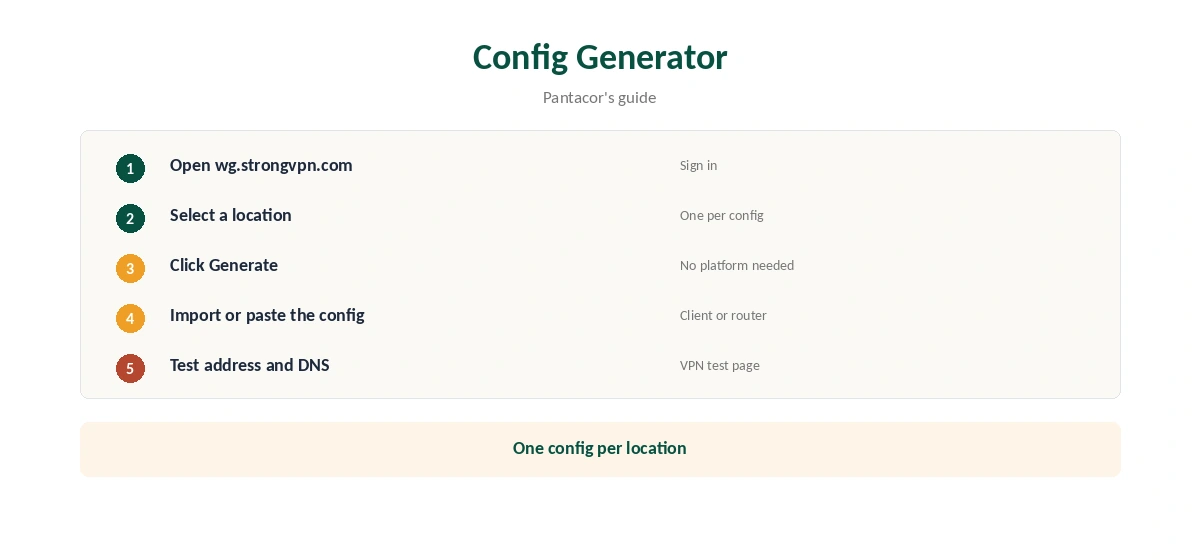
Open wg.strongvpn.com and sign in with your StrongVPN username and password. Select a location and click Generate to download the file, Pantacor’s guide explains. For a generic config, you do not need to choose a platform. Import the file into any WireGuard client, or paste its contents into a router’s WireGuard settings.
Where Generated Configs Work
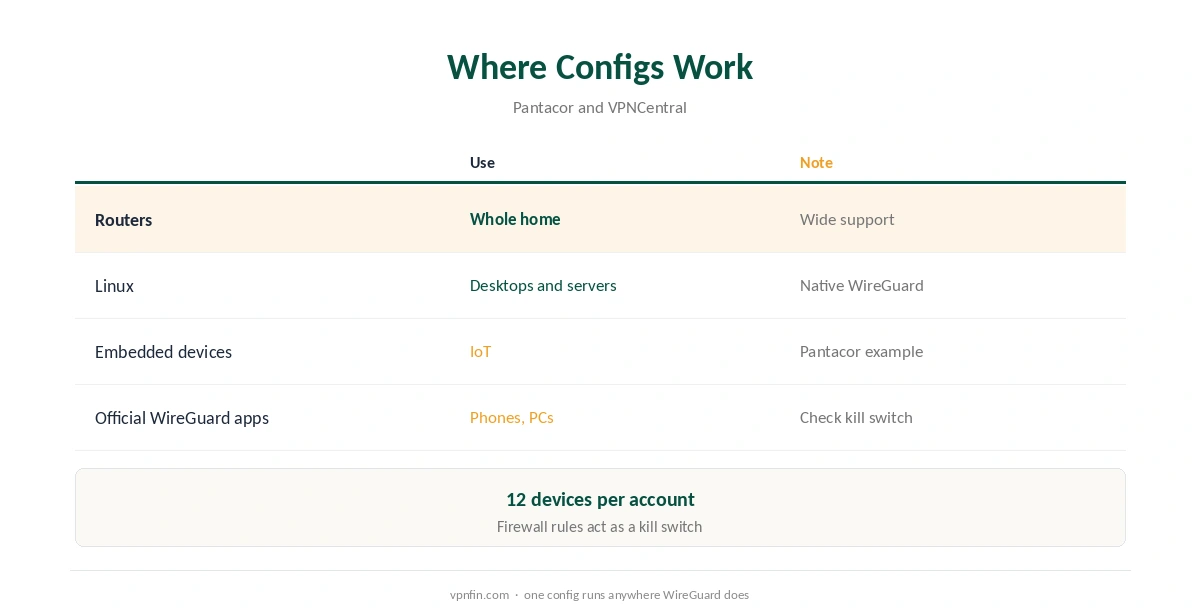
A WireGuard config runs anywhere WireGuard does: the official WireGuard apps, Linux, routers and embedded devices. Pantacor used one to protect a Linux embedded device. VPNCentral highlights StrongVPN’s router range, which suits households that want every device covered. Our router setup guide covers the router side.
WireGuard or OpenVPN?
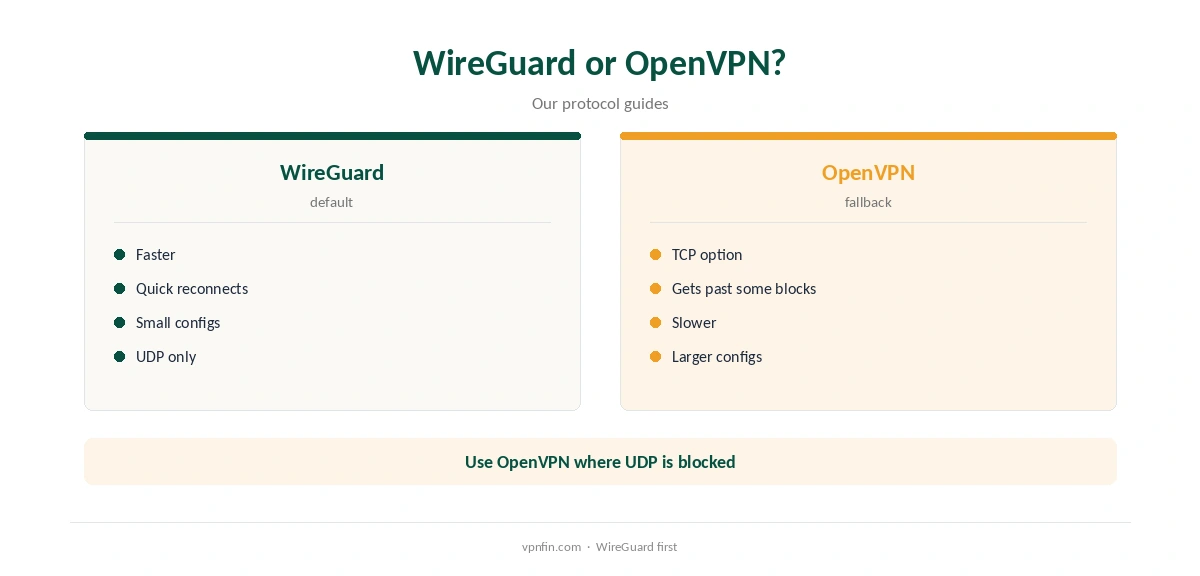
WireGuard is usually faster and reconnects quickly when devices switch networks. OpenVPN remains useful where WireGuard’s UDP traffic is blocked. Our WireGuard vs OpenVPN guide explains the differences, and our cipher guide covers the encryption. Our page on StrongVPN OpenVPN covers where the protocol is available and when to use it over WireGuard.
Kill Switch on Manual Setups
Official WireGuard apps do not always include a kill switch, so a manual StrongVPN WireGuard setup may leak if the tunnel drops. On routers, use firewall rules that block traffic outside the tunnel. Our kill switch guide explains why it matters.
Checking the Connection
After connecting, confirm the new address with our VPN test page, then run our DNS leak guide. Manual setups need the most care here, since DNS settings may not come from the provider’s app.
Choosing a Location
Each generated file points to one location, so create a few. Keep one near you for speed and one in the country whose services you use. Name the files clearly before importing them, since a router list of identical names is hard to manage. For OpenWrt with WireGuard configs, see our page on StrongVPN on a Router.
Routers in Practice
Router processors set the speed ceiling, and the protocol helps most on modest hardware. Check that your firmware accepts a pasted or uploaded config, then point DNS at the provider’s resolvers. Our router or device guide helps you decide which devices stay outside the tunnel.
Linux and Servers
On Linux, the wg-quick tool brings a config up and down from the terminal. Run it as a service to start at boot, and add firewall rules that only allow traffic through the tunnel interface. Our Linux VPN guide covers the wider options.
When the Config Stops Working
Keys and server addresses can change. Generate a fresh file from the same page and replace the old one. If a location keeps failing, try a neighbouring one, then contact support with the location and the error.
Apps or Manual Files?
For phones and computers, the provider’s own app is simpler and adds features a raw config lacks, such as automatic server choice and a kill switch where offered. Manual files shine on routers, Linux servers and devices without apps. Many households use both: the app on phones, a config on the router. Our StrongVPN on Ubuntu and Linux page goes into WireGuard configs and NetworkManager.
Testing Speed
Run a speed test with the tunnel off, then on, at the same time of day. Repeat for two locations. Keep the faster one for daily use and the other as a backup. Our guide to VPN speed explains where the overhead comes from.
A Quick Rule
Router or Linux box? Generate a config. Phone or laptop? Use the app. Either way, add a kill switch and test for leaks before relying on the connection.
Phones With Generated Configs
The official WireGuard app on iPhone and Android can import a generated file, often by scanning a QR code or opening the file. That suits people who prefer one app for several providers, though it lacks extras such as automatic server choice. Our iPhone VPN guide compares full apps.
Keeping Keys Private
A generated file contains a private key. Store it like a password, never share it in screenshots or forums, and delete old files you no longer use.
Quick Check
After importing a config, open a browser and confirm the address shows the chosen location.
Refunds and Devices
StrongVPN’s 30-day guarantee covers yearly plans only, as our StrongVPN refund guide explains. With 12 devices, one plan covers a router and several phones.
StrongVPN’s Record
StrongVPN belongs to Ziff Davis, which also owns IPVanish, and our audit table records no independent audit. The company operates from the US, inside the Five Eyes. Our StrongVPN review covers the record, and our IPVanish vs StrongVPN page compares the sister brands.
How We Research
This page draws on Pantacor’s StrongVPN WireGuard guide, VPNCentral’s 2026 WireGuard router roundup and our StrongVPN tables. We cross-checked these sources against each other, and where they conflict or something can’t be verified, we say so in the text rather than guessing. We checked time-sensitive figures, including prices in US dollars, on 7 October 2026. The main source we relied on is Pantacor’s StrongVPN WireGuard guide. Our full approach lives on the About Us page.
StrongVPN WireGuard FAQ
It does, including a config generator at wg.strongvpn.com.
VPNCentral counts configs for 67 locations in 42 countries.
Yes, with a generated config; VPNCentral rates its router range highly.
Not by themselves; add firewall rules on routers.
Our audit table records no independent audit.
The Verdict
StrongVPN WireGuard support suits routers and manual setups thanks to its config generator. Add a kill switch where your client lacks one, and weigh the missing audit. Our page on StrongVPN for Chrome covers the HTTP proxy extension and what it leaves unprotected.