
Disclosure: VPNFin is reader-supported. If you buy a VPN through links on this page, we may earn a commission at no extra cost to you. This never affects our ratings — here’s our full disclosure.
PrivadoVPN Linux support has a firm condition: PrivadoVPN’s help centre says Linux is not available on free accounts. Premium users get step-by-step instructions for two methods, the command line and Network Manager. There is no dedicated Linux app in the sources we read, so you configure the connection yourself. PCWorld lists WireGuard, OpenVPN and IKEv2 on PrivadoVPN’s servers. Our page on PrivadoVPN OpenVPN covers when to use it and the Linux setups.
This guide covers the two methods, what you give up without an app, and the checks to run.
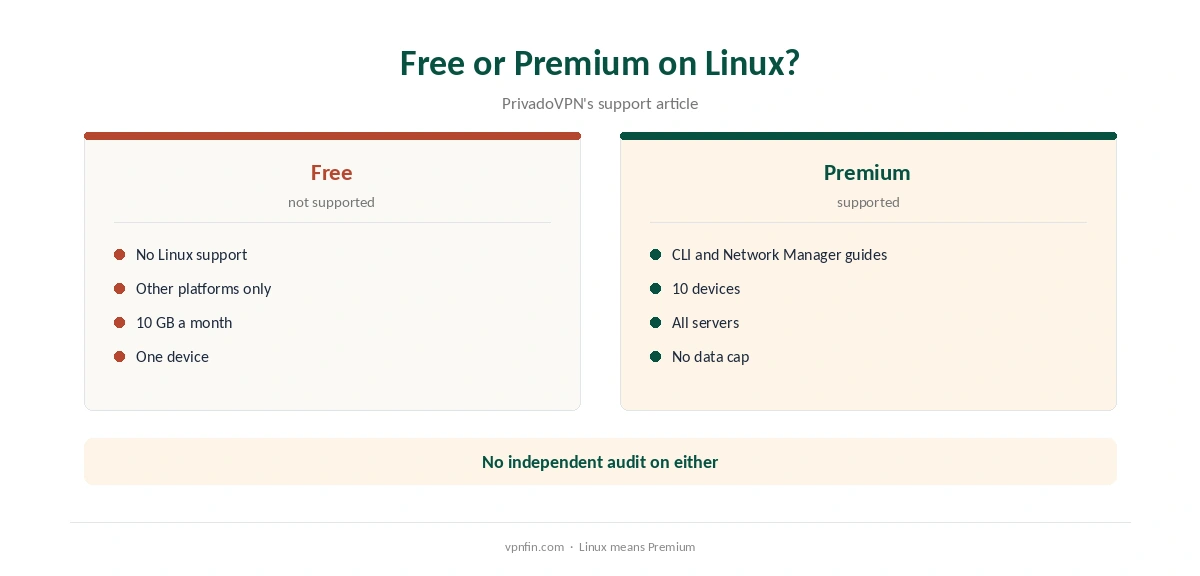
Free or Premium on Linux
PrivadoVPN’s support article is direct: Linux support is not available for free accounts, and Premium users can follow its CLI and Network Manager guides. If you want PrivadoVPN on Linux, budget for Premium. Our PrivadoVPN free guide covers what the free plan does include.
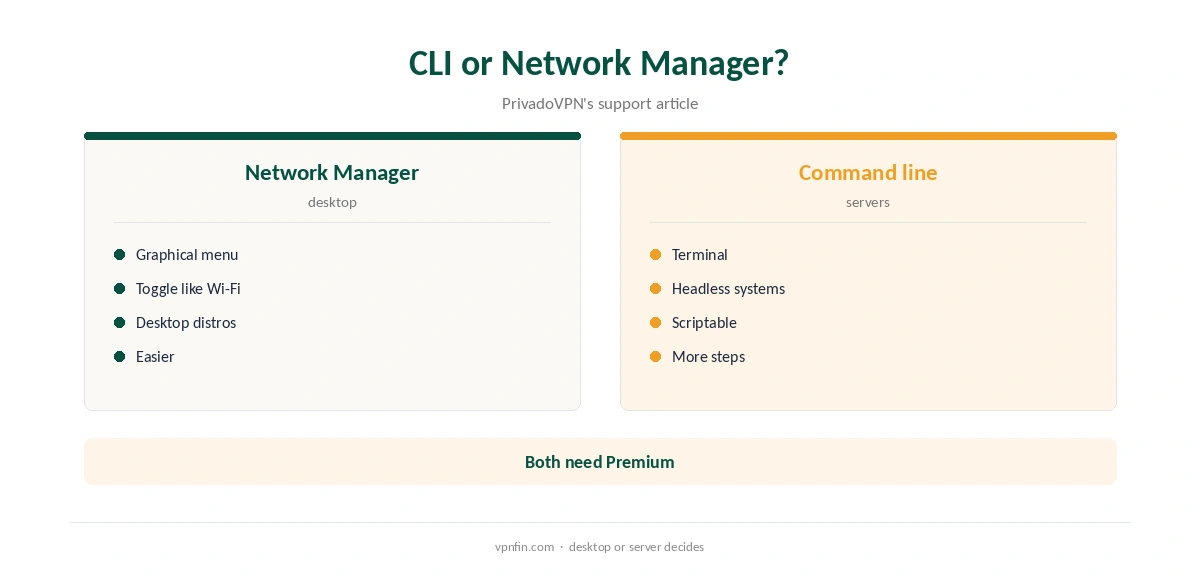
PrivadoVPN Linux Setup: Two Methods
The Network Manager method suits desktop distributions with a graphical network menu. You import or enter connection details in the network settings and toggle the VPN like any other network. The command-line method suits servers and minimal systems, running the connection from a terminal.
Follow PrivadoVPN’s own guides for the exact files and credentials, since they are available to Premium accounts.
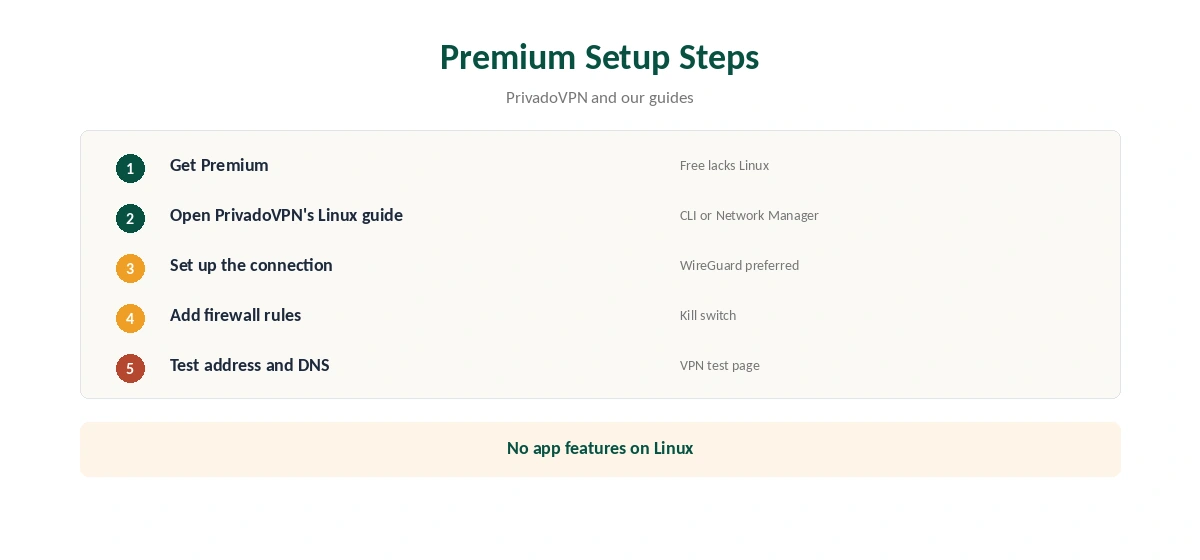
What You Give Up Without an App
PrivadoVPN’s apps on other platforms include a kill switch, split tunnelling and Control Tower, TechRadar notes. A manual Linux connection lacks those. Add firewall rules so traffic stops if the tunnel drops, as our kill switch guide explains.
Protocols
PCWorld lists WireGuard, OpenVPN and IKEv2 on PrivadoVPN’s servers. On Linux, WireGuard is usually the fastest and simplest to configure, while OpenVPN helps on networks that block UDP. Our WireGuard vs OpenVPN guide explains the trade-offs.
Starting at Boot
On servers, run the connection as a system service so it restarts after reboots. With Network Manager, tick the option to connect automatically for that connection. Test after a restart that the tunnel comes up before other services use the network.
Keeping Credentials Safe
Manual setups store credentials or keys on disk. Keep those files readable only by root, and never paste them into forums when asking for help. Rotate them if you suspect a leak.
Raspberry Pi and Home Servers
A Linux box such as a Raspberry Pi can route downloads or act as a small gateway through PrivadoVPN Linux setups. Pair it with firewall rules so nothing leaks if the tunnel drops. Our Raspberry Pi VPN guide covers the hardware side.
Several Devices
Premium covers 10 devices, PCWorld notes, so a Linux server can share the plan with phones and laptops. Our PrivadoVPN for PC guide covers the desktop app on Windows.
Is PrivadoVPN Linux Support Enough?
For a Linux server or a desktop user comfortable with manual setups, PrivadoVPN Linux support covers the essentials once you pay for Premium. Users who want a graphical app with a kill switch and split tunnelling will find more in providers with full Linux apps.
Troubleshooting
If the connection fails, check the credentials first, then the system clock, since certificates fail on wrong dates. Switch protocol if your network blocks UDP. Read the connection log before changing files, and contact PrivadoVPN’s support with the exact error.
A Quick Rule
Desktop distro? Use the Network Manager guide. Server? Use the command line and start the tunnel at boot. On the free plan? Linux is not supported, so pay for Premium or choose another provider.
Network Manager Tips
Name the connection clearly, for example with the server city, so you can switch quickly. Keep one connection per location you use often. Disable IPv6 on the VPN connection if your guide does not configure it, then test for leaks.
Updating Configurations
Server details change over time. If a connection that worked stops, download fresh details from PrivadoVPN’s Premium guides and replace the old configuration. Keep a note of which servers you set up, so updates take minutes.
Quick Check
Run ip a to confirm the tunnel interface is up, then disconnect the network briefly and check that traffic stops if you added firewall rules. Then restore the network and confirm the tunnel returns on its own within a minute or two.
Checking the Connection
After connecting, confirm the address with our VPN test page and run our DNS leak guide. Manual setups often leave DNS pointing at your provider.
Privacy Record
No independent audit appears in our audit table for PrivadoVPN, which lists Iceland as its base after a 2026 move from Switzerland. Our VPN audit tracker explains why audits matter.
Alternatives With Linux Apps
If you want a graphical Linux app with a kill switch, our Linux VPN guide compares providers that offer one.
Our NordVPN Linux guide covers a command-line app with built-in protections, and our guide to turning off a VPN on Linux covers stopping connections.
How We Research
This page draws on PrivadoVPN’s Linux support article, TechRadar’s and PCWorld’s PrivadoVPN reviews and our PrivadoVPN tables. We cross-checked these sources against each other, and where they conflict or something can’t be verified, we say so in the text rather than guessing. We checked time-sensitive figures, including prices in US dollars, on 7 October 2026. The main source we relied on is PrivadoVPN’s Linux support article. Our full approach lives on the About Us page.
PrivadoVPN Linux FAQ
It does for Premium accounts, through CLI or Network Manager setups.
No. PrivadoVPN’s help centre says free accounts lack Linux support.
Not in the sources we read; setups are manual.
No; add firewall rules yourself.
PCWorld lists WireGuard, OpenVPN and IKEv2.
The Verdict
PrivadoVPN Linux support is Premium-only and manual, through the command line or Network Manager. Add a firewall-based kill switch, test for leaks, and weigh the missing audit.