
Disclosure: VPNFin is reader-supported. If you buy a VPN through links on this page, we may earn a commission at no extra cost to you. This never affects our ratings — here’s our full disclosure.
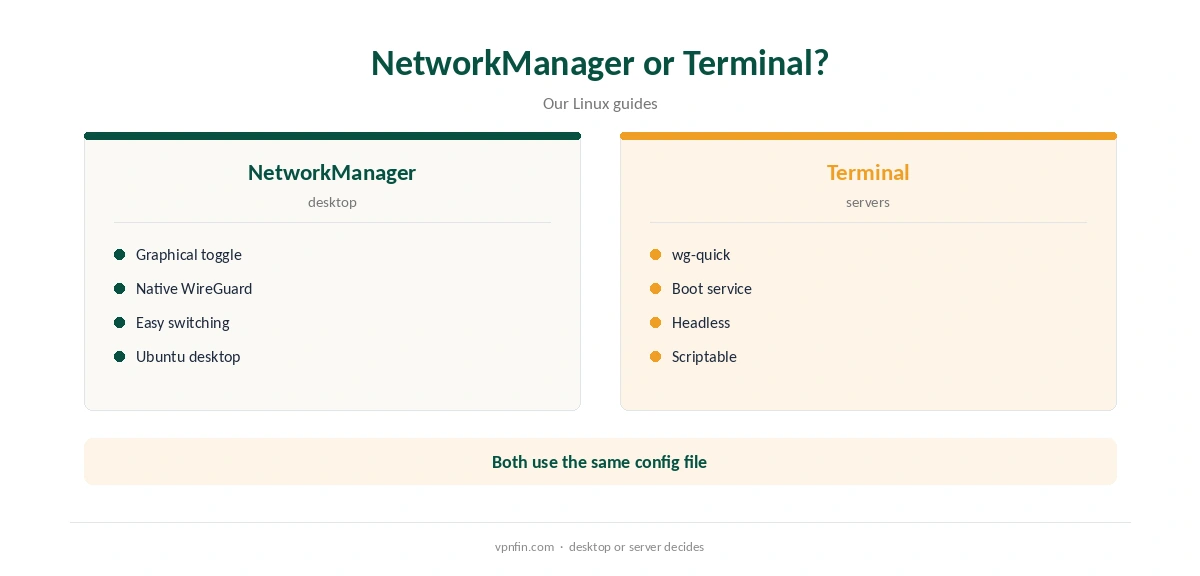
StrongVPN Ubuntu setups work through WireGuard configs from StrongVPN’s generator at wg.strongvpn.com. Sources disagree on whether StrongVPN offers a dedicated Linux app: Cloudwards and Top10VPN list Linux among its platforms, while Comparitech’s app list leaves it out. A generated config works with Ubuntu’s NetworkManager or the WireGuard tools in the terminal either way.
This guide covers both routes, the checks and what a manual setup lacks.
Generating a Config
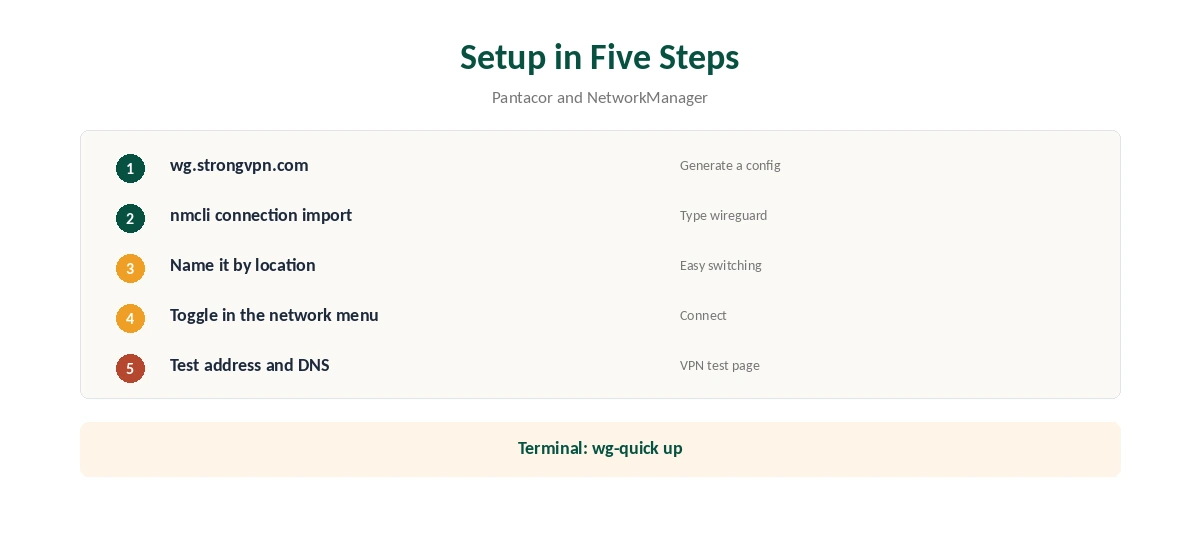
Sign in at wg.strongvpn.com, pick a location and click Generate to download a WireGuard config, as Pantacor’s guide shows. VPNCentral counts configs for 67 locations in 42 countries. Generate one per location you use often.
StrongVPN Ubuntu Setup With NetworkManager
Recent versions of NetworkManager support WireGuard natively. Import the downloaded file with nmcli, using the connection import command with the WireGuard type, then toggle the new connection in Ubuntu’s network menu. Name each connection after its location.
Confirm the new address with our VPN test page.
Using the Terminal
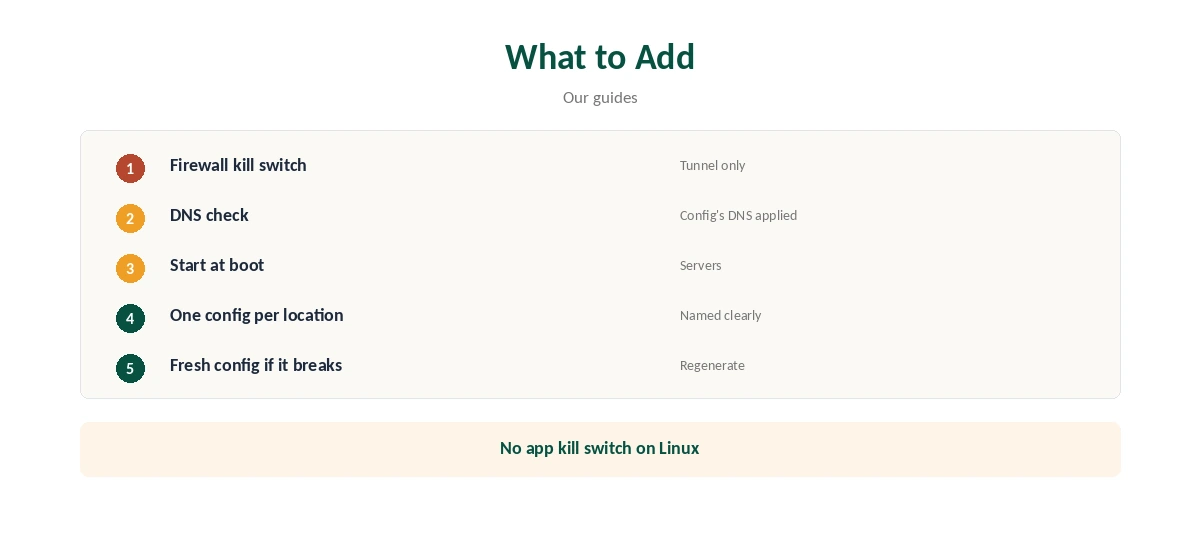
On servers, install the WireGuard tools, copy the config into the WireGuard folder and bring the interface up with wg-quick. Enable the matching service to start the tunnel at boot. Our Raspberry Pi VPN guide covers small always-on machines.
What a Manual Setup Lacks
StrongVPN’s desktop apps add a kill switch on Windows and macOS. A manual Linux connection has none, so add firewall rules that allow traffic only through the WireGuard interface. Our kill switch guide explains the idea.
Other Protocols
AllAboutCookies lists OpenVPN, IKEv2, IPsec, SSTP and L2TP among StrongVPN’s protocols. WireGuard is the simplest on Linux. Our WireGuard vs OpenVPN guide explains the trade-offs.
Checking for Leaks
Run our DNS leak guide after connecting. If requests still go to your provider, check that the config’s DNS line was applied, or set DNS on the connection manually.
StrongVPN Ubuntu Desktop Tips
Keep one connection per location in the network menu, named by city. Turn on automatic connection for your usual location if you want the tunnel up after login. If the network menu does not show WireGuard, update NetworkManager or use the terminal route instead.
Servers and Raspberry Pi
On a server, wg-quick with a boot service is the reliable route. Pair it with firewall rules so nothing leaves the machine if the tunnel drops. A Raspberry Pi running Ubuntu Server works the same way.
Keeping Keys Private
A generated config contains a private key. Keep the file readable only by root, never paste it into forums when asking for help, and generate a fresh one if you think it leaked.
Testing Speed
Run a speed test with the tunnel off, then on, at the same time of day. Compare two locations and keep the faster one. Our guide to VPN speed explains the overhead.
A Quick Rule
Ubuntu desktop? Import the config into NetworkManager. Server? Use wg-quick and start it at boot. Either way, add a firewall kill switch and run a DNS test once.
Is StrongVPN Ubuntu Support Enough?
For servers and confident desktop users, a StrongVPN Ubuntu setup through WireGuard covers the essentials. Users who want a graphical app with a built-in kill switch may prefer providers with full Linux apps, which our NordVPN Linux guide covers.
Troubleshooting
If the tunnel will not come up, check the system clock first, since WireGuard handshakes fail on wrong times. Then check the endpoint and keys against the generated file. Regenerate the config if the server details changed. Ask StrongVPN’s support with the exact error if nothing works.
Several Locations
Generate configs for a nearby location and for the countries whose services you use. Import each with its own name. Switching then takes one click in the network menu or one command in the terminal, which keeps a StrongVPN Ubuntu setup almost as convenient as an app.
Quick Check
After connecting, run wg show to see the latest handshake. A recent time means the tunnel is up. Then open our test page in a browser.
Turning It Off
Toggle the connection off in the network menu, or run wg-quick down with the interface name. Disable the boot service if you set one up.
Updating Configs
Keys and server addresses can change over time. If a connection that worked stops, generate a fresh config from the same page and re-import it under the same name, then delete the old one.
IPv6
If the generated config does not route IPv6, disable IPv6 on the connection, then run a leak test again to confirm nothing slips past the tunnel.
StrongVPN’s Record
StrongVPN belongs to Ziff Davis and has no independent audit in our table. It allows 12 devices. Our StrongVPN price guide covers the plans, and our StrongVPN WireGuard guide covers the config generator.
Related Guides
Our Linux VPN guide compares providers with full Linux apps, and our guide to turning off a VPN on Linux covers stopping connections.
How We Research
This page draws on Pantacor’s StrongVPN WireGuard guide, VPNCentral’s 2026 roundup, Cloudwards’, Top10VPN’s, Comparitech’s and AllAboutCookies’ StrongVPN reviews and our StrongVPN tables. We cross-checked these sources against each other, and where they conflict or something can’t be verified, we say so in the text rather than guessing. We checked time-sensitive figures, including prices in US dollars, on 7 October 2026. The main source we relied on is Pantacor’s StrongVPN WireGuard guide. Our full approach lives on the About Us page.
StrongVPN Ubuntu FAQ
Yes, with a WireGuard config from wg.strongvpn.com.
Sources disagree; the WireGuard route works either way.
Yes; import the WireGuard config with nmcli.
No; add firewall rules yourself.
12.
The Verdict
StrongVPN Ubuntu setups are straightforward with WireGuard configs and NetworkManager. Add a firewall kill switch and test for leaks.