
Disclosure: VPNFin is reader-supported. If you buy a VPN through links on this page, we may earn a commission at no extra cost to you. This never affects our ratings — here’s our full disclosure.
Astrill Mac support comes through a desktop client, which TechRadar lists among Astrill’s apps, and a Mac App Store version that, according to Astrill’s App Store listing, needs macOS 11 or later and a Mac with Apple M1 or later. TechRadar describes App Guard, Astrill’s per-app kill switch, on desktop platforms, though it calls the Windows client the most complete. As on iPhone, App Store purchases come with a catch.
This guide covers the two install routes, the setup, the features to check and Astrill’s trade-offs.
Two Ways to Install
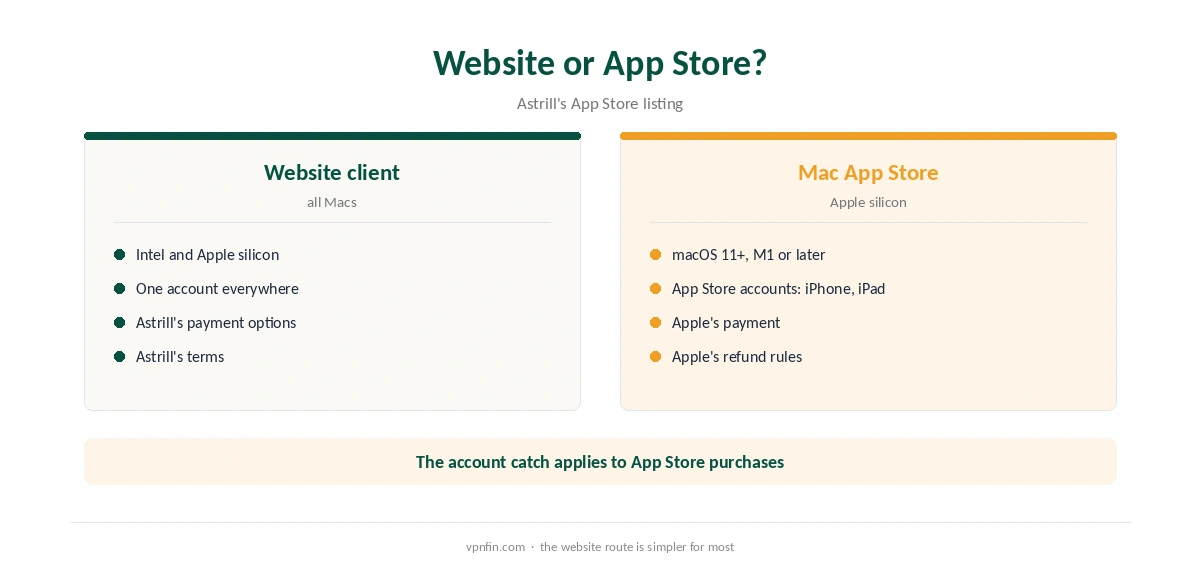
You can download the Mac client from Astrill’s website or install Astrill VPN Client from the App Store. The App Store listing names macOS 11 or later and Apple M1 or later as requirements, so Intel Macs need the website version.
The listing also warns that accounts bought through the App Store work only on iPhone and iPad. Buy on Astrill’s website if you want one account across your Mac, phone and router, as our Astrill iPhone guide explains.
Astrill Mac Setup
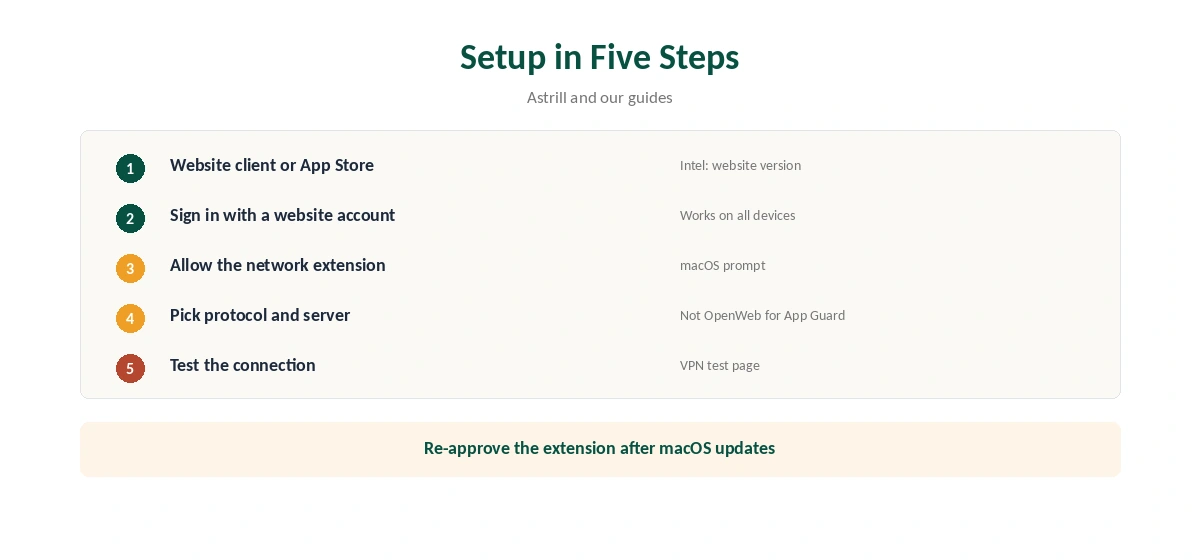
Install the client, open it and sign in with your Astrill account. Allow the VPN configuration or network extension when macOS asks. Pick a protocol and server, then connect and confirm the new address with our VPN test page.
Features to Check
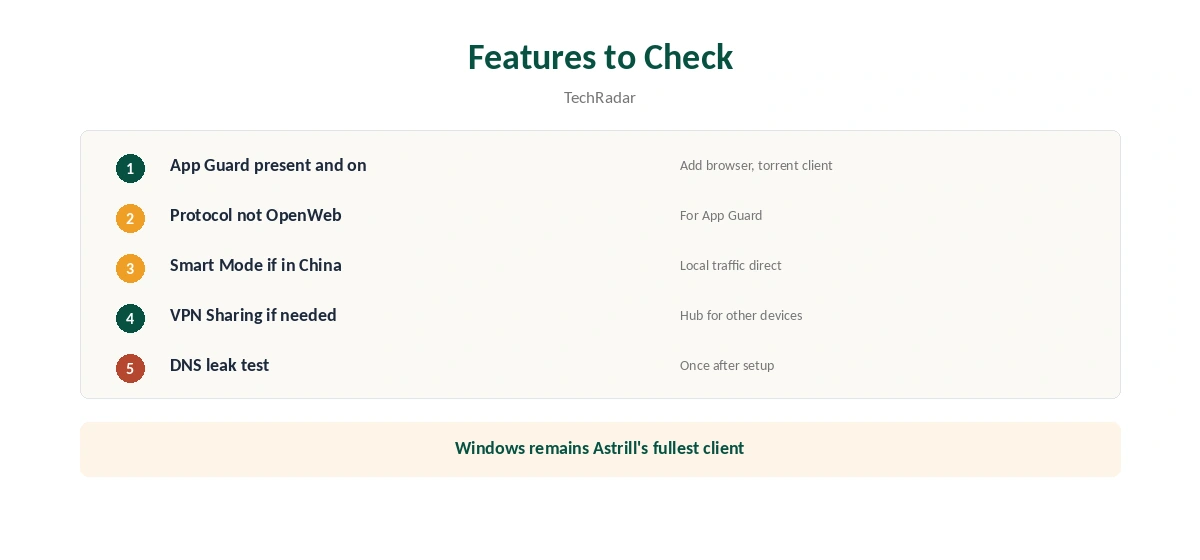
TechRadar describes App Guard, which blocks chosen apps when the VPN drops, on desktop platforms. Check that it appears in your Mac client and add your browser and torrent client. Smart Mode, which routes local traffic directly, and VPN Sharing are also part of Astrill’s desktop feature set, TechRadar notes.
If you use the OpenWeb protocol, remember TechRadar’s business review says App Guard does not work with it. Our kill switch guide explains why per-app protection matters.
Protocols
Astrill’s pricing page lists OpenVPN, StealthVPN, OpenWeb and WireGuard. StealthVPN is the one for filtered networks, where GreatFirewallGuide rated Astrill highly. Our obfuscation guide explains how disguised traffic works.
Astrill Mac Use in China
On a MacBook in China, StealthVPN and Smart Mode work together: international traffic through the VPN, local sites directly. Install and test Astrill before you travel, since its website may be hard to reach there. Our China VPN guide covers the wider picture.
Sharing a Mac’s Connection
VPN Sharing, part of Astrill’s desktop feature set according to TechRadar, can let a Mac act as a VPN hub for devices that cannot run Astrill. Check that the option appears in your Mac client before planning around it.
Intel Macs
The Mac App Store version needs Apple M1 or later, its listing says, so owners of Intel Macs should use the website download. Check Astrill’s site for the minimum macOS version it supports on Intel before buying.
A Quick Rule
Apple silicon Mac? Either route works; prefer the website for one account everywhere. Intel Mac? Website only. In China? StealthVPN with Smart Mode.
Several Devices
Sources disagree on Astrill’s device limit, with the pricing page saying unlimited in a household and reviewers reporting five, so check before installing it on every Mac in the house. Our Astrill cost guide covers the plans.
What Astrill Costs on a Mac
The price is the same on every platform: $30 for one month, $15 a month on one year and $12.50 a month on two years, according to Astrill’s pricing page, with VIP from $10 a month. Refund terms are disputed between reviewers, so treat the monthly plan as a trial before committing.
macOS Updates
After a major macOS update, the system may ask you to approve Astrill’s network extension again. Check System Settings for privacy and security prompts, then reconnect. Our Mac VPN troubleshooting guide covers other fixes.
Public Wi-Fi
On laptops that move between cafés and offices, Astrill protects every app, not just the browser. Our public Wi-Fi guide explains the risks.
Turning It Off
Disconnect in the Astrill app, then quit it. If App Guard keeps blocking apps, adjust it in settings. Our guide to turning off a VPN on a Mac covers removing profiles.
Astrill’s Record
No source we read found an independent audit of Astrill. VPN.com reports it stores the IP, connection time, device type and app version during a session and says it deletes them afterwards, while Security.org says it logs IP addresses. Astrill Systems Corp. has run the service since 2009; sources disagree on whether it is based in the Seychelles or Liechtenstein. Our VPN audit tracker explains why audits matter.
Related Guides
Our Mac VPN guide compares providers for macOS.
For rivals, see our NordVPN Mac guide and Surfshark Mac guide; the two share an owner, Nord Security.
How We Research
This page draws on Astrill’s App Store listing and pricing page, TechRadar’s Astrill and Astrill Business reviews, GreatFirewallGuide, VPN.com and Security.org. We cross-checked these sources against each other, and where they conflict or something can’t be verified, we say so in the text rather than guessing. We checked time-sensitive figures, including prices in US dollars, on 6 October 2026. Prices from Astrill’s pricing page, read 25 September 2026; no affiliate link. The main source we relied on is Astrill’s App Store listing. Our full approach lives on the About Us page.
Astrill Mac FAQ
Yes, through its website client or the Mac App Store version.
macOS 11 or later and Apple M1 or later, per the listing.
The listing says App Store accounts work only on iPhone and iPad; buy on the website instead.
TechRadar describes App Guard on desktop; check your client, and avoid OpenWeb with it.
No source we read found an independent audit.
The Verdict
Astrill Mac support works through the website client or the App Store version on Apple silicon. Buy on the website for cross-device use, keep App Guard on with a protocol other than OpenWeb, and weigh the price and missing audit.