
Disclosure: VPNFin is reader-supported. If you buy a VPN through links on this page, we may earn a commission at no extra cost to you. This never affects our ratings — here’s our full disclosure.
IPVanish for Mac is a native macOS app that shares IPVanish’s network of 3,200 to 3,400 owned servers and its unlimited device limit. Reviews describe WireGuard, OpenVPN and IKEv2 among its protocols, a kill switch in the connection settings and split tunnelling. On recent macOS versions, the first connection asks you to approve a network extension. Our tables record IPVanish among VPNs that ran without problems on macOS 15.
This guide covers setup, the macOS permission, settings worth checking, pricing and what to do if the app will not connect.
IPVanish for Mac Setup
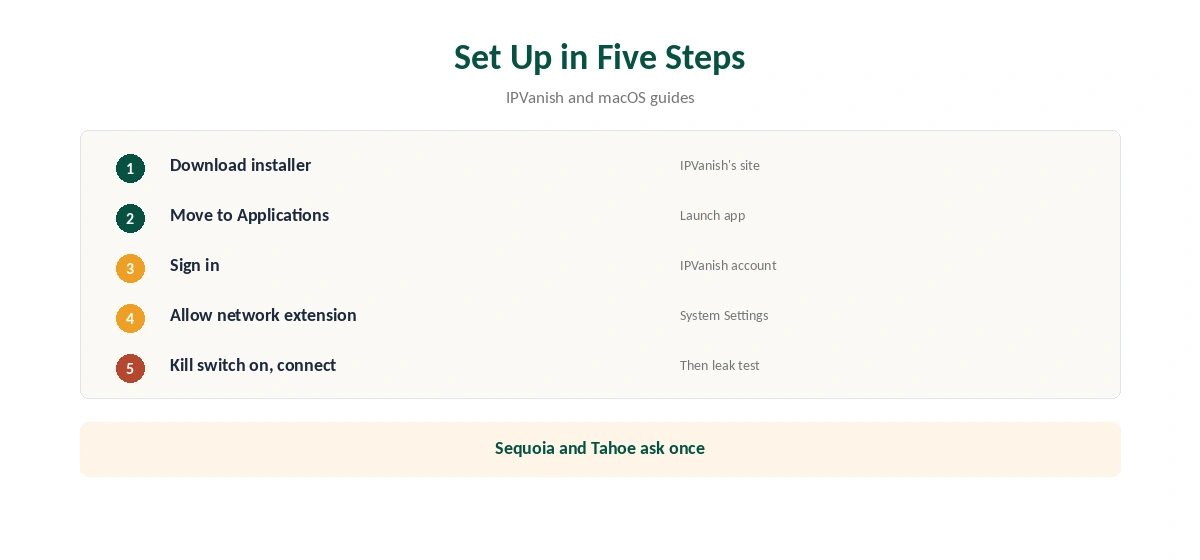
Download the app from IPVanish’s site, open the installer and move the app to Applications. Launch it, sign in with your IPVanish account and accept the prompt to add VPN configurations.
On macOS Sequoia and Tahoe, the first connection asks you to allow a network extension: open System Settings, General, Login Items and Extensions, then Network Extensions, and switch the VPN on, Bitdefender’s and Little Snitch’s guides describe. Without that step, the app cannot create the tunnel, so approve it before your first connection.
Settings Worth Checking
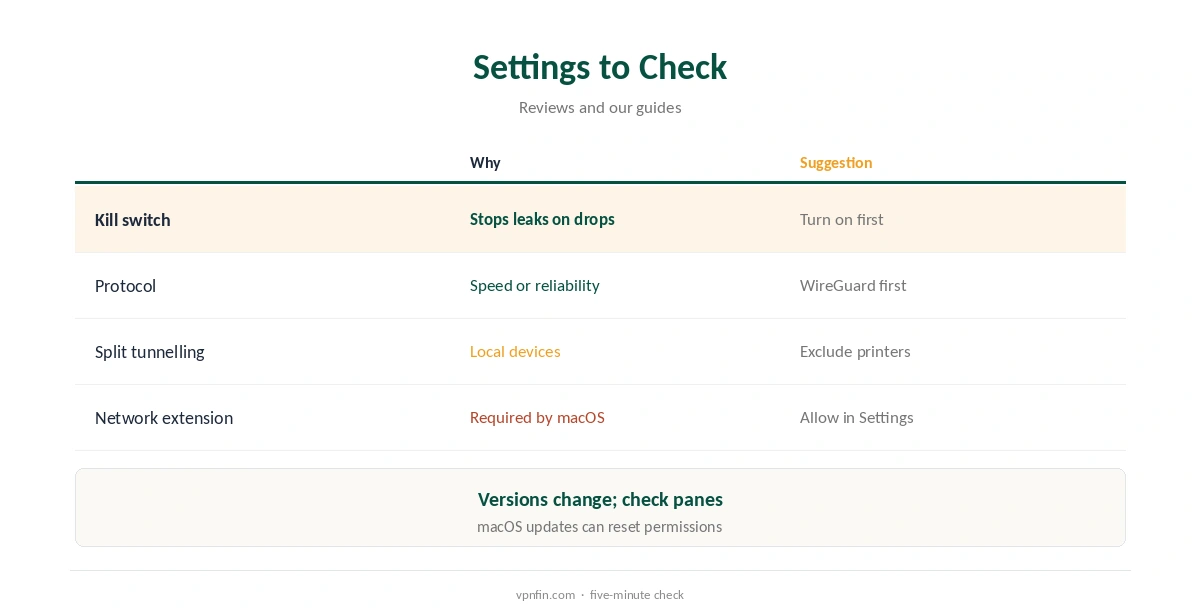
Reviews describe a kill switch in the app’s connection settings, split tunnelling in its own tab, custom DNS and trusted-network options. Because app versions change, open each settings pane after installing and confirm what your version offers.
Turn the kill switch on first, so a dropped tunnel cannot expose traffic. Then decide on split tunnelling, for example keeping a printer, a local file share or AirPlay to a nearby TV outside the VPN. Our kill switch guide explains the trade-offs.
Protocols on a Mac
WireGuard is the fast everyday choice. OpenVPN helps on networks that block WireGuard, and IKEv2 reconnects quickly when a MacBook wakes from sleep or moves between networks.
If one protocol will not connect, switch to another before reinstalling. Top10VPN measured about 93 Mbps on a 100 Mbps line on nearby IPVanish servers. Test speed on each protocol at your usual time of day, and keep the fastest. Our WireGuard vs OpenVPN guide explains the differences.
Unlimited Devices and Apple TV
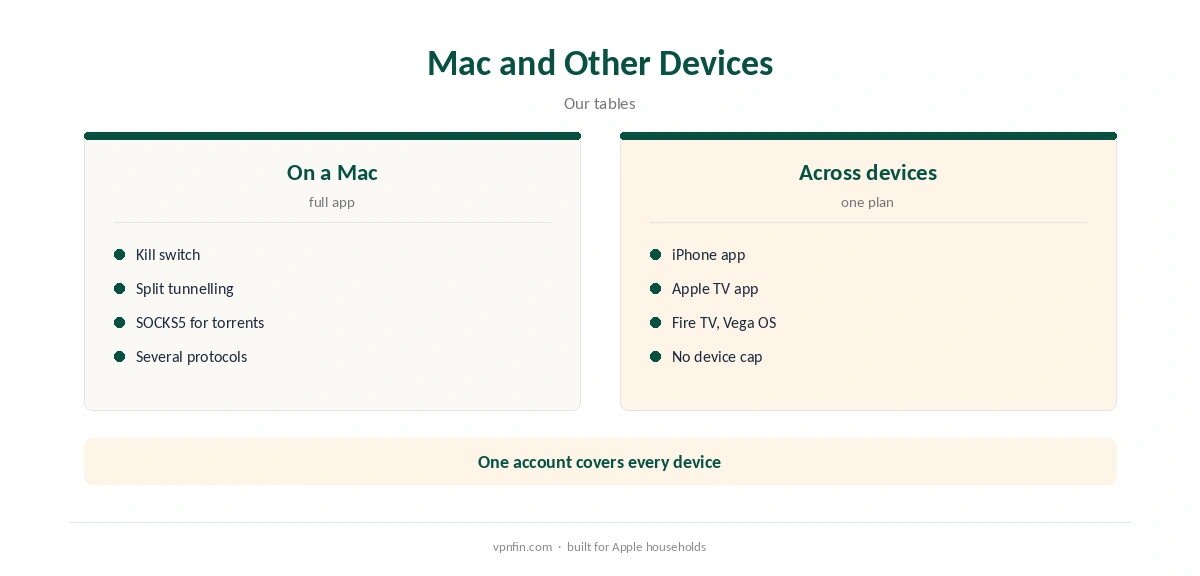
IPVanish sets no device limit, so a Mac, an iPhone and an Apple TV can all run it on one plan. It has an Apple TV app as well as Mac and iOS apps, our tables record, and Fire TV apps for both Fire OS and Vega OS, so one account reaches every screen.
That suits households with several Apple devices that would hit a 5- or 10-device cap elsewhere. It also suits families who run the VPN on Fire TV or Android devices too. Our unlimited devices guide compares providers without caps.
Torrenting on a Mac
IPVanish allows P2P on every server and offers a SOCKS5 proxy on more than 25 servers in 14 countries, VPNAlert reports. A Mac torrent client can use either the full VPN or the proxy.
With SOCKS5, VPN.ac advises disabling DHT, PEX and IPv6 in the client to prevent leaks. Our SOCKS5 VPN guide explains the set-up.
Price and Refund
VPNOverview lists $57.22 for the first 24 months and $43.54 for the first year, both renewing at $89.99 a year. The monthly plan is $12.99. Every plan covers unlimited devices, so the Mac shares the cost with your other devices. IPVanish offers a 30-day refund, and in 2026 a seven-day free trial on yearly plans.
Our IPVanish price guide breaks down every plan. To remove the app later, quit it and move it to the Bin. Then check Network Extensions for a leftover entry, as our guide to turning off a VPN on Mac explains.
Privacy and Ownership
IPVanish has two audits in our table, by Leviathan and Schellman, and owns its servers rather than renting them, Top10VPN notes. VPNpro counts 568 RAM-only servers across 19 locations.
Its parent, Ziff Davis, also owns StrongVPN, PCMag and CNET, our ownership table records. Our VPN servers guide explains why owned and RAM-only servers matter.
Streaming on a Mac
VPNOverview reached Netflix, Hulu, Prime Video, Max, Disney+ and BBC iPlayer with IPVanish in 2026, while VPNpro found its access inconsistent. Browser streaming can leak location through WebRTC, so test before relying on it.
If a service shows your home library, clear its cookies and reload, or switch to another server in the same country. Our WebRTC leak guide explains the browser check.
When the Mac App Will Not Connect
First check the network extension is still allowed in Login Items and Extensions. Then try another protocol and a nearby server, and restart the Mac.
Leftover extensions from other VPNs or firewalls can interfere, MacRumors forum users note. Remove old ones under Network Extensions, then reconnect IPVanish. Our Mac VPN troubleshooting guide covers wider fixes.
How We Research
This page draws on IPVanish reviews describing its Mac app, Bitdefender’s and Little Snitch’s macOS extension guides, VPNOverview, VPNAlert and our IPVanish and macOS tables. We cross-checked these sources against each other, and where they conflict or something can’t be verified, we say so in the text rather than guessing. We checked time-sensitive figures, including prices in US dollars, on 8 October 2026. The main source we relied on is VPNOverview’s IPVanish review. Our full approach lives on the About Us page.
IPVanish for Mac FAQ
Yes, a native macOS app.
Recent macOS versions need you to allow VPN extensions in System Settings.
Reviews describe one in its connection settings; turn it on.
Unlimited; IPVanish sets no device cap.
Our tables record it running without problems.
The Verdict
IPVanish for Mac brings unlimited devices and owned servers to macOS. Approve the network extension, turn on the kill switch and check your version’s settings.