
Disclosure: VPNFin is reader-supported. If you buy a VPN through links on this page, we may earn a commission at no extra cost to you. This never affects our ratings — here’s our full disclosure.
IPVanish Windows gives you WireGuard, OpenVPN and IKEv2, a kill switch, split tunnelling and Double Hop in one app. Security.org forced five disconnects and found the kill switch cut the connection within a second every time, and TechRepublic reported no issues with the Windows app in its testing. Tom’s Guide notes the kill switch cannot be customised. Split tunnelling on Windows works by app or domain, excluding them from the VPN.
This guide covers setup, each setting worth changing, torrenting with SOCKS5, plan tiers on a PC and troubleshooting.
IPVanish Windows Setup
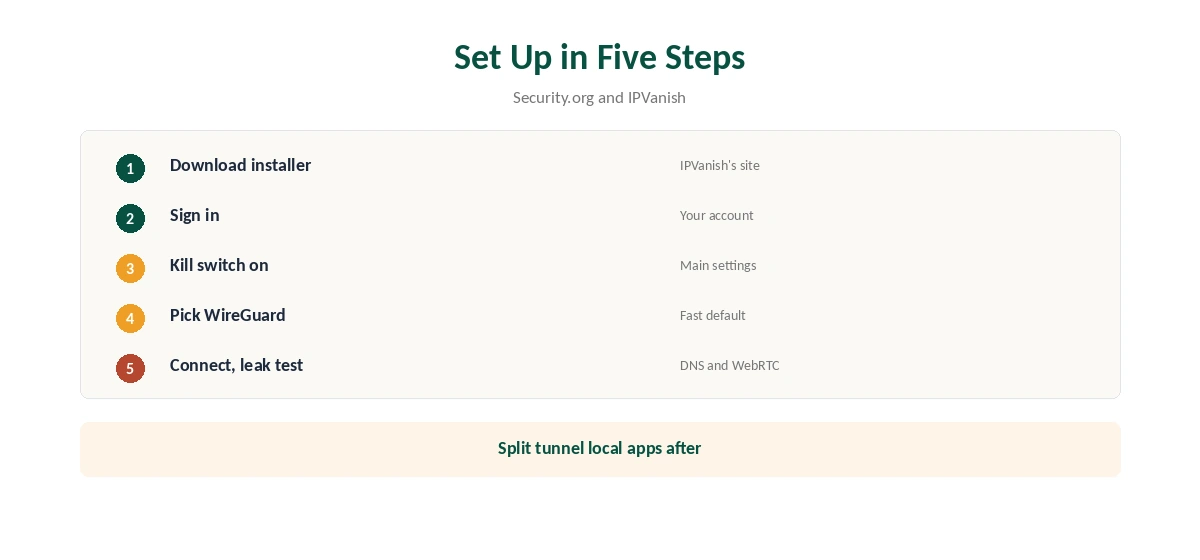
Download the Windows app from IPVanish’s site, run the installer and sign in. Choose a country or city, or let the app pick, and connect. Security.org found protocol switching, the kill switch and Double Hop all sit on the main settings screen.
Before relying on it, turn the kill switch on and pick a protocol. Our Windows VPN guide compares IPVanish’s app with other providers’ Windows clients.
The Kill Switch
Security.org’s five forced disconnects each ended with the connection cut within a second, and TechRepublic called it one of the better kill switches it had tried. Tom’s Guide describes it as ultra-strict, with no options to adjust it.
Strict is usually what you want on public Wi-Fi. If you need some apps to keep working when the tunnel drops, use split tunnelling instead of loosening the kill switch. Our kill switch guide explains the trade-off.
Split Tunnelling by App or Domain
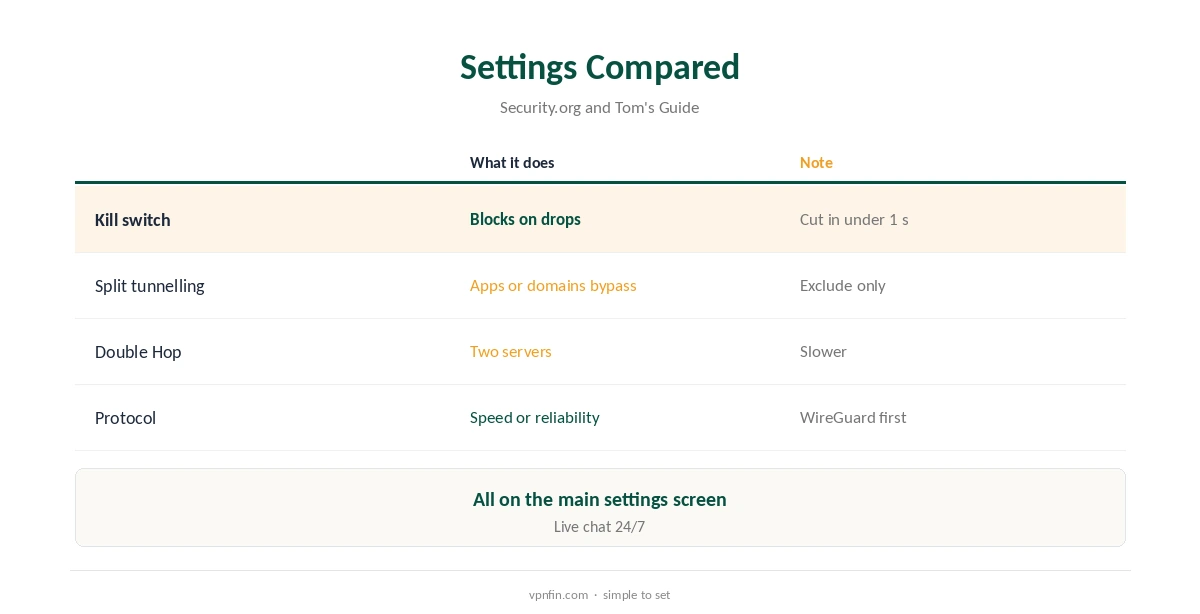
The Windows app splits traffic by app or by domain, Tom’s Guide found: add a banking site or a local game launcher, and it bypasses the VPN. It works only in exclude mode. You cannot choose a few apps to send through the VPN while the rest go direct.
Security.org routed chosen apps outside the tunnel without issue. Our split tunnelling guide explains inclusive and exclusive modes and when each helps.
Protocols and Double Hop
WireGuard is the fast default. OpenVPN helps on networks that block WireGuard, and IKEv2 reconnects quickly after sleep. Top10VPN measured about 93 Mbps on a 100 Mbps line on nearby IPVanish servers.
Double Hop routes traffic through two servers for extra privacy, at a cost in speed. Use it for sensitive work rather than streaming, and switch it off when speed matters. Our Double VPN guide explains multi-hop routing.
Torrenting on a PC
IPVanish allows P2P on every server and offers a SOCKS5 proxy on more than 25 servers in 14 countries, VPNAlert reports. VPNOverview advises keeping the kill switch on when torrenting, so a dropped tunnel cannot expose your address to peers.
With SOCKS5, VPN.ac advises disabling DHT, PEX and IPv6 in the torrent client to prevent leaks. Our SOCKS5 VPN guide explains the set-up.
Essential or Advanced on a PC
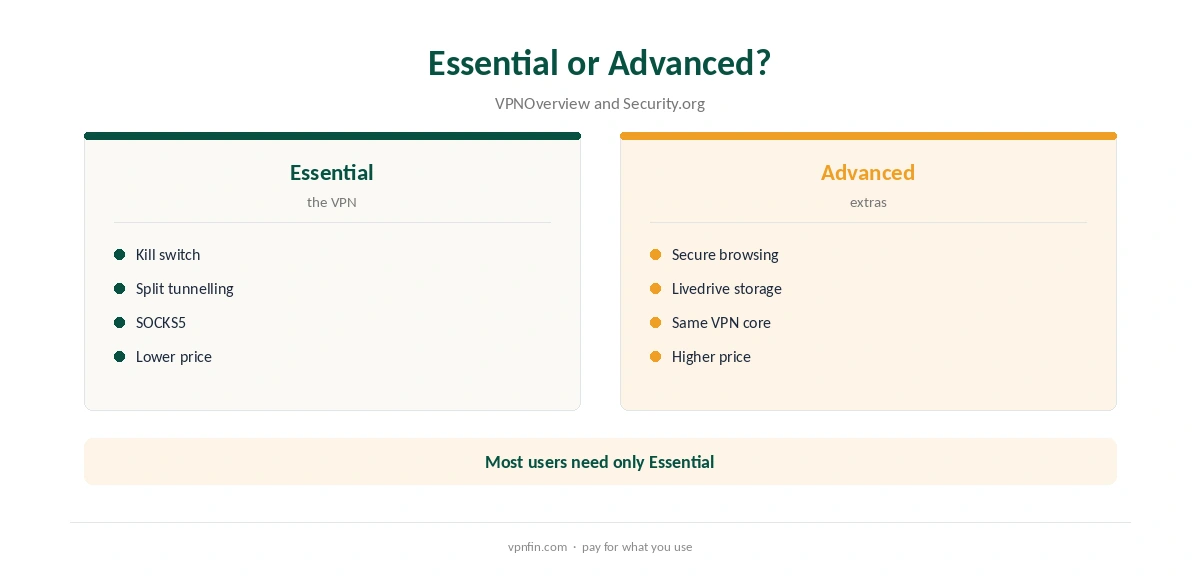
Both tiers include the kill switch and split tunnelling, VPNOverview’s comparison shows. Advanced adds a secure browsing environment and encrypted cloud storage powered by Livedrive, Security.org found.
If you already pay for cloud storage, Essential covers the VPN itself, and the money saved covers part of the renewal. Our IPVanish price guide lists both tiers’ prices and renewals.
Unlimited Devices
IPVanish sets no device limit, so a Windows desktop, a laptop and the rest of a household’s devices share one plan. That suits homes with several PCs or gaming machines, and families who also want the VPN on phones and TVs.
Plans cost $57.22 for the first 24 months and renew at $89.99 a year, VPNOverview reports, with a 30-day refund on yearly and two-year plans bought on the website.
Privacy and Ownership
IPVanish has two audits in our table, by Leviathan and Schellman, and owns its 3,200 to 3,400 servers rather than renting them, Top10VPN notes; VPNpro counts 568 RAM-only servers across 19 locations.
Its parent, Ziff Davis, also owns StrongVPN, PCMag and CNET, our ownership table records. Our VPN audit tracker explains what the audits checked.
Streaming on a PC
VPNOverview reached Netflix, Hulu, Prime Video, Max, Disney+ and BBC iPlayer with IPVanish in 2026, while VPNpro found its streaming access inconsistent. Browser streaming can leak location through WebRTC, so test before relying on it. Our guide to IPVanish not working covers the fixes that work, in order.
If a service shows your home library, clear its cookies and reload, or switch to another server in the same country. Our Netflix VPN guide explains why services block some servers.
Troubleshooting and Removal
Switch protocol first, then try a nearby server. Pause other VPN apps and firewalls that might conflict, and check for an app update. IPVanish offers live chat around the clock, TechRepublic notes. Our guide to IPVanish on Xbox covers router or Windows sharing, and the trade-offs.
Our Windows VPN troubleshooting guide covers wider fixes. To remove IPVanish, turn the kill switch off first, so Windows does not keep blocking traffic, then uninstall through Apps settings, as our guide to turning off a VPN on Windows explains.
How We Research
This page draws on Security.org’s, Tom’s Guide’s, TechRepublic’s and VPNOverview’s IPVanish reviews, Top10VPN, VPNAlert and our IPVanish tables. We cross-checked these sources against each other, and where they conflict or something can’t be verified, we say so in the text rather than guessing. We checked time-sensitive figures, including prices in US dollars, on 8 October 2026. The main source we relied on is Security.org’s IPVanish review. Our full approach lives on the About Us page.
IPVanish Windows FAQ
It has a full Windows app with WireGuard, OpenVPN and IKEv2.
It does; Security.org found it cut connections within a second.
By app or domain, in exclude mode.
Routing through two servers for extra privacy.
Unlimited; IPVanish sets no device cap.
The Verdict
IPVanish Windows pairs a fast, strict kill switch with split tunnelling and Double Hop. Turn the kill switch on, use exclude-mode split tunnelling for local apps, and pick WireGuard.