
Disclosure: VPNFin is reader-supported. If you buy a VPN through links on this page, we may earn a commission at no extra cost to you. This never affects our ratings — here’s our full disclosure.
PrivadoVPN Chrome support comes as the PrivadoVPN Web Proxy Extension, listed in the Chrome Web Store. Its description says it protects only your browser data, works in incognito mode and connects to several global locations. It is a proxy, not a full VPN: other apps on your computer stay outside it. For the whole device, PrivadoVPN’s desktop apps carry a kill switch, split tunnelling and SOCKS5.
This guide covers the setup, the permissions, how it differs from the app and the checks to run.
What the Extension Does
The listing describes an extension that hides your identity on public Wi-Fi and at home, lets you protect only browser data, and works in Chrome’s incognito mode. It mentions a 30-day free Premium trial for the extension and extra servers and threat protection on Premium.
Our VPN vs proxy guide explains why a browser proxy covers less than a VPN app.
Extension or Desktop App?
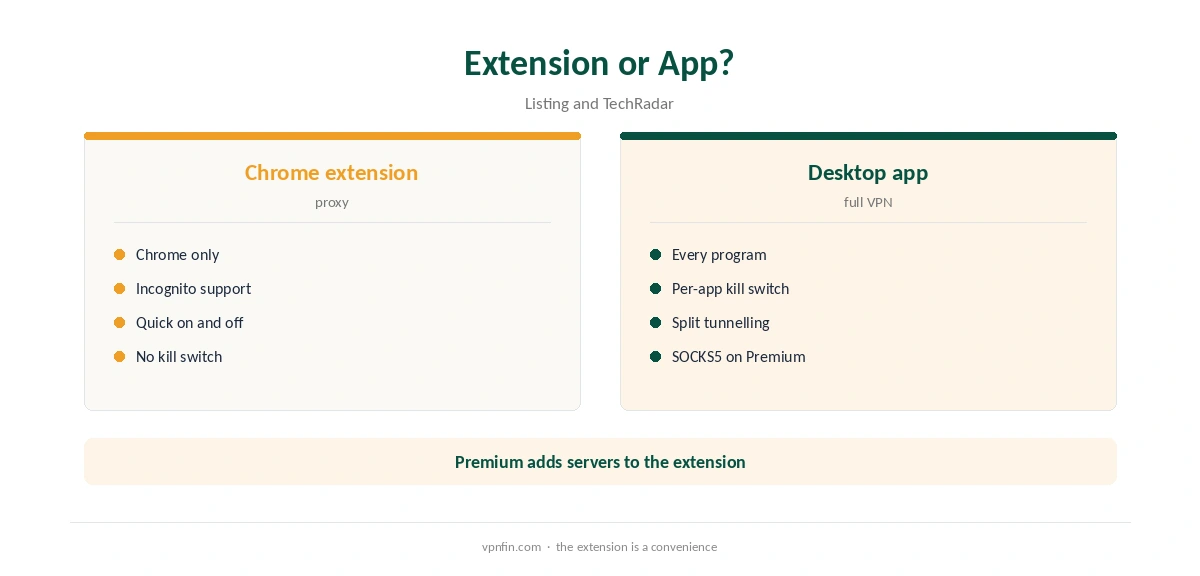
The extension covers Chrome only. The desktop app covers every program, including other browsers, email and games, and adds a per-app kill switch that passed TechRadar’s stress tests. If you only need browser privacy on café Wi-Fi, the extension may be enough. For torrenting or banking, use the app.
PrivadoVPN Chrome Setup
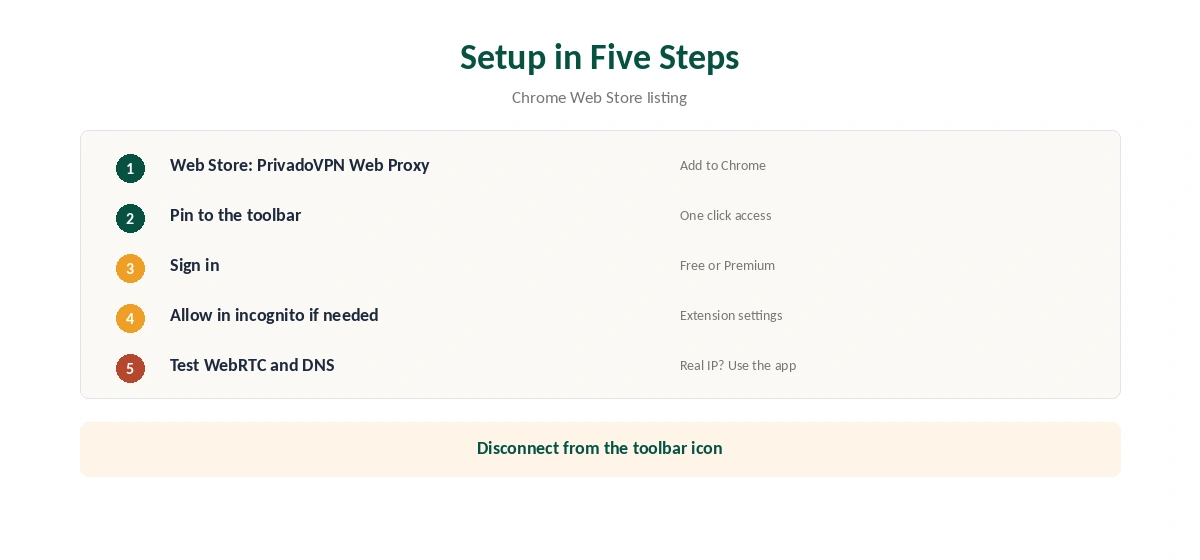
Open the Chrome Web Store, search for PrivadoVPN Web Proxy Extension, and click Add to Chrome. Pin it to the toolbar, sign in with your PrivadoVPN account, choose a location and connect. To use it in incognito, allow it in Chrome’s extension settings.
Confirm the new address with our VPN test page.
Permissions to Know About
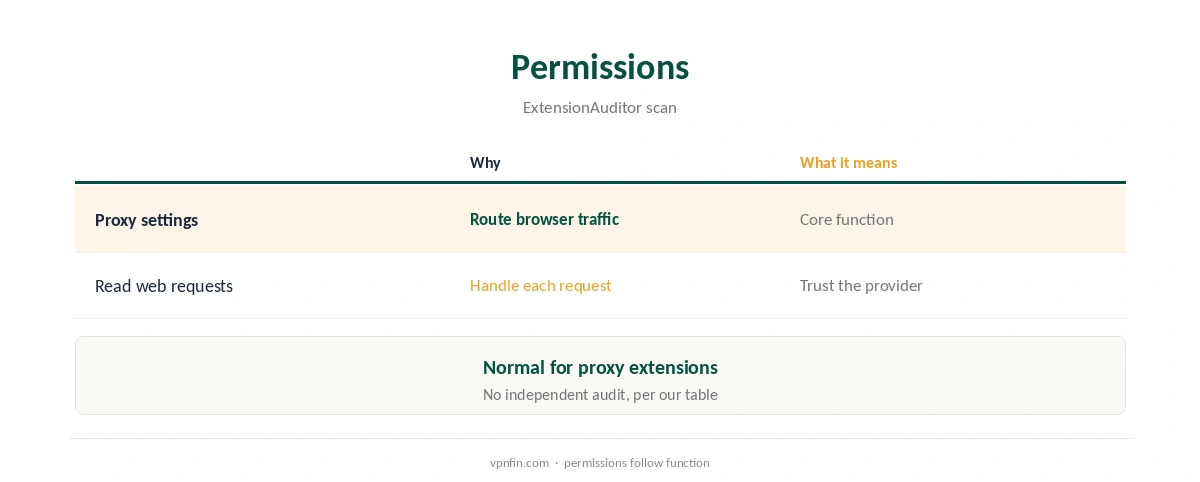
ExtensionAuditor’s scan shows the extension asks to control Chrome’s proxy settings and to read all web requests. Both are normal for a proxy extension, since it has to route your traffic. They also mean you are trusting PrivadoVPN with your browsing, so the provider’s record matters.
WebRTC and DNS
Browser proxies can leak your real address through WebRTC. Test with our WebRTC leak guide after connecting, and run our DNS leak guide. If you see your real address, switch to the desktop app.
PrivadoVPN Chrome on Public Wi-Fi
The extension suits quick browsing on café or hotel networks, where the main risk is someone on the same network watching traffic. Turn PrivadoVPN Chrome protection on before signing in to anything. Remember that email apps, updates and other browsers stay outside it. Our public Wi-Fi guide explains the risks.
Using It With the Desktop App
Do not run the extension and the desktop app at the same time. Two layers can slow browsing and confuse location checks. Pick one: the extension for Chrome only, or the app for everything. Our PrivadoVPN for PC guide covers the Windows app.
Streaming in Chrome
Browser proxies sometimes struggle with streaming sites, which check more than your IP address. If a site shows the wrong library, clear its cookies and reload, or switch to the desktop app. Our Netflix VPN guide covers the rules streaming services set.
Other Browsers
The listing describes the extension for Chrome. Chromium-based browsers such as Edge and Brave can often install Chrome Web Store extensions, but support is not promised, so test before relying on it. Firefox users need a separate extension or the desktop app.
A Quick Rule
Browsing on café Wi-Fi in Chrome only? The extension will do. Torrenting, banking or other apps? Use the desktop app. Seeing your real address in a leak test? Switch to the app straight away, since a browser proxy cannot fix WebRTC leaks on its own.
Is PrivadoVPN Chrome Protection Enough?
For a shared laptop where only the browser matters, PrivadoVPN Chrome protection covers the main risk. For a work or family computer with mail, cloud sync and other browsers, it leaves too much outside. Weigh what you actually do on the machine before choosing.
Keeping It Updated
Chrome updates extensions automatically. If the extension stops connecting, check its version on Chrome’s extensions page, sign out and back in, then restart the browser before reinstalling.
Free or Premium
PrivadoVPN’s free plan gives 10 GB a month on one device, as our PrivadoVPN free guide explains. Premium covers 10 devices, PCWorld notes, and the extension listing advertises more servers on Premium.
Privacy Record
No independent audit appears in our audit table for PrivadoVPN, which lists Iceland as its base after a 2026 move from Switzerland. Our VPN audit tracker explains why audits matter.
Turning It Off
Click the extension icon and disconnect, or remove it from Chrome’s extensions page. Our guide to turning off a VPN in Chrome covers stubborn cases.
Other Chrome Extensions
For comparison, our NordVPN Chrome guide and Surfshark Chrome guide cover two more extensions; NordVPN and Surfshark share an owner, Nord Security.
How We Research
This page draws on ExtensionAuditor’s scan of the PrivadoVPN Web Proxy Extension listing, TechRadar’s and PCWorld’s PrivadoVPN reviews, Capterra and our audit and device tables. We cross-checked these sources against each other, and where they conflict or something can’t be verified, we say so in the text rather than guessing. We checked time-sensitive figures, including prices in US dollars, on 7 October 2026. The main source we relied on is TechRadar’s PrivadoVPN review. Our full approach lives on the About Us page.
PrivadoVPN Chrome FAQ
It does: the PrivadoVPN Web Proxy Extension in the Chrome Web Store.
It works as a proxy for Chrome only; the desktop app protects the whole device.
The listing says so, once you allow it in Chrome’s extension settings.
Control of Chrome’s proxy settings and access to web requests, which proxies need.
Our audit table records no independent audit.
The Verdict
PrivadoVPN Chrome support suits quick browser privacy, including incognito. Test for WebRTC leaks, and use the desktop app when you need the whole computer covered.