
Disclosure: VPNFin is reader-supported. If you buy a VPN through links on this page, we may earn a commission at no extra cost to you. This never affects our ratings — here’s our full disclosure.
A Surfshark uninstall has a twist on a Mac: the steps depend on where you got the app. Surfshark’s support article gives one route for the App Store version and another for the DMG installer. On Windows, a Surfshark One bundle may also have added a separate antivirus app that stays behind.
This guide covers switching Surfshark off, removing it from each device and clearing what remains. Removing the app never stops the payment, so start with the subscription if you want to leave.
Turn Off, Uninstall or Cancel?
Turning Surfshark off means disconnecting on one device. Uninstalling removes the app from that device. Cancelling stops the next payment, and you do it in your Surfshark account or the store you paid through. Our guide to cancelling Surfshark covers that step.
How to Turn Surfshark Off Without Removing It
Before any Surfshark uninstall, open the app and disconnect. If Surfshark reconnects by itself, an auto-connect setting is on, so switch it off in the app’s settings. The kill switch matters here as well: with it on, a half-closed tunnel can keep the internet blocked, as NAT Checker notes. Our kill switch guide explains why.
Device-specific steps sit in our guides for Windows, Mac and iPhone.
Surfshark Uninstall on a Mac: Two Routes
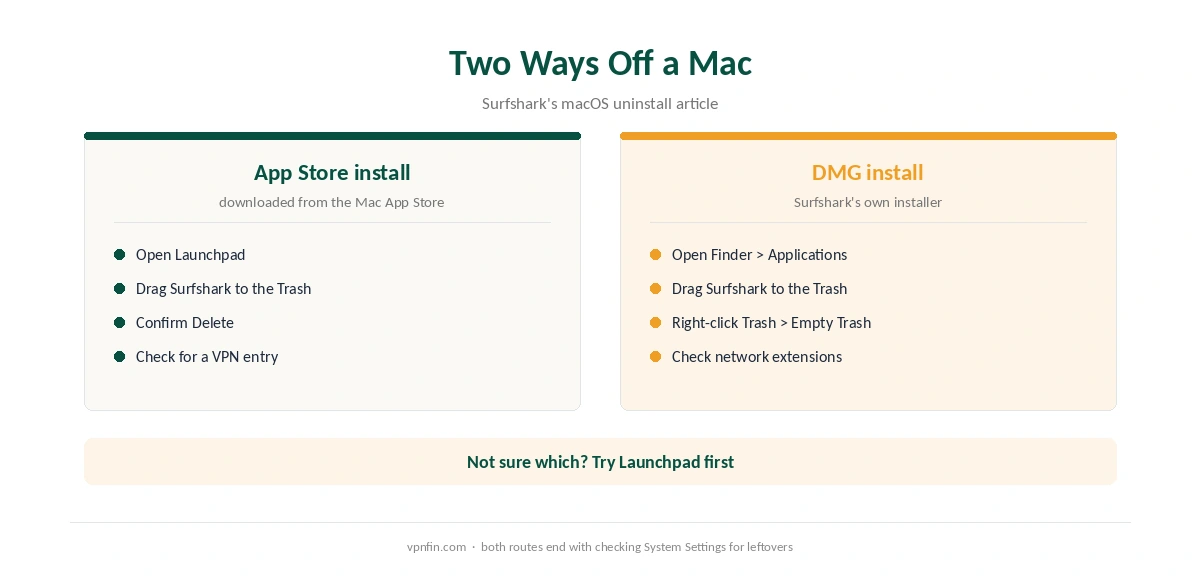
Surfshark’s support article splits the Mac removal by install method. If you installed from the App Store, open Launchpad, drag Surfshark to the Trash and confirm Delete.
If you used Surfshark’s DMG installer, open Finder, then Applications. Drag Surfshark to the Trash, then right-click the Trash and choose Empty Trash. Afterwards, check System Settings for a leftover VPN entry or network extension. Our Surfshark Mac guide covers the app’s settings.
Surfshark Uninstall on Windows, Phones and TVs
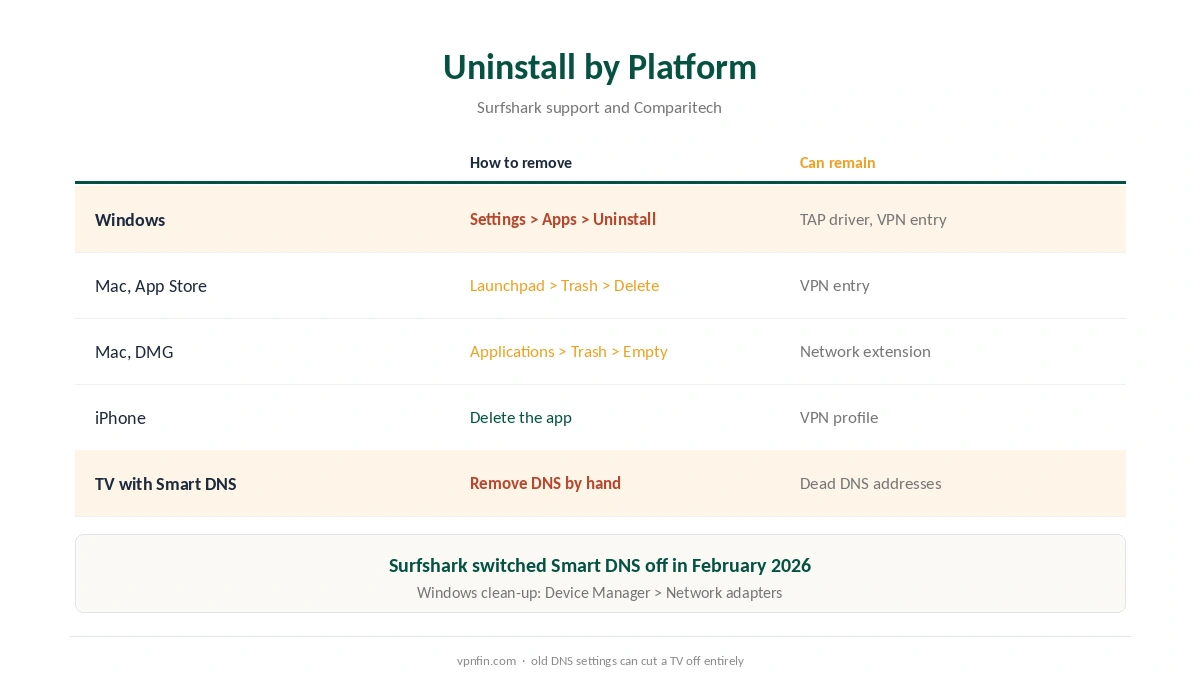
A Surfshark uninstall on Windows starts in Settings, Apps, where you find Surfshark and choose Uninstall. Comparitech adds two clean-up steps: remove the Surfshark VPN connection under Network and Internet, and remove the TAP driver in Device Manager, under Network adapters.
Phones follow the usual routes. Delete the app, then check that no VPN profile remains, under General, VPN and Device Management on an iPhone. On Android TV and Fire TV, uninstall from the Applications menu. Our Android guide shows the menus.
Surfshark Antivirus Stays Behind
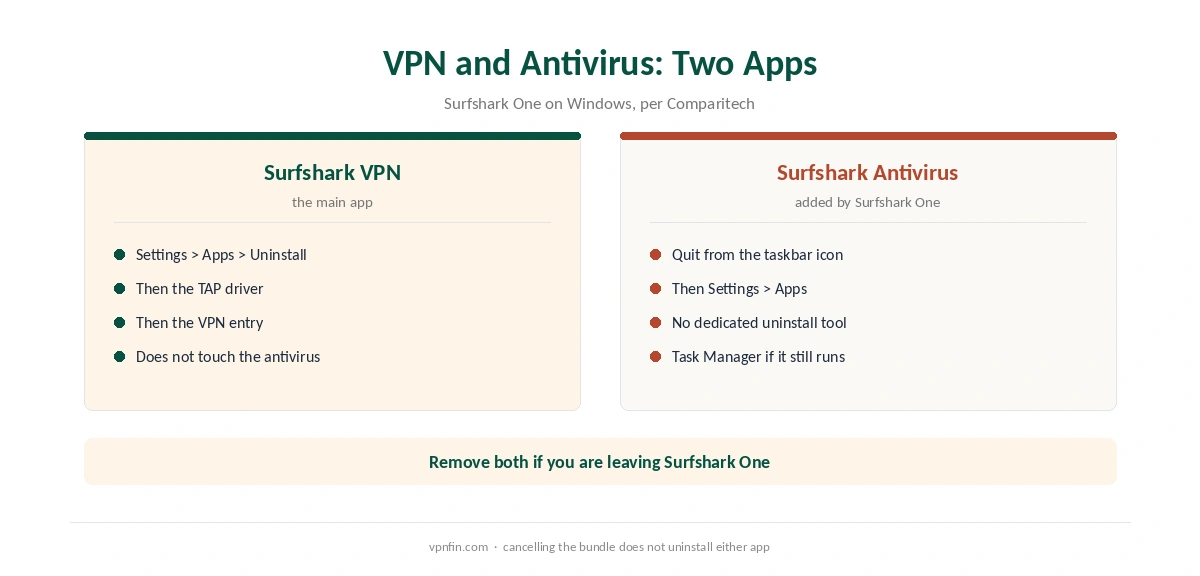
Surfshark One adds an antivirus for Windows, and it is a separate program. Removing the VPN does not remove it. Comparitech’s guide says to quit it first from its taskbar icon, then uninstall it from the apps list. It also notes there is no dedicated uninstall tool.
If Windows says the antivirus is still running, end its processes in Task Manager and try again. Our VPN vs antivirus page explains why the two do different jobs.
If You Removed Surfshark to Fix a Problem
Surfshark’s own troubleshooting includes a reinstall, but it is rarely the first fix. For drops, start with our Surfshark disconnection guide. For slow speeds, see our Surfshark speed guide, and for a VPN that never connects, our Surfshark not connecting guide.
If you used Smart DNS on a TV, remember that Surfshark switched that service off in February 2026. Remove the DNS addresses by hand, or the TV may lose the internet. Our Surfshark smart TV guide covers the details.
Removing Surfshark From Phones
On iPhone and Android, deleting the app removes Surfshark and its VPN profile. Check the VPN section of the phone’s settings afterwards to confirm nothing remains. If a Surfshark profile is still listed, remove it there.
Deleting the app does not cancel the subscription. That is a separate step, covered in our Surfshark cancellation guide.
Cleaning Up on Windows
Comparitech notes that, after uninstalling on Windows, you may need to remove the VPN connection and the TAP driver as well. Check the network adapters list for a leftover virtual adapter. Remove it, then restart the computer.
Surfshark Antivirus
Surfshark Antivirus is a separate program on Windows, Comparitech explains. Uninstalling the VPN does not remove it, and removing the antivirus does not remove the VPN. Quit it from the tray icon and uninstall it separately if you no longer use it.
How We Research
This page draws on Surfshark’s macOS uninstall and reinstall articles, its troubleshooting articles, and Comparitech’s guides to removing Surfshark and Surfshark Antivirus. We cross-checked these sources against each other, and where they conflict or something can’t be verified, we say so in the text rather than guessing. We read every source on 5 October 2026. The main source we relied on is Surfshark’s macOS uninstall article. Our full approach lives on the About Us page.
How to Turn Off Surfshark FAQ
No. Turn off auto-renewal in your Surfshark account, or in the store you paid through. The plan renews even with every app removed.
It depends on the install. App Store version: drag it from Launchpad to the Trash and confirm Delete. DMG version: drag it from Applications to the Trash, then empty the Trash.
No. The antivirus in Surfshark One is a separate Windows program. Quit it from the taskbar, then uninstall it on its own.
If you no longer use Surfshark, yes. Open Device Manager, Network adapters, right-click the Surfshark adapter and choose Uninstall.
If you set up Surfshark’s Smart DNS, the TV still points to it. Surfshark switched Smart DNS off in February 2026, so remove those DNS addresses by hand.
The Verdict
A clean Surfshark exit means cancelling the plan, removing the VPN app on each device and, on Windows, removing Surfshark Antivirus separately. Mac users should check how they installed the app first, since the steps differ.