
Disclosure: VPNFin is reader-supported. If you buy a VPN through links on this page, we may earn a commission at no extra cost to you. This never affects our ratings — here’s our full disclosure.
Surfshark not connecting? One cause is specific to Surfshark: it doesn’t support IPv6, and its support page says having IPv6 enabled can interfere with the connection. Its official checklist also includes testing every protocol, adding Surfshark as an antivirus exception, removing other VPN apps and reinstalling. And if you once set up Surfshark’s Smart DNS on a TV, that service ended on 2 February 2026, so the old setting can leave the TV offline.
This page walks through Surfshark’s own steps first, then the fixes by device.
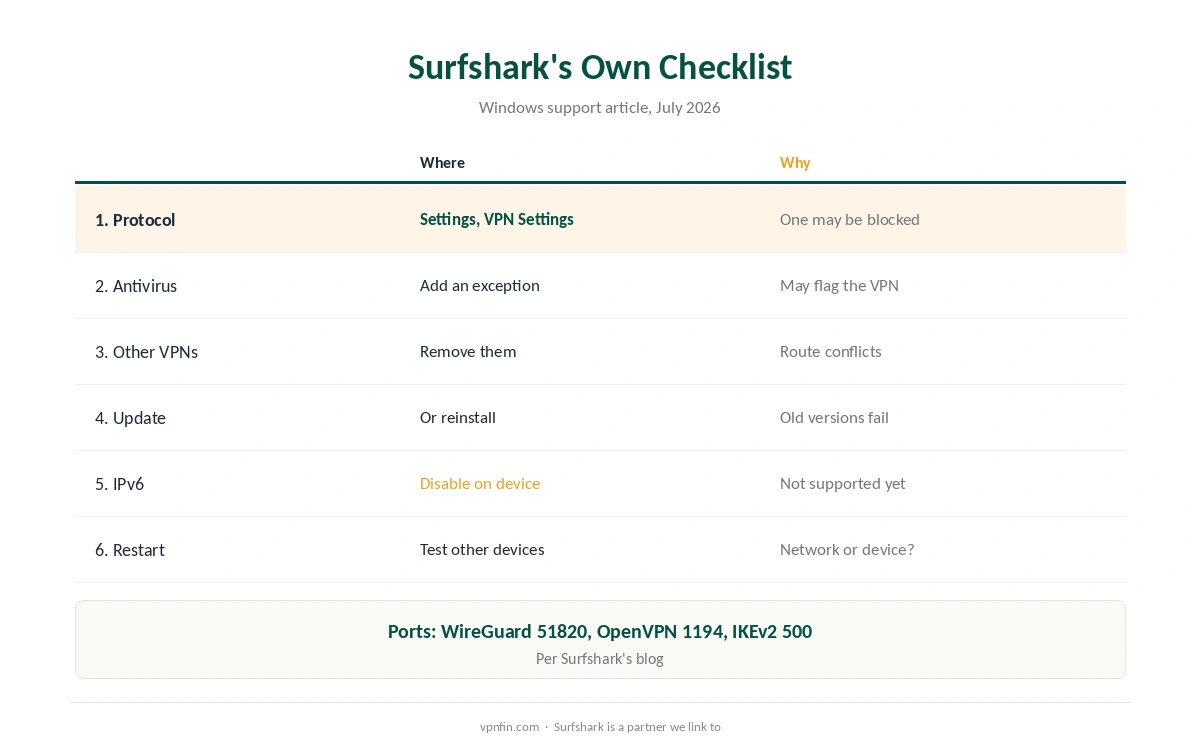
Surfshark Not Connecting: Surfshark’s Own Checklist
| Step | Where | Why |
|---|---|---|
| 1 | Settings, VPN Settings, Protocol: try each | A network may block one protocol |
| 2 | Antivirus: add Surfshark as an exception | Security tools may flag VPN changes |
| 3 | Remove other VPN apps | Two VPNs fight over the same routes |
| 4 | Update or reinstall Surfshark | Old versions fail after OS updates |
| 5 | Disable IPv6 on the device | Surfshark doesn’t support IPv6 yet |
| 6 | Restart and test other devices on the same network | Shows whether the network is the issue |
The protocols to test on Windows are WireGuard, OpenVPN UDP and OpenVPN TCP, Surfshark’s support page lists. Its blog adds the ports each uses: 51820 for WireGuard, 1194 for OpenVPN and 500 for IKEv2.
Try a different server before anything drastic when Surfshark is not connecting. The one you picked may be under maintenance, Surfshark notes.
Why IPv6 and Smart DNS Matter
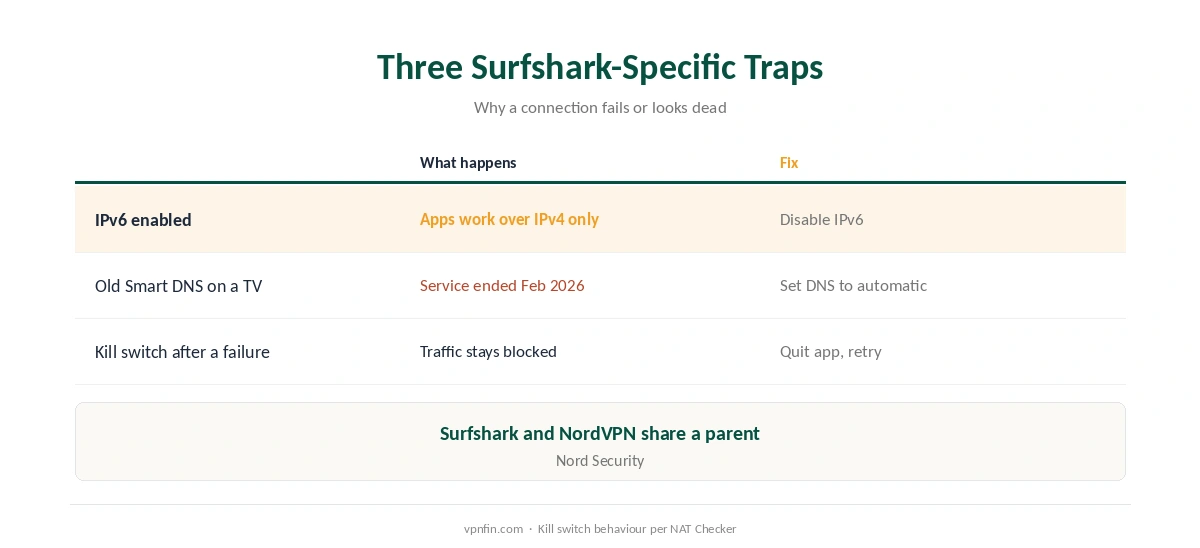
IPv6 is the Surfshark-specific trap behind many cases of Surfshark not connecting. Many networks now run IPv6 alongside IPv4, and Surfshark’s apps work over IPv4 only, so disabling IPv6 on the device can clear connection errors, its blog explains.
Smart DNS is gone. Surfshark stopped supporting it on 2 February 2026, and if it is still configured on a TV, you must remove it manually or the TV may not connect at all, Surfshark’s support page warns. Our Surfshark smart TV guide covers the alternatives.
A failed attempt can look like no internet. With the kill switch on, a tunnel that never forms keeps traffic blocked, NAT Checker notes. Disconnect in the app, fully quit it, then retry. Our kill switch guide explains why.
Surfshark Not Connecting on Other Devices
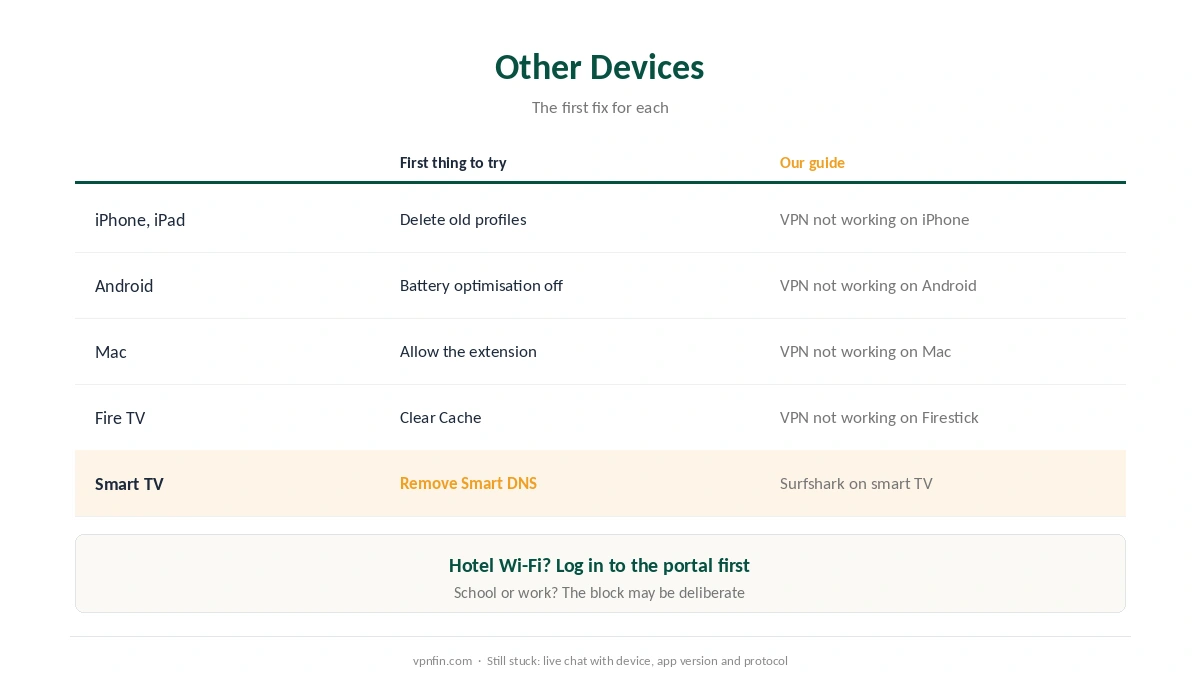
| Device | First thing to try | Our guide |
|---|---|---|
| iPhone, iPad | Delete old VPN profiles, reinstall | VPN not working on iPhone |
| Android | Battery optimisation off; Private DNS Automatic | VPN not working on Android |
| Mac | Allow the network extension | VPN not working on Mac |
| Fire TV | Clear Cache; Vega app has core features | VPN not working on Firestick |
| Smart TV | Remove old Smart DNS settings | Surfshark on smart TV |
Phones: our iPhone fix guide and our Android fix guide cover the system settings that block VPNs.
Mac and TV: our Mac fix guide covers the network extension, and our Firestick fix guide the Vega OS app, which Surfshark launched with core features only in May 2026.
When the Network Is the Problem
Networks can impose their own limits, Surfshark’s support page cautions. Hotel Wi-Fi often needs a login page first, as our hotel Wi-Fi guide explains, and school or work networks may block VPNs deliberately, as our school and work guide explains.
Still stuck? Contact Surfshark’s live chat with your device, app version, protocol and the error. Our Surfshark review covers the service; Surfshark and NordVPN share a parent, Nord Security, and our NordVPN fix guide covers its sibling.
How We Research
The checklist, protocols, IPv6 advice and network caveat come from Surfshark’s support articles on connection problems on Windows, updated in July 2026. Ports and the IPv6 explanation come from Surfshark’s blog; the Smart DNS retirement from its support page of February 2026; kill switch behaviour from NAT Checker, which uses affiliate links. We read all sources on 28 September 2026. Surfshark is a partner we link to. Our full approach lives on the About Us page.
Surfshark Not Connecting FAQ
Common causes are a blocked protocol, antivirus software, another VPN app, an outdated app, or IPv6, which Surfshark doesn’t support.
Yes, if you can’t connect. Surfshark’s support page says IPv6 can interfere, since its apps don’t support it yet.
Test each in Settings, VPN Settings, Protocol: WireGuard, OpenVPN UDP and OpenVPN TCP. Keep the one that works on your network.
Surfshark retired Smart DNS on 2 February 2026. Remove the old DNS setting from the TV and set DNS back to automatic.
Try another server and protocol, then see our connected-but-no-internet guide for DNS fixes.
The Verdict
Surfshark not connecting often comes down to its own checklist: test each protocol, clear security conflicts, reinstall, and disable IPv6.
If a TV still uses the retired Smart DNS, remove it. Then check the network itself before contacting support.