
Disclosure: VPNFin is reader-supported. If you buy a VPN through links on this page, we may earn a commission at no extra cost to you. This never affects our ratings — here’s our full disclosure.
Astrill iOS support comes through the Astrill VPN Client in the App Store, which needs iOS 9 or later and lists an Always On mode and Smart Mode, which keeps local websites outside the VPN. One catch matters before you pay: the listing warns that accounts bought through the App Store work only on iPhone and iPad. Astrill is known for China, where GreatFirewallGuide rated it highly, but it has no independent audit. Our page on Astrill on Mac covers the website client, the Mac App Store version and App Guard.
This guide covers the setup, the features, the purchase catch, the price and the privacy record.
Astrill iOS Setup
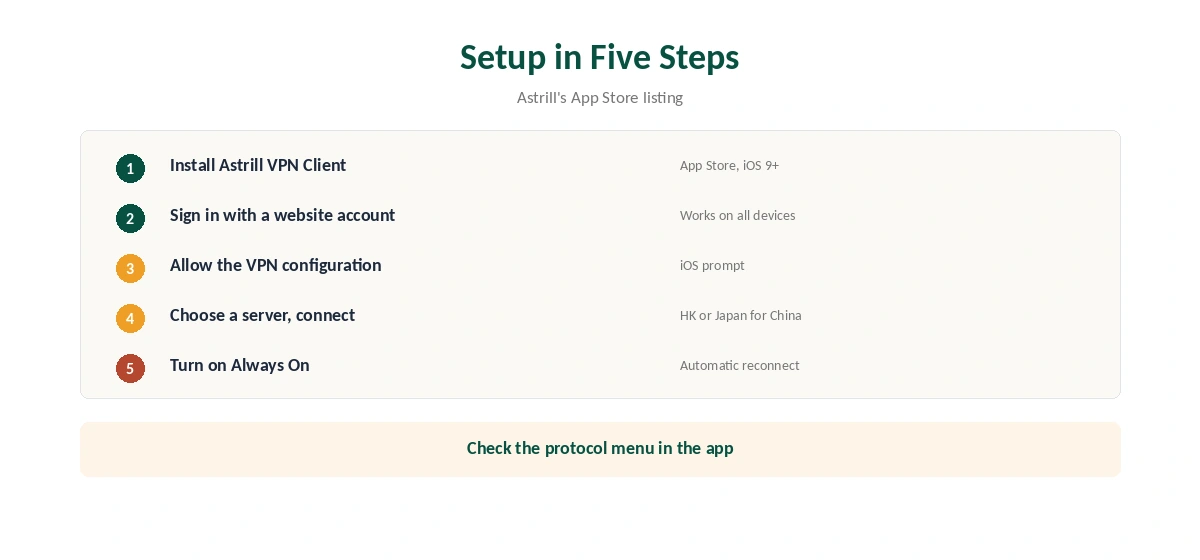
Install Astrill VPN Client from the App Store and sign in with your Astrill account, or buy through the app. Allow the VPN configuration when iOS asks. Choose a server and connect, then confirm the new address with our VPN test page.
Turn on Always On in the app so the iPhone reconnects automatically whenever it uses the internet.
Features in the App Store Listing
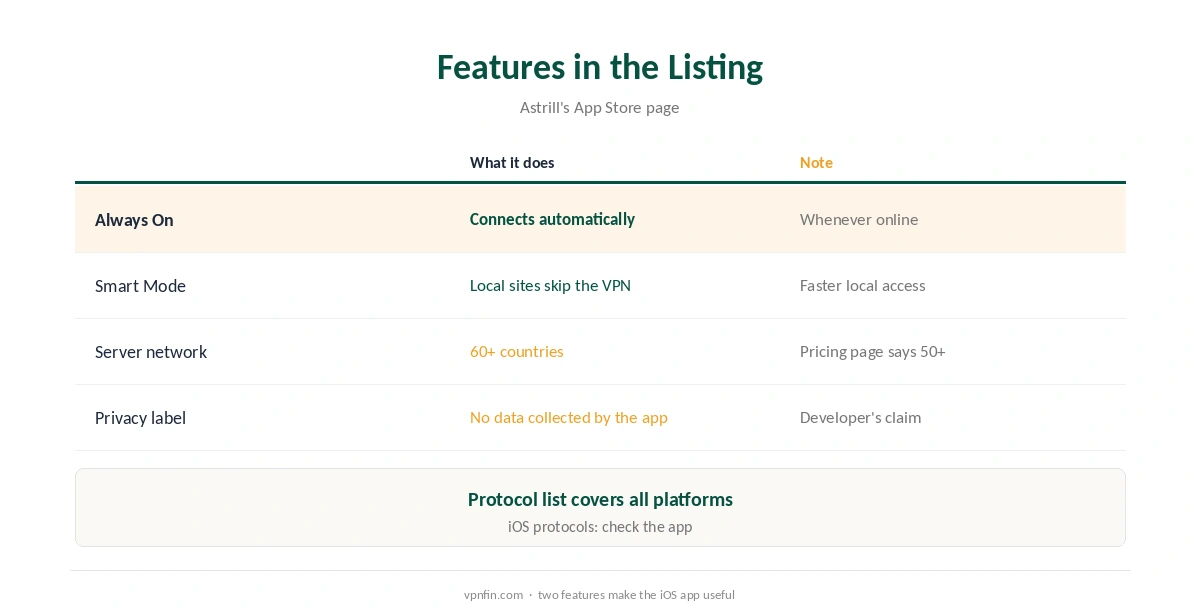
The listing describes Always On, which connects automatically whenever the device uses the internet, and Smart Mode, which excludes local websites from the VPN to speed up access. It says Astrill runs its own servers in more than 60 countries; Astrill’s pricing page says more than 50, so the figure varies by page.
The listing also names the protocols Astrill supports across platforms, including OpenVPN, WireGuard, StealthVPN, OpenWeb and IKEv2, without saying which appear on iOS. Check the protocol menu in the app.
The App Store Purchase Catch
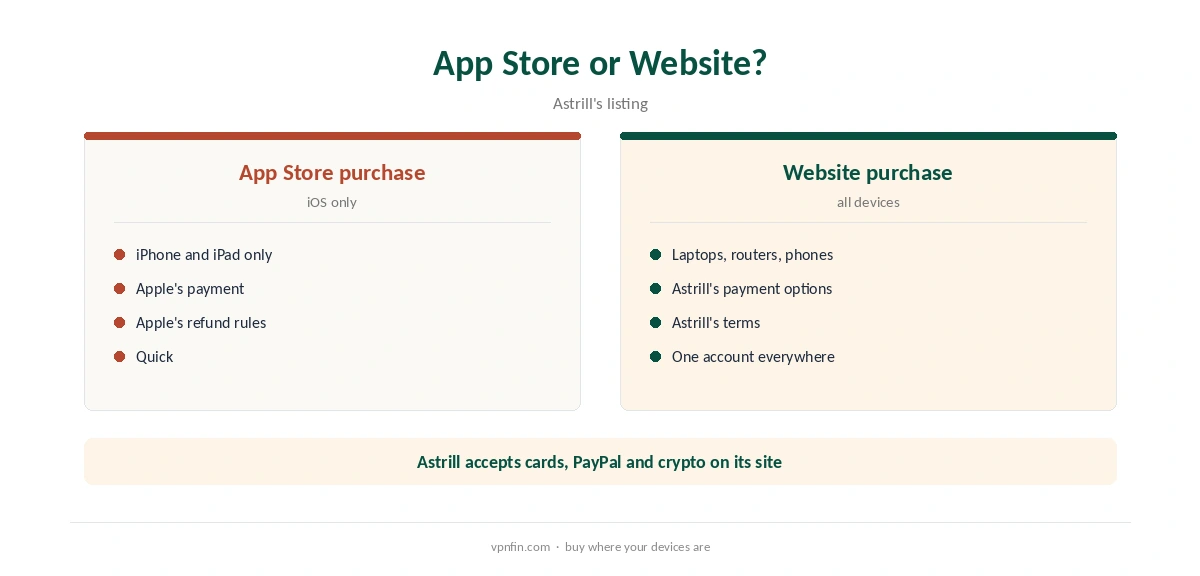
Astrill’s listing warns that accounts purchased in the App Store work only on iPhone and iPad. If you want Astrill on a laptop or router too, buy on Astrill’s website and sign in on the phone. Buying directly also keeps refunds under Astrill’s own terms rather than Apple’s.
Astrill iOS on iPad
The same client runs on iPad, the listing shows, and App Store accounts cover both iPhone and iPad. Settings carry the same names on both devices.
Leak Tests
VPN.com mentions one review that reported an IP leak with WireGuard, while PrivacyJournal found no leaks. Test your own setup after connecting, with our DNS leak guide and IPv6 leak guide, and switch protocol if you see your real address.
Astrill for China
GreatFirewallGuide rated Astrill’s bypass confidence at 98% on China Telecom’s CN2 GIA network and 96% on China Unicom, while China Mobile throttled UDP at peak hours, when TCP helped. It suggests Hong Kong or Japan servers. Install the app before you travel, since the App Store and Astrill’s site may be hard to reach inside China. Our China VPN guide covers the wider picture.
Privacy Record
No source we read found an independent audit of Astrill. VPN.com reports Astrill stores the IP, connection time, device type and app version during a session and says it deletes them afterwards, while Security.org says it logs IP addresses. The App Store’s privacy label says the developer collects no data from the app itself.
Astrill Systems Corp. has run the service since 2009; sources disagree on whether it is based in the Seychelles or Liechtenstein. Our VPN audit tracker explains why audits matter.
What Astrill Costs
Astrill’s pricing page, read on 25 September 2026, lists $30 for one month, $15 a month on a one-year plan billed $180, and $12.50 a month on two years billed $300, with a VIP add-on from $10 a month. Refund terms are disputed between reviewers, from none to seven days, so read the terms before buying.
The VIP Add-On
Astrill’s pricing page offers a VIP add-on from $10 a month, with 100 GB of VIP traffic and multi-hop routing. It targets users in heavily filtered countries who want extra routing options; most iPhone users will not need it.
Turning Astrill Off
Switch the connection off in the app, or disable the VPN profile in iOS settings. With Always On enabled, turn that off first, or the iPhone reconnects. Our guide to turning off a VPN on iPhone covers removing profiles.
Public Wi-Fi and Travel
On hotel and airport networks, Always On keeps the iPhone protected without remembering to connect. Our public Wi-Fi guide explains the risks, and our obfuscation guide explains how StealthVPN-style protocols disguise traffic.
Is Astrill iOS Worth the Price?
Astrill iOS use makes most sense for people in or travelling to China, where its ratings stand out. Elsewhere, the high price and missing audit weigh more, and cheaper audited providers cover everyday iPhone privacy.
Related Guides
Our iPhone VPN guide compares providers for Apple phones.
For rivals, see our NordVPN vs Astrill and ExpressVPN vs Astrill pages.
Our NordVPN iPhone guide covers an app with obfuscated servers for comparison.
How We Research
This page draws on Astrill’s App Store listing, its pricing page, GreatFirewallGuide, VPN.com, Security.org and other reviews summarised in our Astrill review. We cross-checked these sources against each other, and where they conflict or something can’t be verified, we say so in the text rather than guessing. We checked time-sensitive figures, including prices in US dollars, on 6 October 2026. Prices from Astrill’s pricing page, read 25 September 2026. The main source we relied on is Astrill’s App Store listing. Our full approach lives on the About Us page.
Astrill iOS FAQ
Yes, Astrill VPN Client in the App Store, for iOS 9 and later.
No. The listing says App Store accounts work only on iPhone and iPad.
It keeps local websites outside the VPN to speed up access.
GreatFirewallGuide rated it highly; install before you travel.
No source we read found an independent audit.
The Verdict
Astrill iOS support is solid, with Always On and Smart Mode, and Astrill remains a strong pick for China. Buy on the website if you want it beyond the iPhone, and weigh the high price and missing audit.