
Disclosure: VPNFin is reader-supported. If you buy a VPN through links on this page, we may earn a commission at no extra cost to you. This never affects our ratings — here’s our full disclosure.
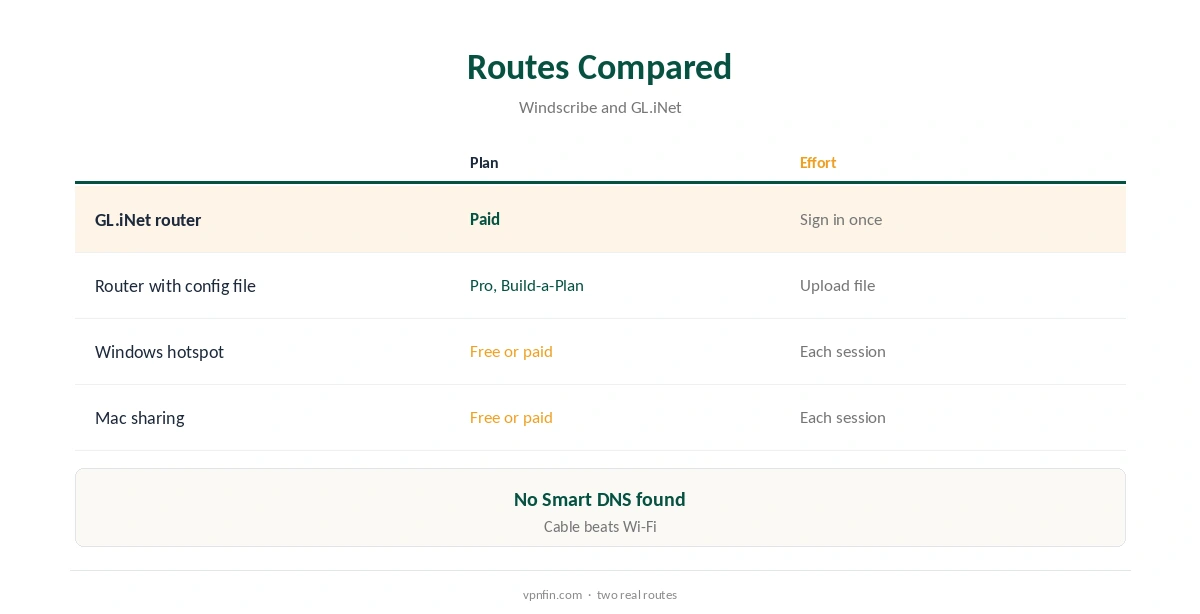
Windscribe PS4 use needs a workaround, since the PS4 cannot install VPN apps and Windscribe has no app for it. Two routes encrypt the console’s traffic. One is a router running Windscribe, which needs a paid plan or a GL.iNet router. The other is a connection shared from a Windows or Mac computer running Windscribe, which also works on the free plan. Expect some extra ping and possible NAT changes.
This guide covers both routes, the PS4’s network settings, gaming trade-offs, the free plan and how to check it works.
Why the PS4 Needs a Workaround
Consoles such as the PS4 have no VPN client, so every route sends their traffic through another device running Windscribe. Windscribe sets no device limit, so that router or computer costs nothing extra on your plan.
We found no Windscribe Smart DNS service for consoles, so there is no DNS-only shortcut either. Our PlayStation VPN guide compares how other providers handle consoles.
Windscribe PS4 via a Router
Pro and Build-a-Plan accounts can generate WireGuard or OpenVPN files for any router with a VPN client. GL.iNet routers support Windscribe directly, GL.iNet’s documentation lists. Free accounts cannot generate router files.
Connect the PS4 to that router by cable for the steadiest connection. A small travel router can serve the console alone if you want the rest of the home direct. Our Windscribe router guide walks through it.
Sharing From a Computer
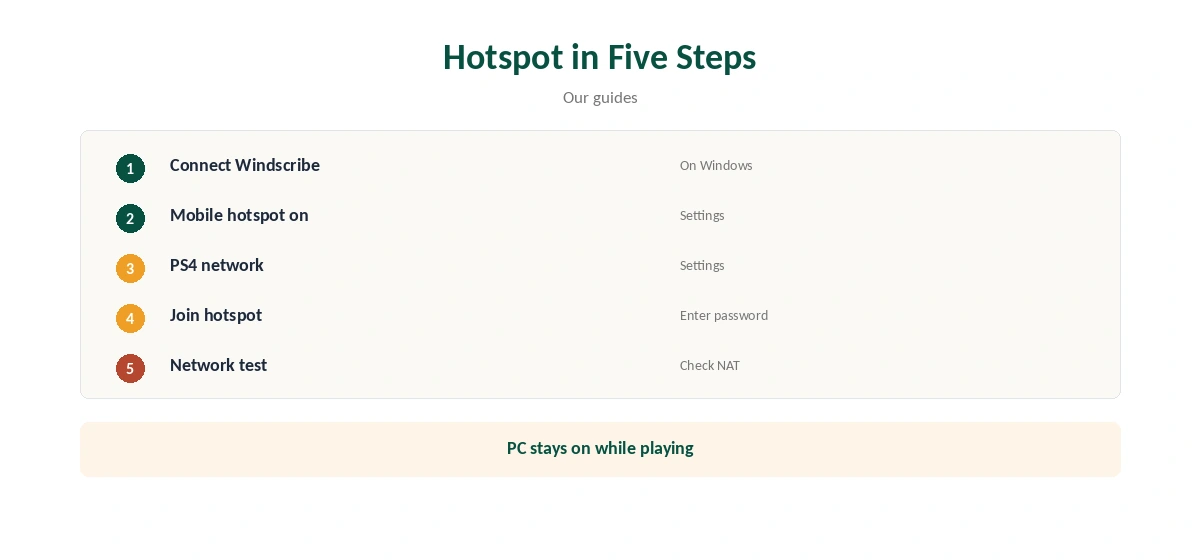
Connect Windscribe on a Windows PC, then turn on Mobile hotspot under Settings, Network and Internet. You can also share over Ethernet from the VPN connection’s Sharing tab. On a Mac, use Internet Sharing in System Settings. This route works on the free plan too.
On the PS4, open Settings, Network, Set Up Internet Connection and join the shared network. The computer must stay on and connected while you play, so check its sleep settings.
What About Proxy Gateway?
The PS4’s manual network setup includes a proxy server field. You could enter the address of Windscribe’s Proxy Gateway there, which turns a computer running Windscribe into a proxy for your local network. Windscribe says the HTTP mode carries only web traffic, so games and many apps would bypass it.
Treat it as an experiment at most, since traffic between the console and the computer is not encrypted by Windscribe. The router and hotspot routes are the ones that cover all of the console’s traffic. Our Windscribe SOCKS5 guide explains Proxy Gateway.
Gaming Trade-Offs
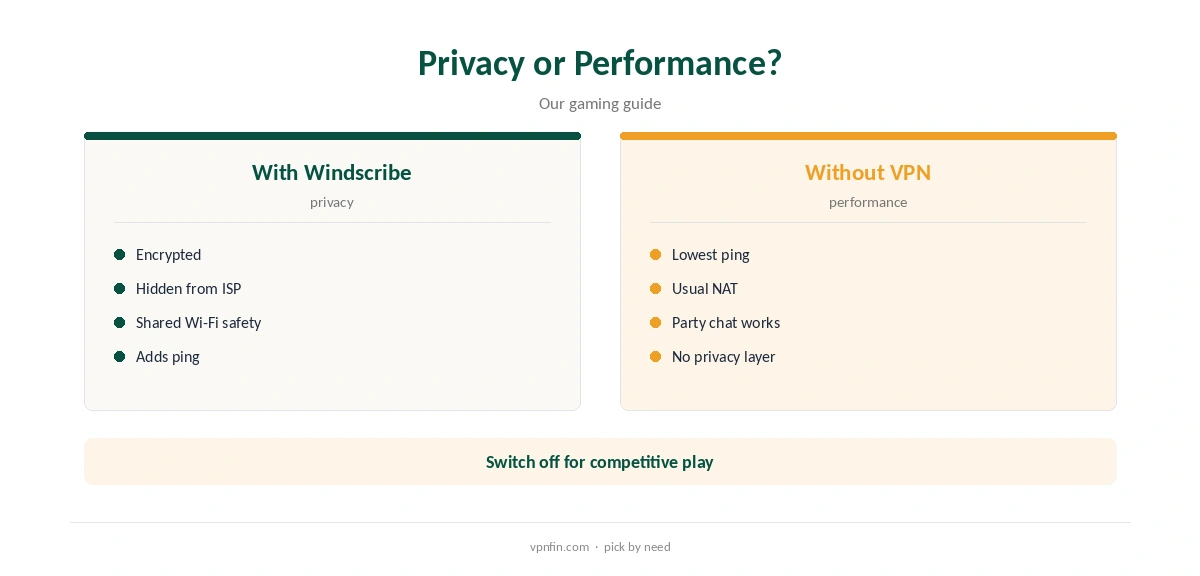
A VPN adds a hop, so ping usually rises, our gaming VPN guide explains. A VPN can also change the PS4’s NAT type, which affects party chat and matchmaking.
Use a nearby location and WireGuard in the Windscribe app or router, and keep the console direct for competitive play if latency matters more than privacy. A travel router makes switching between protected and direct play a matter of changing networks.
PS4 or PS5
The PS5 has the same limits and the same routes: no VPN app, so a router or a shared computer. A router set up once covers both consoles and the rest of the house at the same time. Our guide to Windscribe on PS5 covers router first, laptop for testing, and Remote Play caveats.
Remote Play and party chat rely on PlayStation Network connections that a VPN can complicate. Test without it if they fail, and keep the VPN for streaming apps and shared networks.
The Free Plan on a Console
The hotspot route works on the free plan, with servers in 10 countries and 10 GB a month after confirming an email. Game downloads and updates use that quickly, so it suits testing rather than daily play.
The free plan gives 10 GB a month with a confirmed email. Pro costs $9 a month or $69 a year with no renewal jump, or Build-a-Plan from $3. Windscribe’s terms allow a refund of the first payment within seven business days, under 10 GB used.
Checking It Works
Run the PS4’s network test after joining the protected network, then check from a phone or laptop on the same router or hotspot that the address shows Windscribe’s location.
If online play fails, switch back to your normal network to confirm the VPN is the cause, and try another nearby location. Restarting the console after changing networks clears cached connection details.
Choosing a Location
Pick the nearest Windscribe location for the lowest ping, and WireGuard as the protocol. Distant locations add latency that online games feel at once.
Staying on one nearby location also keeps your ping predictable from session to session, which matters more for games than the exact country.
Privacy
Windscribe’s no-logs claim held when an Athens court dismissed charges against its CEO in April 2025, because no user data existed. Sign-up needs no email, though confirming one raises free data to 10 GB.
Our Windscribe safety guide covers its record.
How We Research
This page draws on Windscribe’s plans page, terms and Proxy Gateway guide, GL.iNet’s WireGuard client documentation and our Windscribe and console tables. We cross-checked these sources against each other, and where they conflict or something can’t be verified, we say so in the text rather than guessing. We checked time-sensitive figures, including prices in US dollars, on 8 October 2026. The main source we relied on is GL.iNet’s WireGuard client guide. Our full approach lives on the About Us page.
Windscribe PS4 FAQ
No; consoles cannot install VPN apps.
Through a router running Windscribe or a hotspot from a computer.
Through a computer hotspot, yes, within 10 GB a month.
No; router files need a paid plan, or use GL.iNet’s built-in support.
Usually not; a VPN adds a hop.
The Verdict
Windscribe PS4 use works through a router or a computer hotspot. Test free through a hotspot, and use a router on a paid plan for daily play.