
Disclosure: VPNFin is reader-supported. If you buy a VPN through links on this page, we may earn a commission at no extra cost to you. This never affects our ratings — here’s our full disclosure.
NordVPN Valorant use is limited by one rule: Riot locks your Valorant region to where you created the account, vpnoverview and Comparitech note. A VPN cannot move an existing account; only Riot support can, after a real move. What NordVPN can do is protect your IP from DDoS attacks and keep public Wi-Fi private.
NordVPN Valorant Limits: How Riot’s Region Lock Works
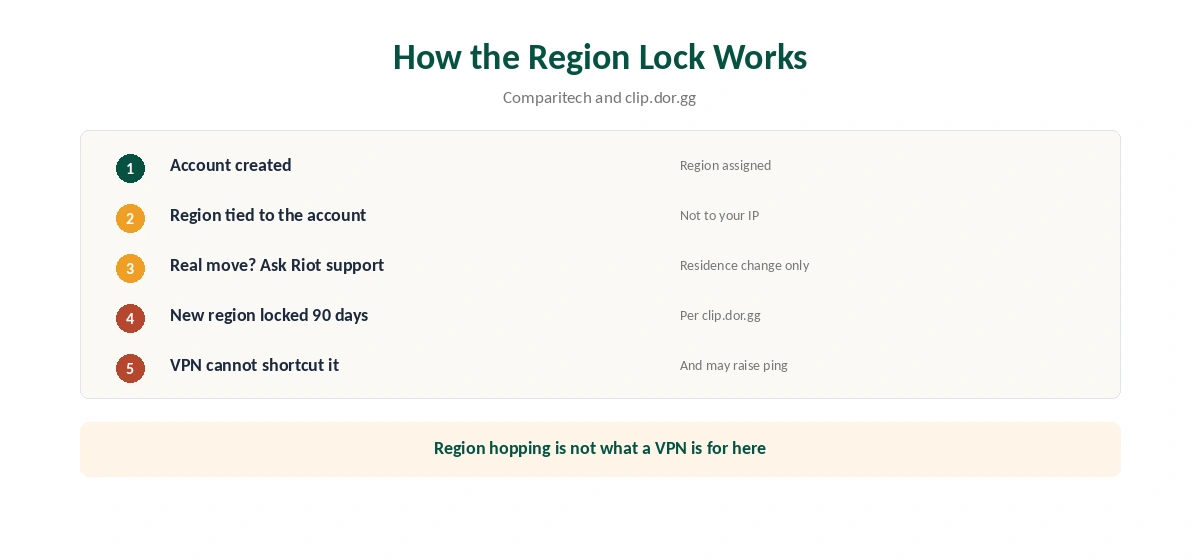
Valorant assigns a region when you create the account. Comparitech says changing it means a request to Riot support, and clip.dor.gg adds that Riot allows it only after an actual change of residence, then locks the new region for 90 days.
Routing to a distant region through a VPN also tends to raise ping, clip.dor.gg notes, the opposite of what most players want.
Vanguard and VPN Detection
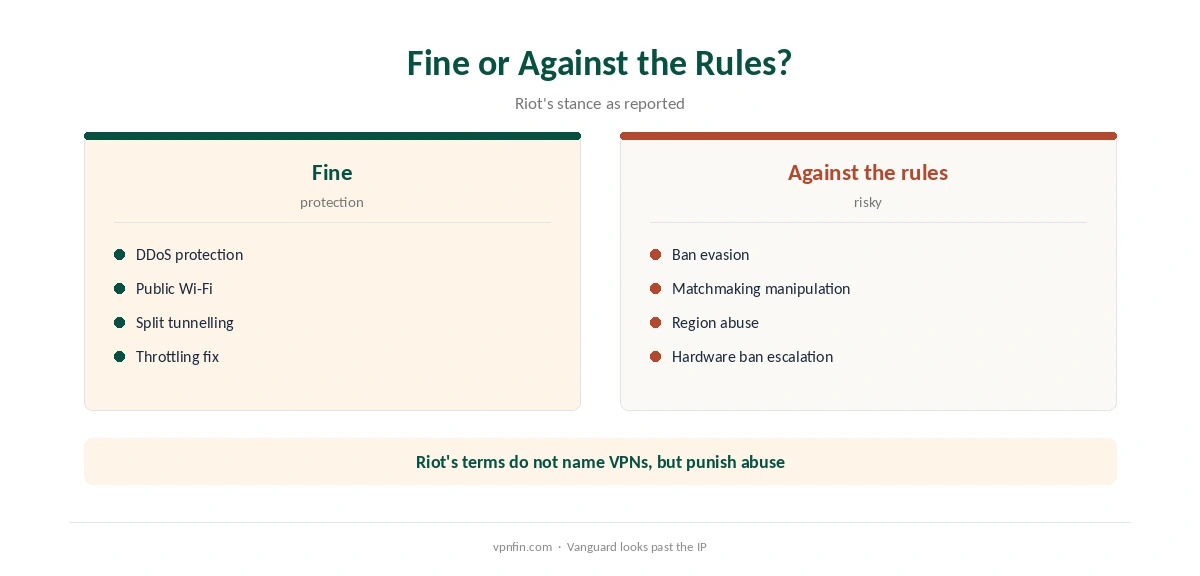
Vanguard is Riot’s kernel-level anti-cheat. Dodge.gg notes it fingerprints hardware, so a VPN cannot bypass a hardware ban, and trying escalates the punishment. Vpnoverview adds that Riot scans for and blocks many VPN addresses, and a VPN can cause login problems, voice chat issues and Vanguard conflicts.
Riot’s terms do not mention VPNs directly, several sources note, but manipulating matchmaking or evading bans breaks them. We do not support either.
Setting Up NordVPN for Valorant
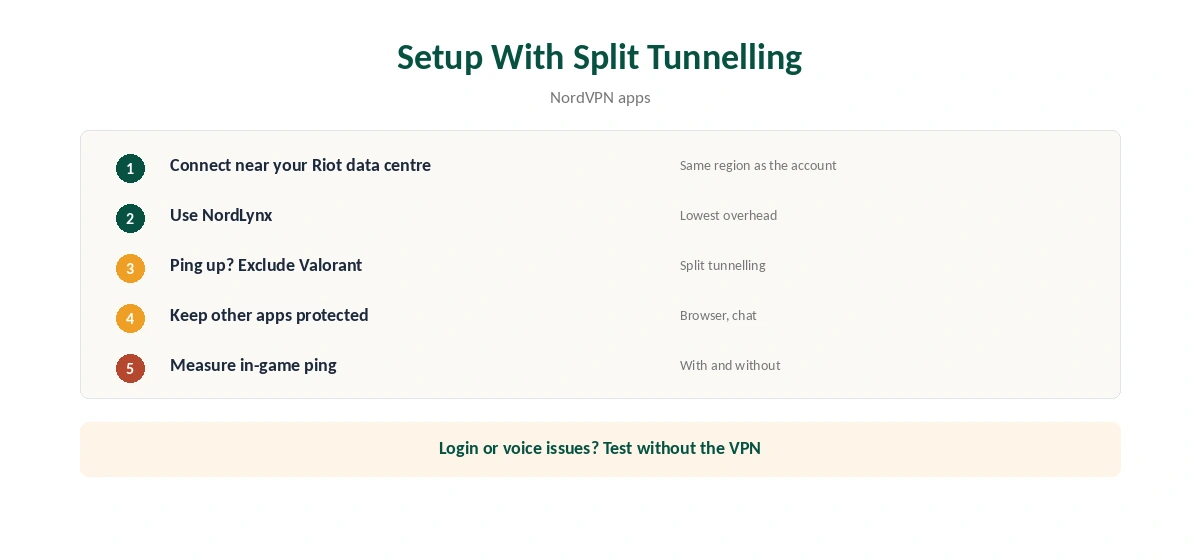
Connect to a NordVPN server near Riot’s data centre for your own region, using NordLynx. If ping rises, keep Valorant outside the tunnel with split tunnelling, as our split tunnelling guide explains, while other apps stay protected.
Measure ping in-game with and without the VPN. For NordVPN Valorant setups, our NordVPN gaming guide covers what to expect.
Related Guides
Two more anti-cheat shooters appear in our Fortnite guide and Warzone guide. For other providers, see our gaming VPN guide. The same rules on matchmaking apply to all three games.
Leak tests help too: our DNS leak guide and IPv6 leak guide show two checks. Run them once after setup, and again after NordVPN Valorant updates.
Public Wi-Fi at LAN cafés is a fair NordVPN use; our public Wi-Fi guide explains why. Keep the game itself on a fast, nearby route.
Keep the kill switch in mind, as our kill switch guide explains. For LAN-style practice with friends, our Meshnet guide helps. NordVPN belongs to Nord Security, which also owns Surfshark.
Test inside the refund window, as our refund guide explains. Our speed guide helps if latency climbs. Both apply to every Riot game.
Login and Voice Chat Problems
Vpnoverview notes that a VPN can cause login issues, voice chat disruptions and conflicts with Vanguard. If Riot’s client refuses to log in, disconnect the VPN, log in, then reconnect. If voice chat breaks, split tunnelling can keep the Riot client outside the tunnel.
Vpnoverview also reports that Riot actively scans for and blocks many VPN addresses. A blocked server shows up as failed logins rather than a clear error, so switch servers before assuming the game is down.
Travelling Players
Your Valorant region follows your account, not your location. A player from Europe visiting Asia still plays on European servers, with the ping that distance brings. A VPN cannot fix that, since the game servers stay where they are.
Riot support changes regions only after a real move, clip.dor.gg notes, and then locks the new region for 90 days. For a short trip, accept the higher ping or play less competitive modes.
Protecting a Stream
Streamers face the same DDoS risk in Valorant as in other online games. A VPN hides the home IP from opponents. Keep the server close to Riot’s data centre for your region to limit added ping.
When to Leave the VPN Off
If ping rises noticeably, or Vanguard complains, play without the VPN and protect other apps with split tunnelling instead. Our Valorant VPN guide compares how other providers handle Riot’s games, and our NordVPN gaming guide covers DDoS protection in general.
Ranked play rewards stability over everything else. A clean, direct connection usually beats any VPN route for players at home.
Testing Before Ranked Play
Test any VPN setup in unrated or practice modes first. Note the ping without the VPN, then with NordVPN on a nearby server. If the difference is a few milliseconds and Vanguard raises no complaint, the setup is safe to keep for protection.
If the ping jumps, check the server’s location before giving up. A server in the wrong country routes your traffic further than needed. The closest server to Riot’s data centre for your region is the right choice. Keep that server as a favourite, so you do not need to search for it again before each session.
Do the same check again after major Valorant patches, since network code changes can shift the result.
How We Research
This page draws on Valorant VPN guides from vpnoverview, Comparitech, clip.dor.gg, dodge.gg and Windscribe. We cross-checked these sources against each other, and where they conflict or something can’t be verified, we say so in the text rather than guessing. We read every source on 5 October 2026. The main source we relied on is vpnoverview’s Valorant guide. Our full approach lives on the About Us page.
NordVPN for Valorant FAQ
Not for an existing account. Riot locks the region at creation, and changes go through Riot support after a real move.
Riot’s terms do not mention VPNs directly, but it blocks many VPN addresses and punishes matchmaking manipulation.
No. Dodge.gg notes Vanguard fingerprints hardware, and trying escalates the punishment.
Rarely. A distant region raises it; a nearby server keeps the added ping small.
Hiding your IP from DDoS attacks and protecting public Wi-Fi.
The Verdict
NordVPN Valorant use is about protection, not region hopping. Riot locks regions to accounts, Vanguard fingerprints hardware, and distant servers raise ping.