
Disclosure: VPNFin is reader-supported. If you buy a VPN through links on this page, we may earn a commission at no extra cost to you. This never affects our ratings — here’s our full disclosure.
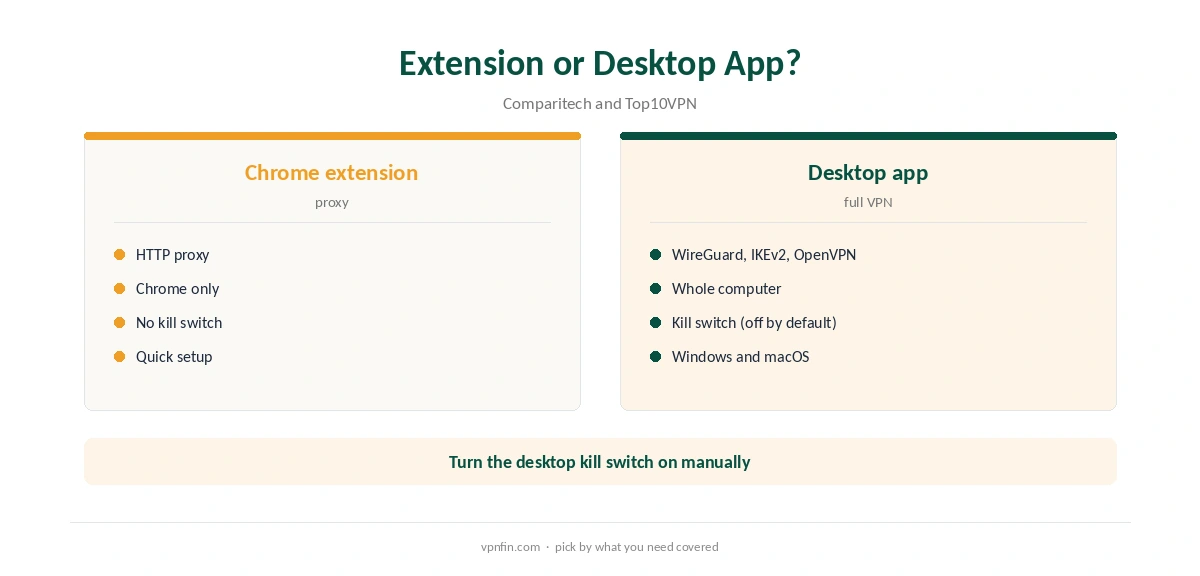
StrongVPN for Chrome is a browser extension, and Comparitech is clear about what it does: it provides an HTTP proxy rather than a full VPN, with no kill switch setting. It changes the address Chrome shows to websites, but other apps on your computer stay outside it. For full protection, StrongVPN’s Windows and macOS apps add WireGuard and a kill switch.
This guide covers the setup, the limits, leak tests and when to use the desktop app.
StrongVPN for Chrome Setup
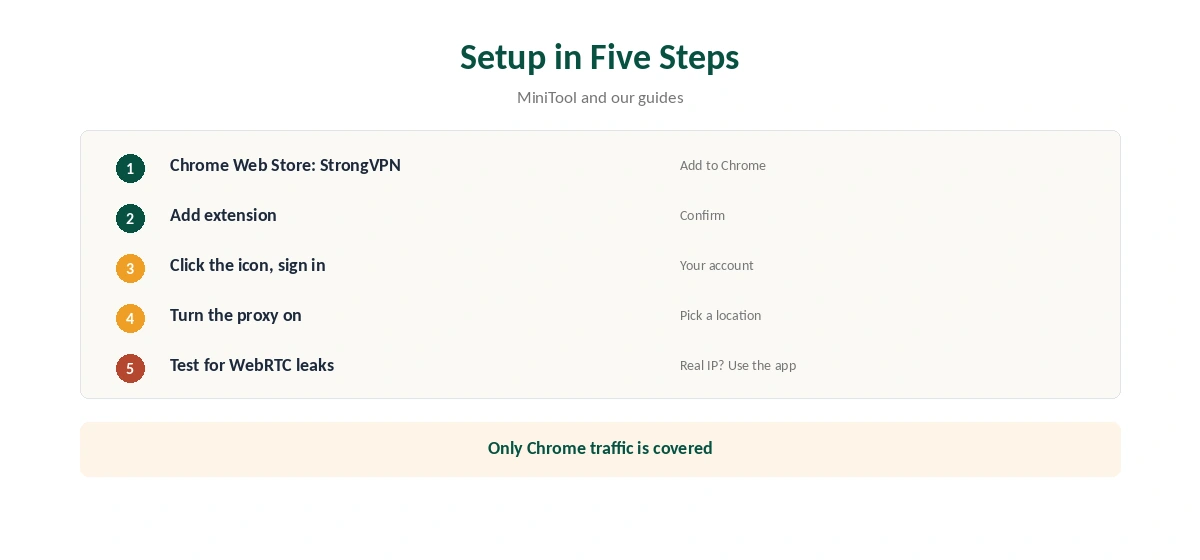
Open the Chrome Web Store, search for StrongVPN and click Add to Chrome, then Add extension. Click the StrongVPN icon next to the address bar, sign in and turn on the proxy, as MiniTool’s setup guide describes.
Confirm the new address with our VPN test page.
Proxy, Not VPN
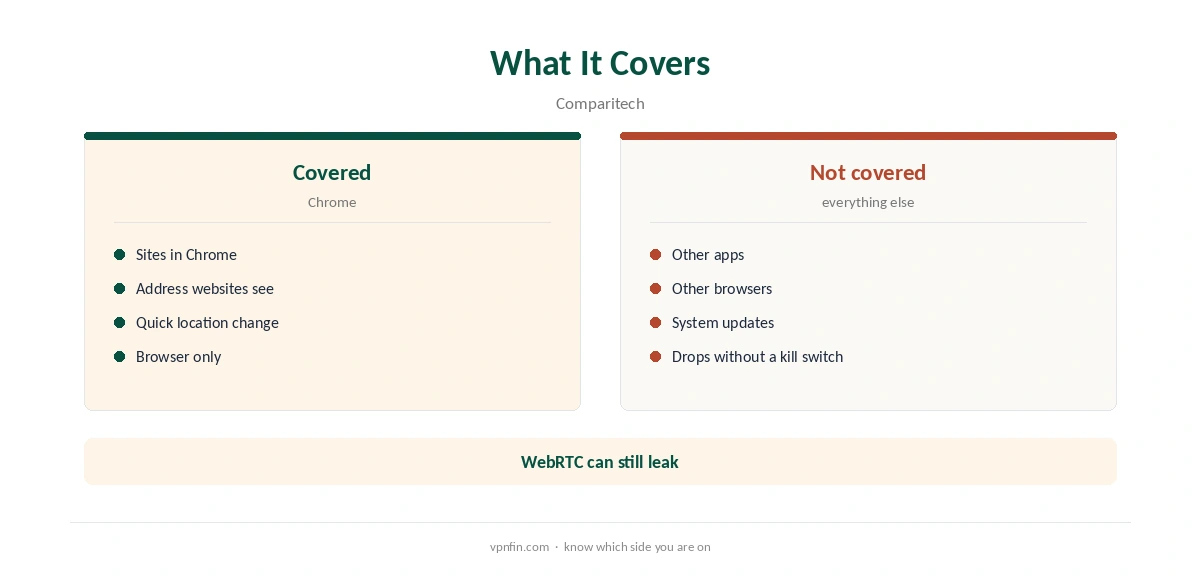
Comparitech notes the extension provides an HTTP proxy rather than a full VPN. A proxy changes the address websites see for Chrome traffic, but it does not encrypt your whole connection the way the apps do. Our VPN vs proxy guide explains the difference.
No Kill Switch
Comparitech found no kill switch setting in the extension. If the proxy drops, Chrome falls back to your normal connection. On the desktop, StrongVPN’s Windows and macOS apps include a kill switch, though Top10VPN notes it is not on by default. Our kill switch guide explains why it matters.
WebRTC and Leaks
Browser proxies can leak your real address through WebRTC. Test with our WebRTC leak guide after connecting, and run our DNS leak guide. If you see your real address, use the desktop app.
When the Extension Is Enough
For quick browsing on a trusted laptop, or checking how a site looks from another country, the extension does the job. On public Wi-Fi, for banking or for torrenting, use the full app. Our public Wi-Fi guide explains the risks.
StrongVPN for Chrome and Streaming
Streaming sites check more than your IP address, so a browser proxy may still show the wrong library. Clear the site’s cookies and reload after connecting. Cloudwards found StrongVPN did not unblock Hulu or BBC iPlayer in its tests, so check the services you use. Our Netflix VPN guide explains detection.
Using It With the Desktop App
Do not run the extension and the desktop app together. Two layers slow browsing and confuse location checks. Pick one: the extension for quick Chrome privacy, or the app for everything, with the kill switch turned on.
Desktop Kill Switch Tip
Top10VPN notes the Windows and macOS kill switch is not on by default. If you move to the desktop app, open its settings and enable the kill switch before connecting.
A Quick Rule
Quick browsing on a trusted laptop? StrongVPN for Chrome is enough. Public Wi-Fi, banking or torrents? Use the desktop app with the kill switch on. Seeing your real address in a leak test? Switch to the app at once.
Several Browsers
Comparitech and Cloudwards mention only a Chrome extension. If you use Firefox or Safari, the desktop app is the way to cover them. On Chromebooks, Cloudwards lists ChromeOS among StrongVPN’s desktop platforms, so an app may suit better than StrongVPN for Chrome there.
Keeping It Updated
Chrome updates extensions automatically. If the proxy stops working, check the version on Chrome’s extensions page, sign out and back in, then restart the browser. Reinstall from the Web Store if needed.
Who It Suits
StrongVPN for Chrome suits people who already pay for StrongVPN and want a quick way to change Chrome’s location, for example to check prices or search results in another country. It does not suit privacy-sensitive work, since only Chrome is covered and there is no kill switch. For those cases, our StrongVPN WireGuard guide explains the faster protocol in the full apps.
Quick Check
After turning the proxy on, open our test page in Chrome and confirm the address changed. Then open the same page in another browser: it should show your real address, which confirms the extension covers Chrome only. Repeat the check after Chrome updates.
Privacy Note
A proxy extension sees the sites you visit in Chrome. Use it only if you trust the provider with that browsing, and read StrongVPN’s privacy policy before installing.
Other Chrome Extensions
Our NordVPN Chrome guide and Surfshark Chrome guide cover rival extensions; NordVPN and Surfshark share an owner, Nord Security.
StrongVPN’s Record
StrongVPN belongs to Ziff Davis, which also owns IPVanish, and our audit table records no independent audit. It allows 12 devices, and its 30-day guarantee covers yearly plans only, as our StrongVPN refund guide explains.
Turning It Off
Click the extension icon and switch the proxy off, or remove it from Chrome’s extensions page. Our guide to turning off a VPN in Chrome covers stubborn cases.
How We Research
This page draws on Comparitech’s, Top10VPN’s and Cloudwards’ StrongVPN reviews, MiniTool’s StrongVPN download guide and our StrongVPN tables. We cross-checked these sources against each other, and where they conflict or something can’t be verified, we say so in the text rather than guessing. We checked time-sensitive figures, including prices in US dollars, on 7 October 2026. Security.org lists $11.99 a month or $47.69 for the first year. The main source we relied on is Comparitech’s StrongVPN review. Our full approach lives on the About Us page.
StrongVPN for Chrome FAQ
It does, in the Chrome Web Store.
No. Comparitech describes it as an HTTP proxy.
Comparitech found no kill switch setting.
No. Only Chrome traffic goes through it.
Windows and macOS, though it is off by default, per Top10VPN.
The Verdict
StrongVPN for Chrome is a light HTTP proxy for one browser, without a kill switch. Use it for quick browsing, and the desktop app for anything sensitive.