
Disclosure: VPNFin is reader-supported. If you buy a VPN through links on this page, we may earn a commission at no extra cost to you. This never affects our ratings — here’s our full disclosure.
How do you turn off a VPN on Linux? It depends on what started it: a provider’s own app, NetworkManager, a WireGuard interface, or an OpenVPN service. Each has its own off switch, and on Linux the commands matter. One trap stands out: NordVPN’s Linux client cuts all internet access not only when the VPN drops but also when you disconnect manually, if its kill switch is on, NordVPN’s support page explains. So a clean disconnect can look like a broken network.
This page gives the command or menu for each case, and how to stop the VPN starting again at boot.
How to Turn Off a VPN on Linux: Which Kind Is Running?
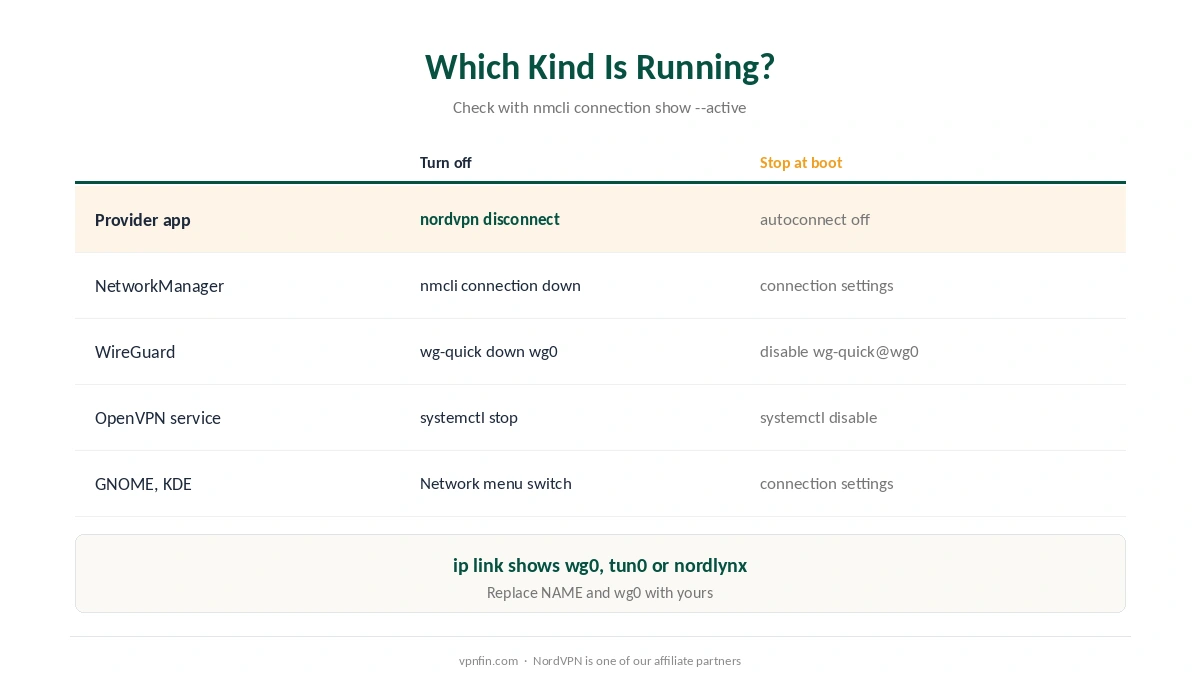
| How it was set up | Turn it off with | Stop it at boot |
|---|---|---|
| NordVPN or another provider app | Run: nordvpn disconnect | Autoconnect off in the app |
| NetworkManager (desktop menu) | nmcli connection down id NAME | Turn off autoconnect for that connection |
| WireGuard config | sudo wg-quick down wg0 | sudo systemctl disable wg-quick@wg0 |
| OpenVPN as a service | sudo systemctl stop openvpn-client@NAME | sudo systemctl disable openvpn-client@NAME |
| Desktop toggle (GNOME, KDE) | Network menu, switch the VPN off | Edit the connection’s settings |
Not sure which is running before you turn off the VPN on Linux? The command nmcli connection show –active lists active NetworkManager connections, including VPNs, and ip link shows interfaces such as wg0, tun0 or nordlynx. Replace NAME and wg0 with what you find. Our Linux VPN guide explains the setups.
NordVPN on Linux: Disconnect and the Kill Switch
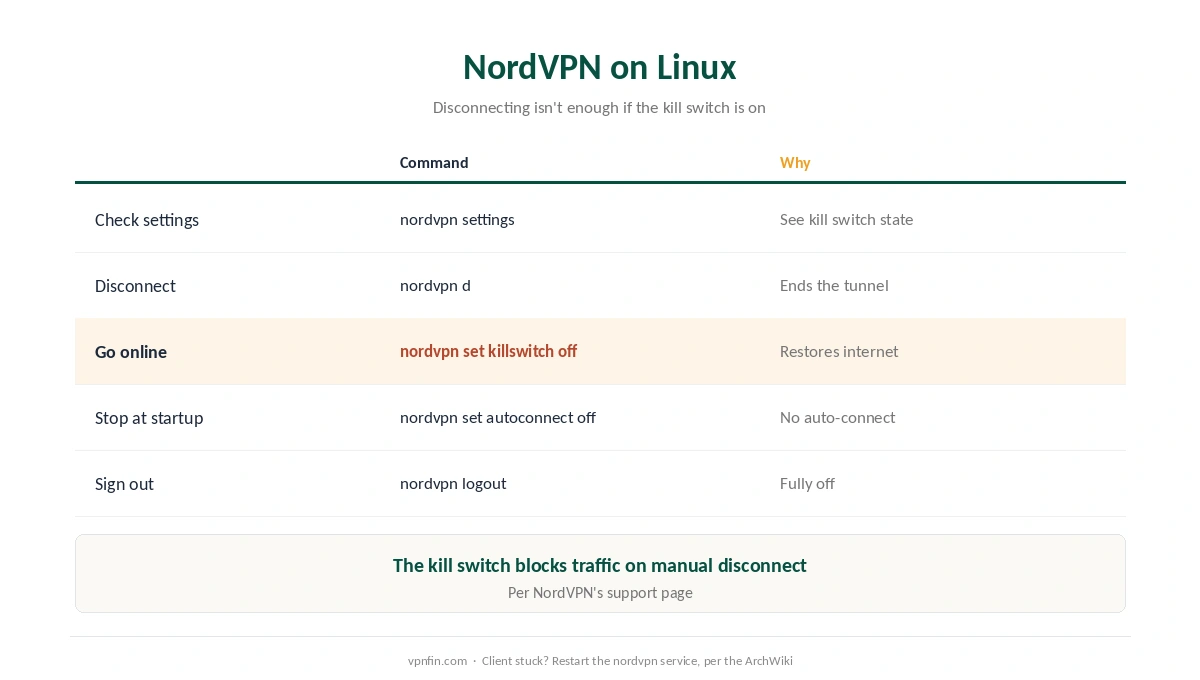
| Goal | Command |
|---|---|
| Check current settings | nordvpn settings |
| Disconnect | nordvpn disconnect (or nordvpn d) |
| Restore internet after disconnecting | nordvpn set killswitch off |
| Stop connecting at startup | nordvpn set autoconnect off |
| Sign out completely | nordvpn logout |
Turn the kill switch off to go online without the VPN. NordVPN’s Linux client disables system-wide internet when you disconnect manually, so nordvpn disconnect alone can leave you offline, its support page says. Our kill switch guide explains why providers design it that way.
However, if the client hangs, the ArchWiki suggests toggling the kill switch off and on, or restarting the nordvpn service. Our NordVPN fix guide covers connection problems.
NetworkManager, WireGuard and OpenVPN
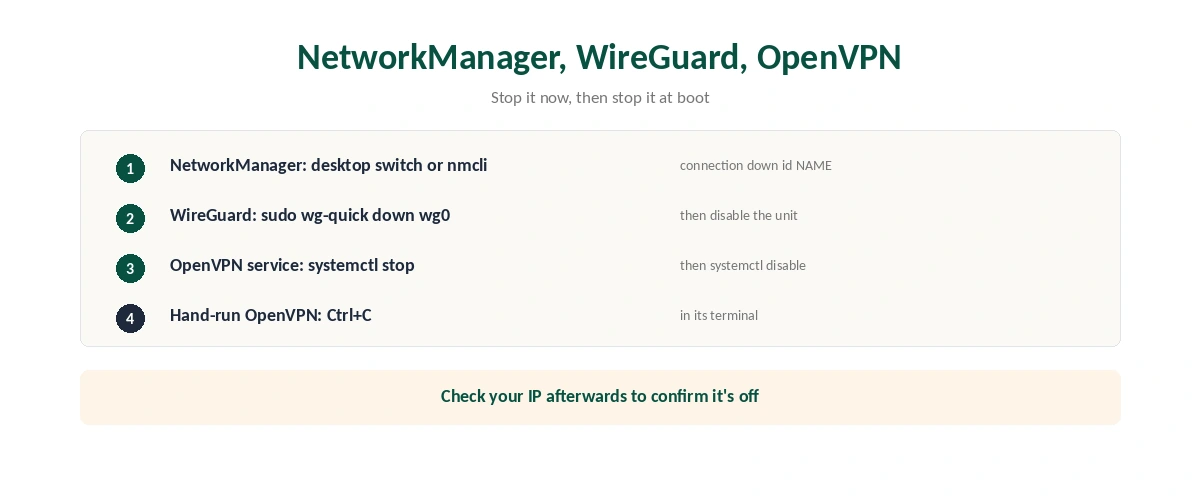
In practice, NetworkManager VPNs appear in the desktop network menu on GNOME and KDE, where a switch turns them off. From a terminal, therefore, nmcli connection down id followed by the connection’s name does the same.
Similarly, WireGuard set up with wg-quick comes down with sudo wg-quick down and the interface name. If it starts at boot, then disable its systemd unit so it stays off after a restart.
Finally, OpenVPN as a service stops with systemctl stop, and systemctl disable prevents it starting again. Configs run by hand in a terminal stop with Ctrl+C in that window. Our WireGuard vs OpenVPN guide compares the two.
After You Turn It Off
Check your address once you turn off the VPN on Linux. Our VPN check guide shows how to confirm your real IP is back. If DNS still points at the VPN’s servers, our DNS guide explains the settings.
No internet at all? A kill switch or leftover firewall rules are the usual suspects on Linux, as the ArchWiki notes for NordVPN’s iptables rules. Our connected-but-no-internet guide covers routing problems. For other devices, see our guide to turning off any VPN.
How We Research
NordVPN’s kill switch behaviour and commands come from NordVPN’s support page on its Linux kill switch and from its command reference as published on GitHub; hang fixes and iptables notes from the ArchWiki. NetworkManager, WireGuard and OpenVPN commands follow those projects’ standard tools. We read all sources on 28 September 2026. NordVPN is one of our affiliate partners. Our full approach lives on the About Us page.
Turn Off a VPN on Linux FAQ
Use the tool that started it: nordvpn disconnect for NordVPN, nmcli connection down for NetworkManager, wg-quick down for WireGuard, or systemctl stop for an OpenVPN service.
Its kill switch cuts internet access when you disconnect manually. Run nordvpn set killswitch off.
Turn off the provider’s autoconnect, or disable the systemd unit, for example wg-quick@wg0 or openvpn-client@NAME.
Run nmcli connection show with the active option, or ip link to spot interfaces such as wg0, tun0 or nordlynx.
Yes, if NetworkManager manages it. Provider apps with their own client may need their own command.
The Verdict
To turn off a VPN on Linux, use the tool that started it, and check for a kill switch that keeps you offline.
With NordVPN, disconnect and then turn the kill switch off; with WireGuard or OpenVPN services, stop and disable the unit.