
Disclosure: VPNFin is reader-supported. If you buy a VPN through links on this page, we may earn a commission at no extra cost to you. This never affects our ratings — here’s our full disclosure.
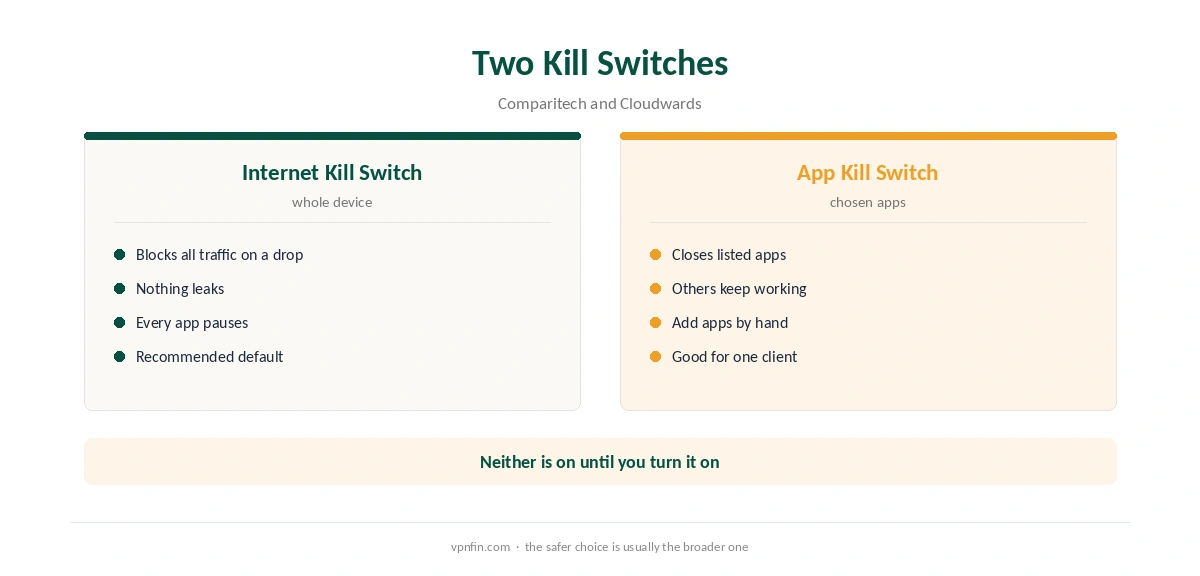
The kill switch NordVPN offers comes in two forms on desktop: an Internet Kill Switch that blocks all traffic if the VPN drops, and an App Kill Switch that closes chosen apps. Neither is on by default, Impulsec notes. Some platforms behave differently, and two have no kill switch at all.
Internet Kill Switch or App Kill Switch?
The Internet Kill Switch cuts the whole device off when the tunnel drops, so nothing leaks. The App Kill Switch, as Comparitech explains, closes only the apps you pick, such as a torrent client, while the rest keep running.
In our view, the Internet Kill Switch is the safer default. The App Kill Switch suits a single sensitive app, as our NordVPN torrenting guide shows. Our kill switch explainer covers the general idea.
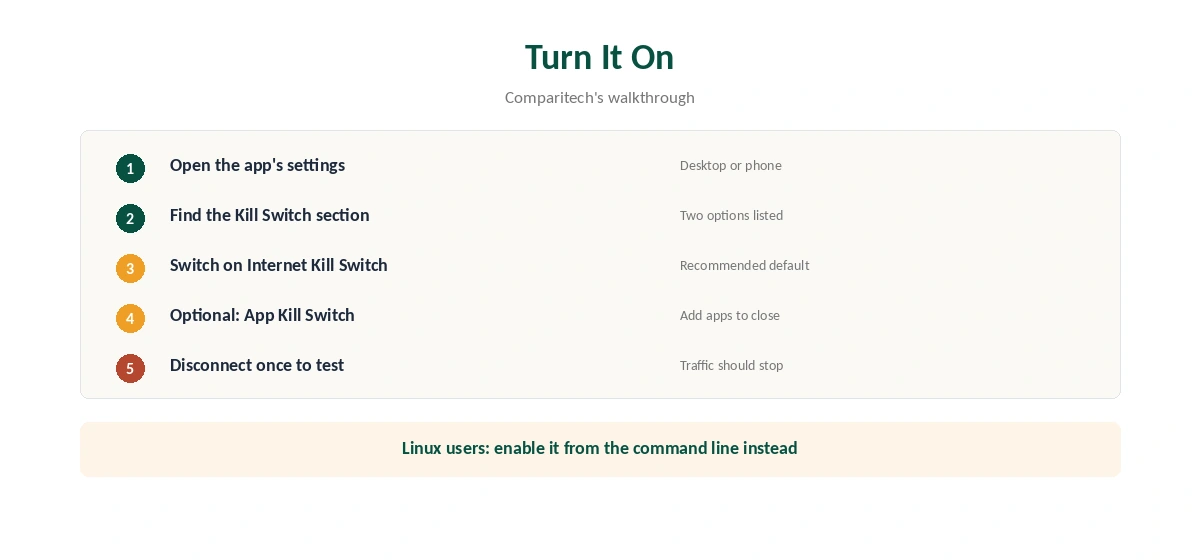
How to Turn On the Kill Switch NordVPN Uses
Open the app’s settings, find the Kill Switch section and switch on Internet Kill Switch, Comparitech describes. For the App Kill Switch, add each app you want closed on a drop. Then disconnect the VPN once to check that traffic stops as expected.
Kill Switch NordVPN Quirks by Platform
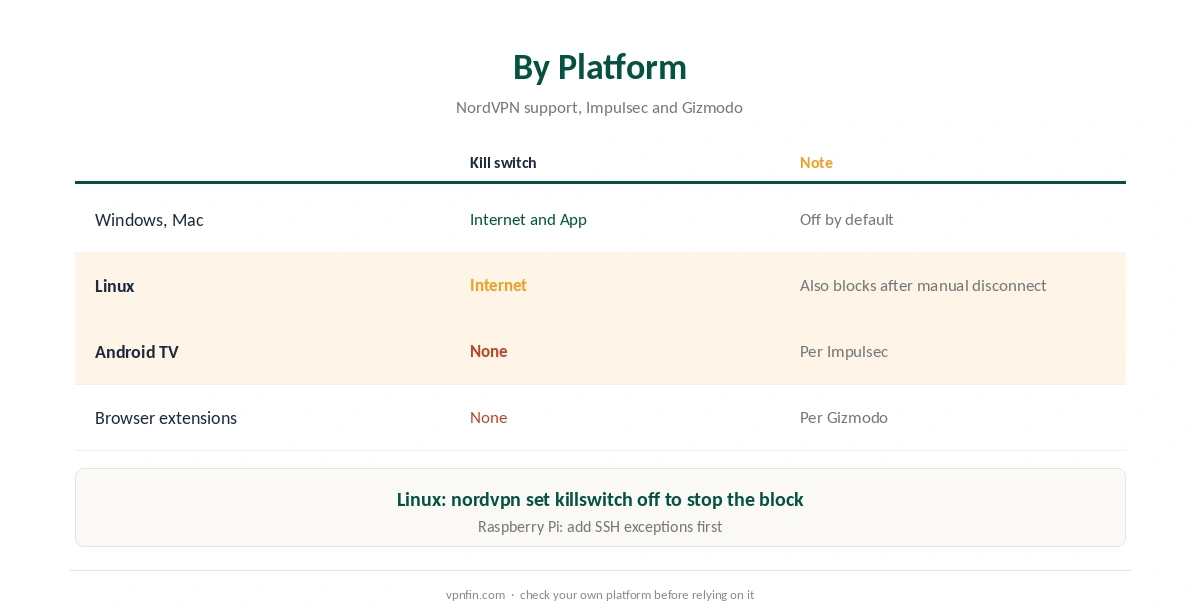
On Linux, NordVPN’s support explains that the kill switch blocks the whole system’s internet if the VPN drops, and also after a manual disconnect. Turn it off with nordvpn set killswitch off; our NordVPN Linux guide covers the commands.
Two places lack a kill switch. Impulsec reports that NordVPN’s Android TV app has none, as our Android TV guide notes. Browser extensions have none either, Gizmodo says, which our NordVPN Firefox guide explains.
When the Kill Switch NordVPN Uses Blocks You
A kill switch that blocks traffic after you disconnect on purpose is working as designed on Linux. On a headless Raspberry Pi, add SSH exceptions before turning it on, as our Raspberry Pi guide explains.
If the kill switch NordVPN provides triggers often, the tunnel itself is unstable; our disconnection guide lists the fixes. Our DNS leak guide shows how to test that nothing leaks. NordVPN belongs to Nord Security, which also owns Surfshark.
Related NordVPN Settings
A kill switch pairs well with leak protection. Our IPv6 leak guide explains why IPv6 matters, and our NordVPN Windows guide shows where both settings sit.
On a Mac, our NordVPN Mac guide covers the same switches. For torrent users, our torrenting VPN guide explains why a kill switch is non-negotiable.
Kill Switch and Split Tunnelling
NordVPN’s Windows support is clear about priority. The Internet Kill Switch overrides split tunnelling. If the VPN drops, it blocks every app, including the ones you excluded.
That can surprise people who exclude a game or a banking app. If those apps must keep working during a drop, use the App Kill Switch instead. It closes only the apps you choose. Our NordVPN split tunnelling guide covers the setup.
Android’s System Setting
Android has its own VPN protection in the system settings, separate from the NordVPN app. In the VPN section, you can mark NordVPN as always-on and block connections without a VPN. That works even if the app is closed.
Use the app’s kill switch and the system setting together for the strongest protection on a phone. If an app stops loading with both on, check that NordVPN is connected before blaming the app.
Testing the Kill Switch
A kill switch you never test is a guess. Connect NordVPN, open a page that refreshes, then disconnect the VPN from the app or switch networks. With the Internet Kill Switch on, the page should stop loading.
Reconnect and confirm that traffic returns. Our VPN test page shows your address before and after. Repeat the test after major app updates.
Which One to Choose
For most people, the Internet Kill Switch is the safer default. It protects everything at once. The App Kill Switch suits users who want one sensitive app protected while the rest keep working, such as a torrent client.
On Linux, plan exceptions first, since the kill switch also blocks after a manual disconnect. On a headless machine, add SSH to the allowlist before turning it on.
Kill Switch on iPhone and Mac
Apple’s systems handle VPN connections through their own network settings, and NordVPN’s apps use them. On iPhone and Mac, look for the kill switch in NordVPN’s settings and test it the same way as on Windows. Our NordVPN iPhone guide and Mac guide show where the settings sit on each platform. If a test fails, update the app first, then repeat it before changing any other setting.
How We Research
This page draws on NordVPN’s kill switch support article and guides from Comparitech, Cloudwards, Impulsec and Gizmodo. We cross-checked these sources against each other, and where they conflict or something can’t be verified, we say so in the text rather than guessing. We read every source on 5 October 2026. The main source we relied on is NordVPN’s kill switch article. Our full approach lives on the About Us page.
NordVPN Kill Switch FAQ
No, according to Impulsec. Turn it on in the app’s settings.
The Internet Kill Switch blocks all traffic on a drop; the App Kill Switch closes only the apps you choose.
The Linux kill switch also blocks traffic after a manual disconnect. Run nordvpn set killswitch off.
Impulsec reports it does not.
No. Gizmodo notes that no major VPN browser extension includes one.
The Verdict
Turn on the kill switch NordVPN provides before you rely on the VPN, and pick the Internet version unless you need one app covered. Remember the Linux quirk and the platforms that lack it.