
Disclosure: VPNFin is reader-supported. If you buy a VPN through links on this page, we may earn a commission at no extra cost to you. This never affects our ratings — here’s our full disclosure.
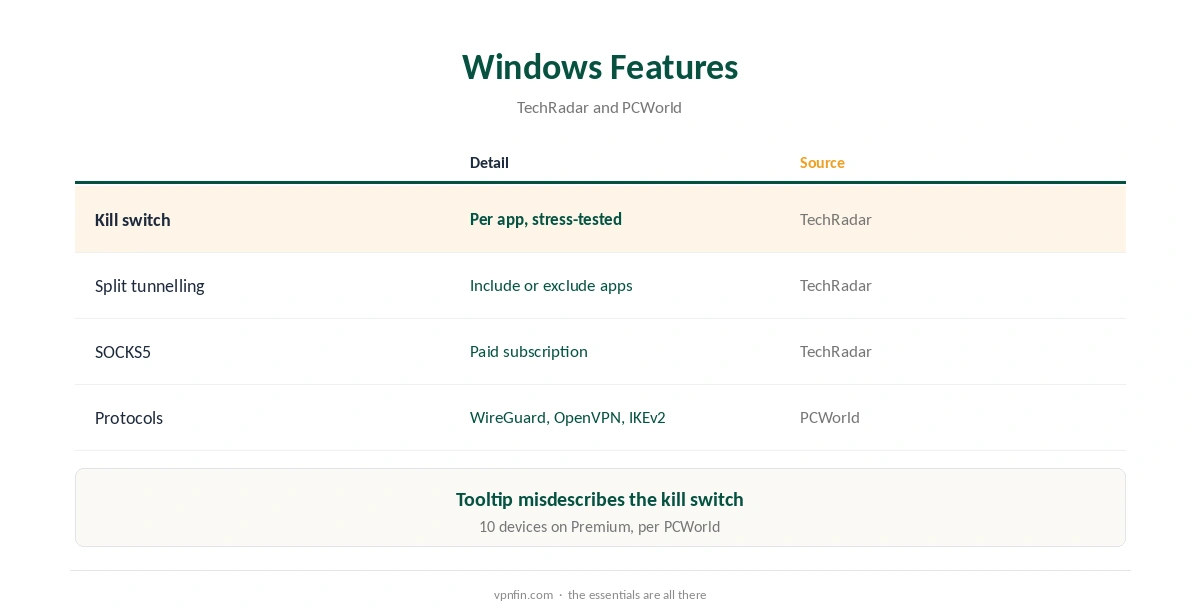
PrivadoVPN for PC comes as a Windows app with a kill switch you can apply per app, split tunnelling that includes or excludes apps, and SOCKS5 proxies in the paid subscription, TechRadar reports. Its kill switch held up under TechRadar’s stress tests on Windows, though the app’s own tooltip does not describe it accurately. PCWorld lists WireGuard, OpenVPN and IKEv2 on every server. The free plan gives 10 GB a month on one device.
This guide covers the setup, the features, free versus Premium on Windows, and the privacy record.
PrivadoVPN for PC Setup
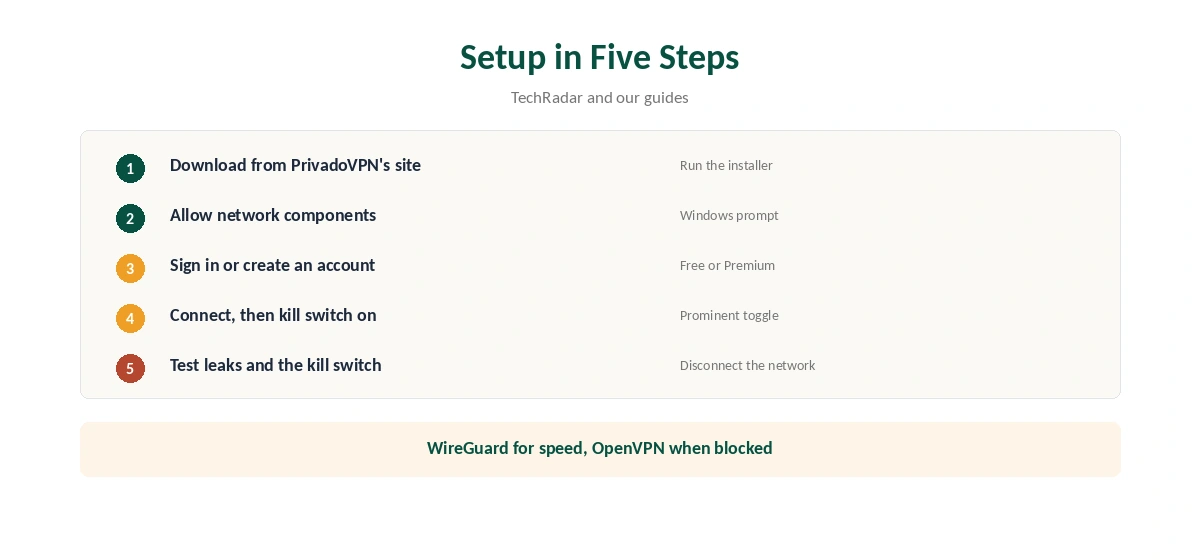
Download the Windows app from PrivadoVPN’s website, run the installer and allow it to add its network components. Sign in or create a free account, pick a server and connect. Then turn on the kill switch, which TechRadar notes sits prominently in the interface rather than in a buried menu.
The Kill Switch
TechRadar describes a new kill switch that halts traffic if the VPN drops and now works per app, so you can choose which programs it covers. It passed TechRadar’s stress tests, which tried to force connection errors on Windows. The catch is the tooltip, which TechRadar says does not explain accurately how it works, so test it yourself by disconnecting the network. Our kill switch guide explains what to look for.
Split Tunnelling
TechRadar calls the split tunnelling ordinary but useful: you can include apps in the VPN or exclude them. Route only a browser or torrent client through PrivadoVPN, or keep a work app outside it. Our split tunnelling guide explains the two modes.
SOCKS5 Proxies
TechRadar notes PrivadoVPN includes SOCKS5 proxies in the subscription, and Patch My PC’s listing places them in Premium. A SOCKS5 proxy changes one app’s address without encryption, which suits torrent clients that support it. Our VPN vs proxy guide explains the trade-off.
Protocols
PCWorld lists WireGuard, OpenVPN and IKEv2 on all servers. Use WireGuard for speed, OpenVPN on networks where WireGuard is blocked, and IKEv2 for laptops that switch networks often.
Free Plan or Premium on Windows
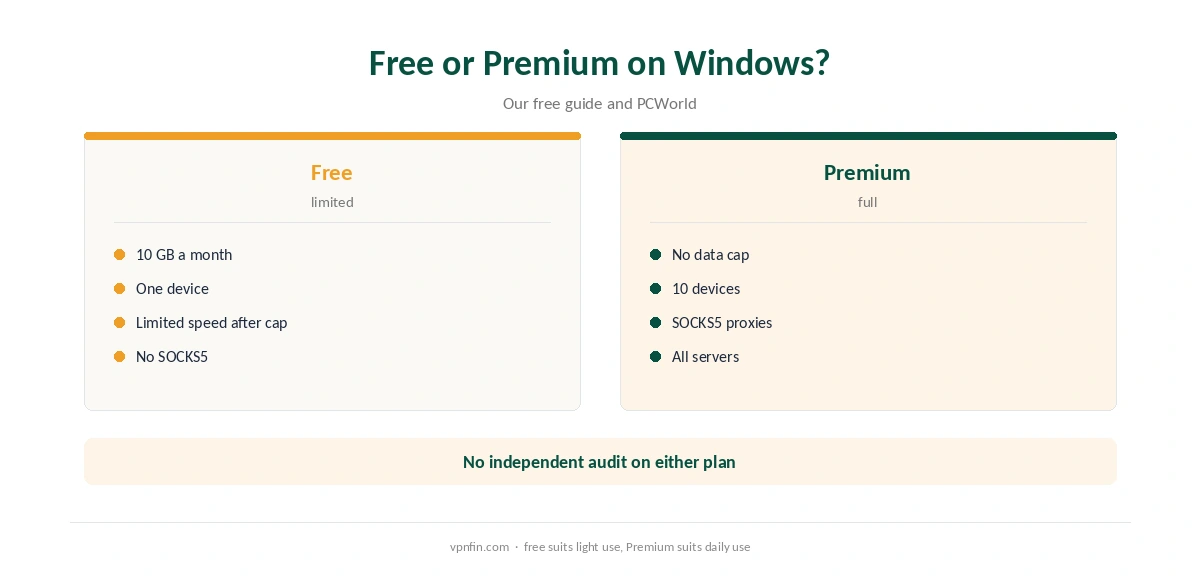
The free plan gives 10 GB a month at full speed on one device, then limited-speed servers, as our PrivadoVPN free guide explains. Premium removes the cap, allows 10 devices per PCWorld, and adds SOCKS5. PCWorld also notes PrivadoVPN collects device information and bandwidth use to enforce those limits.
Control Tower Filtering
Patch My PC’s listing describes Control Tower, a PrivadoVPN feature that blocks malware, ads, social media and adult content. Turn on the categories you want; parents can use the adult content filter on shared family PCs. If a site breaks, pause the relevant filter.
PrivadoVPN for PC on Public Wi-Fi
On laptops, PrivadoVPN for PC protects every app on café and airport networks. Turn on the kill switch before you leave home, and keep the free plan’s 10 GB for those networks if you are not on Premium. Our public Wi-Fi guide explains the risks.
Torrenting
Use the kill switch, split tunnelling to keep the torrent client inside the VPN, and the SOCKS5 proxy if your client supports it. Our torrenting VPN guide compares providers with stronger torrent features.
Is PrivadoVPN for PC Worth It?
For a budget Windows VPN with SOCKS5 and a stress-tested kill switch, PrivadoVPN for PC delivers. Users who want audited privacy should weigh the missing audit; the free plan lets you test the app before deciding.
Windows Troubleshooting
If PrivadoVPN will not connect, switch protocol first, then server. Security software can block its network components; allow the app and restart. Reinstalling from PrivadoVPN’s website can fix remaining problems.
A Quick Rule
Light use on one PC? The free plan. Daily use, torrents or several devices? Premium, with SOCKS5 and the kill switch on. Our PrivadoVPN on Linux page goes into the Premium-only CLI and network manager setup.
Privacy Record
No independent audit appears in our audit table for PrivadoVPN, which lists Iceland as its base after a 2026 move from Switzerland; older reviews, including TechRadar’s, still mention Switzerland. Our VPN audit tracker explains why audits matter.
Checking the Connection
After connecting, confirm the new address with our VPN test page. Repeat the check after major Windows updates, which can reset network settings.
Then run our DNS leak guide and IPv6 leak guide once, since a leaking request can reveal your real address even with the tunnel up.
Turning It Off
Disconnect in the PrivadoVPN app, or quit it from the system tray. If a kill switch keeps blocking the internet after you exit, turn the kill switch off first. Our guide to turning off a VPN on Windows covers stubborn cases.
How It Compares on Windows
Our Windows VPN guide compares providers. For a free alternative with audits, see our PrivadoVPN vs Proton VPN page.
Before You Pay
Test the free plan first.
How We Research
This page draws on TechRadar’s PrivadoVPN review, PCWorld’s review, Patch My PC’s listing, our PrivadoVPN free guide and our audit and device tables. We cross-checked these sources against each other, and where they conflict or something can’t be verified, we say so in the text rather than guessing. We checked time-sensitive figures, including prices in US dollars, on 6 October 2026. No affiliate link for this provider; prices on its own site. The main source we relied on is TechRadar’s PrivadoVPN review. Our full approach lives on the About Us page. Our page on PrivadoVPN on Mac covers setup, features and the free plan.
PrivadoVPN for PC FAQ
It does, through its Windows app with WireGuard, OpenVPN and IKEv2.
It has a per-app kill switch that passed TechRadar’s stress tests.
Yes, with the paid subscription.
Yes, with 10 GB a month on one device.
Our audit table records no independent audit.
The Verdict
PrivadoVPN for PC offers a capable Windows app: per-app kill switch, flexible split tunnelling and SOCKS5 on Premium. The missing audit is the main reason to compare alternatives. Our page on PrivadoVPN on Chrome covers the web proxy extension and its limits.