
Disclosure: VPNFin is reader-supported. If you buy a VPN through links on this page, we may earn a commission at no extra cost to you. This never affects our ratings — here’s our full disclosure.
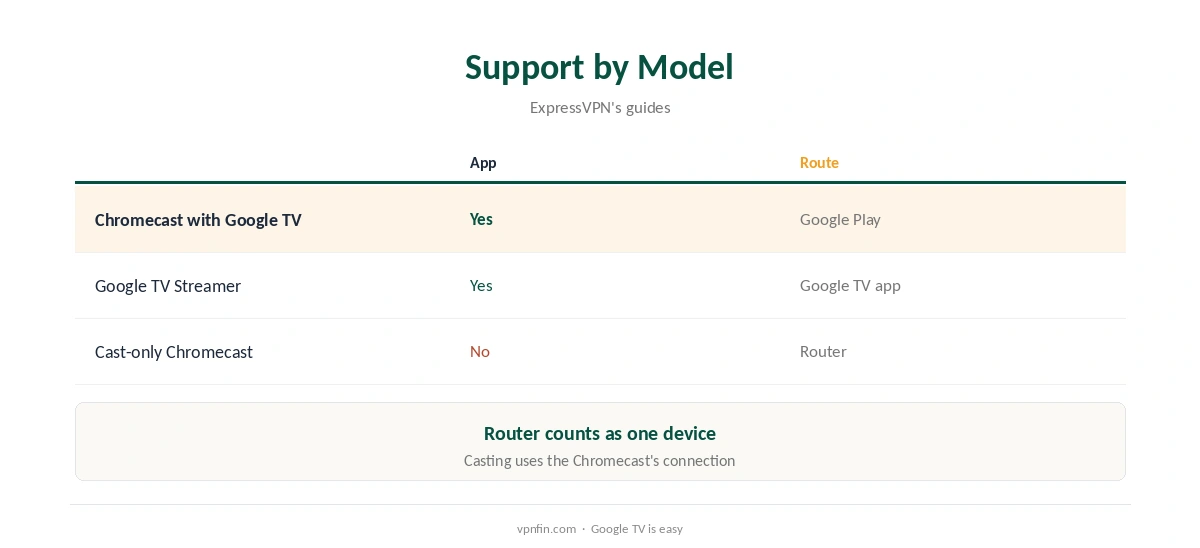
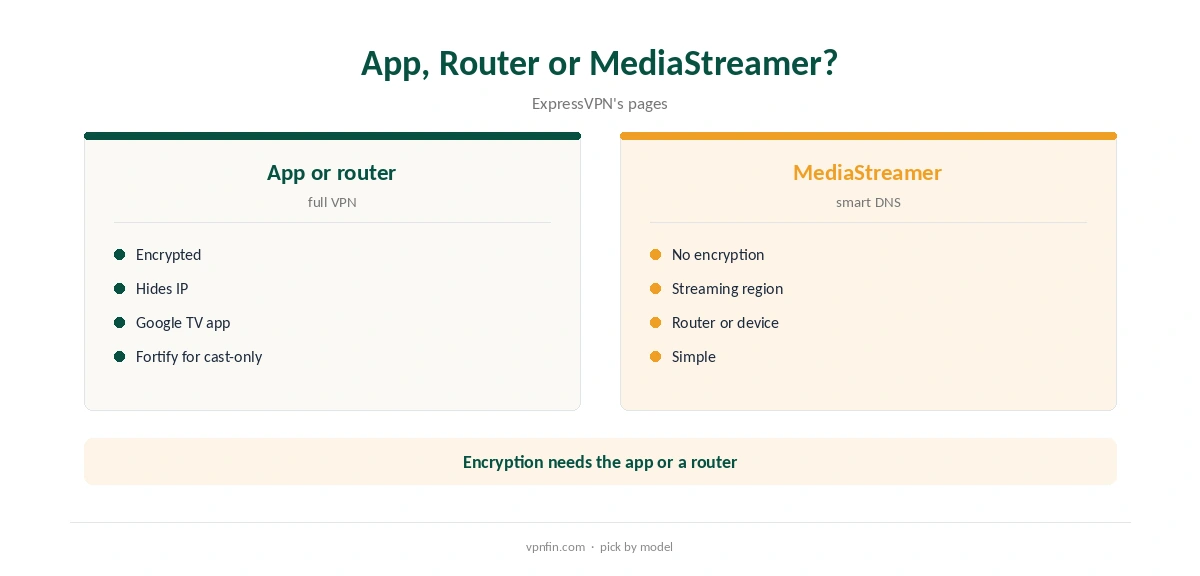
A Chromecast ExpressVPN setup depends on the model. Chromecast with Google TV runs Android TV apps, so ExpressVPN’s app installs from Google Play. It brings split tunnelling and auto-connect, ExpressVPN’s setup guide shows. Older cast-only Chromecasts cannot run apps, so they need a router running ExpressVPN, such as Fortify, or MediaStreamer, its smart DNS service without encryption.
This guide covers which models qualify, setup, settings, cast-only models and how casting interacts with a VPN.
Which Chromecasts Work
Chromecast with Google TV appears in ExpressVPN’s list of compatible streaming devices, alongside Android TV and Google TV devices, Fire TV and Apple TV. Google’s newer Google TV Streamer is a Google TV device too, and replaced the Chromecast line.
The older Chromecast dongles that only receive a cast stream from a phone or computer cannot install apps. They have no home screen or app store, only a receiver for casts. Our Chromecast VPN guide explains the difference between the two families.
Chromecast ExpressVPN Setup
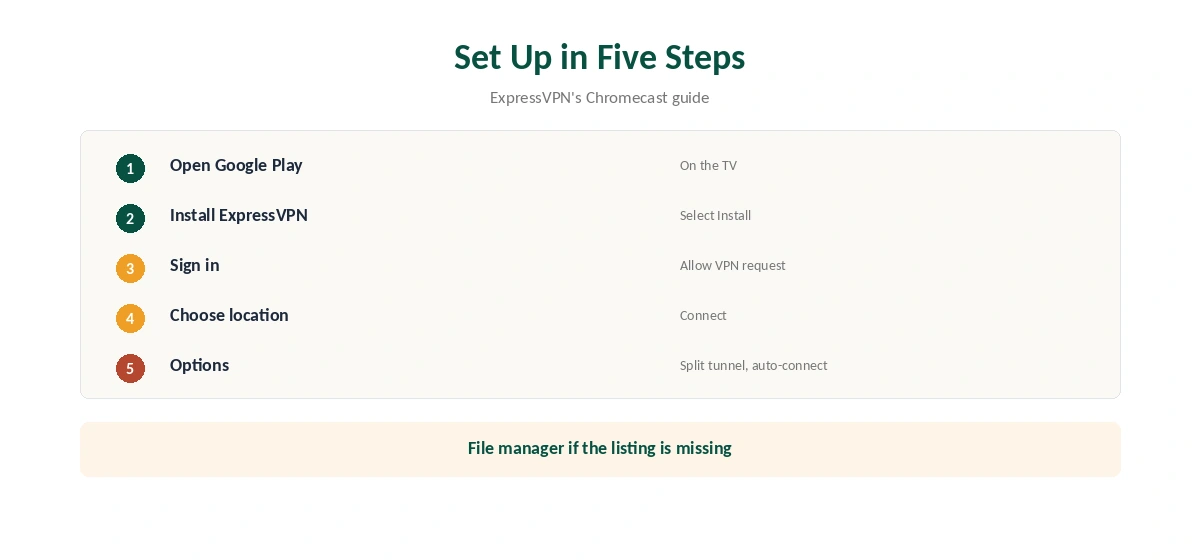
On the Chromecast with Google TV, open Google Play, search for ExpressVPN and select Install on the listing, ExpressVPN’s guide shows. Open the app, sign in, allow the VPN connection request, choose a location and connect. The remote’s directional buttons move through the location list, and a recommended location appears at the top.
ExpressVPN’s guide also covers installing the app file with a file manager if the store listing does not appear. Our ExpressVPN Android TV guide covers the same app on other TV boxes.
Settings on Google TV
Under Options, ExpressVPN’s TV app offers split tunnelling, so you can keep some apps outside the tunnel, and auto-connect, its guide shows. App and website shortcuts put favourite apps on the VPN home screen, so you can open them straight after connecting.
Exclude only the specific apps that work better without the VPN on your TV, such as a local news app, and keep streaming apps you use abroad inside it. Our split tunnelling guide explains the trade-off.
Cast-Only Chromecasts
A cast-only Chromecast fetches streams over its own connection, so a VPN on the phone that starts the cast does not cover it. Put ExpressVPN on the router instead, which covers the dongle like any other device; Fortify has it built in and protects every device on the network, ExpressVPN says.
MediaStreamer can also run on a router running ExpressVPN, its guide shows, for streaming without encryption. On ExpressVPN’s router app, you choose it for a device group from the location picker. Our ExpressVPN router guide covers both.
Google’s Google TV Streamer runs Google TV, so ExpressVPN’s Google TV app installs on it the same way, from Google Play. Its settings should match the Chromecast with Google TV version, since both run the same app.
Our Google TV Streamer VPN guide covers that device.
MediaStreamer is ExpressVPN’s smart DNS: register your IP address in your account and use the MediaStreamer DNS address. It changes your apparent region for some services but does not encrypt traffic or hide your address.
Our Smart DNS vs VPN guide explains when that is enough.
Streaming
Streaming services may still block VPN addresses whatever the device you use, and some check your payment country too. If one shows an error, close it fully, switch location in the same country and reopen it. Clearing the app’s cache under the TV’s app settings can also clear a stuck region.
Our ExpressVPN Netflix guide covers what testing shows for its streaming access.
ExpressVPN lists 27 independent audits by May 2026, three of them KPMG no-logs reports, and its Lightway protocol uses post-quantum key exchange by default. Kape owns it, along with CyberGhost and PIA.
Our ExpressVPN audit guide explains what each audit checked.
Price, Privacy and Devices
ExpressVPN’s Basic plan covers 10 devices and renews at $99.95 a year, our tables record; a router counts as one. New users get a 30-day refund.
Fortify is a separate purchase, so check its current price before buying, and compare it with running ExpressVPN on a router you own.
Other TV Devices
ExpressVPN offers apps for Apple TV on tvOS 17 or later, Android TV and Google TV devices, and Fire TV devices running Fire OS or Vega OS, its TV page lists. For TVs and consoles that cannot install any VPN, it points to MediaStreamer or Fortify.
Our ExpressVPN Apple TV guide covers the tvOS app.
Checking and Removing It
Google TV has no handy leak test, so confirm the location in a streaming app or from another device on the same router. ExpressVPN suggests its IP address checker for router setups, opened on any device behind the same router.
To remove the app, ExpressVPN’s guide includes uninstall steps for Chromecast with Google TV; turn off auto-connect first so nothing reconnects in the background.
How We Research
This page draws on ExpressVPN’s Chromecast with Google TV guide, its streaming and TV pages, its MediaStreamer router guide and our ExpressVPN and Chromecast tables. We cross-checked these sources against each other, and where they conflict or something can’t be verified, we say so in the text rather than guessing. We checked time-sensitive figures, including prices in US dollars, on 8 October 2026. The main source we relied on is ExpressVPN’s Chromecast guide. Our full approach lives on the About Us page.
Chromecast ExpressVPN FAQ
On Chromecast with Google TV, via its app; cast-only models need a router.
Yes, on Chromecast with Google TV.
No; the Chromecast fetches the stream itself.
Yes, under Options.
It changes region for streaming but does not encrypt.
The Verdict
A Chromecast ExpressVPN setup is simple on Chromecast with Google TV. Cast-only Chromecasts need a router running ExpressVPN.