
Disclosure: VPNFin is reader-supported. If you buy a VPN through links on this page, we may earn a commission at no extra cost to you. This never affects our ratings — here’s our full disclosure.
ExpressVPN on iPhone offers split tunnelling, which ExpressVPN says is not usually available in iPhone VPN apps. It works by IP address rather than by app; Surfshark’s iPhone version, by comparison, works by website. ExpressVPN’s support page says you choose which IP addresses skip the VPN, and its release notes say the feature is still rolling out gradually, so not everyone has it yet. It also has a catch: it will not work alongside the stricter of the app’s two kill switches.
This guide covers setup, the two kill switches, split tunnelling, and a purchase detail that affects refunds.
ExpressVPN on iPhone: The Short Answer
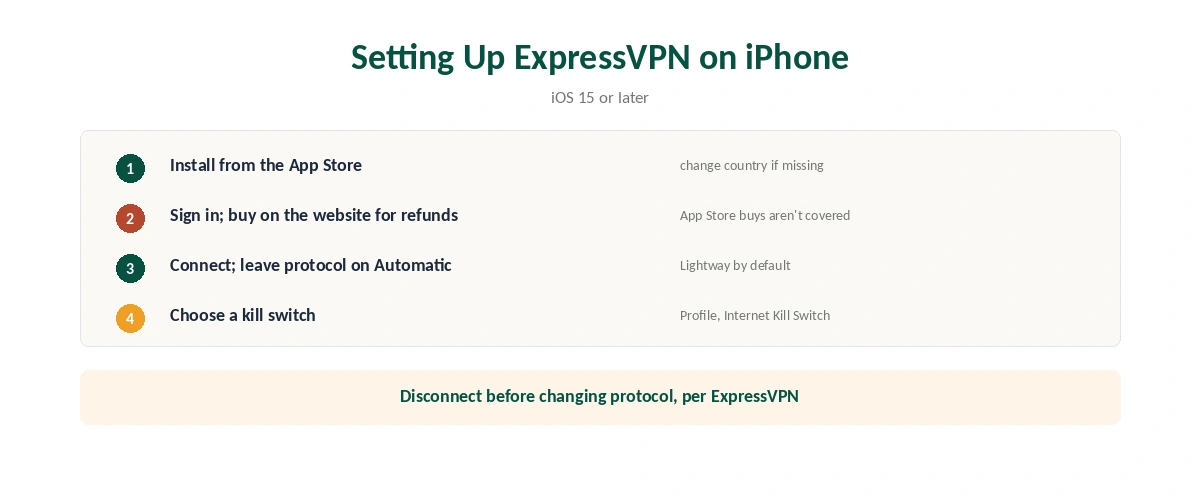
Install ExpressVPN from the App Store, sign in and connect. The app needs iOS 15 or later; ExpressVPN dropped support for iOS 14 and below.
Buy on ExpressVPN’s website if you want the refund option. ExpressVPN’s iOS page says subscriptions bought through the App Store do not get its 30-day money-back guarantee.
Choose your kill switch deliberately. The Advanced Kill Switch blocks all traffic but disables split tunnelling; the Standard one allows it. Our ExpressVPN review covers the service.
Setting Up ExpressVPN on iPhone
| Step | What to do | Note |
|---|---|---|
| 1 | Install ExpressVPN from the App Store | Change App Store country if it is missing |
| 2 | Open it and sign in | Subscribe on the website for refunds |
| 3 | Allow the VPN configuration | iOS asks once |
| 4 | Connect with the power button | Automatic protocol by default |
| 5 | Choose a kill switch | Profile, Internet Kill Switch |
| 6 | Add the widget or Siri commands | Optional shortcuts |
Leave the protocol for ExpressVPN on iPhone on Automatic. ExpressVPN recommends it and says the app picks Lightway, its own protocol. If you change protocol, disconnect first, its support page advises.
Two Kill Switches, One Trade-Off
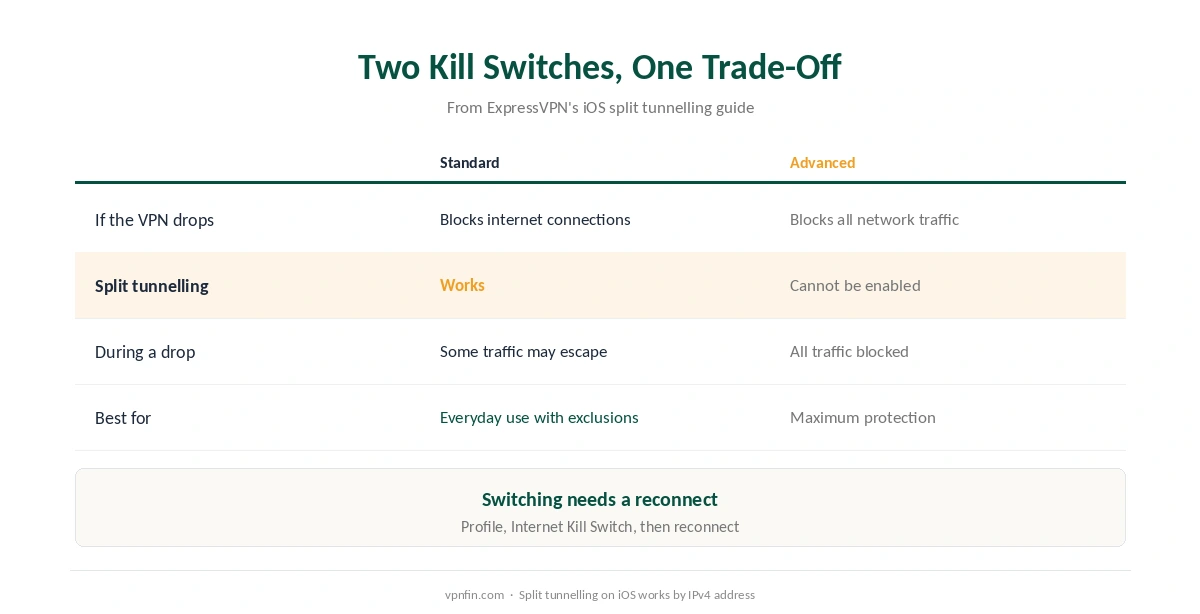
| Standard Kill Switch | Advanced Kill Switch | |
|---|---|---|
| If the VPN drops | Blocks internet connections | Blocks all network traffic |
| Split tunnelling | Works | Cannot be enabled |
| Best for | Everyday use with exclusions | Maximum protection |
ExpressVPN spells out the trade-off. The Advanced Kill Switch blocks all traffic without exception, so it overrides split tunnelling rules. To use split tunnelling, switch to Standard under Profile, Internet Kill Switch, and reconnect. ExpressVPN notes that Standard may let some traffic out during a drop. Our kill switch guide explains the difference.
Split Tunnelling on iPhone
Split tunnelling in ExpressVPN on iPhone works by IP address, not by app. ExpressVPN’s feature page describes single IPv4 address exclusions, and its setup guide puts the toggle under Profile, Split Tunneling. That suits a home camera or a local service with a fixed address.
It may not appear yet. ExpressVPN’s release notes say split tunnelling on iOS is rolling out gradually. Our split tunnelling guide explains the wider idea, and our guide to turning off a VPN on iPhone covers the simpler alternative.
What Breaks, and How to Fix It
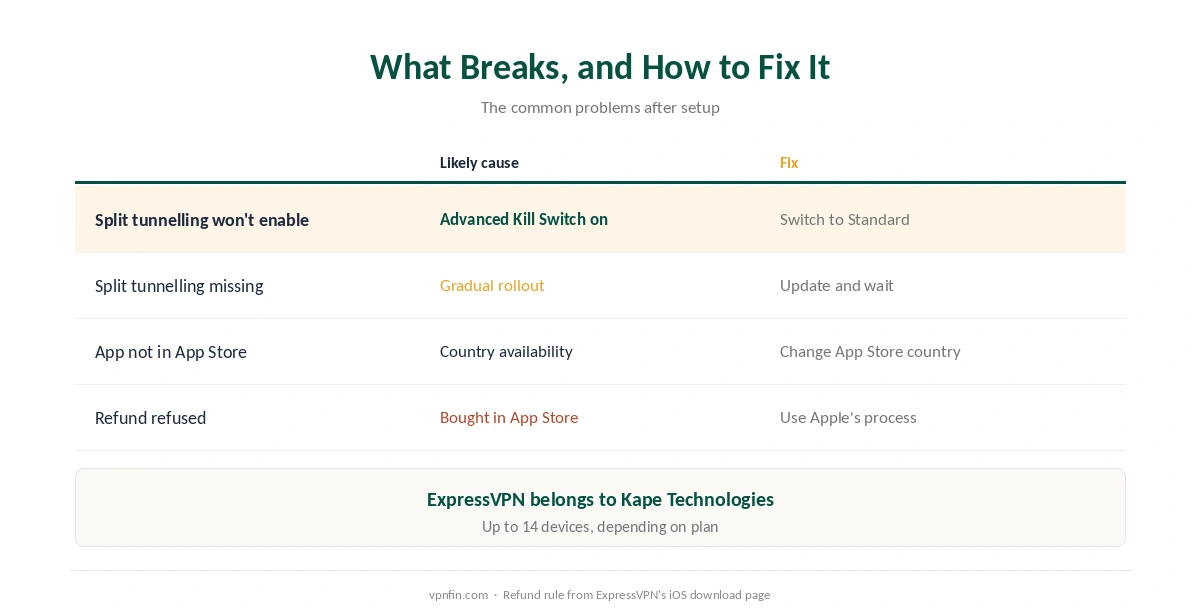
Split tunnelling will not switch on. The Advanced Kill Switch is active. Switch to Standard and reconnect.
You cannot find the app. ExpressVPN suggests changing your App Store country, since availability varies; our travel guide covers installing before a trip.
You want a refund but bought in the App Store. ExpressVPN’s guarantee does not cover App Store purchases; Apple’s own refund process applies instead.
A streaming app ignores the new location. Close and reopen it, or switch server, and run a DNS leak test if something seems off. Our ExpressVPN and Netflix page covers recent results.
Other Features Worth Knowing
Pause the VPN for a set time and it resumes on its own, a recent addition per the release notes. It is handy on public Wi-Fi when one app misbehaves, as our public Wi-Fi guide explains. The app also offers a speed test, Network Insights and a widget, per its support page. Our guide to checking a VPN covers independent checks.
Comparing iPhone apps? Our NordVPN on iPhone guide and our Surfshark on iPhone guide cover the alternatives, which share a parent, Nord Security. ExpressVPN belongs to Kape Technologies. Our iPhone VPN guide compares every provider.
How We Research
The setup, kill switch and split tunnelling details come from ExpressVPN’s iOS support pages, release notes and split tunnelling feature page, and the refund rule from its iOS download page. We name each source where used; all were read on 26 September 2026. We did not test on an iPhone ourselves. Our full approach lives on the About Us page.
ExpressVPN on iPhone FAQ
Yes, by IP address rather than by app. ExpressVPN says it is rolling out gradually, so it may not appear for everyone yet.
The Advanced Kill Switch blocks it. Switch to the Standard Kill Switch under Profile, Internet Kill Switch, and reconnect.
No. ExpressVPN says subscriptions bought through the App Store are not covered by its 30-day guarantee.
iOS 15 or later. ExpressVPN no longer supports iOS 14 and below.
Automatic, which ExpressVPN recommends and which selects Lightway. Disconnect before changing protocol.
The Verdict
ExpressVPN on iPhone stands out for split tunnelling by IP address and a choice of two kill switches.
Pick the Standard Kill Switch if you need exclusions, the Advanced one for maximum protection, and buy on the website if the refund matters.