
Disclosure: VPNFin is reader-supported. If you buy a VPN through links on this page, we may earn a commission at no extra cost to you. This never affects our ratings — here’s our full disclosure.
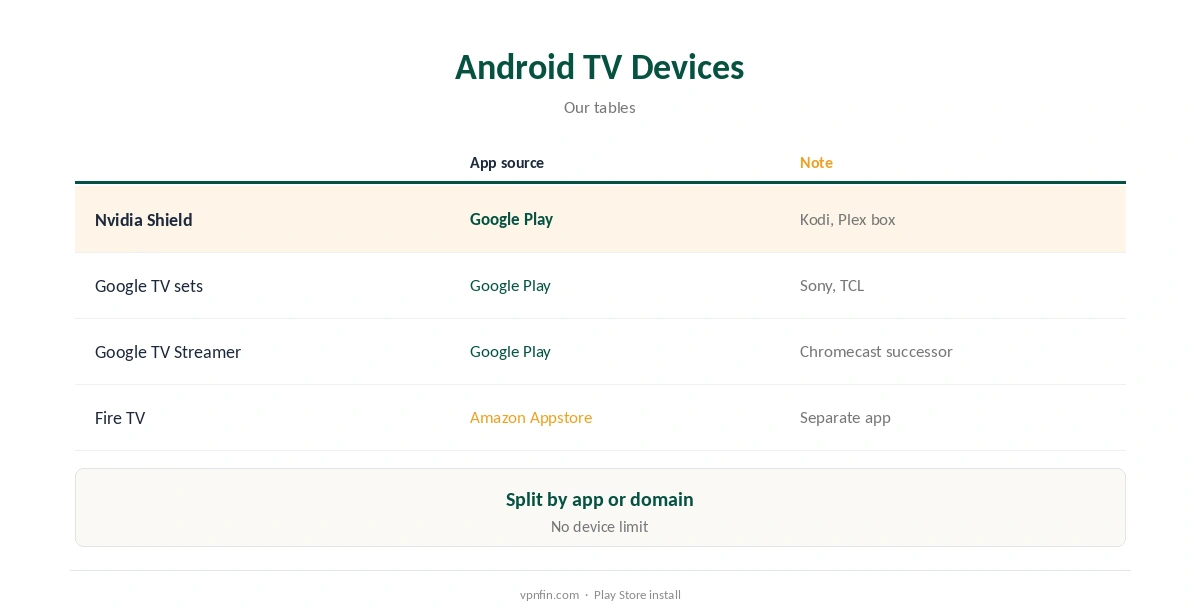
IPVanish Nvidia Shield setup is simple: the Shield runs Android TV, and IPVanish’s Android TV app installs from Google Play, as on Sony and TCL Google TV sets and the Google TV Streamer. Cybernews lists Nvidia Shield among IPVanish’s supported devices. The app brings WireGuard, connection at start-up and split tunnelling by app or domain, our tables record.
This guide covers installation, settings, Kodi and streaming on the Shield, and when a router suits better.
IPVanish Nvidia Shield Install
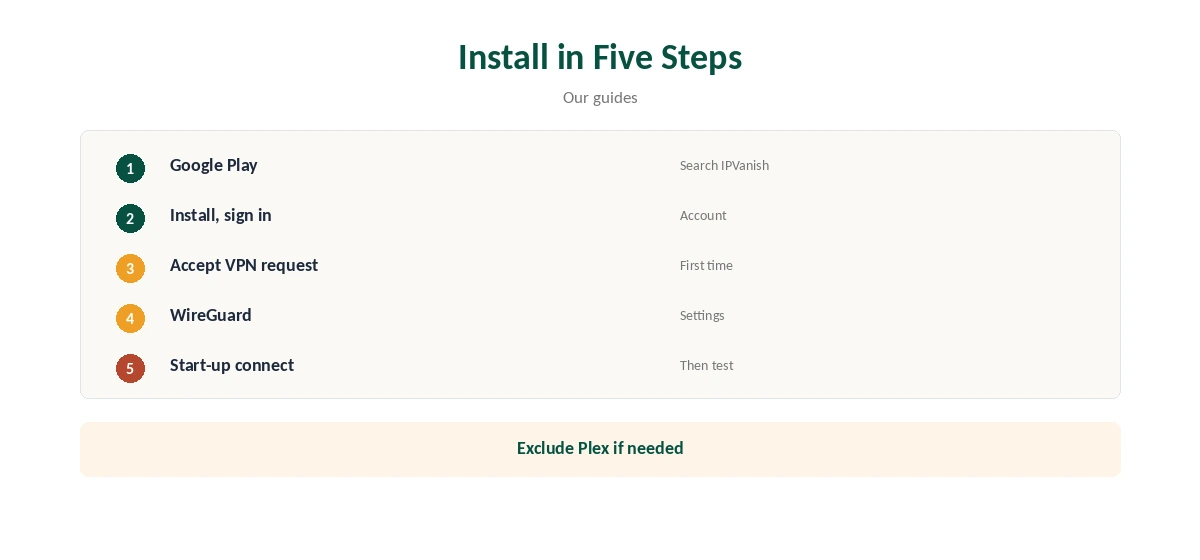
On the Shield, open Google Play, search for IPVanish, install it and sign in with your account details using the remote or a connected keyboard. Accept Android’s VPN connection request on first use, pick a nearby location and connect.
IPVanish sets no device limit, so the Shield joins your phones, laptops and other devices on one plan. Our Android TV VPN guide compares providers on the platform.
IPVanish Nvidia Shield Settings
Choose WireGuard, which VPNpro found fastest, and turn on connection at start-up so the Shield is protected after a restart or power cut. Pick a nearby location for smooth 4K playback and fast menus.
If a network blocks WireGuard, switch to OpenVPN with Scramble, which disguises the traffic at some cost in speed. Our IPVanish WireGuard guide explains the protocols.
Split Tunnelling on Android TV
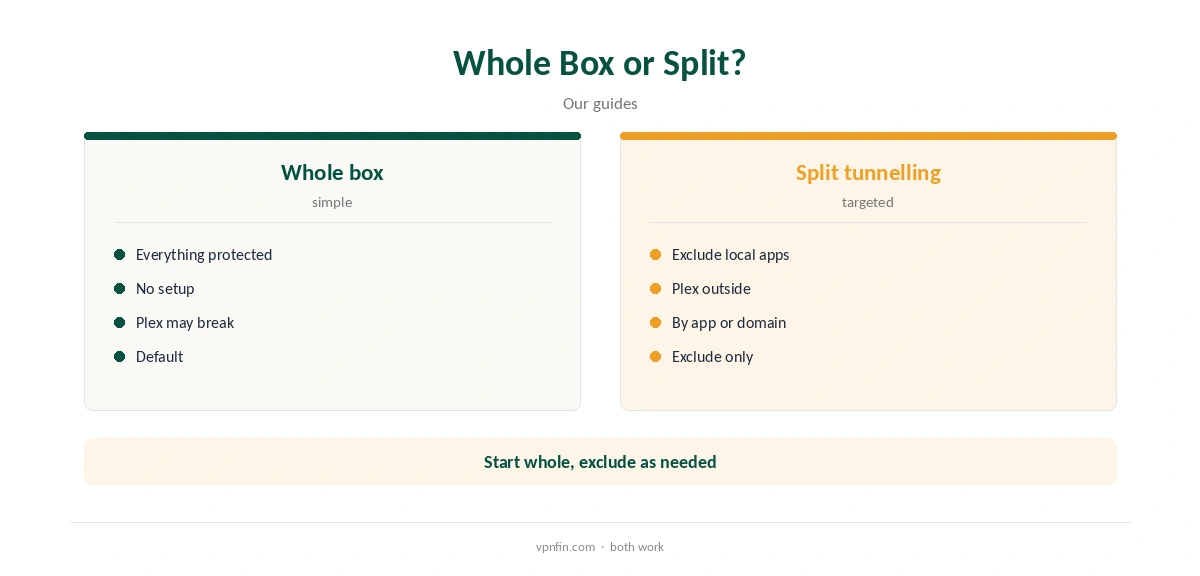
IPVanish’s Android app splits traffic by app or by domain and only excludes, Tom’s Guide notes. On a Shield, that lets a local catch-up app or a game-streaming service skip the VPN while others stay protected.
Keep all apps in the tunnel by default and exclude only those that need your real location, such as a local broadcaster’s app.
Kodi and Plex on the Shield
The Shield is a popular Kodi and Plex box, often running both at once. With IPVanish connected, Kodi’s traffic goes through the tunnel; to route only Kodi, use split tunnelling to exclude other apps.
A Plex server on the Shield may need its traffic outside the VPN for remote access, since outside connections cannot reach it through the tunnel. Our IPVanish for Kodi guide covers Kodi in detail.
Game Streaming on the Shield
The Shield is also used for cloud gaming, where latency matters more than privacy. A VPN adds a hop, so exclude the game-streaming app with split tunnelling or disconnect while playing. Keep the VPN for video apps, where a little latency does not matter.
Our gaming VPN guide explains why ping rises through a VPN.
Troubleshooting and Streaming
If the app will not connect, update it, restart the Shield and try another protocol or a different server in the same city. If a streaming app shows the wrong region, close it fully and reopen it after the VPN connects.
IPVanish’s live chat runs around the clock. Our IPVanish troubleshooting guide lists fixes in order.
VPNOverview reached Netflix, Hulu, Prime Video, Max, Disney+ and BBC iPlayer with IPVanish in 2026, while VPNpro found its streaming inconsistent. Test your services within the refund window.
Restart a streaming app after connecting so it checks your region again rather than using the old one.
Other Devices and Price
The same app runs on Google TV sets from Sony, TCL, Philips and others, on the Chromecast with Google TV and on the Google TV Streamer. Fire TV sticks use IPVanish’s Amazon Appstore app instead, which differs slightly on Vega OS models.
Our IPVanish Chromecast guide and IPVanish Firestick guide cover those.
IPVanish costs $57.22 for the first 24 months and renews at $89.99 a year, VPNOverview lists, with no device limit. Yearly website plans carry a 30-day refund; monthly plans carry none.
Our IPVanish price guide compares the plans.
Which Android TV Box to Use
The Shield remains a favourite for Kodi and Plex because of its storage options and wired port, while the Google TV Streamer and Google TV sets cover streaming with less fuss. All run the same IPVanish app from Google Play.
For the steadiest 4K playback through a VPN, a wired connection to the box helps more than any app setting you can change.
Privacy and Ownership
IPVanish is based in the US and owned by Ziff Davis, which also owns StrongVPN. Its no-logs policy has two audits in our table, by Leviathan and Schellman, and it owns its servers rather than renting them, Top10VPN notes.
On a TV box, the VPN mainly hides viewing traffic from your internet provider and from others on shared networks, such as a holiday rental.
Turning It Off
Disconnect in the IPVanish app, or turn off connection at start-up if you no longer want it on by default. Uninstall from the Shield’s app settings if you stop using it.
Your account stays active until you cancel separately, and your other devices keep working as before.
How We Research
This page draws on Cybernews’ IPVanish review, Tom’s Guide on split tunnelling, VPNpro’s and VPNOverview’s IPVanish reviews and our IPVanish tables. We cross-checked these sources against each other, and where they conflict or something can’t be verified, we say so in the text rather than guessing. We checked time-sensitive figures, including prices in US dollars, on 8 October 2026. The main source we relied on is Cybernews’ IPVanish review. Our full approach lives on the About Us page.
IPVanish Nvidia Shield FAQ
Yes, through its Android TV app from Google Play.
WireGuard, switching to OpenVPN with Scramble on blocked networks.
Yes, by excluding other apps with split tunnelling.
Yes, including Google TV sets and the Google TV Streamer.
IPVanish sets no device limit.
The Verdict
IPVanish Nvidia Shield use is a Play Store install away, with WireGuard and split tunnelling. Exclude a Plex server if remote access breaks.