
Disclosure: VPNFin is reader-supported. If you buy a VPN through links on this page, we may earn a commission at no extra cost to you. This never affects our ratings — here’s our full disclosure.
Device limits sell subscriptions. Unlimited connections appear at the top of most feature lists, and five of the providers in our device table offer them.
A router counts as one connection and covers everything behind it. Which means for most households the limit decides very little, and the real question is whether your router can run a VPN client at all.
The Short Answer
Unlimited devices: Surfshark, Private Internet Access, IPVanish, Windscribe and TunnelBear.
Most of them sit in the cheaper part of the market. That is the pattern here rather than the exception — though TunnelBear offers unlimited connections with a refund window that covers only first-year annual plans, which is a trade of a different kind.
Ten at NordVPN, and ten to fourteen at ExpressVPN depending on tier, which is enough for almost any household once you count properly.
⚠️ Five at Mullvad and five at IVPN on its standard plans. The provider with the longest run of published audits is also among the tightest on connections, which is an awkward fact rather than a coincidence.
Count What Actually Needs a Slot
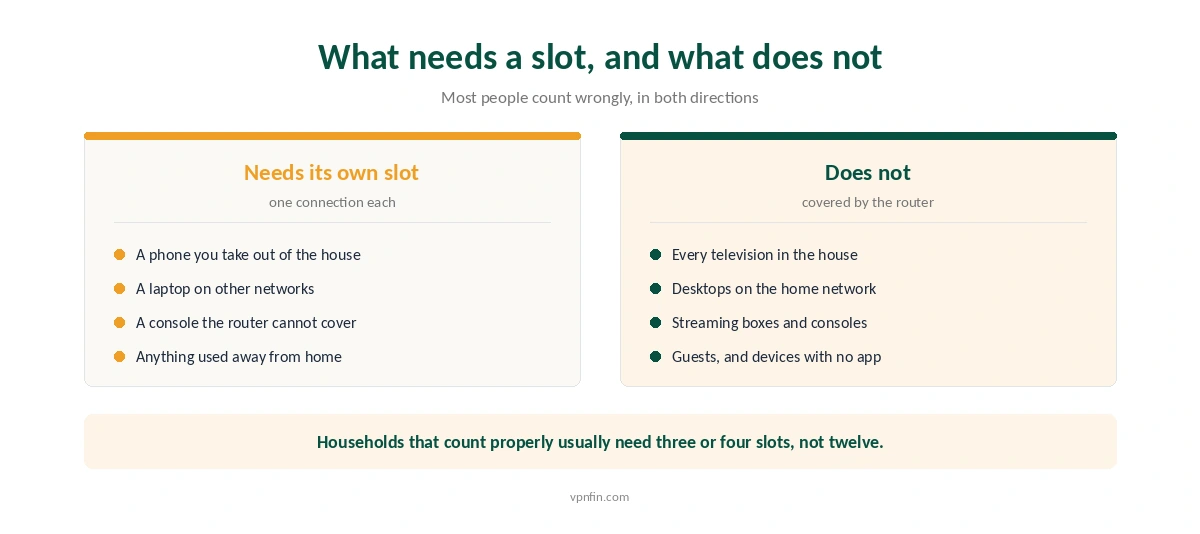
Most people count wrongly, and usually in both directions at once.
A slot is needed for anything that leaves the house. A phone on mobile data, a laptop on café wifi, a tablet at a hotel — those connect individually and each takes one.
Nothing on your home network needs one, if the router is running the tunnel. Televisions, desktops, streaming boxes, consoles and guests all travel through a single connection.
⚠️ Counted that way, most households need three or four slots. Not twelve, and certainly not unlimited — which reframes the question from plans to firmware.
What Each Provider Allows
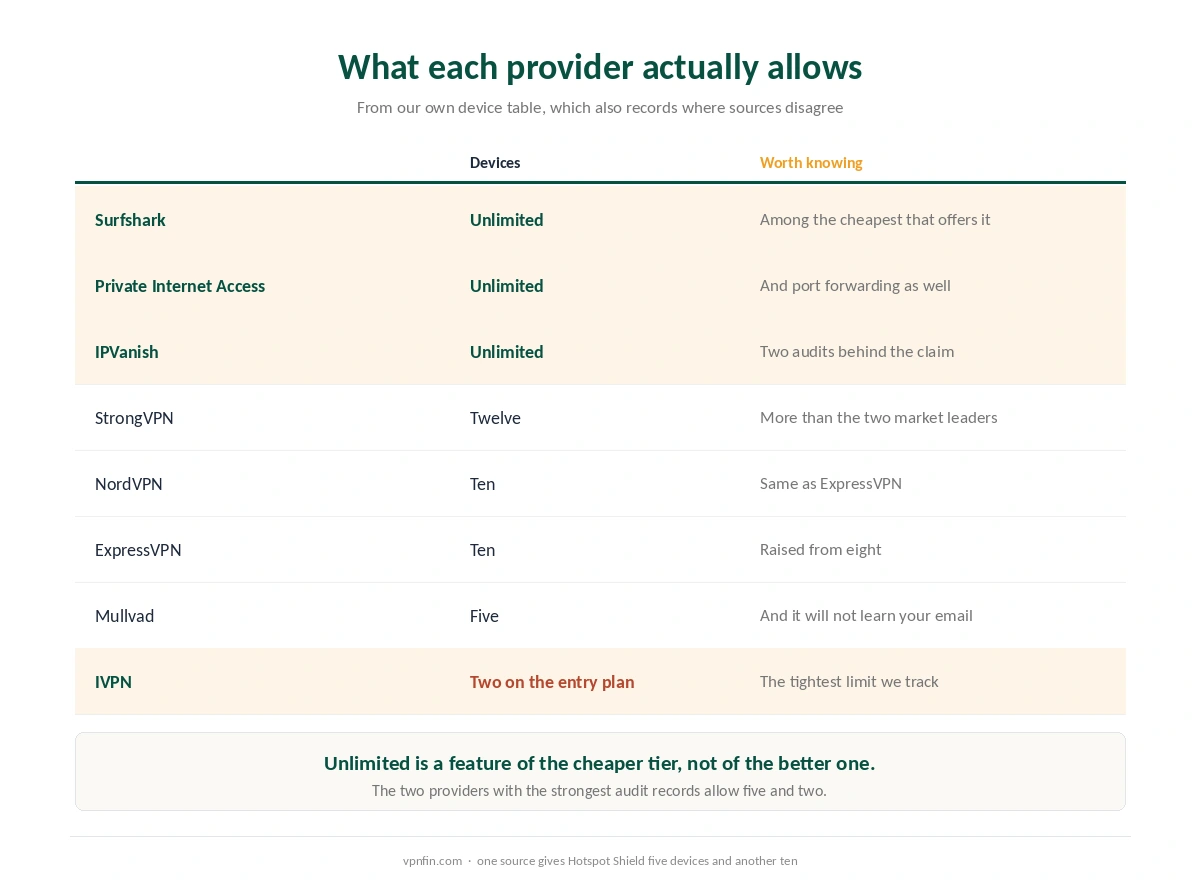
The pattern is worth noticing. Unlimited connections cluster in the cheaper half of the table, and the provider with the most audits allows five.
StrongVPN allows twelve, which is more than either market leader — one of the few respects in which it outperforms them. Its sister service under Ziff Davis allows unlimited connections, and the two are compared directly here.
⚠️ And published figures disagree in places. One source gives Hotspot Shield five connections and another ten, which our own table records as a disagreement rather than resolving. Hotspot Shield vs Mullvad covers that choice in detail.
| Provider | Simultaneous | Notes |
|---|---|---|
| NordVPN | 10 | — |
| Surfshark | Unlimited | no cap in terms |
| ExpressVPN | 10/12/14 | by tier |
| CyberGhost | 7 | router counts as one |
| PureVPN | 10 | up to 50 with paid add-on |
| IPVanish | Unlimited | no cap on any plan |
| Windscribe | Unlimited | including Build a Plan |
| Private Internet Access | Unlimited | no tier gating |
| Mullvad | 5 | no paid add-on |
| TunnelBear | Unlimited | no cap on any plan |
| Norton VPN | 5 | 10 on Ultimate, US only |
| Hotspot Shield | Disputed | sources give five and ten |
| IVPN | 5 | 10 on Pro Suite |
| PrivadoVPN | 10 | 1 on the free tier |
| StrongVPN | 12 | more than either market leader |
| PrivateVPN | 10 | free dedicated IP on one plan |
| VyprVPN | Disputed | sources give five and ten |
| Astrill | 5 or unlimited | sources disagree; Astrill's page says unlimited in the household |
| TorGuard | 8, 12 or 30 | by plan |
| ZoogVPN | 10 | 1 on the free tier; some reviews say unlimited |
| FastestVPN | 10 | 15 on the PRO lifetime plan |
| Hide.me | 10 | 1 on the free tier |
The Router Route, and Its Two Costs
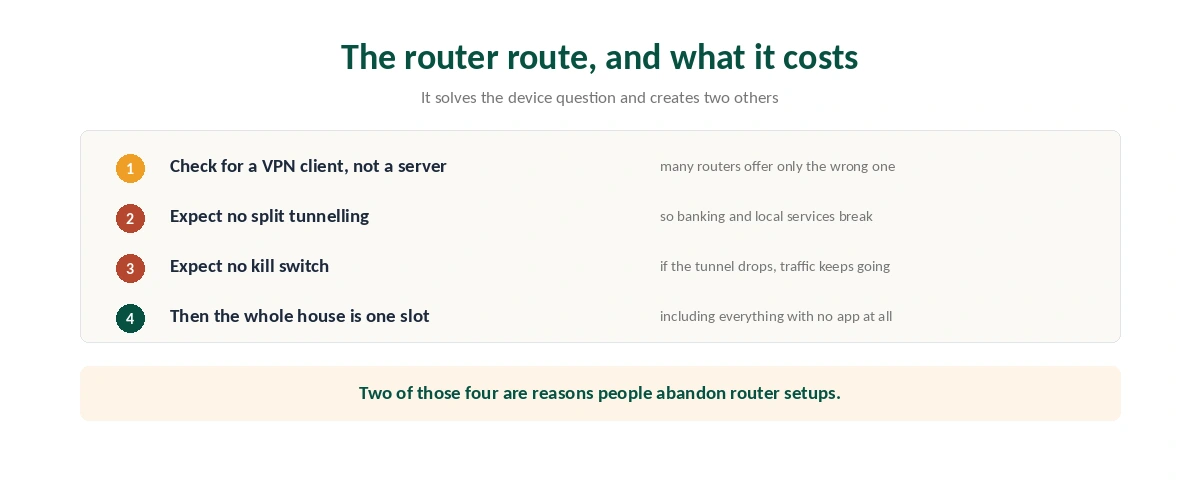
Check whether your router offers a VPN client rather than a VPN server. Many offer only the second, which lets you reach your home network from outside and does nothing for this — our router guide covers the three paths.
Expect no split tunnelling. Router firmware rarely supports it, which means banking sites and local services travel through the tunnel whether you want them to or not — and that is the setting that would have excluded them.
⚠️ Expect no kill switch either. If the tunnel drops at the router, traffic keeps flowing unprotected and nothing tells you — the failure a kill switch exists to prevent.
Those two gaps are why people abandon router setups, and they are worth knowing before you treat one slot as the answer to everything.
When Unlimited Genuinely Helps
A shared household where people travel. Four people with three devices each, all leaving the house, exceeds ten quickly.
A rented home where you cannot touch the router. No administrative access means every device needs its own app and its own slot.
Devices that cannot run a client and cannot sit behind your router — a console at someone else’s house, a work laptop you are not allowed to configure.
⚠️ And it helps if you would otherwise share an account. Providers with limits enforce them, and hitting the ceiling mid-film is the most annoying way to discover it.
What to Weigh Instead
The renewal price. Most of the unlimited providers raise it sharply after the first term — which decides the total far more than the device count does.
The audit record. Unlimited connections are a licensing decision; published verification is a structural one, and our privacy ranking weighs the second.
The refund window. Thirty days at minimum everywhere we rank, and long enough to test whether the limit bites in practice — which windows apply where is tracked separately.
⚠️ And whether the apps exist for your platforms at all. A generous limit is worthless on a device with no client — our main ranking covers platform coverage alongside everything else.
How We Research
Device limits come from our own published table, which records where sources disagree rather than choosing a figure — the Hotspot Shield entry is the current example. Pricing and renewal figures come from our renewal table. Router firmware limitations, including the absence of split tunnelling and kill switches on most consumer hardware, come from our router guide and the provider documentation it cites. We do not run our own tests, and device allowances change without announcement, so check the provider’s page before subscribing. Our method lives on the About Us page.
Multiple Devices FAQ
Five in our device table: Surfshark, Private Internet Access, IPVanish, Windscribe and TunnelBear. Most sit in the cheaper half of the market, which is the usual pattern — unlimited connections tend to be a feature of budget tiers rather than premium ones.
Yes, and that is the point most comparisons miss. A VPN configured on a router uses a single connection slot and covers every device behind it, including televisions, consoles, guests and anything with no app of its own.
Count only what leaves the house — phones, laptops and tablets used on other networks. Everything on your home network travels through the router’s single connection. Most households arrive at three or four rather than ten or more.
Two things. Router firmware rarely supports split tunnelling, so banking and local services go through the tunnel whether you want that or not. And most router setups have no kill switch, so a dropped tunnel leaks silently.
Mullvad allows five connections while publishing audits annually for over a decade, and IVPN allows five on its standard plans.
The Verdict
Unlimited devices is a real feature and a poor deciding factor. It clusters in the cheaper half of the table, and a router turns the whole house into one slot regardless.
Count what leaves the building. Three or four connections covers most households once the television and the desktop stop being counted.
Then decide on the things that do not change. The renewal price, the audit record and the refund window all outlast a number on a feature list. Our page on Surfshark vs Norton VPN covers devices, audits and renewal prices compared.